About this template
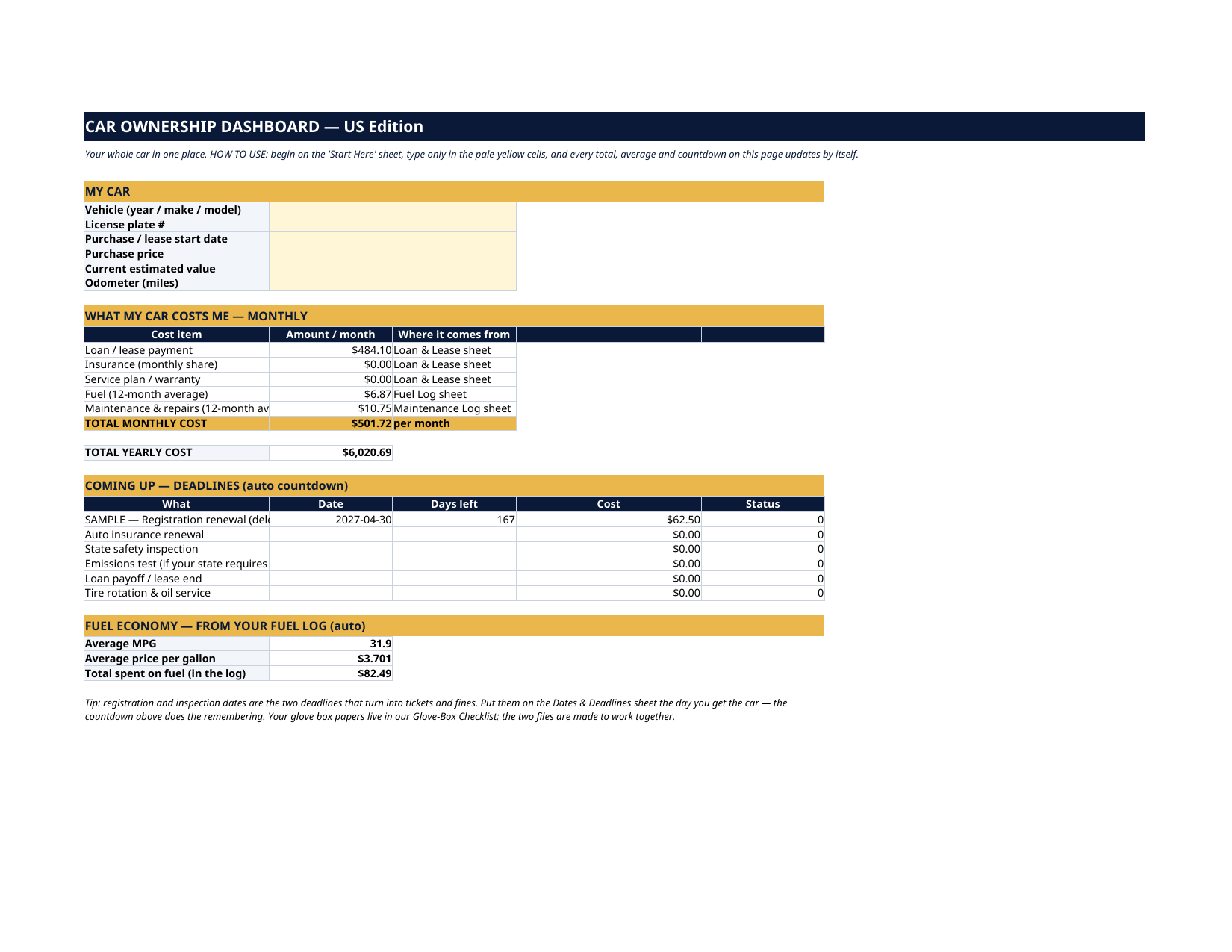
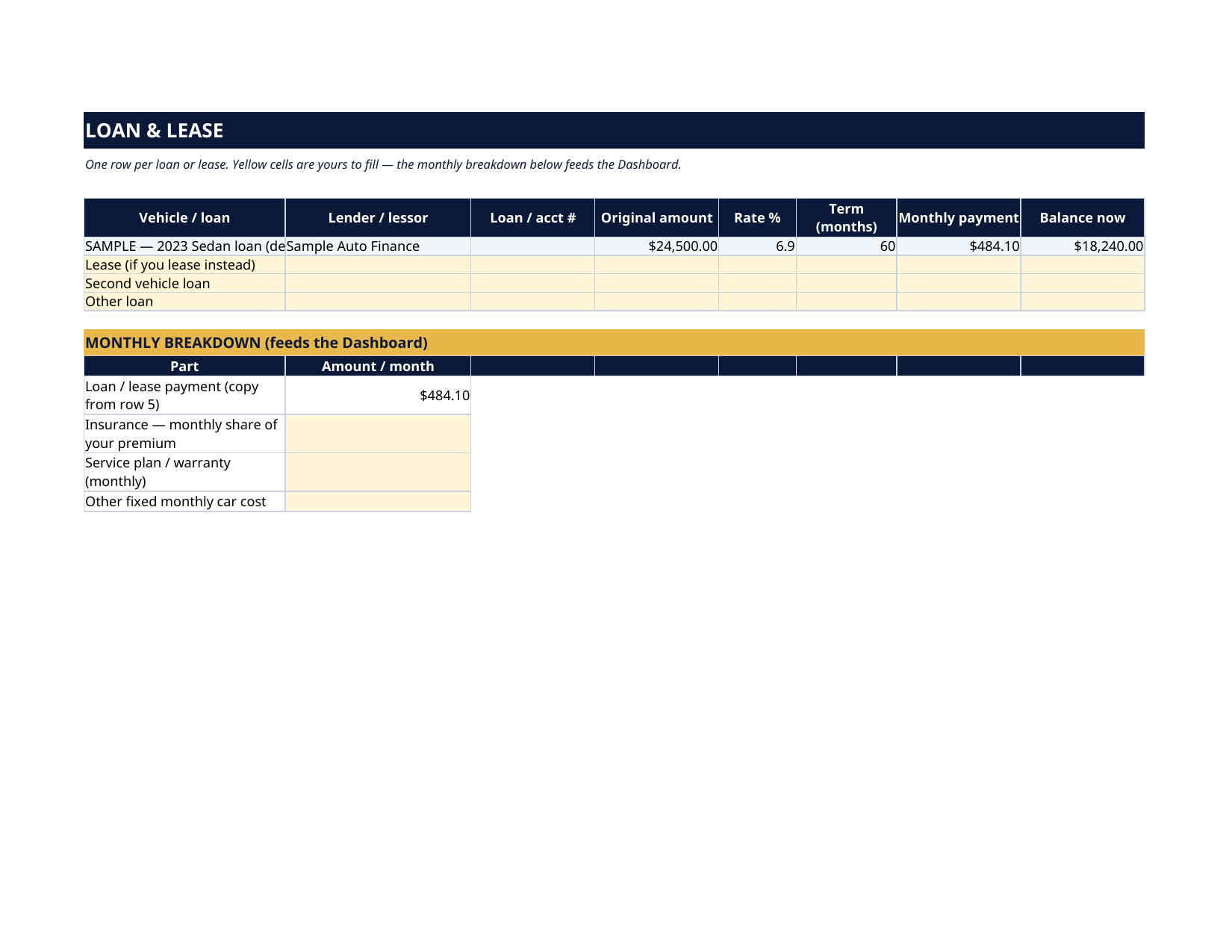
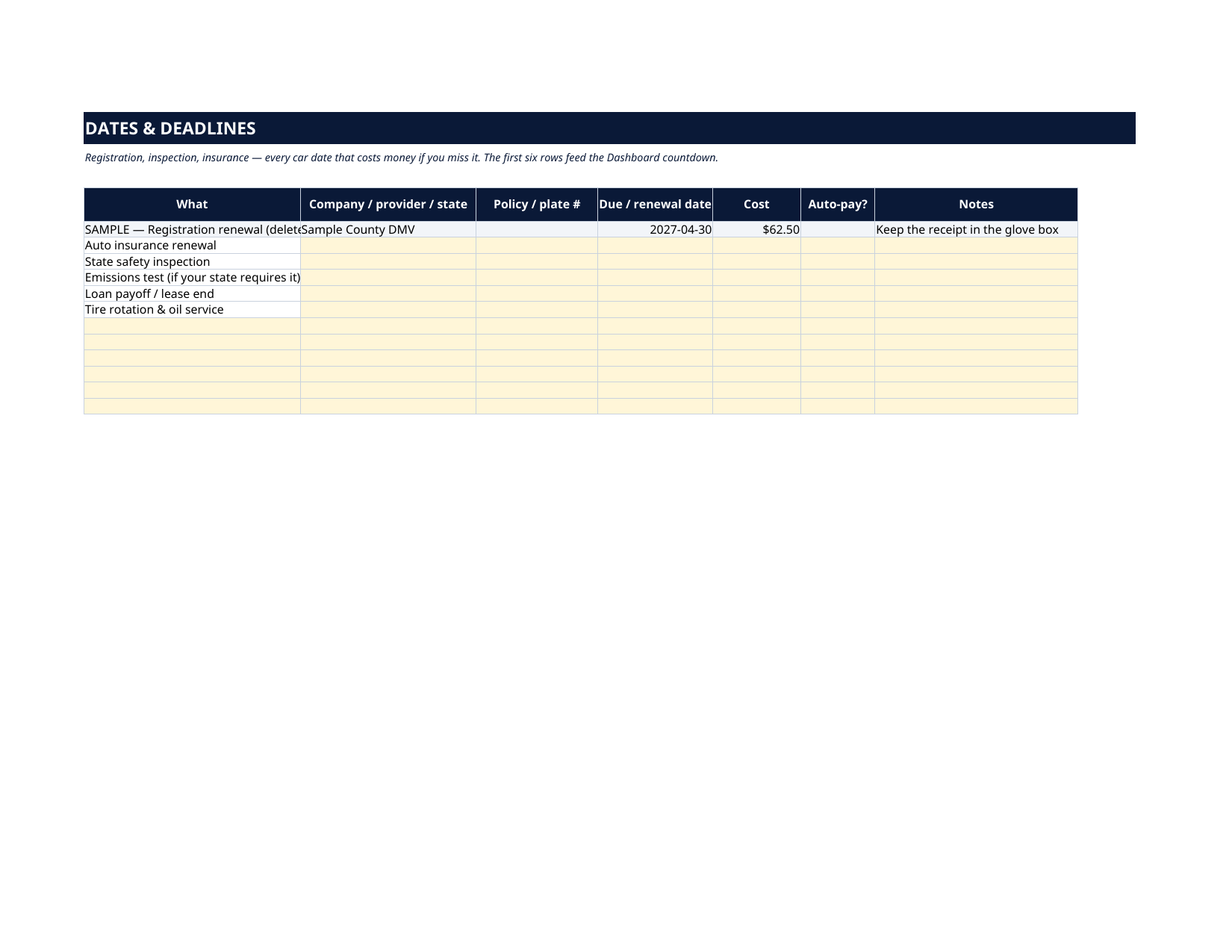
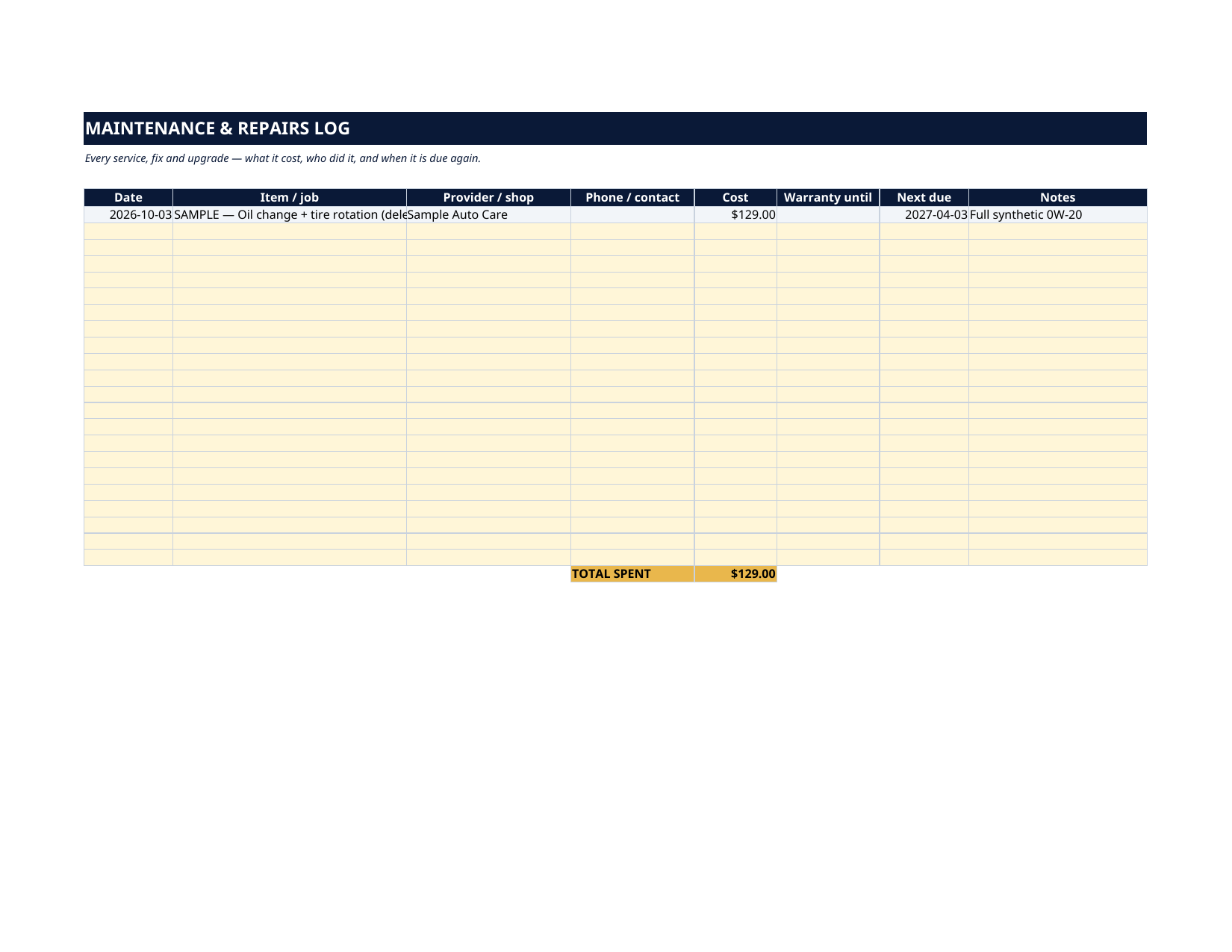
The grey SAMPLE rows are a fictional 2023 sedan: a $24,500 loan at 6.9% with a $484.10 payment, a registration renewal due April 30, 2027, a $129 oil change, and two fill-ups — 352 miles on 11.05 gallons, so the Dashboard reads 31.9 MPG before you touch anything. Every sample is marked "SAMPLE — delete me". Delete them, type your own, and the whole file is yours. Most drivers can name their car payment and nothing else. The insurance premium, the fuel, the oil changes, the registration that quietly expired last month — the true cost and the true deadlines live in five different places. This dashboard puts them in one: type the raw numbers once, in pale-yellow cells, and the monthly cost, the yearly cost, every countdown and your MPG update by themselves.
What's inside
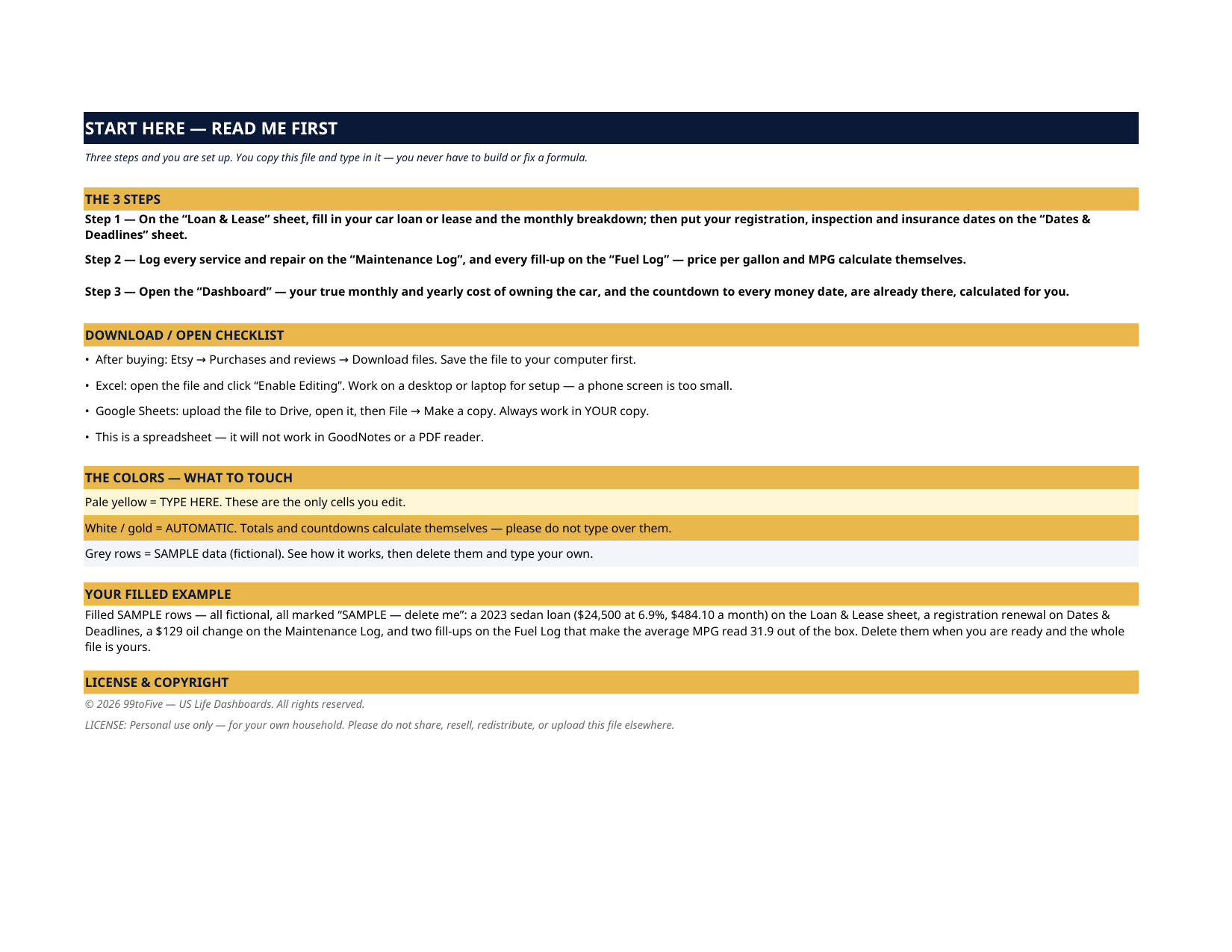
- Start Here — the 3 steps, a download/open checklist for Etsy, Excel and Google Sheets, the color guide (pale yellow = type here; white/gold = automatic; grey = sample data), and a walk-through of the filled example.
- Dashboard — the one-page summary. Your car profile, your true monthly cost (loan/lease payment, insurance share, service plan, a 12-month average of your fuel, a 12-month average of your maintenance), the yearly total, a countdown to your next six deadlines, and your fuel economy — average MPG, average price per gallon, total fuel spend.
- Loan & Lease — one row per loan or lease: lender, account number, original amount, rate, term, monthly payment, balance. Below it, the monthly breakdown — payment, insurance share, service plan — that feeds the Dashboard.
- Dates & Deadlines — registration renewal, state inspection, emissions test, insurance renewal, loan payoff / lease end, tire rotation: provider, policy or plate number, due date, cost, auto-pay. The first six rows feed the Dashboard countdown, so no money date sneaks up on you.
- Maintenance Log — every service, fix and upgrade: date, job, shop, phone, cost, warranty until, next due. Total spent is automatic and feeds the Dashboard's maintenance average.
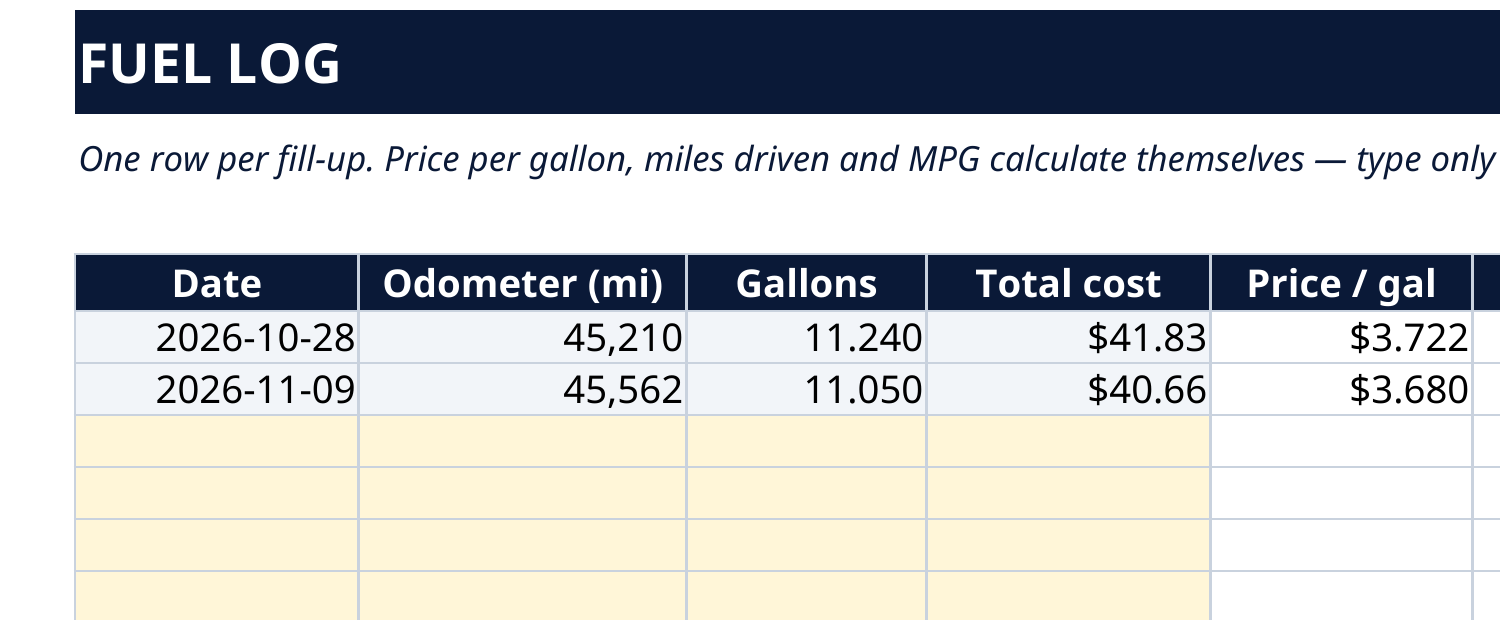
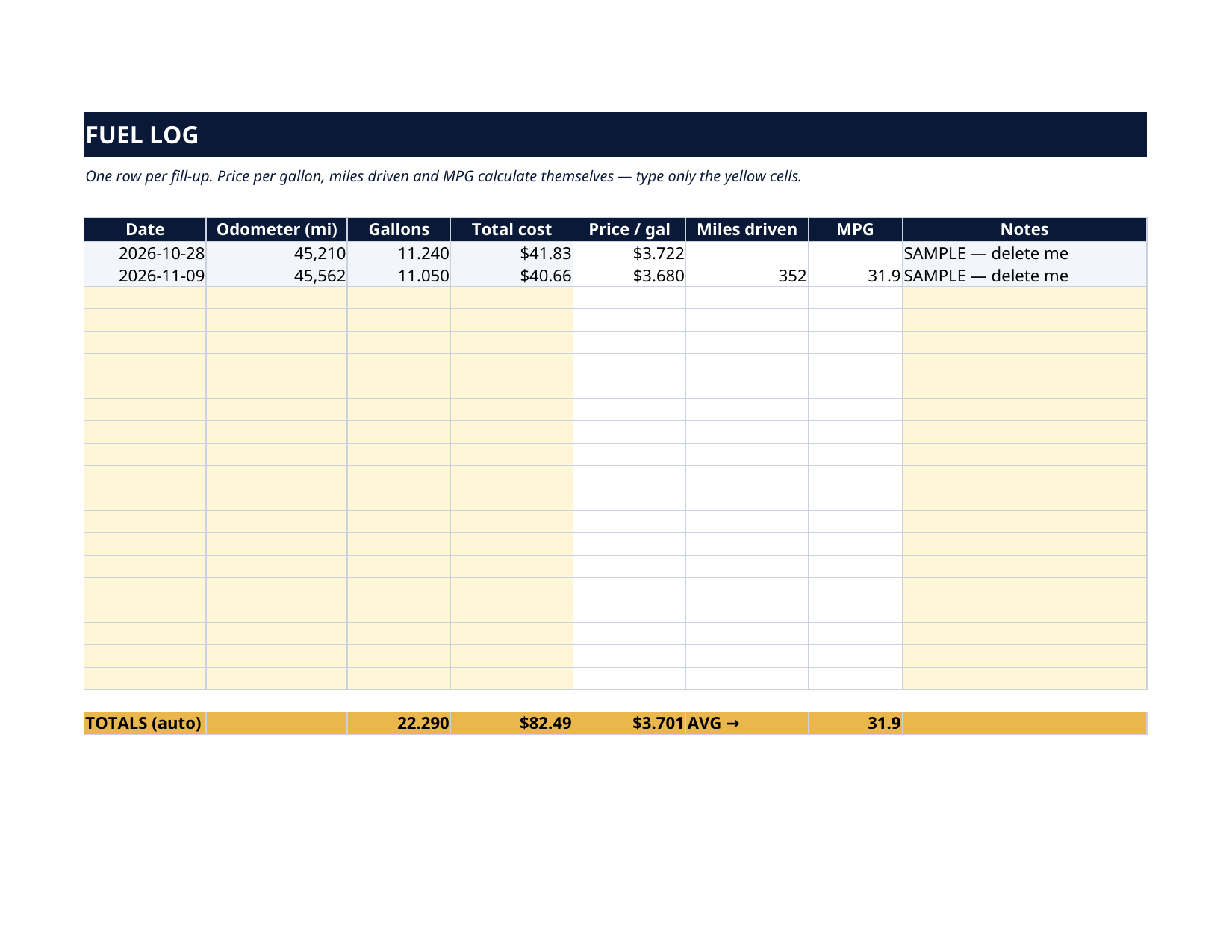
- Fuel Log — one row per fill-up: date, odometer, gallons, total cost. Price per gallon, miles driven and MPG calculate themselves; the totals row keeps your running fuel spend and lifetime average MPG.
How it works — 3 steps
- On the Loan & Lease sheet, fill in your loan or lease and the monthly breakdown; then put your registration, inspection and insurance dates on Dates & Deadlines.
- Log services as they happen on the Maintenance Log and fill-ups on the Fuel Log — two minutes at the pump, from the receipt.
- Open the Dashboard. Your monthly and yearly cost, your next deadlines and your MPG are already there.
You never build or fix a formula. Type only in the pale-yellow cells — the formula cells are protected (no password) so the math can't be broken by accident. Fictional SAMPLE rows, clearly marked, show you the format; delete them and the file is yours.
What you need
Microsoft Excel, or Google Sheets (free with a Google account). One file works in both. A desktop or laptop is best for setup — a phone screen is too small. This is a spreadsheet. It will not work in GoodNotes, Notability or a PDF reader.
Instant download
This is a digital download — no physical item will be shipped. After purchase, go to Etsy → Purchases and reviews → Download files, save the file to your computer first, then open it in Excel (click “Enable Editing”) or upload it to Google Drive for Sheets (then File → Make a copy, and always work in your copy).
License
Personal use only — for your own household. Please do not share, resell or redistribute the file.
Questions
Does it work in Google Sheets as well as Excel?
Yes — the same .xlsx file works in both. Upload it to Google Drive, open it, then choose File → Make a copy and work in your copy. A printable PDF render is included too.
I lease my car. Does this still work?
Yes — the Loan & Lease sheet takes a lease exactly the same way (monthly payment, term, and the lease-end date goes on Dates & Deadlines, where the Dashboard counts it down).
How does the MPG calculation work?
Type the odometer reading and gallons at each fill-up. The sheet subtracts the previous odometer to get miles driven and divides by gallons — that's your MPG for that tank, and the totals row keeps your running average. Fill the tank fully each time and the numbers stay honest.
The Dashboard already has numbers in it — is that real data?
No — it's a fictional SAMPLE car (a 2023 sedan loan, a $129 oil change, two fill-ups), every row marked "SAMPLE — delete me", shipped so you can watch every total work before you touch anything. Delete the grey rows and type your own.
Can I track two cars?
The Loan & Lease sheet has rows for a second vehicle loan, and the logs take as many rows as you have. For two fully separate cars, most buyers keep one copy of the file per car — your purchase lets you make copies for your own household.