About this template
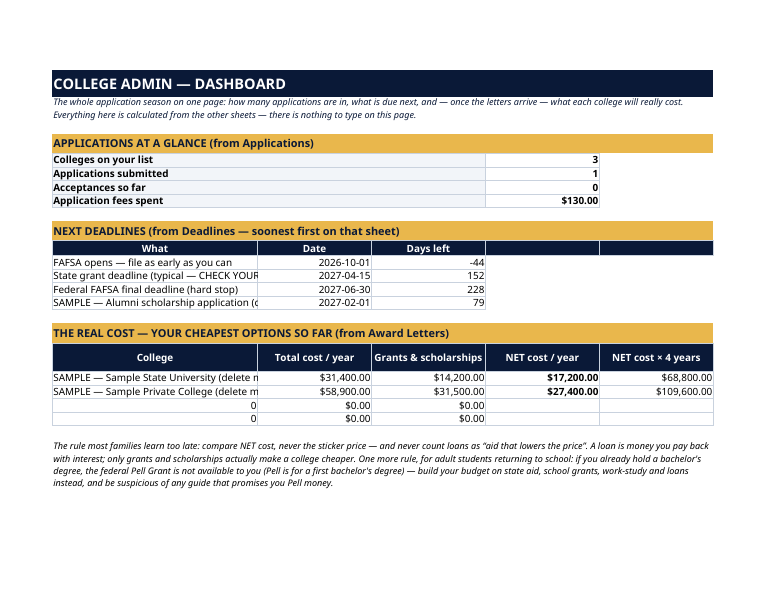
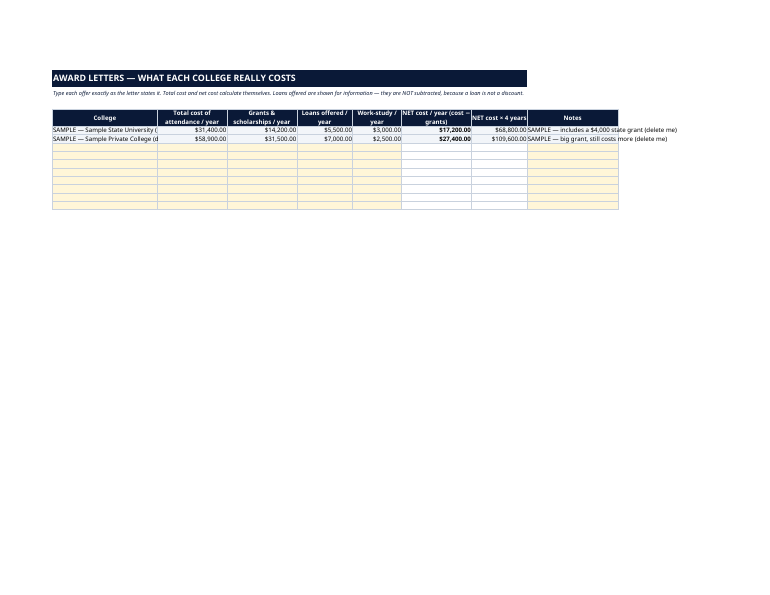
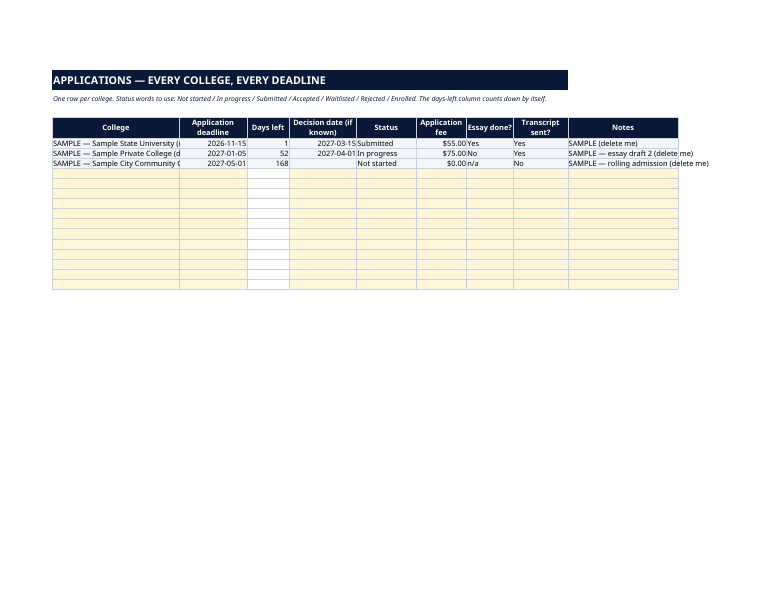
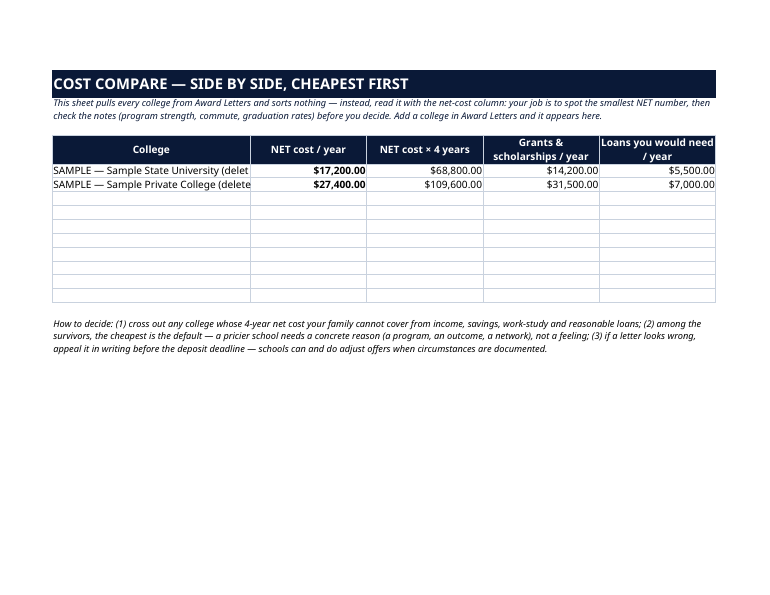
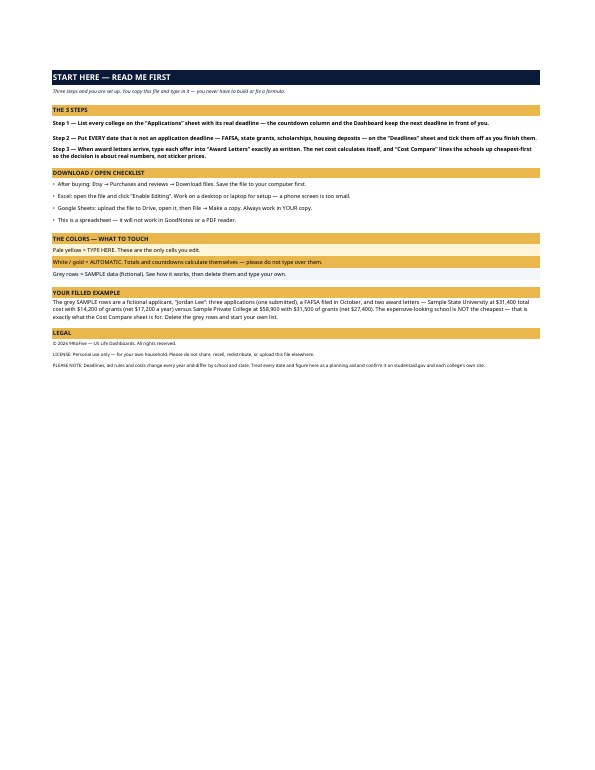
The grey SAMPLE rows are a fictional applicant, "Jordan Lee": three applications (one submitted), a FAFSA filed in October, and two award letters — Sample State University at $31,400 total cost with $14,200 of grants (net $17,200 a year) versus Sample Private College at $58,900 with $31,500 of grants (net $27,400). The expensive-looking school is NOT the cheapest — that is exactly what this file is for. Delete the grey rows and start your own list. Applications, essays, transcripts, the FAFSA, state grants, scholarships, housing deposits — each with its own date, on a different website, in a different portal. And at the end, the hardest part: award letters written to make loans look like discounts, so the "expensive" college quietly costs less than the "cheap" one. This dashboard holds the whole season in one file and does the one calculation that matters — net cost — for you. Deadlines, aid rules and costs change every year and differ by school and state. Treat every date and figure here as a planning aid and confirm it on studentaid.gov and each college's own site.
What's inside
- Start Here — the 3 steps, a download/open checklist for Etsy, Excel and Google Sheets, the color guide (pale yellow = type here; white/gold = automatic; grey = sample data), and a walk-through of the filled example.
- Dashboard — applications at a glance (colleges listed, submitted, accepted, fees spent), your next deadlines, and the real-cost table: each college's total cost, grants, and net cost per year and per four years.
- Applications — one row per college: deadline with a live days-left countdown, decision date, status (Not started → Enrolled), application fee, essay done?, transcript sent?
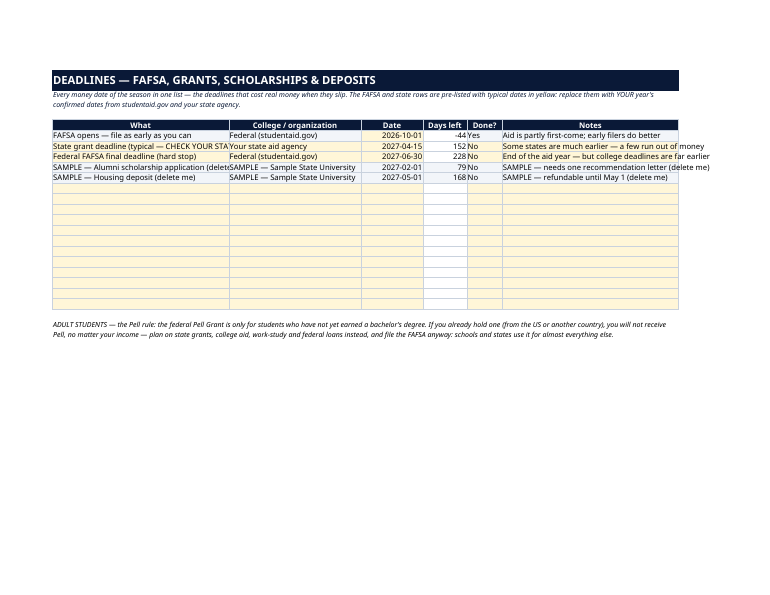
- Deadlines — FAFSA, grants, scholarships and deposits in one list. The FAFSA opening, the typical state grant deadline and the federal hard stop are pre-listed in yellow — replace them with your year's confirmed dates from studentaid.gov and your state agency, and tick each one off.
- Award Letters — type each offer exactly as written: total cost of attendance, grants & scholarships, loans offered, work-study. Net cost calculates itself — and loans are NOT subtracted, because a loan is not a discount.
- Cost Compare — every college side by side: net cost per year, net × 4 years, grants, and the loans you would actually need. The decision framework is printed on the sheet.
How it works — 3 steps
- List every college on Applications with its real deadline; the countdown and the Dashboard keep the next one in front of you.
- Put every money date — FAFSA, state grants, scholarships, deposits — on Deadlines and tick them off as you finish.
- When letters arrive, type each offer into Award Letters exactly as written and compare the net costs side by side.
You never build or fix a formula. Type only in the pale-yellow cells — the formula cells are protected (no password) so the math can't be broken by accident. Fictional SAMPLE rows, clearly marked, show you the format; delete them and the file is yours.
What you need
Microsoft Excel, or Google Sheets (free with a Google account). One file works in both. A desktop or laptop is best for setup — a phone screen is too small. This is a spreadsheet. It will not work in GoodNotes, Notability or a PDF reader.
Instant download
This is a digital download — no physical item will be shipped. After purchase, go to Etsy → Purchases and reviews → Download files, save the file to your computer first, then open it in Excel (click “Enable Editing”) or upload it to Google Drive for Sheets (then File → Make a copy, and always work in your copy).
License
Personal use only — for your own household. Please do not share, resell or redistribute the file.
Questions
Does it work in Google Sheets as well as Excel?
Yes — the same .xlsx file works in both. Upload it to Google Drive, open it, then choose File → Make a copy and work in your copy.
Is this for parents of high-schoolers, or for adults going back to school?
Both — it was built from a real adult-student FAFSA path as well as the classic senior-year season. The Applications, Deadlines and Award Letters sheets work identically; the notes flag the rules that differ for adults, including the prior-degree Pell rule.
What is the prior-degree Pell rule?
The federal Pell Grant is only for students who have not yet earned a bachelor's degree. If you already hold one — from the US or another country — Pell will not be part of your aid, whatever your income. The dashboard reminds you to budget on state aid, school grants, work-study and loans instead, and to file the FAFSA anyway because everything else is built from it.
How many colleges can it hold?
The Applications sheet has room for 15 colleges and the Award Letters sheet for 10 offers — more than almost any family's real list. You can insert rows; the Dashboard reads the standard ranges.
Why aren't loans subtracted in the net cost?
Because a loan is money you pay back with interest — it doesn't make a college cheaper, it just moves the bill. Grants and scholarships are the only true discounts, so net cost = total cost − grants. Loans offered are shown in their own column so you can see what you'd have to borrow.