About this template
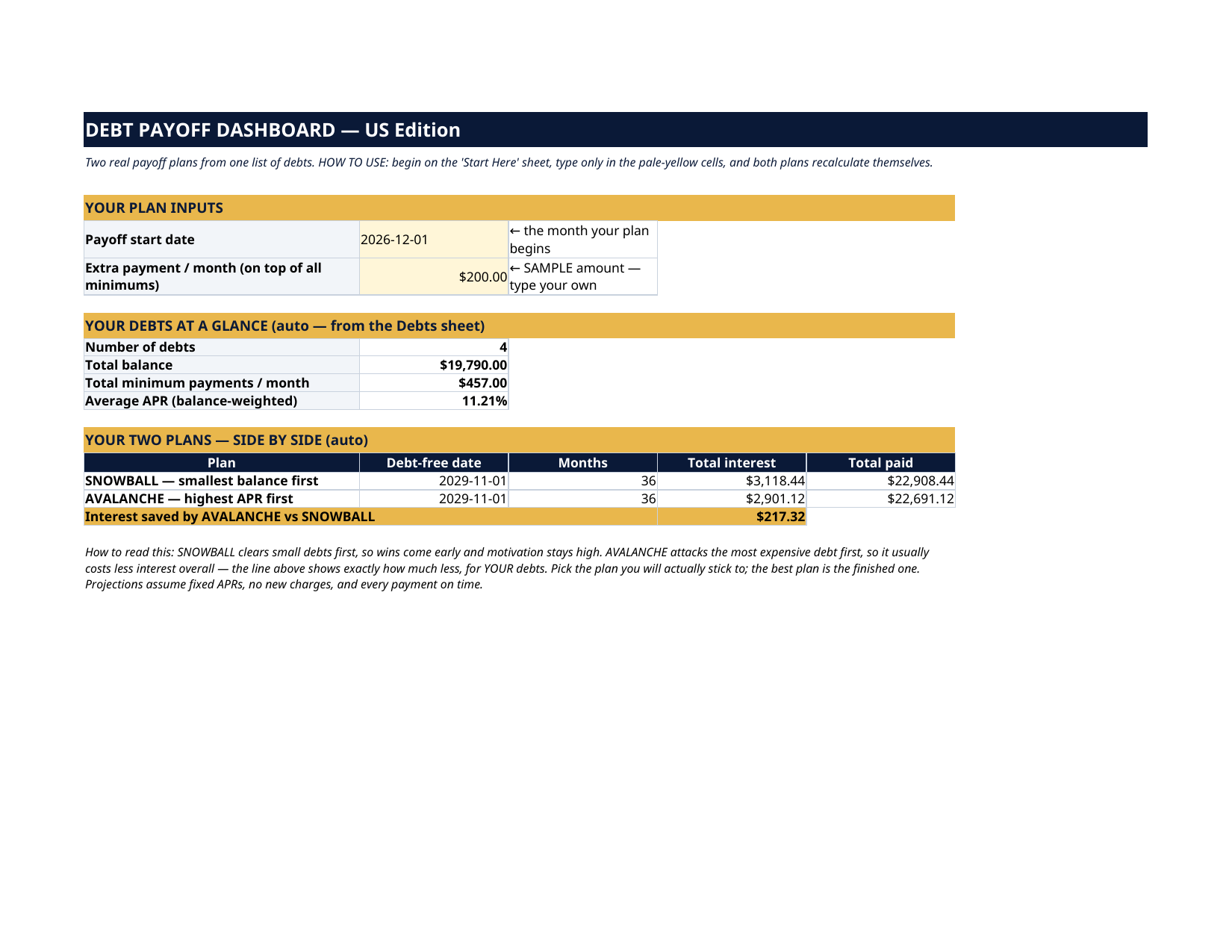
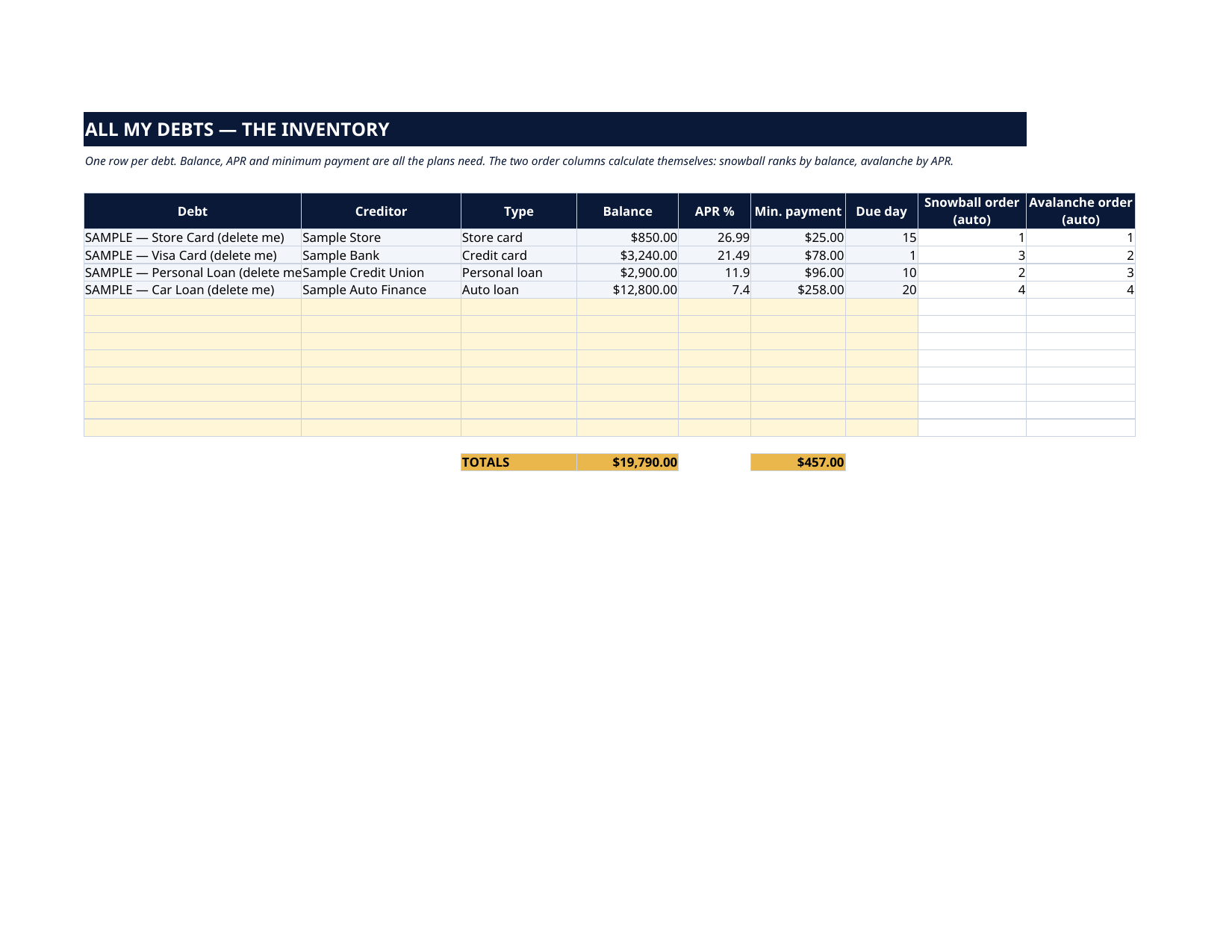
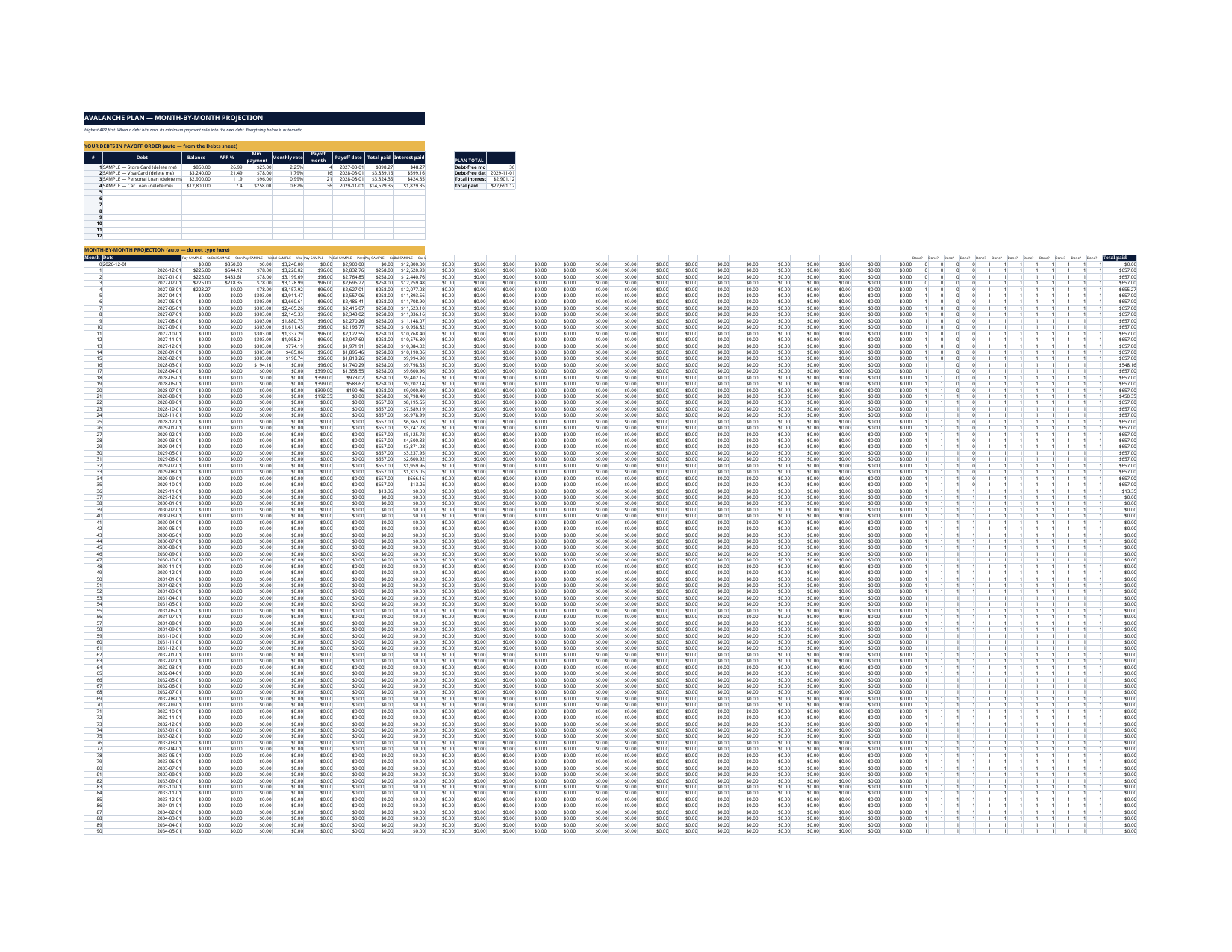
The grey SAMPLE rows are a fictional household that owes $19,790 — a $850 store card at 26.99%, a $3,240 Visa at 21.49%, a $2,900 personal loan at 11.90% and a $12,800 car loan at 7.40% — paying $457 of minimums plus $200 extra a month. Watch the plans work: snowball clears the store card in month 4 and finishes 2029-11-01 at $3,118.44 of interest; avalanche reorders the middle two debts, finishes the same month, and costs $2,901.12 — saving $217.32. Delete the grey rows, type your own debts, and every number becomes yours. Most debt spreadsheets list what you owe and stop there. This one does the math all the way to the end: list your debts once, say how much extra you can pay each month, and it builds TWO complete payoff plans — snowball and avalanche — with a projected debt-free date, the payoff date of every single debt, and the exact interest each plan will cost you. Then it shows you, in dollars, what the avalanche saves. Each plan is a true month-by-month simulation, not a rough estimate. Every month, every debt charges its interest and receives its payment; when a debt dies, its minimum payment rolls into the next debt in line — the way a real payoff actually accelerates. Change any balance, APR or the extra payment, and both plans rebuild themselves. This is a planning tool, not financial advice. Projections assume your APRs stay fixed, you make no new charges, and every payment is on time — real life may differ. It does not contact your creditors or move any money; it shows you the plan, you make the payments. The four SAMPLE debts and the $200 extra payment are fictional and clearly marked "SAMPLE — delete me". They exist so you can watch both plans work end-to-end before you type a single real number. LICENSE Personal use only — for your own household. Please do not share, resell or redistribute the file.
What's inside
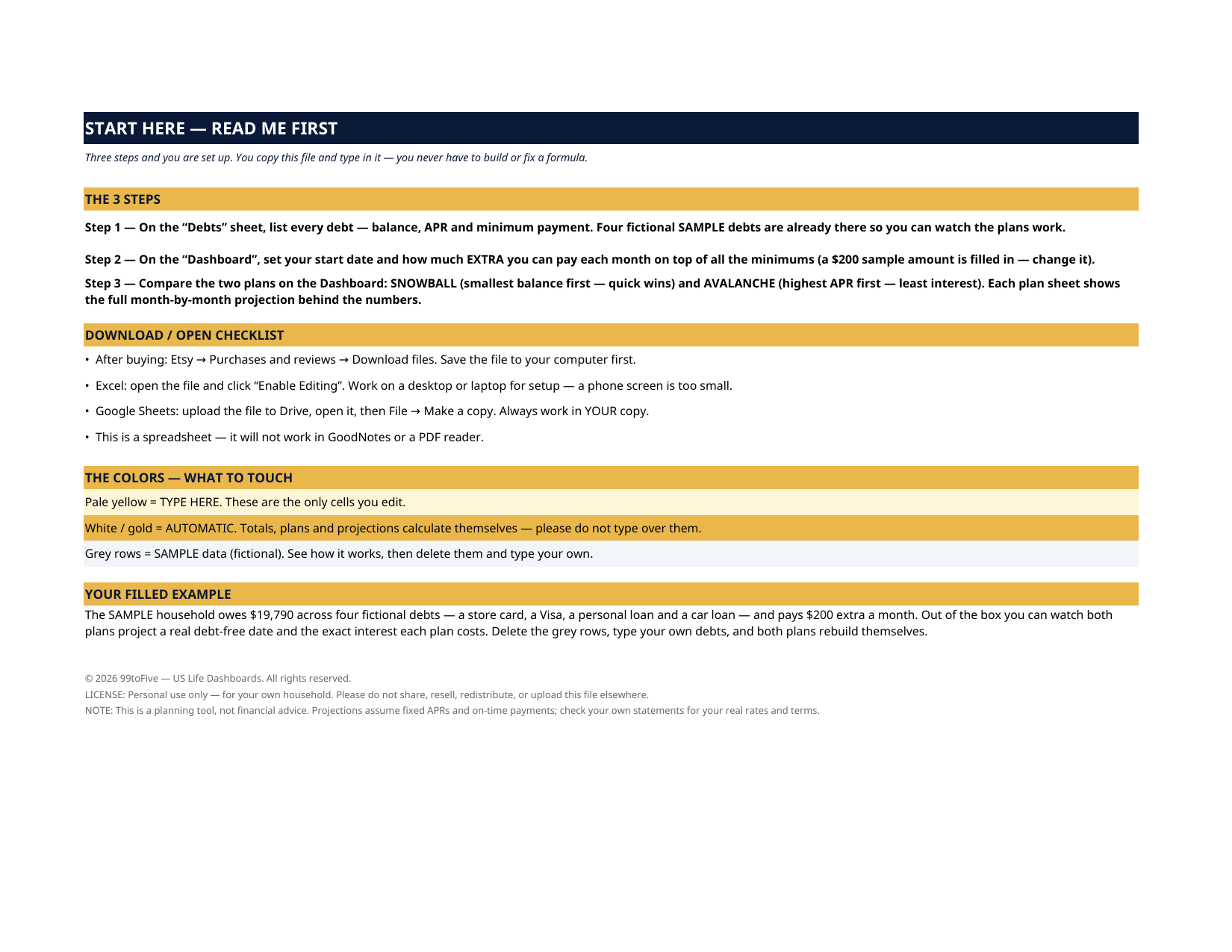
- Start Here — the 3 steps, a download/open checklist for Etsy, Excel and Google Sheets, the color guide (pale yellow = type here; white/gold = automatic; grey = sample data), and a walk-through of the filled example.
- Dashboard — your two inputs (start date, extra payment per month), your debts at a glance (count, total balance, total minimums, balance-weighted average APR), and the two plans side by side: debt-free date, months, total interest, total paid — plus the interest the avalanche saves you.
- Debts — one row per debt: name, creditor, type, balance, APR, minimum payment, due day. Two order columns rank your debts automatically — snowball by balance, avalanche by APR — so you can see both battle plans before you pick one. Room for 12 debts.
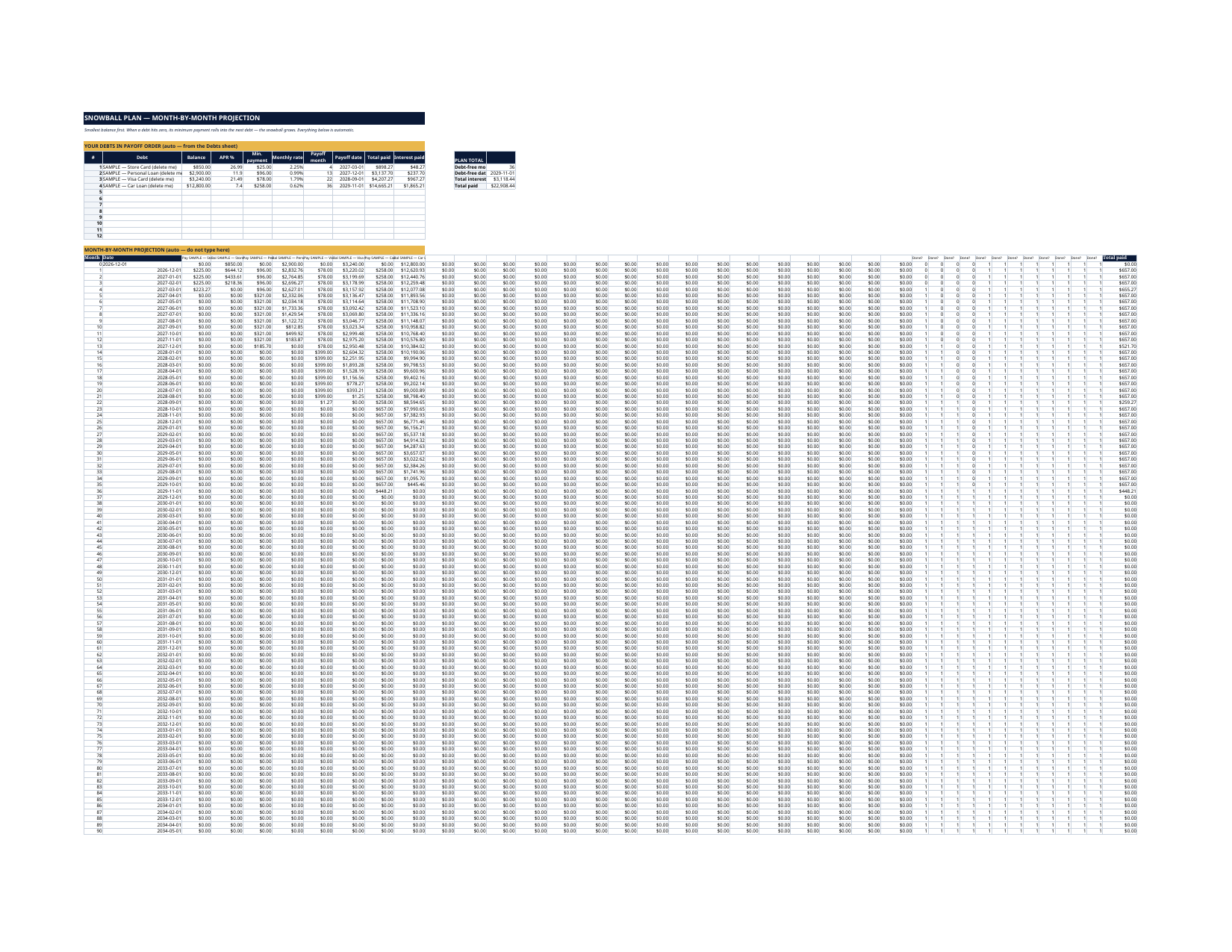
- Snowball Plan — smallest balance first: quick wins, early momentum. Your debts in payoff order, each with its payoff month, payoff date, total paid and interest paid, over a full month-by-month projection grid (up to 120 months).
- Avalanche Plan — highest APR first: the mathematically cheapest route, same full projection, so the two plans compare honestly.
How it works — 3 steps
- On the Debts sheet, list every debt: balance, APR, minimum payment. (Not sure you have them all? List them honestly — a plan built on a partial list is a partial plan.)
- On the Dashboard, set your start date and the extra amount you can pay each month on top of the minimums.
- Compare the plans on the Dashboard, pick the one you'll actually stick to, and follow its sheet month by month.
You never build or fix a formula. Type only in the pale-yellow cells — the formula cells are protected (no password) so the math can't be broken by accident. Fictional SAMPLE rows, clearly marked, show you the format; delete them and the file is yours.
What you need
Microsoft Excel, or Google Sheets (free with a Google account). One file works in both. A desktop or laptop is best for setup — a phone screen is too small. This is a spreadsheet. It will not work in GoodNotes, Notability or a PDF reader.
Instant download
This is a digital download — no physical item will be shipped. After purchase, go to Etsy → Purchases and reviews → Download files, save the file to your computer first, then open it in Excel (click “Enable Editing”) or upload it to Google Drive for Sheets (then File → Make a copy, and always work in your copy).
License
Personal use only — for your own household. Please do not share, resell or redistribute the file.
Questions
Does it work in Google Sheets as well as Excel?
Yes — the same .xlsx file works in both. Upload it to Google Drive, open it, then choose File → Make a copy and work in your copy.
How is this different from a simple debt list?
A list tells you what you owe. This dashboard projects WHEN each debt dies and WHAT each plan costs: both plans are full month-by-month simulations with payment rollover — when one debt is paid off, its minimum rolls into the next, exactly like a real payoff.
Which plan should I pick — snowball or avalanche?
Avalanche costs less interest on paper (the Dashboard shows you exactly how much less, for your debts). Snowball clears small debts sooner, which keeps many people going. The best plan is the one you finish — the file lets you compare both honestly.
How many debts can it handle?
Up to 12, projected up to 120 months (10 years) per plan. If a debt would take longer, its payoff month shows "120+".
What if my APR changes, or I get a bonus to throw at a debt?
Type the new APR or balance and both plans recalculate instantly. For a one-time extra payment, raise the "extra payment" for that month's plan by editing the input — or simply watch the projection improve when you lower a balance.