About this template
Every account you own, mapped in one place — WITHOUT ever storing a password. THE ONE RULE: never type an actual password in this file. This inventory records only WHERE each password lives (which password manager and vault), a username hint only you would understand, the recovery email or phone, the 2FA method, and where the printed backup codes are kept. If this file ever fell into the wrong hands, it should tell a stranger nothing they could use — and tell you everything you need.
What's inside
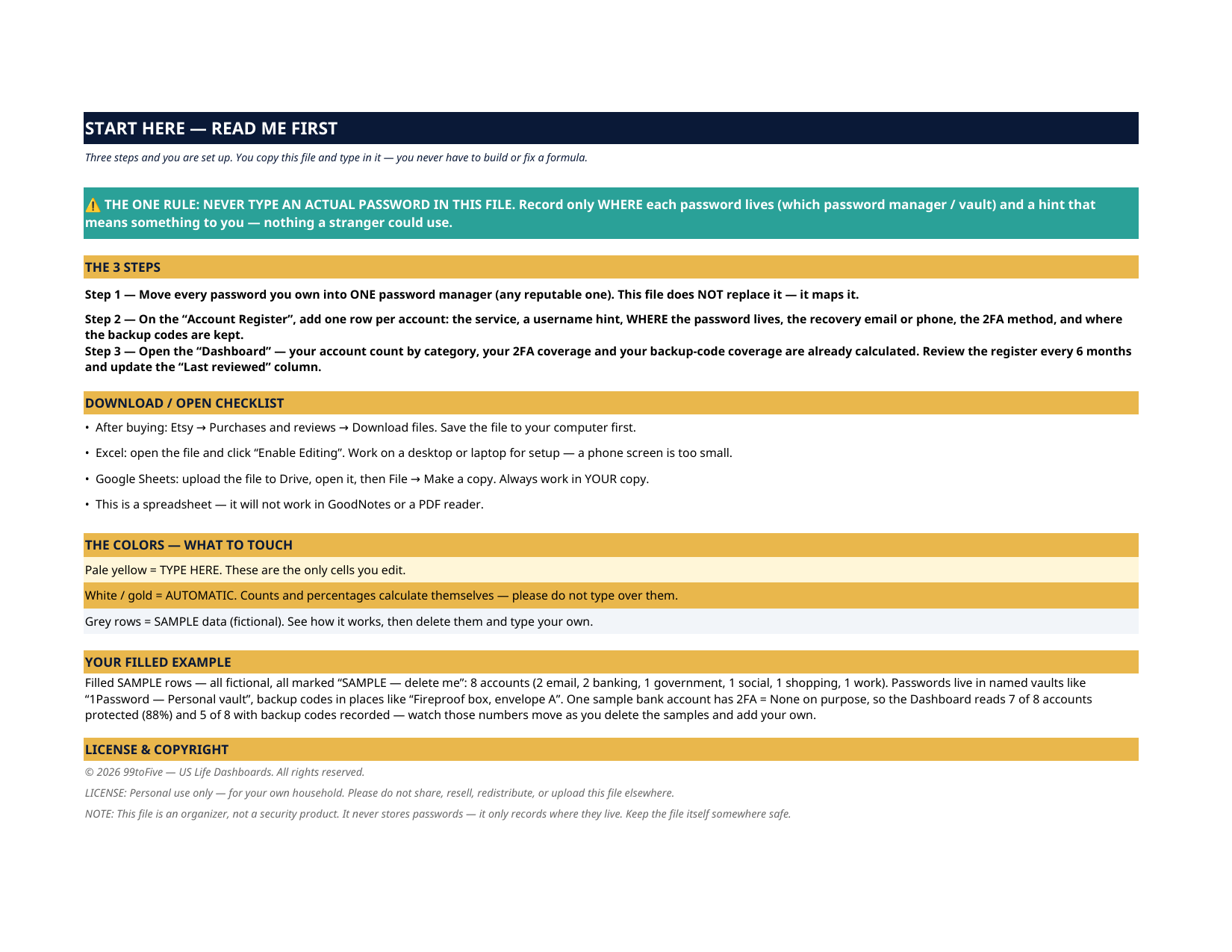
- A 3-sheet Excel / Google Sheets workbook: Start Here, Dashboard, Account Register —
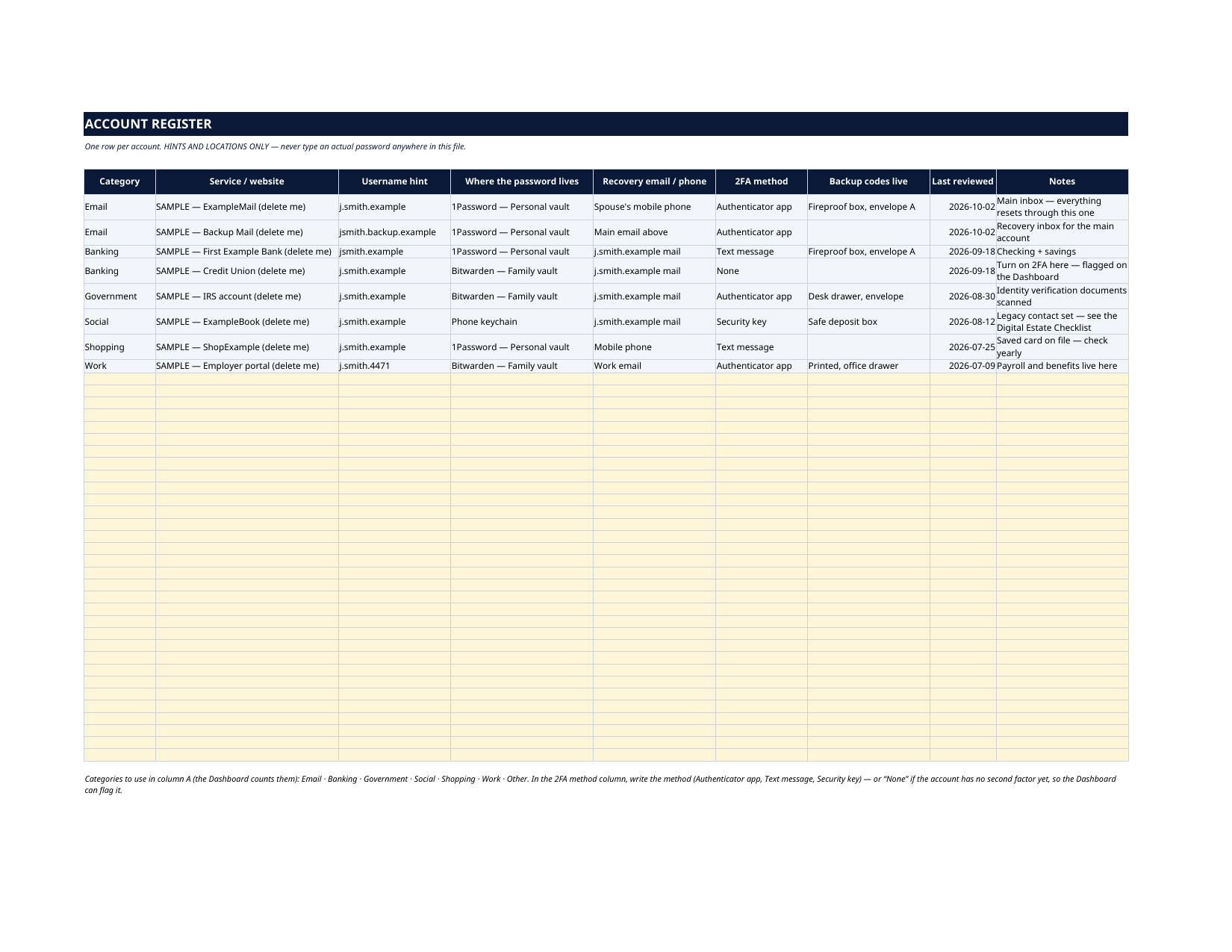
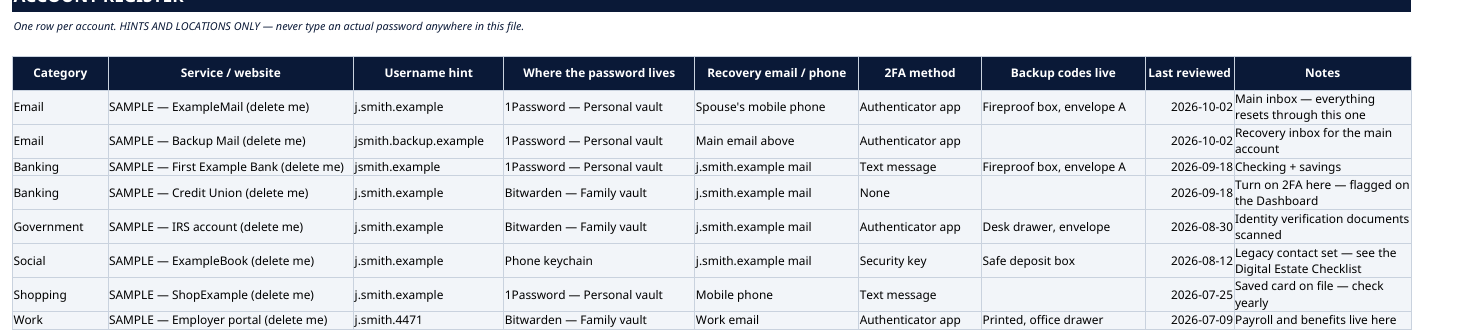
- An Account Register with room for 40 accounts: category, service, username hint, where the password lives, recovery email / phone, 2FA method, backup-code location, last reviewed, notes —
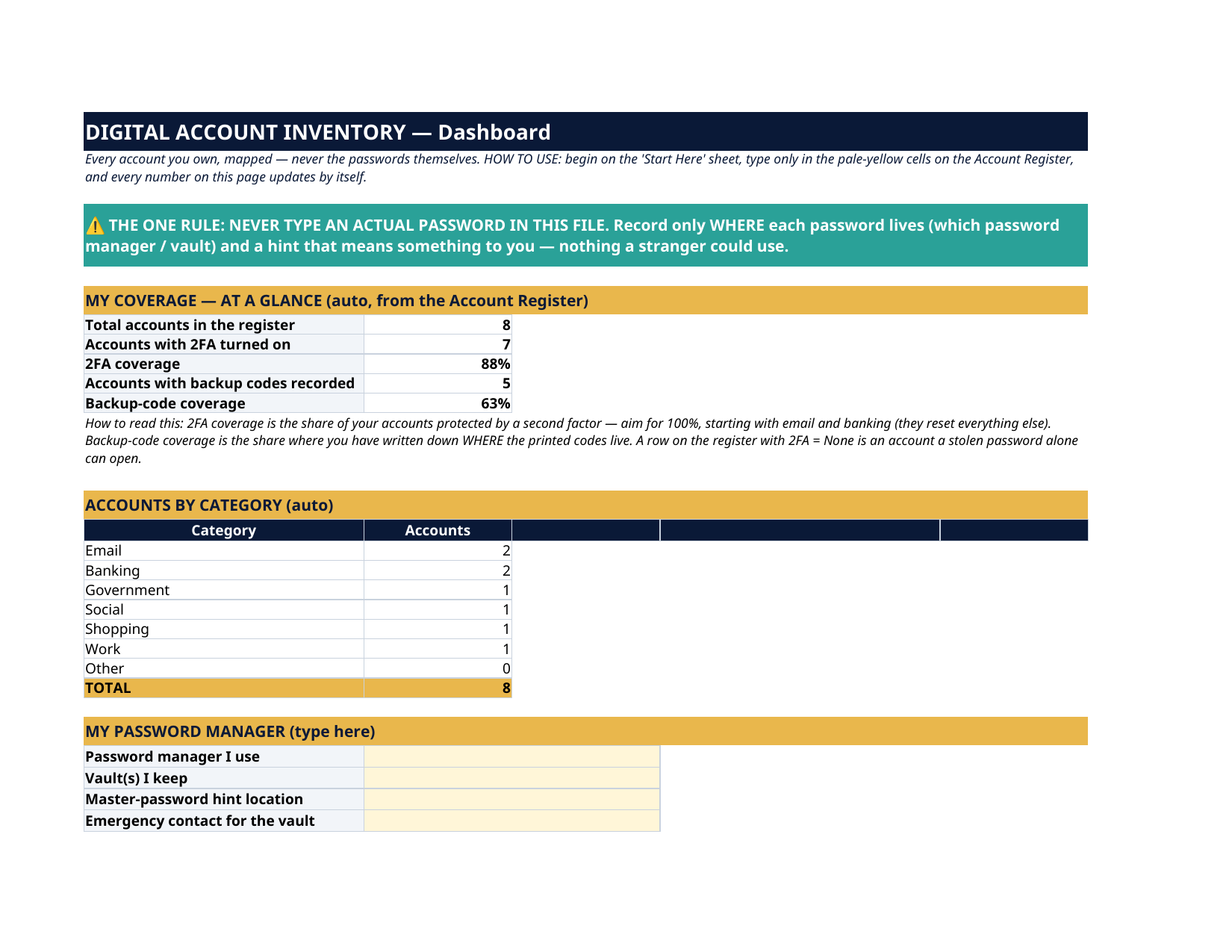
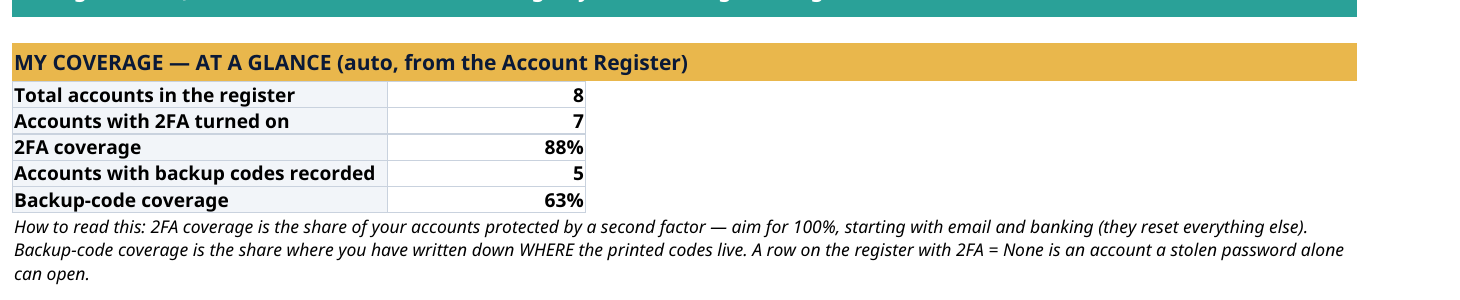
- A Dashboard that counts your accounts by category (email, banking, government, social, shopping, work, other) and calculates your 2FA coverage and backup-code coverage automatically —
- A "My Password Manager" block for the manager you use, your vaults, where the master-password hint lives, and your emergency contact —
How it works — 3 steps
- Move every password you own into ONE password manager (any reputable one). This file does not replace it — it maps it.
- Add one row per account on the Account Register.
- Open the Dashboard: your counts and coverage percentages are already calculated. Review every 6 months and update the "Last reviewed" column.
You never build or fix a formula. Type only in the pale-yellow cells — the formula cells are protected (no password) so the math can't be broken by accident. Fictional SAMPLE rows, clearly marked, show you the format; delete them and the file is yours.
What you need
Microsoft Excel, or Google Sheets (free with a Google account) — one file works in both. A desktop or laptop is best for setup.
Instant download
This is a digital download — no physical item will be shipped. After purchase, go to Etsy → Purchases and reviews → Download files, save the file to your computer first, then open it in Excel (click “Enable Editing”) or upload it to Google Drive for Sheets (then File → Make a copy, and always work in your copy).
License
Personal use only — for your own household. Please do not share, resell or redistribute the file.
Questions
Do I type my passwords into this file?
NO — never. That is the whole design. You record only where each password lives (for example "1Password — Personal vault"), a hint, the recovery contact, the 2FA method, and where the backup codes are kept. Your password manager holds the passwords; this file is the map.
I don't use a password manager yet. Can I still use this?
Yes — Step 1 on the Start Here sheet is moving your passwords into one reputable manager, and the register has a column for where each password lives, whatever you use today. The Dashboard will show you exactly how many accounts still need a proper home and 2FA.
What does "2FA coverage" mean?
The share of your accounts protected by a second factor (authenticator app, text message, security key). The Dashboard calculates it from the register automatically — aim for 100%, starting with email and banking, because those reset everything else.
Excel or Google Sheets?
Both. The .xlsx works in Microsoft Excel, and in Google Sheets you upload it to Drive, open it, then File → Make a copy and work in your copy. All formulas use functions supported by both programs.
Can I add more than 40 accounts?
The register is laid out for 40 accounts, which covers most households. The Dashboard counts rows 5–44 of the register; if you outgrow it, keep a second copy of the file for the overflow.