About this template
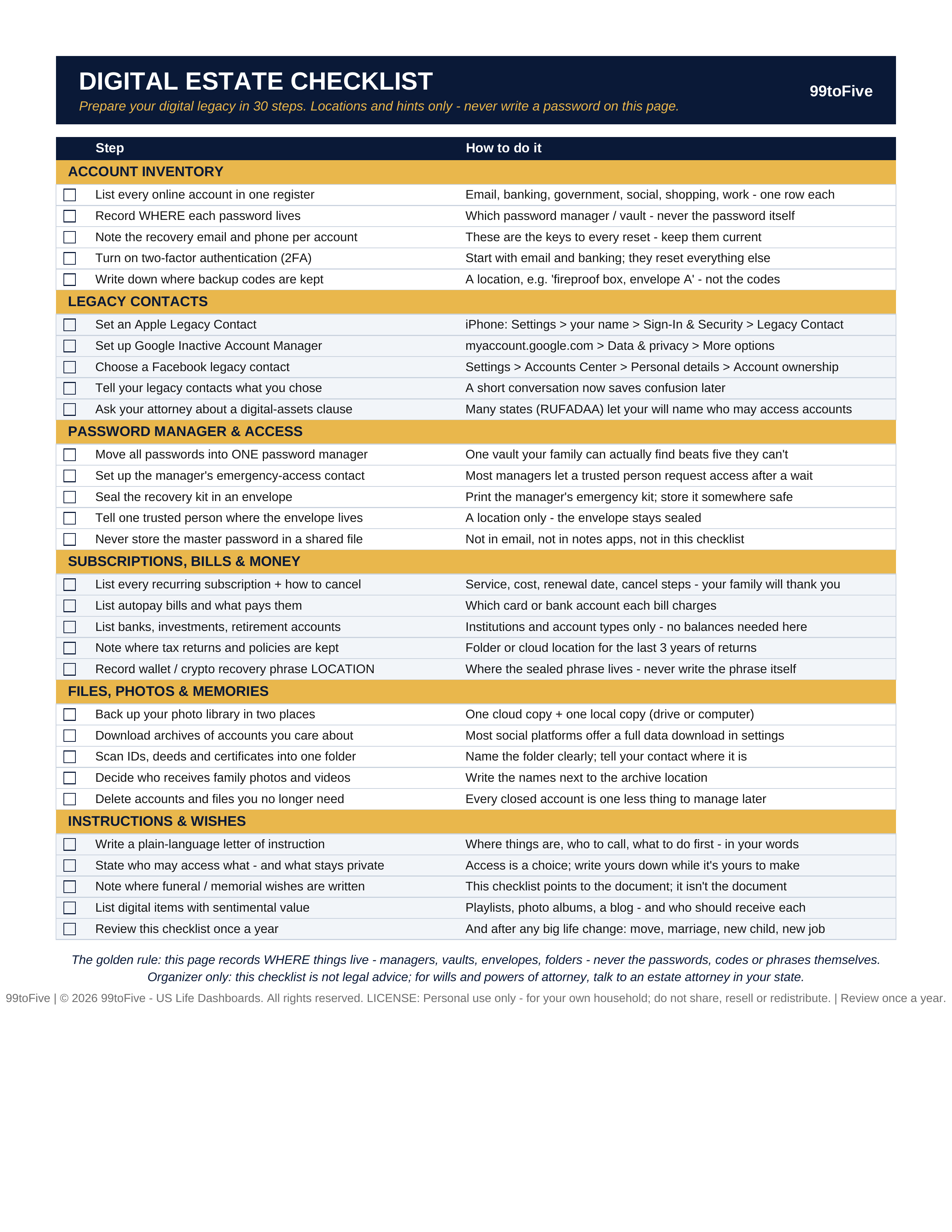
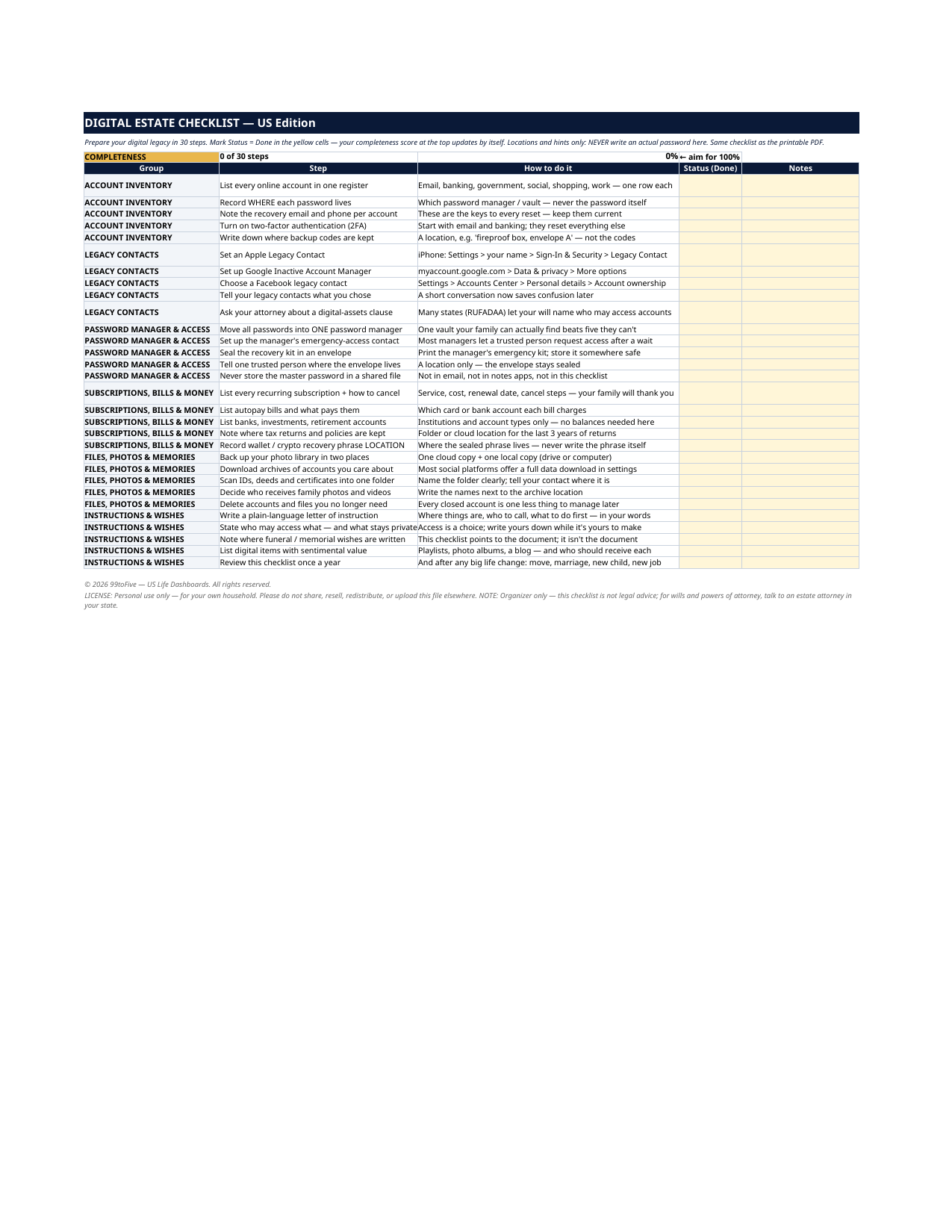
This one-page checklist walks you through preparing your digital legacy in 30 calm, practical steps: inventory your accounts, name a legacy contact at Apple, Google and Facebook, set up your password manager's emergency access, list the subscriptions to cancel, and leave an archive plan for your files and photos. THE GOLDEN RULE (printed right on the page): this checklist records WHERE things live — managers, vaults, envelopes, folders — never the passwords, codes or phrases themselves. • A designed one-page printable PDF (US Letter) — print it, pin it in your binder, check the boxes by hand. • The same checklist as a spreadsheet (Excel / Google Sheets) with a Status column and an automatic completeness score at the top — mark steps "Done" and watch your percentage climb. • Organizer only: this checklist is not legal advice. For wills and powers of attorney, talk to an estate attorney in your state. • Locations and hints only — never write an actual password, code or recovery phrase on this checklist. • This is a digital download; no physical product will be shipped. Pairs with our Digital Account Inventory Dashboard — the register this checklist's first group asks you to build. LICENSE © 2026 99toFive — US Life Dashboards. All rights reserved. LICENSE: Personal use only — for your own household. Please do not share, resell, redistribute, or upload this file elsewhere.
What's inside
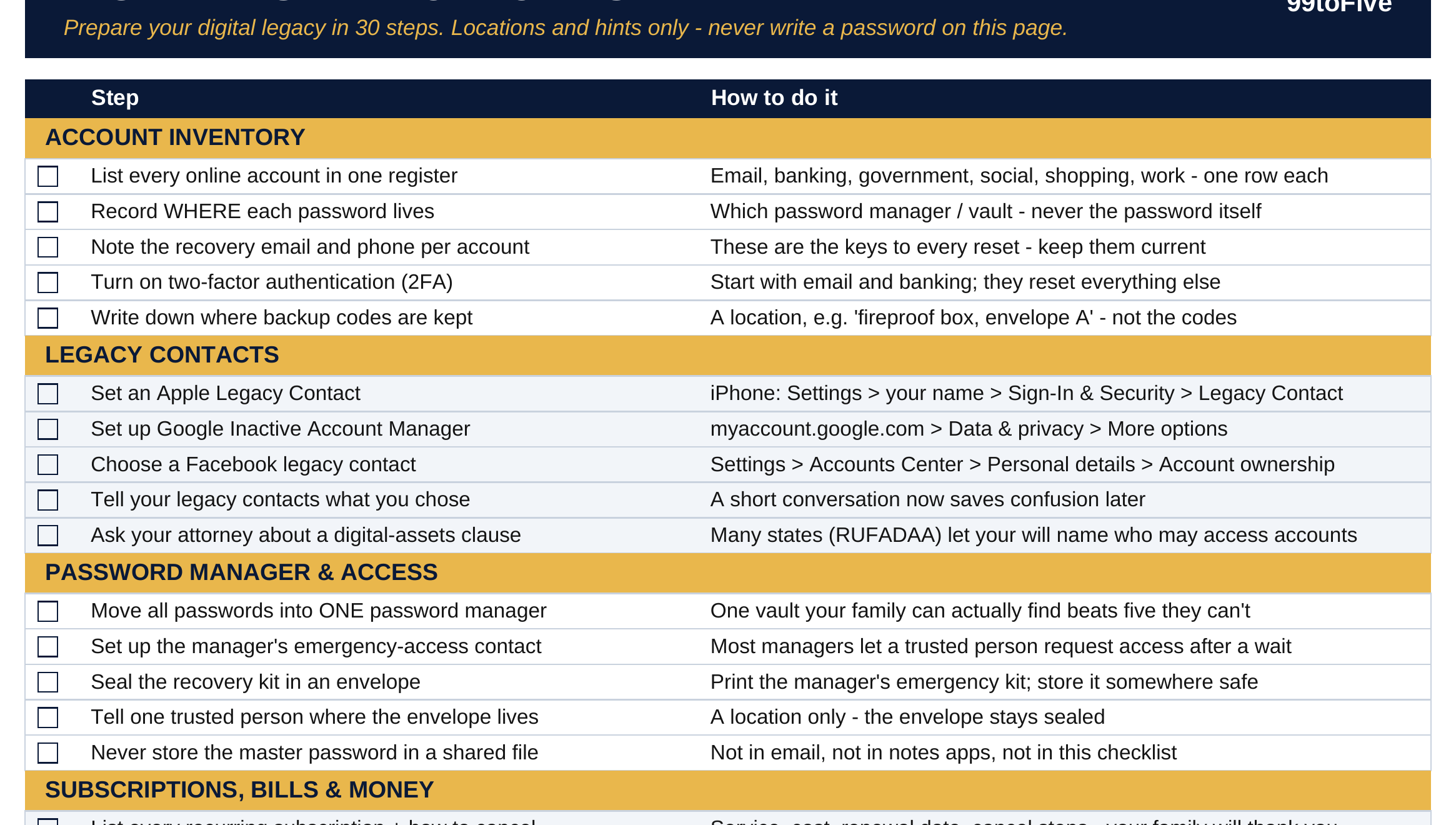
- Account Inventory — list every account in one register; record where each password lives; note recovery emails; turn on 2FA; write down where backup codes are kept.
- Legacy Contacts — set an Apple Legacy Contact; set up Google Inactive Account Manager; choose a Facebook legacy contact; tell them you chose them; ask your attorney about a digital-assets clause (many states' RUFADAA laws let your will name who may access accounts).
- Password Manager & Access — move all passwords into ONE manager; set up its emergency-access contact; seal the recovery kit in an envelope; tell one trusted person where the envelope lives; never store the master password in a shared file.
- Subscriptions, Bills & Money — list every recurring subscription and how to cancel it; list autopay bills and what pays them; list banks, investments and retirement accounts (institutions and types only — no balances needed); note where tax returns and policies are kept; record where the wallet / crypto recovery phrase LOCATION is sealed.
- Files, Photos & Memories — back up your photo library in two places; download archives of accounts you care about; scan IDs, deeds and certificates into one folder; decide who receives family photos and videos; delete accounts and files you no longer need.
- Instructions & Wishes — write a plain-language letter of instruction; state who may access what — and what stays private; note where funeral / memorial wishes are written; list digital items with sentimental value; review the checklist once a year.
How it works — 3 steps
- Print the one-page PDF, or open the spreadsheet version and use its automatic completeness score
- Work through the six groups — account inventory, legacy contacts, password-manager access, subscriptions and money, files and photos, instructions and wishes — marking each step off as you finish it
- Review the checklist once a year, and whenever a big account, device or life event changes
You never build or fix a formula. Type only in the pale-yellow cells — the formula cells are protected (no password) so the math can't be broken by accident. Fictional SAMPLE rows, clearly marked, show you the format; delete them and the file is yours.
What you need
Microsoft Excel, or Google Sheets (free with a Google account) — one file works in both. A desktop or laptop is best for setup.
Instant download
This is a digital download — no physical item will be shipped. After purchase, go to Etsy → Purchases and reviews → Download files, save the file to your computer first, then open it in Excel (click “Enable Editing”) or upload it to Google Drive for Sheets (then File → Make a copy, and always work in your copy).
License
Personal use only — for your own household. Please do not share, resell or redistribute the file.
Questions
Is this a will? Does it replace an estate plan?
No. This is an organizer that helps your family find things and helps you prepare for a conversation with an estate attorney. It is not legal advice and it is not a legal document.
Do I write my passwords on the checklist?
Never. Every step records locations and hints only — which password manager, which vault, which envelope, which folder. The passwords themselves stay in your password manager.
What's the difference between the PDF and the spreadsheet?
Same 30 steps. The PDF is a designed one-pager for printing and checking off by hand. The spreadsheet adds a Status column and an automatic completeness score, so you can track progress digitally.
What is a "legacy contact"?
A person you officially name at Apple, Google or Facebook who can request access to your account after your death. The checklist gives the exact settings path for each one.
How long does it take to finish?
Most people work through it in one or two sittings. You don't have to finish it in one day — the spreadsheet's completeness score keeps your place.