About this template
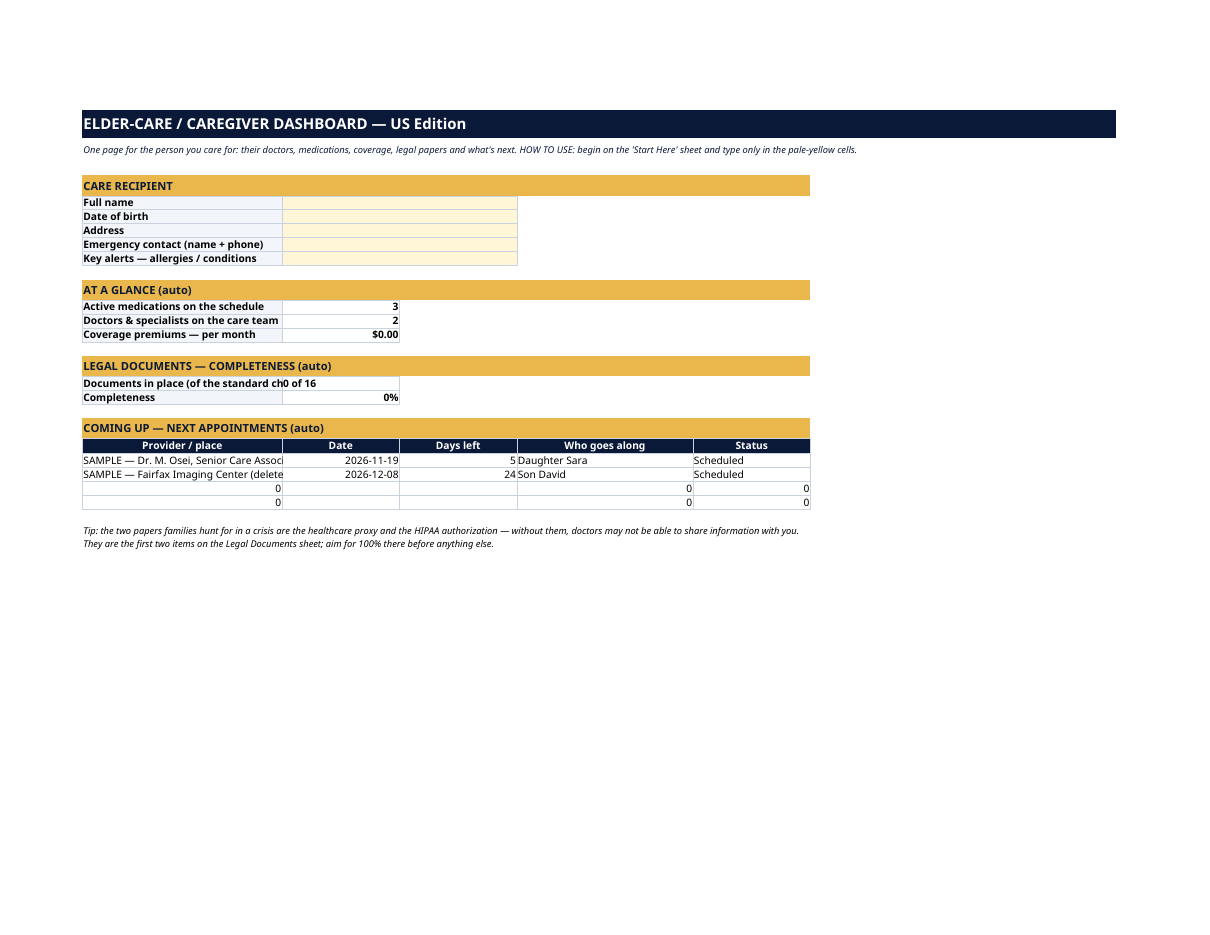
Who is Mom's cardiologist — and when did she last see him? Which pills are morning and which are bedtime? If Dad lands in the ER tonight, could you prove you're allowed to talk to his doctors? The Elder-Care / Caregiver Dashboard puts the whole care picture on one page. You type the facts once, in pale-yellow cells — care team, medication schedule, Medicare and insurance, legal documents, facilities, appointments. Every count, score and countdown updates by itself. The grey SAMPLE rows are a fictional care picture — a made-up primary-care doctor and cardiologist, three common medications on a daily schedule, and two upcoming appointments. They are not a real family. Delete the SAMPLE rows when you're ready and the whole file is yours. This dashboard is an organizational tool, not medical or legal advice. Confirm medication schedules with the care team, and have an attorney review powers of attorney and directives for your state. LICENSE Personal use only — for your own household. Please do not share, resell or redistribute the file. © 2026 99toFive — US Life Dashboards. All rights reserved.
What's inside
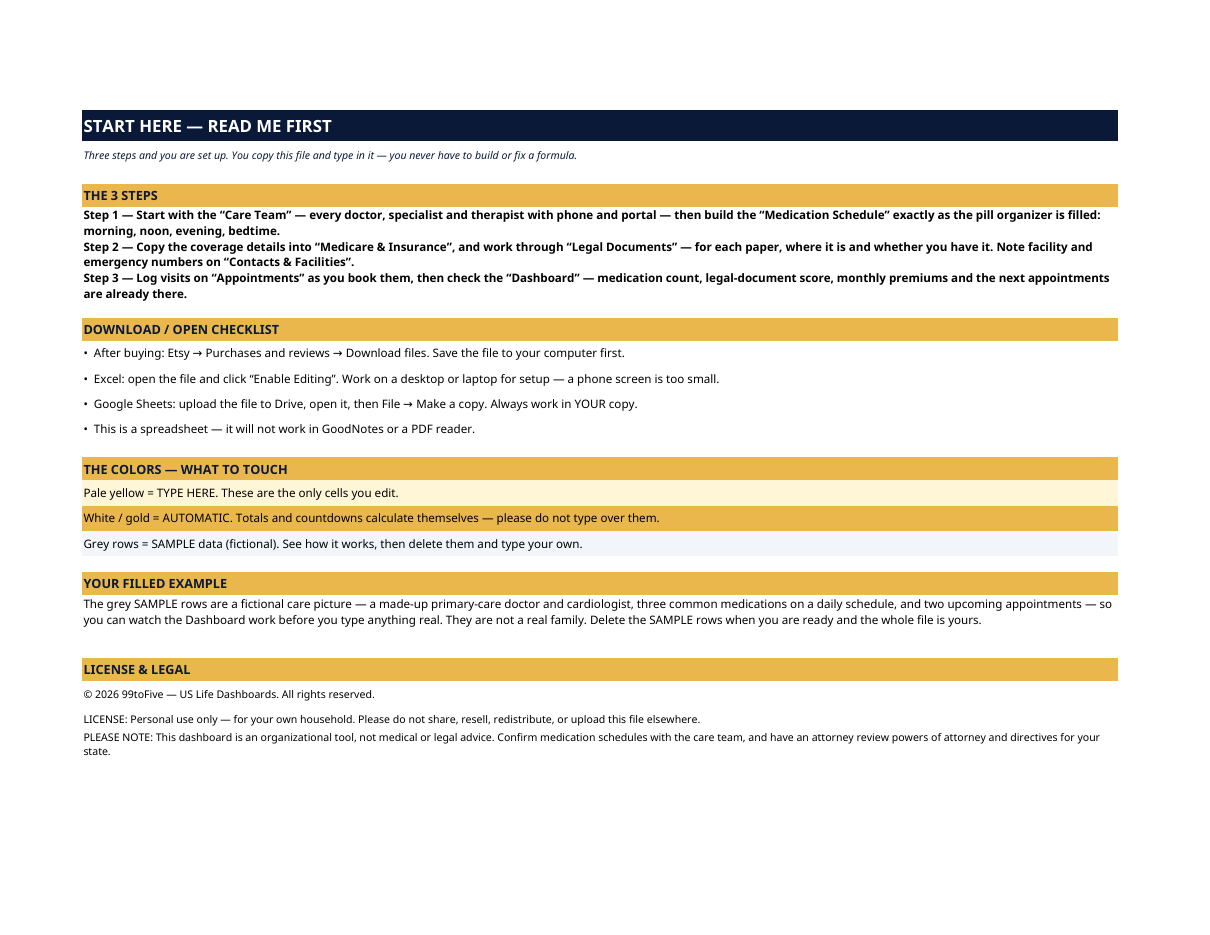
- Start Here — the 3 steps, a download/open checklist for Etsy, Excel and Google Sheets, the color guide (pale yellow = type here; white/gold = automatic; grey = sample data), a walk-through of the filled example, and the license.
- Dashboard — the one-page summary. The care recipient's profile and key alerts, at-a-glance counts (active medications, doctors on the team, monthly coverage premiums), the legal-documents completeness score, and the next four appointments with day counts and who goes along.
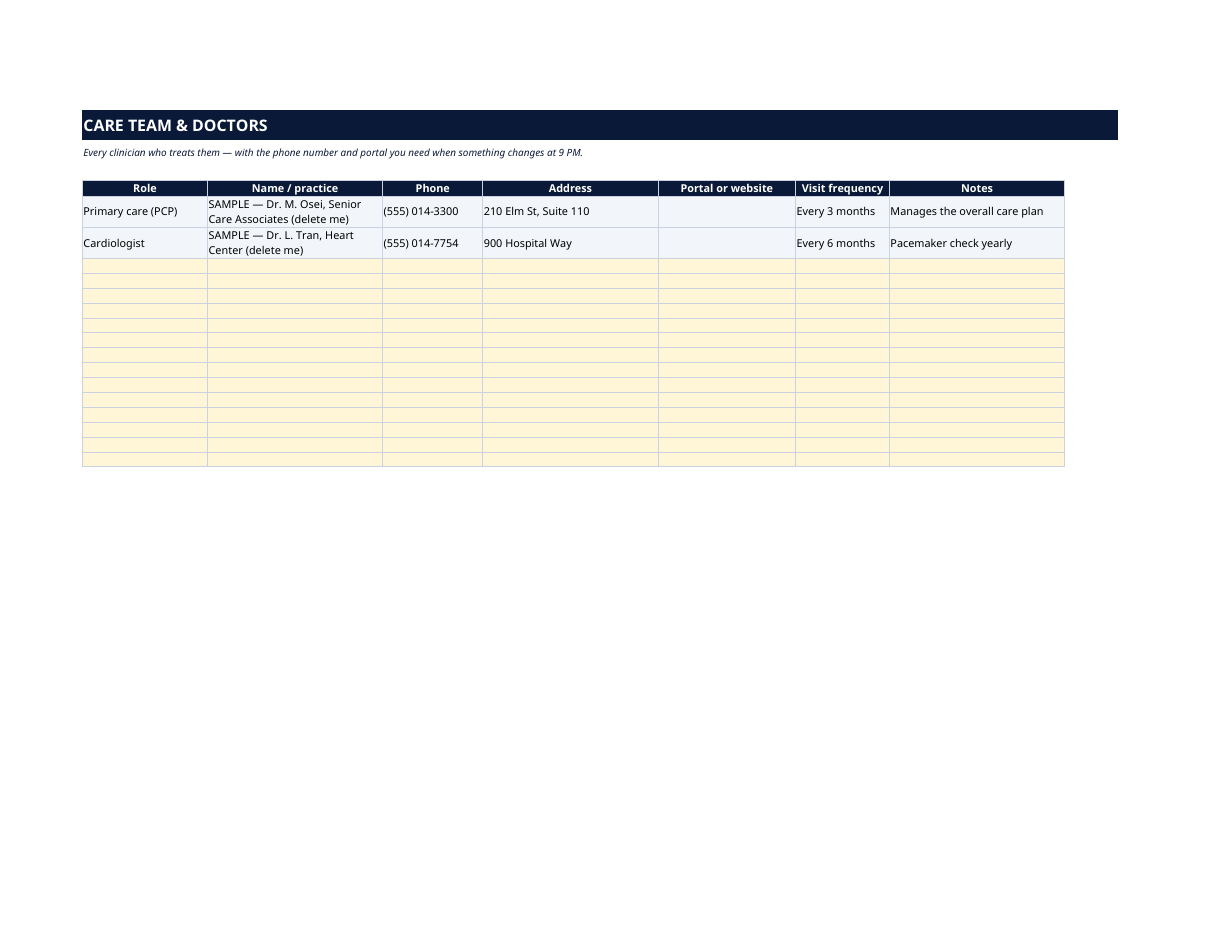
- Care Team & Doctors — every clinician who treats them: role, name and practice, phone, address, patient portal, how often they visit, and notes. The list you want when something changes at 9 PM.
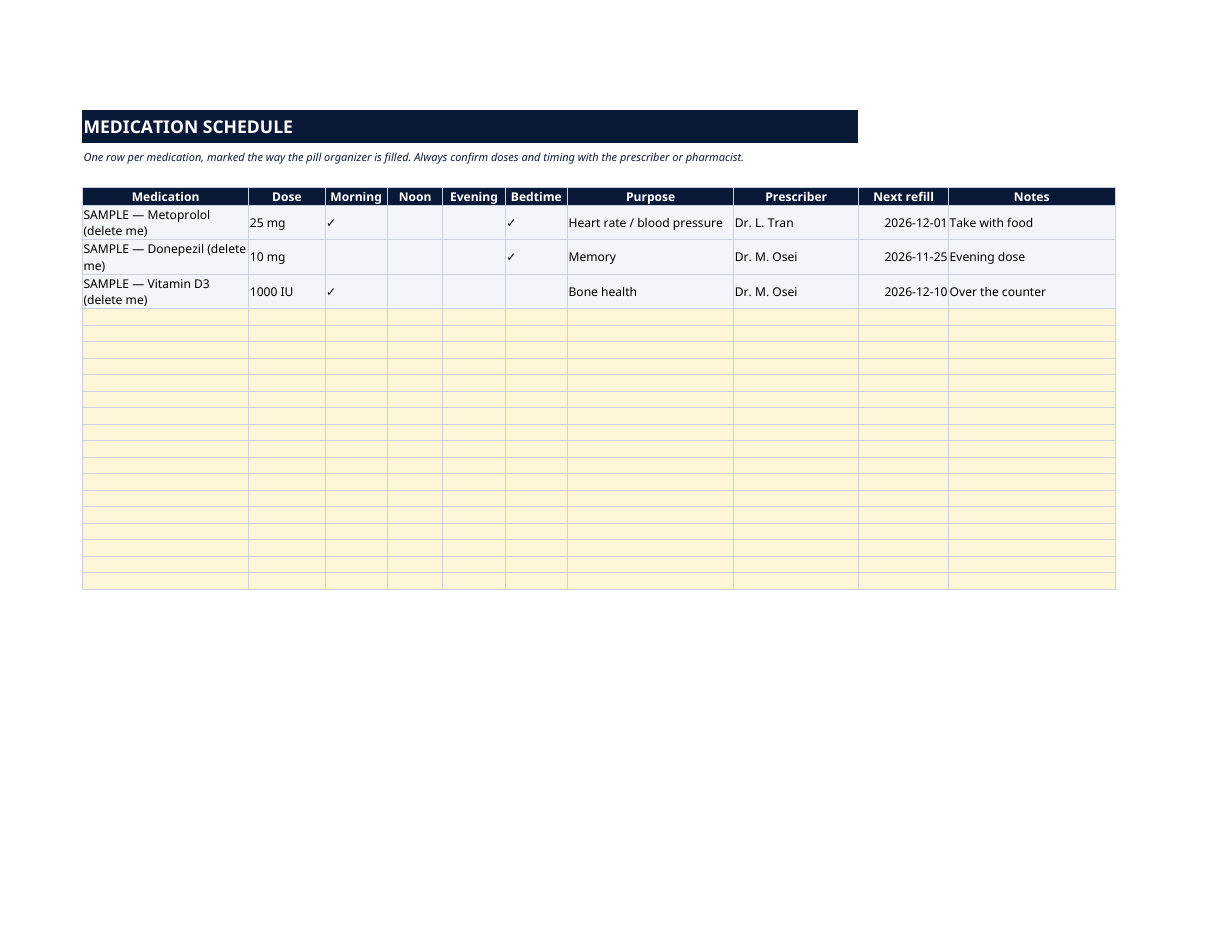
- Medication Schedule — one row per medication, marked the way the pill organizer is filled: morning, noon, evening, bedtime — plus dose, purpose, prescriber, next refill date and notes. Built to be checked against the bottles and the prescriber's list.
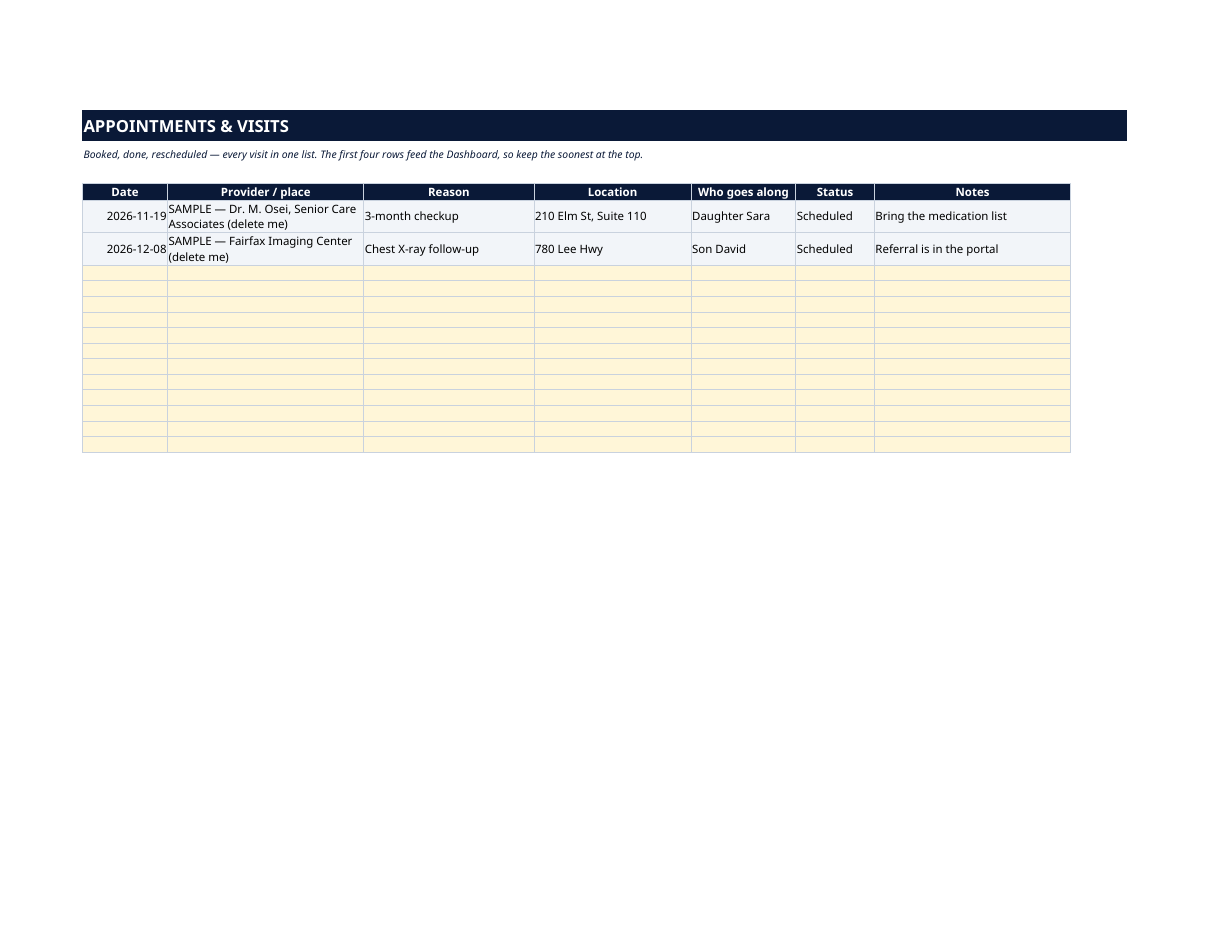
- Appointments & Visits — booked, done, rescheduled: date, provider, reason, location, who goes along, status and notes. The first four rows feed the Dashboard.
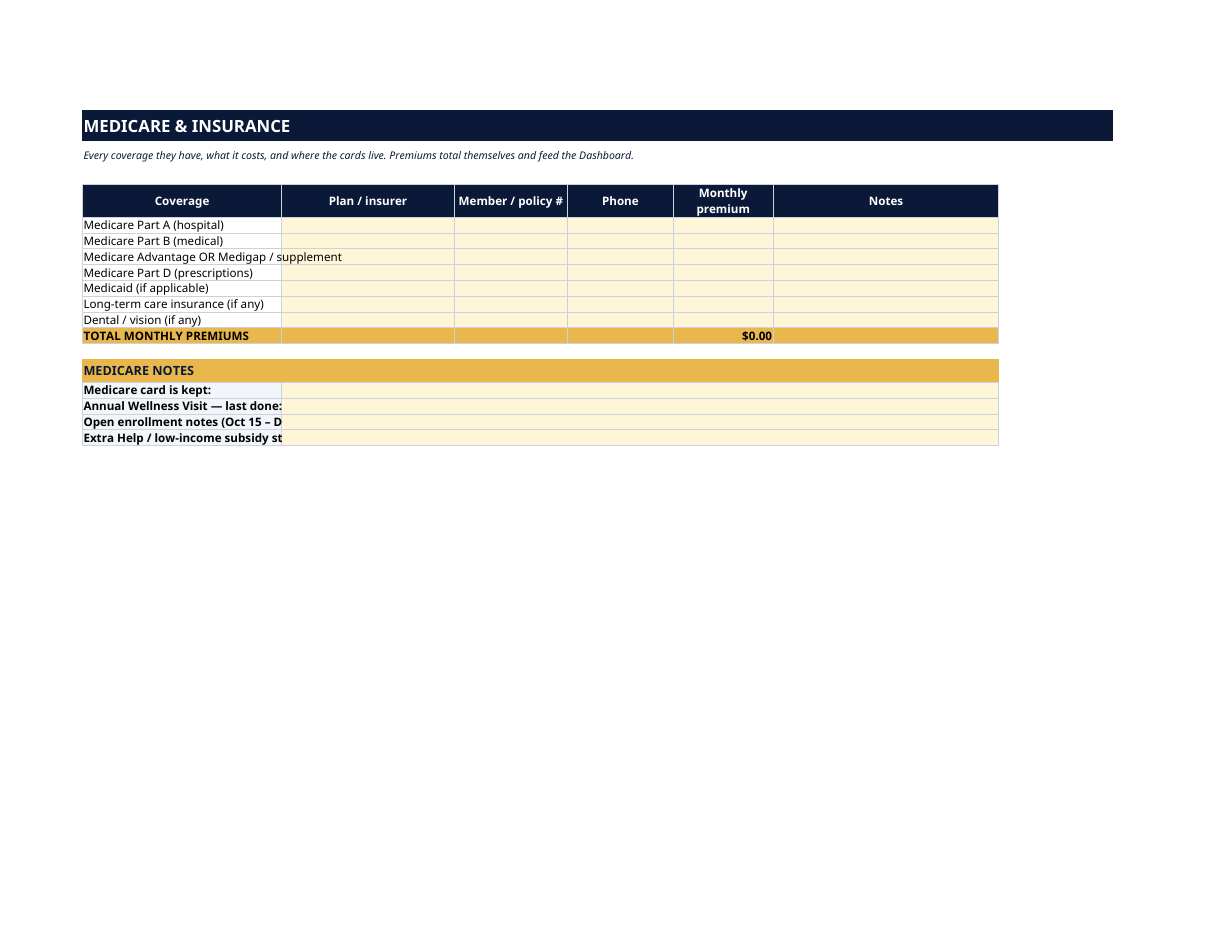
- Medicare & Insurance — every coverage in one table: Medicare Part A and B, Advantage or Medigap, Part D, Medicaid, long-term care, dental/vision — plan, member number, phone and monthly premium, totaled automatically. Plus a Medicare notes block: where the card is kept, the last Annual Wellness Visit, open-enrollment notes and Extra Help status.
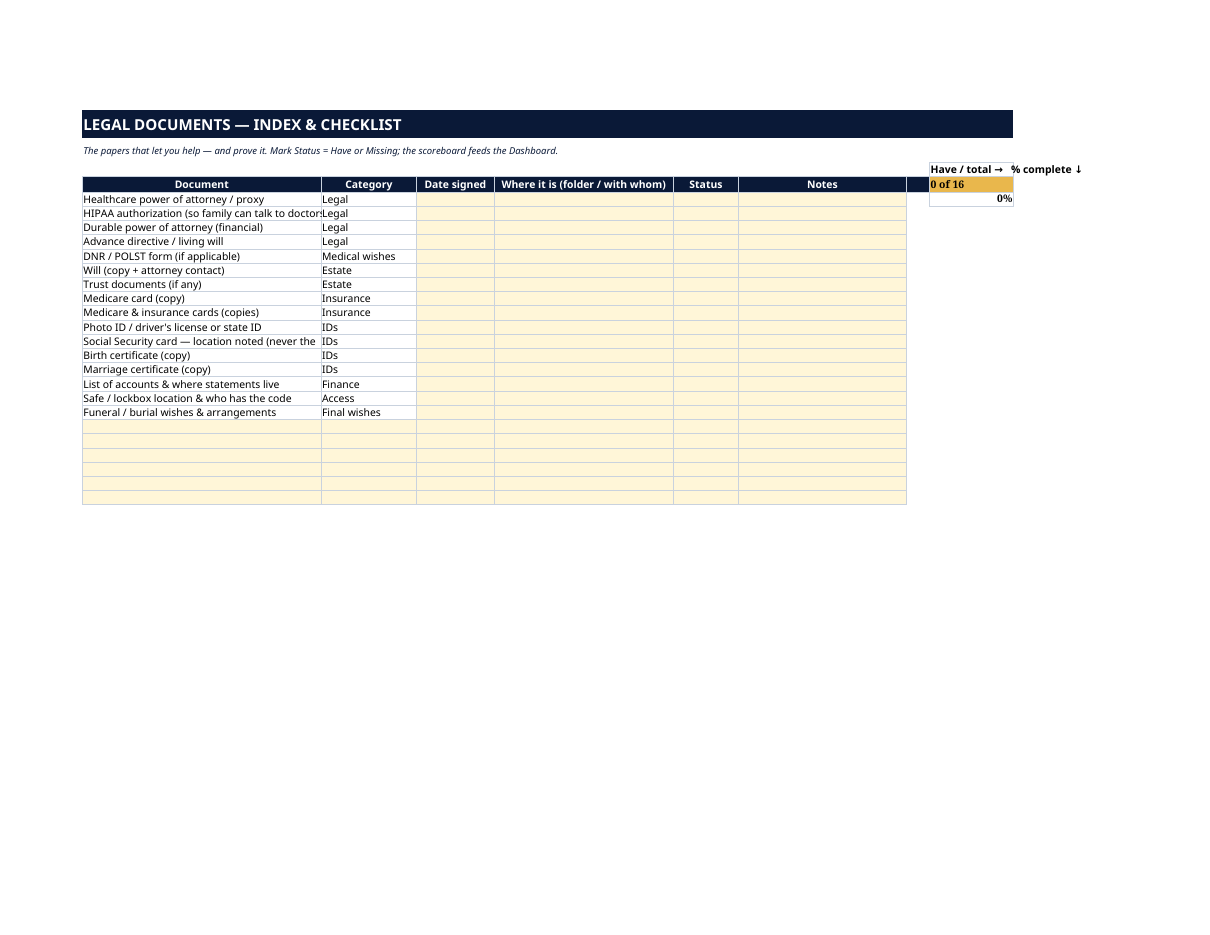
- Legal Documents — an index & checklist of the 16 papers that let you help, and prove it: healthcare power of attorney / proxy, HIPAA authorization, durable (financial) power of attorney, advance directive / living will, DNR/POLST, will and trust, ID and card copies, account list, safe/lockbox access, funeral wishes. For each: date signed, where it is, and a Have/Missing status with a scoreboard that counts you toward 100%.
- Contacts & Facilities — the places and services around them, pre-listed: preferred hospital, pharmacy, home-health agency, adult day program, respite care, skilled nursing / rehab, medical transport and caregiver support group — with phone, address and hours, so nobody searches at midnight.
How it works — 3 steps
- Build the Care Team, then the Medication Schedule exactly as the pill organizer is filled.
- Copy the coverage into Medicare & Insurance, work through Legal Documents, and note facilities and emergency numbers.
- Log appointments as you book them, then check the Dashboard — medication count, legal-document score, premiums and next appointments are already there.
You never build or fix a formula. Type only in the pale-yellow cells — the formula cells are protected (no password) so the math can't be broken by accident. Fictional SAMPLE rows, clearly marked, show you the format; delete them and the file is yours.
What you need
Microsoft Excel, or Google Sheets (free with a Google account). One file works in both. A desktop or laptop is best for setup — a phone screen is too small. This is a spreadsheet. It will not work in GoodNotes, Notability or a PDF reader.
Instant download
This is a digital download — no physical item will be shipped. After purchase, go to Etsy → Purchases and reviews → Download files, save the file to your computer first, then open it in Excel (click “Enable Editing”) or upload it to Google Drive for Sheets (then File → Make a copy, and always work in your copy).
License
Personal use only — for your own household. Please do not share, resell or redistribute the file.
Questions
Does it work in Google Sheets as well as Excel?
Yes — the same .xlsx file works in both. Upload it to Google Drive, open it, then choose File → Make a copy and work in your copy.
I'm not good with spreadsheets. Is this for me?
Yes. You only ever type in the pale-yellow cells; everything else calculates itself. Instructions are printed at the top of every sheet, and a filled fictional example shows you exactly what goes where.
Can more than one family member use it?
The license covers your household, and the file is easy to share with siblings as a copy so everyone works from the same care picture — many families keep one copy per caregiver and reconcile at family check-ins.
Does it replace the legal documents themselves?
No — it tracks them. The Legal Documents sheet records what each paper is, when it was signed and where the original lives, and scores what's still missing. The documents themselves should be prepared with an attorney for your state.
Is my parent's information uploaded anywhere?
No. The file lives on your computer or in your own Google Drive — nothing is sent to us or anyone else. Note that the checklist deliberately records where ID documents are kept, never the ID numbers themselves.