About this template
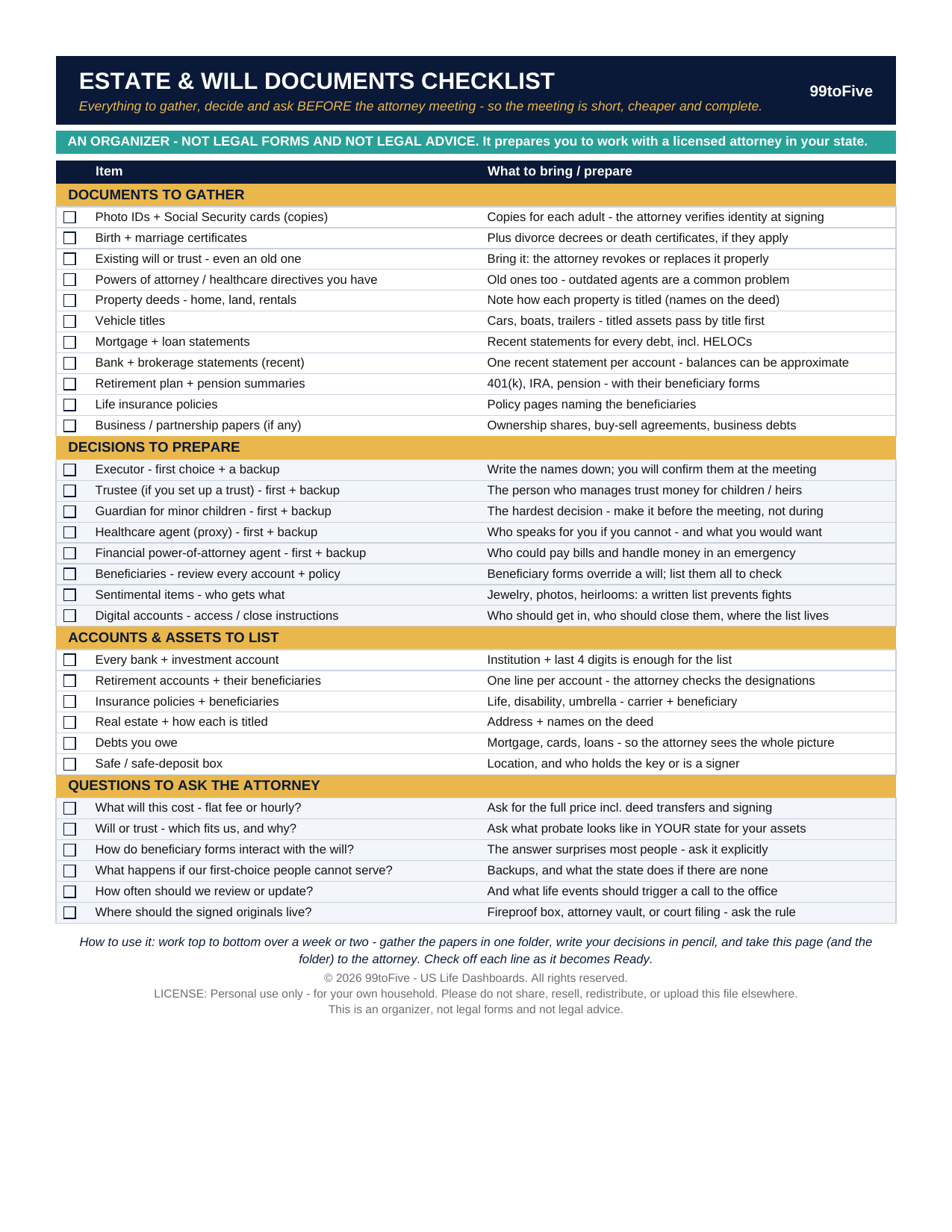
Most people stall for years on the same step: not the signing — the gathering. What papers does the attorney need? Who should be the executor, the guardian, the backup for both? Which accounts have beneficiary forms, and do they still say the right names? This one-page checklist answers the preparation, in order: 31 items across documents to gather, decisions to prepare, accounts and assets to list, and the questions worth asking at the meeting. Work through it over a week or two, and you walk in ready — which usually means a shorter, cheaper meeting and nothing forgotten. This is an organizer, not legal forms and not legal advice. It contains no will, trust or power-of-attorney forms and fills in nothing for you. It prepares you to work with a licensed attorney in your state, which is exactly how a will should be made.
What's inside
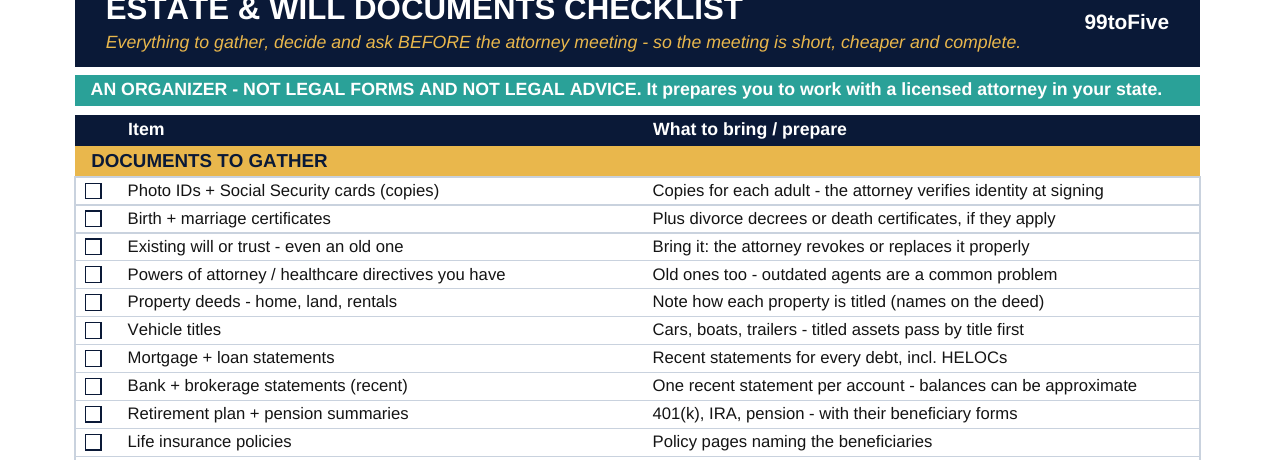
- Documents to Gather (11) — photo IDs and Social Security cards, birth and marriage certificates, your existing will or trust (even an old one), powers of attorney you already have, property deeds, vehicle titles, mortgage and loan statements, bank and brokerage statements, retirement and pension summaries, life insurance policies, business papers.
- Decisions to Prepare (8) — executor and backup, trustee and backup, guardian for minor children and backup, healthcare agent and backup, financial POA agent and backup, a review of every beneficiary, who gets the sentimental items, and instructions for your digital accounts.
- Accounts & Assets to List (6) — every bank and investment account, retirement accounts and their beneficiaries, insurance policies, real estate and how it is titled, the debts you owe, and your safe or safe-deposit box.
- Questions to Ask the Attorney (6) — flat fee or hourly, will or trust and why, how beneficiary forms interact with the will, what happens if your first choices cannot serve, how often to review, and where the signed originals should live.
How it works — 3 steps
- Print the PDF (US Letter) or open the spreadsheet version.
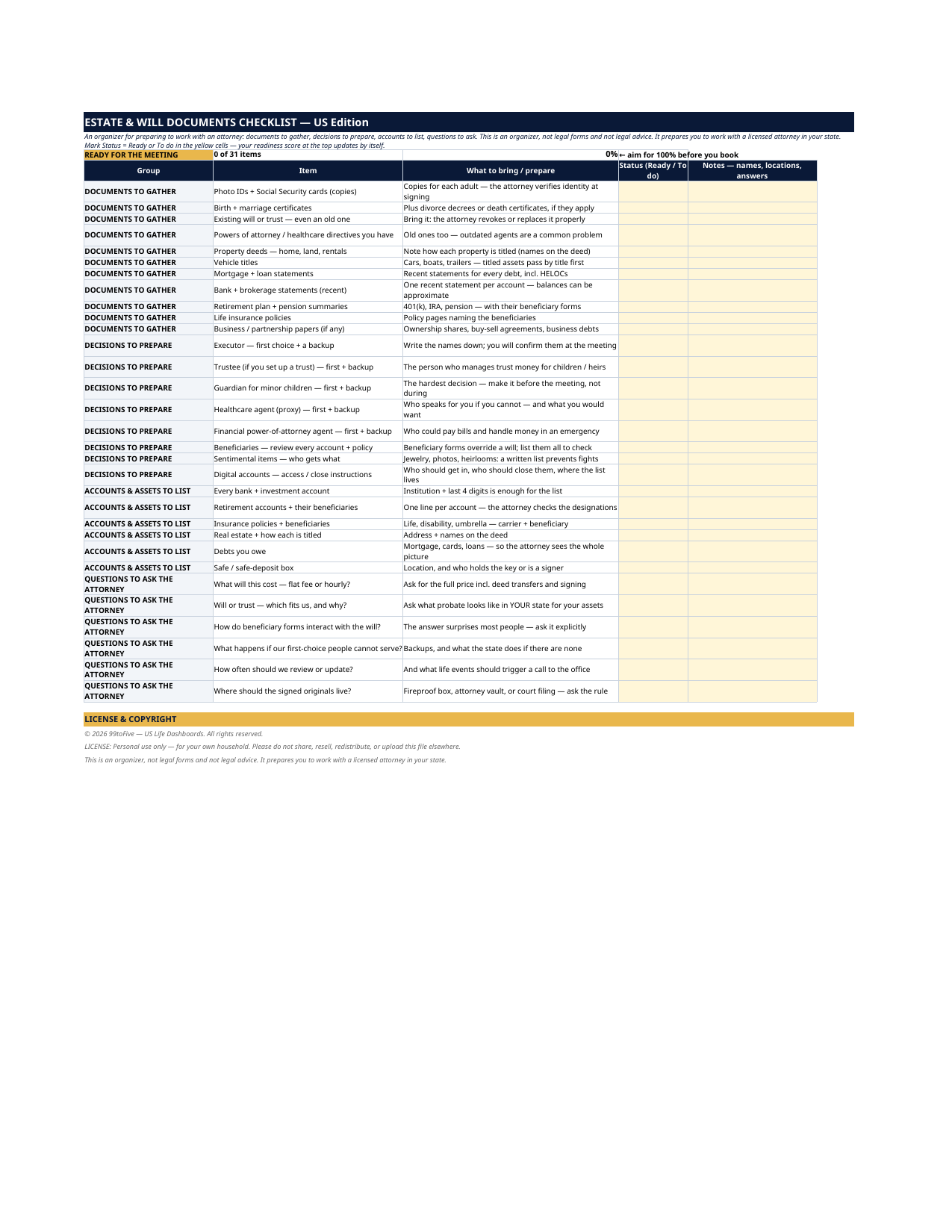
- Go group by group: check the box (PDF) or mark Status = Ready / To do (spreadsheet), and use the Notes column for names, locations and answers.
- Take the page and the folder of gathered papers to the attorney. The spreadsheet counts you toward 100% ready as you go.
You never build or fix a formula. Type only in the pale-yellow cells — the formula cells are protected (no password) so the math can't be broken by accident. Fictional SAMPLE rows, clearly marked, show you the format; delete them and the file is yours.
What you need
For the PDF: any PDF reader, and a printer if you want the paper copy. For the spreadsheet: Microsoft Excel, or Google Sheets (free with a Google account). The same .xlsx file works in both — upload it to Google Drive, open it, File → Make a copy, and work in your copy. The spreadsheet version is the only part that needs Excel or Sheets; the printable PDF works anywhere.
Instant download
This is a digital download — no physical item will be shipped. After purchase, go to Etsy → Purchases and reviews → Download files, save the file to your computer first, then open it in Excel (click “Enable Editing”) or upload it to Google Drive for Sheets (then File → Make a copy, and always work in your copy).
License
Personal use only — for your own household. Please do not share, resell or redistribute the file.
Questions
What exactly do I receive?
Two files: a one-page printable PDF (US Letter) with checkboxes, and the same 31-item checklist as an Excel spreadsheet with Status and Notes columns and an automatic readiness score at the top.
Does this include a will form or legal documents I can sign?
No — deliberately. This is an organizer, not legal forms and not legal advice. It prepares you (papers, decisions, account lists, questions) to work with a licensed attorney in your state, who drafts and executes the actual documents.
Do I need Excel or Google Sheets?
Only for the spreadsheet version. The PDF prints and works with any PDF reader — if you only want the paper checklist, you're all set.
How does the spreadsheet score work?
Type "Ready" or "To do" in the yellow Status cells. The scoreboard at the top counts you — it starts at "0 of 31 items, 0%" and the aim, printed right there, is 100% before you book the meeting.
We already have a will from years ago. Is this still useful?
Yes — bring the old will to the meeting (it's item 3 on the list). Life changes — marriages, divorces, children, moves between states — are exactly what the decisions and beneficiary-review groups are built to surface before you sit down.