About this template
Know your REAL profit on every order — after every Etsy fee, not before. You type the order once. The spreadsheet calculates the transaction fee, the payment processing fee, the listing fee, your shipping, materials and other costs, your true profit, and how much of that profit to set aside for tax. Then the Dashboard rolls it all up by month.
What's inside
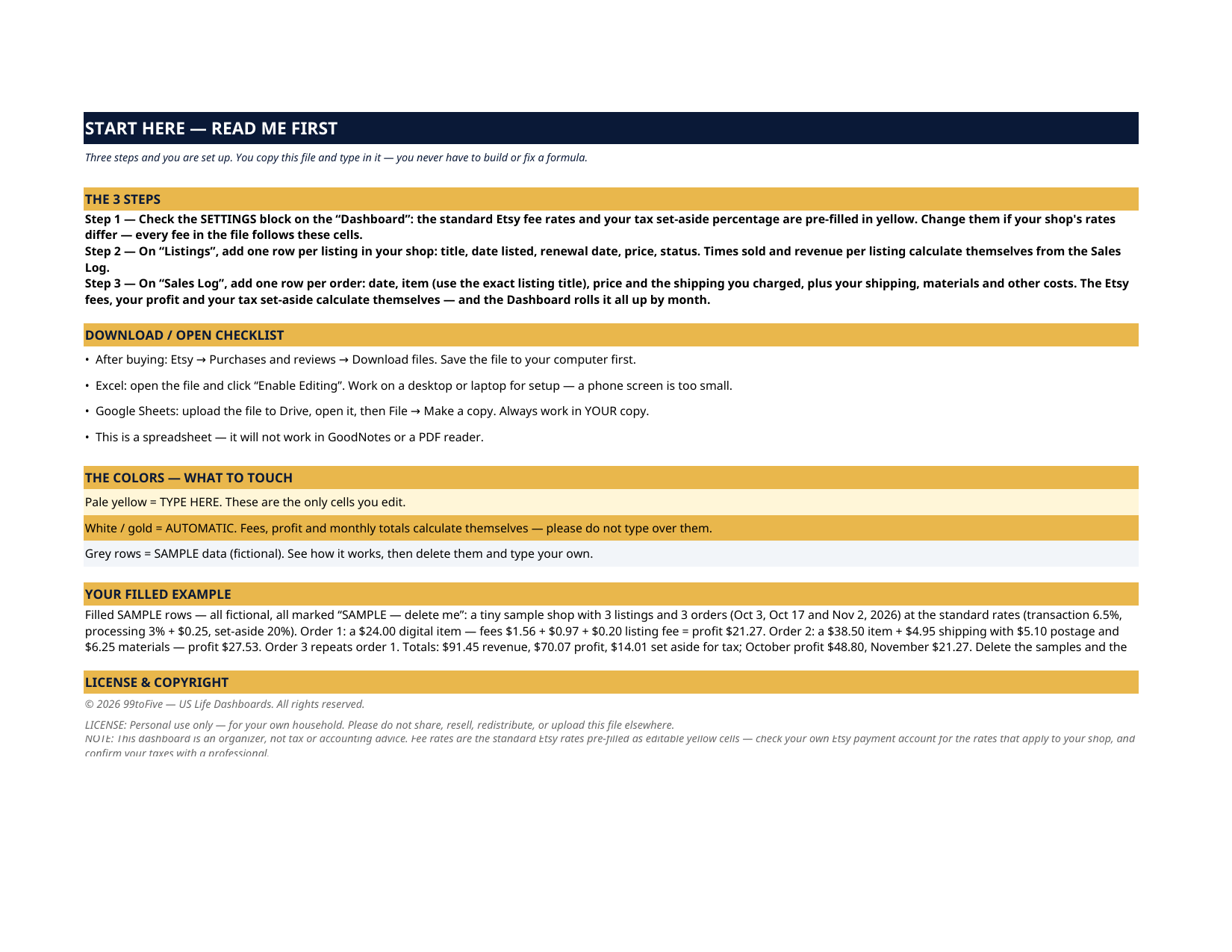
- Start Here — 3 steps, the color guide, and the filled example explained order by order
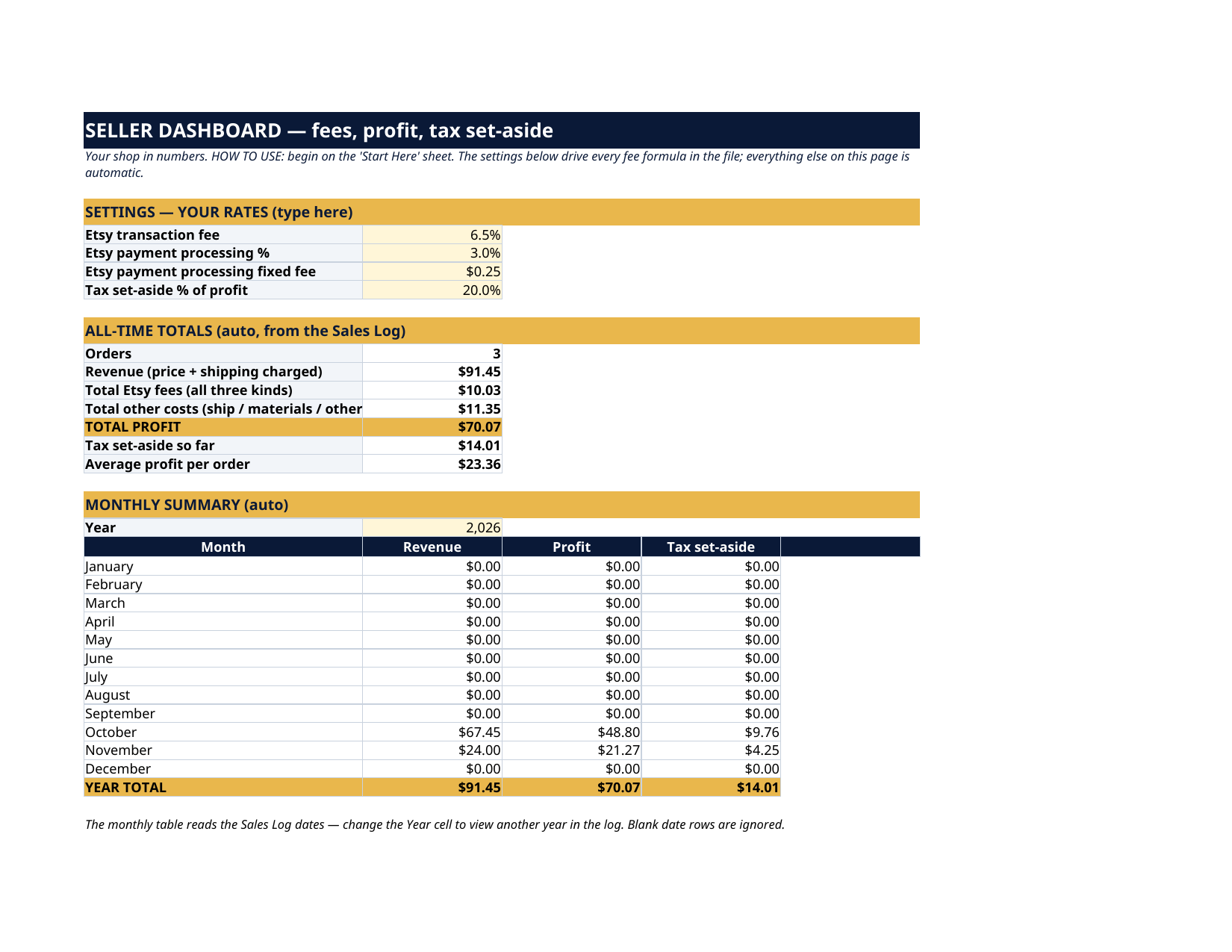
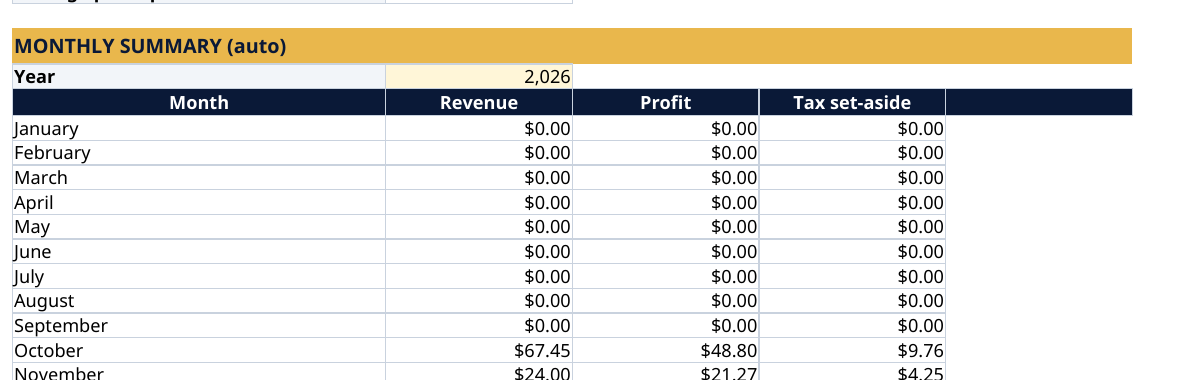
- Dashboard — a SETTINGS block with the standard Etsy rates pre-filled in editable yellow cells (transaction fee 6.5%, payment processing 3% + $0.25, and your own tax set-aside %, 20% in the sample), all-time totals (orders, revenue, total Etsy fees, total other costs, TOTAL PROFIT, tax set-aside so far, average profit per order), and an automatic MONTHLY SUMMARY — revenue, profit and set-aside for each month of the year you choose
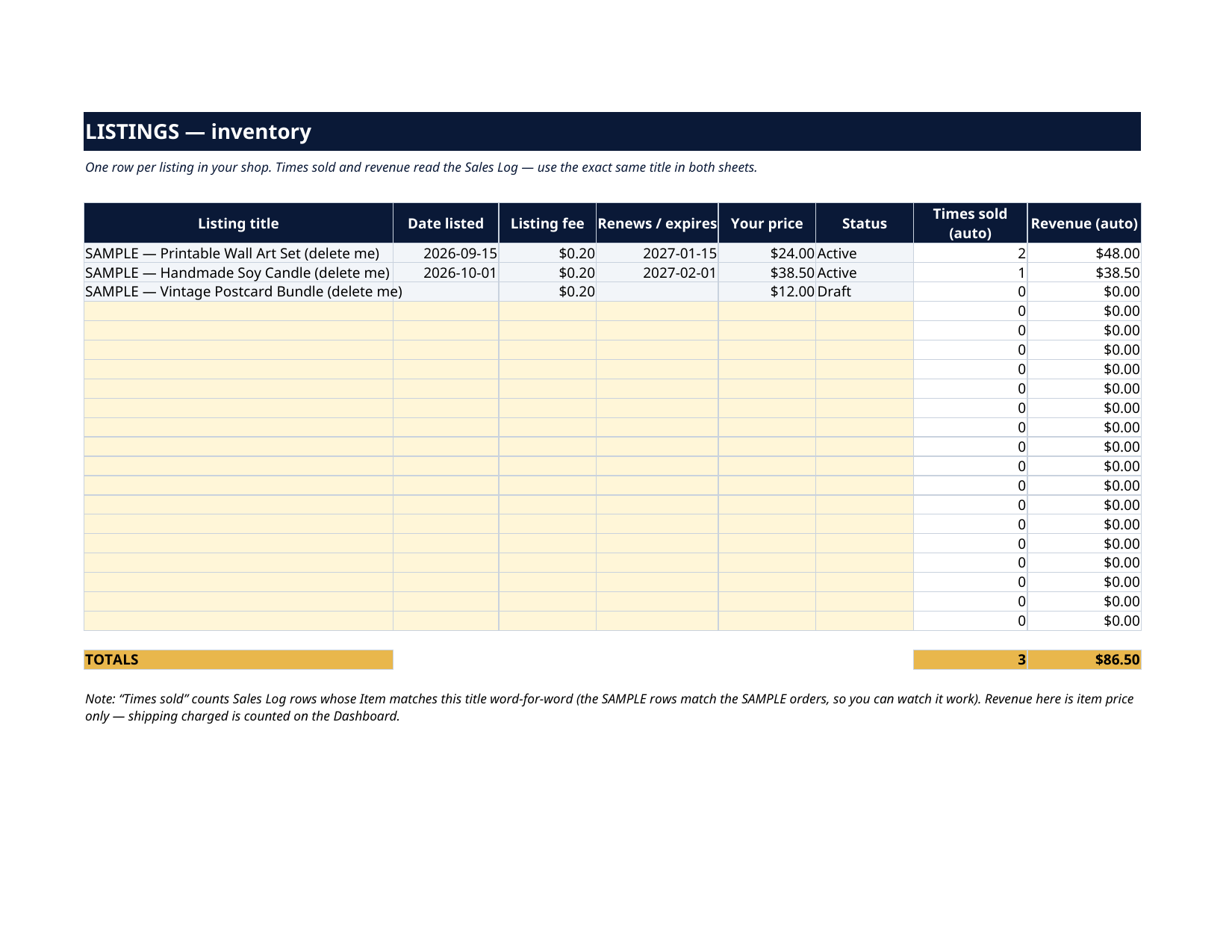
- Listings — your inventory: title, date listed, listing fee, renewal / expiry date, your price, status — with Times sold and Revenue per listing calculated automatically from the Sales Log
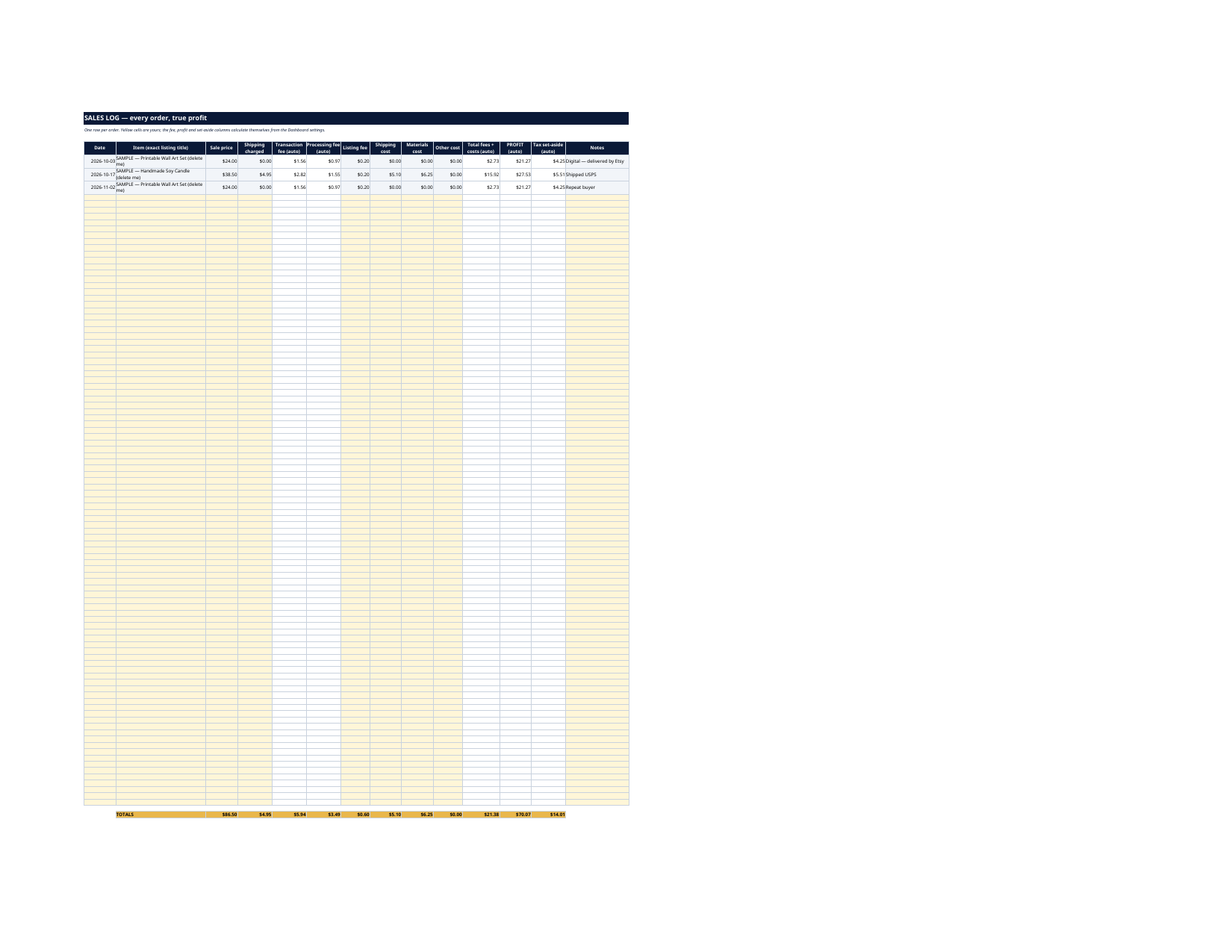
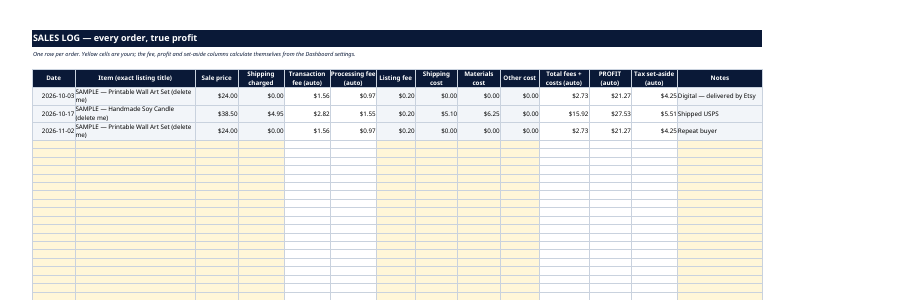
- Sales Log — one row per order: date, item, sale price, shipping charged, then the auto fee columns, your shipping / materials / other costs, total fees + costs, PROFIT and tax set-aside per order, with a totals row
How it works — 3 steps
- Check the Settings on the Dashboard — the standard Etsy rates are pre-filled; change them if your shop's rates differ.
- Add one row per listing on Listings.
- Add one row per order on Sales Log. Fees, profit and set-aside calculate themselves, and the Dashboard and monthly summary keep up.
You never build or fix a formula. Type only in the pale-yellow cells — the formula cells are protected (no password) so the math can't be broken by accident. Fictional SAMPLE rows, clearly marked, show you the format; delete them and the file is yours.
What you need
Microsoft Excel, or Google Sheets (free with a Google account) — one file works in both. A desktop or laptop is best for setup.
Instant download
This is a digital download — no physical item will be shipped. After purchase, go to Etsy → Purchases and reviews → Download files, save the file to your computer first, then open it in Excel (click “Enable Editing”) or upload it to Google Drive for Sheets (then File → Make a copy, and always work in your copy).
License
Personal use only — for your own household. Please do not share, resell or redistribute the file.
Questions
Are the Etsy fees already in the file?
Yes — the standard rates (6.5% transaction fee, 3% + $0.25 payment processing, $0.20 listing fee) are pre-filled, and the rates live in yellow Settings cells on the Dashboard, so if Etsy changes a rate or your shop has different terms, you change one cell and every formula follows.
How does the tax set-aside work?
You choose a percentage of profit (20% in the sample). Every order's set-aside is calculated automatically, the Dashboard shows the running total, and the monthly summary breaks it down by month — so the money is mentally "moved" before tax time surprises you. It is an organizer, not tax advice.
Does it handle digital and physical products?
Yes. The sample shop has both: a digital item with no shipping, and a physical item with shipping charged, postage and materials costs. Leave the shipping and materials cells at $0 for digital orders.
How do Times sold and Revenue per listing work?
The Listings sheet matches the Item names in your Sales Log word-for-word, so use the exact same title in both sheets (the samples show how). Revenue per listing counts item price; shipping charged is counted on the Dashboard.
Excel or Google Sheets?
Both. The .xlsx works in Microsoft Excel; in Google Sheets, upload it to Drive, open it, then File → Make a copy and work in your copy. All formulas use functions supported by both programs — including the monthly summary.