About this template
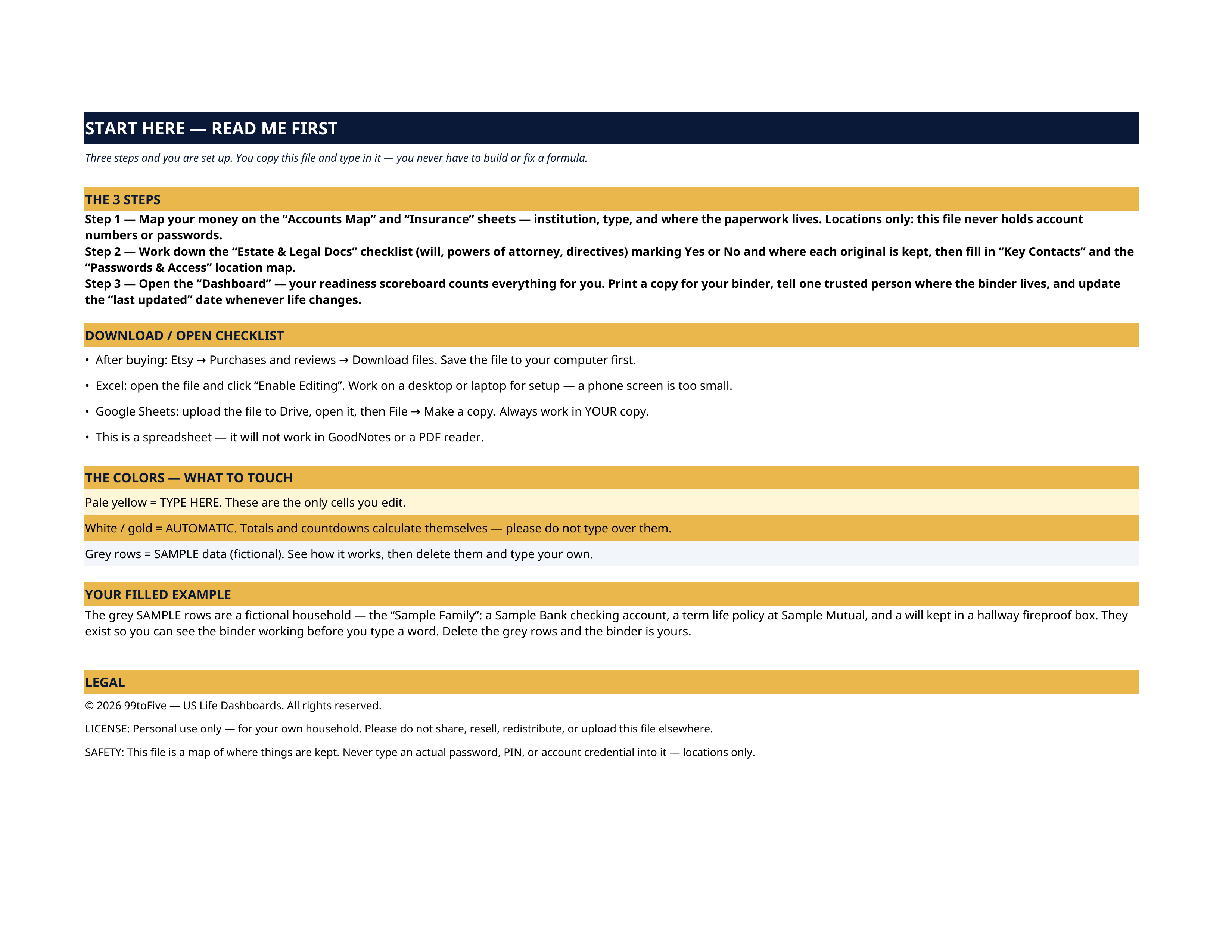
The grey SAMPLE rows are a fictional household — the "Sample Family": a Sample Bank checking account, a $500,000 term life policy at Sample Mutual, a sister as first-call contact. They exist so you can watch the scoreboard count real entries before you type a word. Delete the grey rows and the binder is yours. Not "is it organized" — could your spouse, your adult child, or your sister actually find the bank accounts, the life insurance policy, the will, the passwords' hiding place, in a weekend when they are grieving and the bills keep coming? This dashboard is the map you build once, in a calm moment, so they never have to guess: every account, every policy, every legal document and every key contact, with where each one lives. It records LOCATIONS, never secrets. There is no place in this file for an account number or a password — it says where things are kept and who can get to them. That is what makes it safe to print, bind, and hand to family. This dashboard is an organizer, not legal or financial advice. It helps you record what you have and where it is kept; it does not create a will or any legal document. An estate attorney in your state can prepare documents that hold up — this binder makes sure your family can find them. LICENSE Personal use only — for your own household. Please do not share, resell or redistribute the file.
What's inside
- Start Here — the 3 steps, a download/open checklist for Etsy, Excel and Google Sheets, the color guide (pale yellow = type here; white/gold = automatic; grey = sample data), and a walk-through of the filled example.
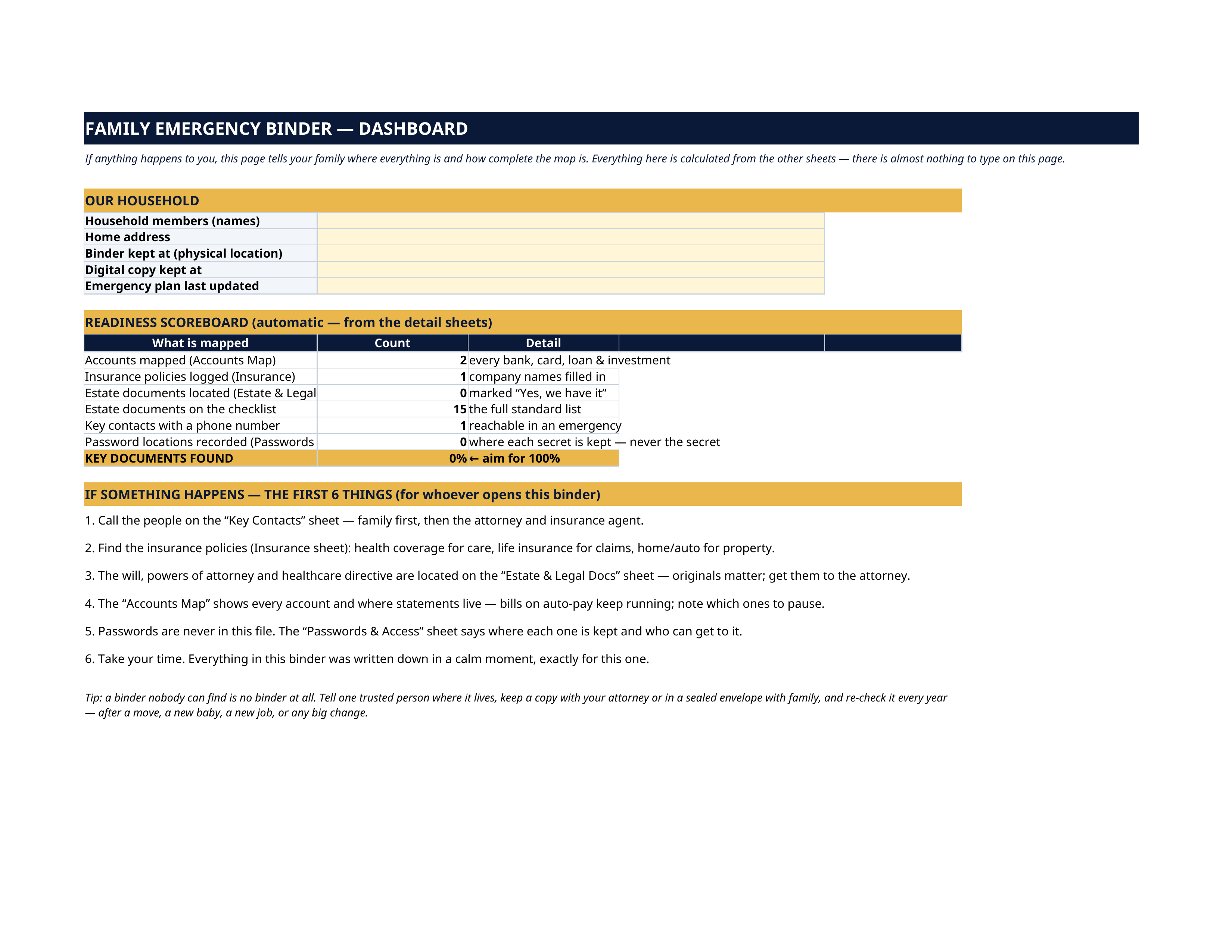
- Dashboard — your household block (members, address, where the binder and its digital copy live, when you last updated it) and the READINESS SCOREBOARD: how many accounts are mapped, how many policies are logged, how many estate documents are located, how many contacts have phone numbers, and how many password locations are recorded — all counted automatically from the other sheets, with a "KEY DOCUMENTS FOUND" percentage to aim at 100%. Below it, the FIRST 6 THINGS panel: calm, plain instructions for whoever opens this binder in a crisis.
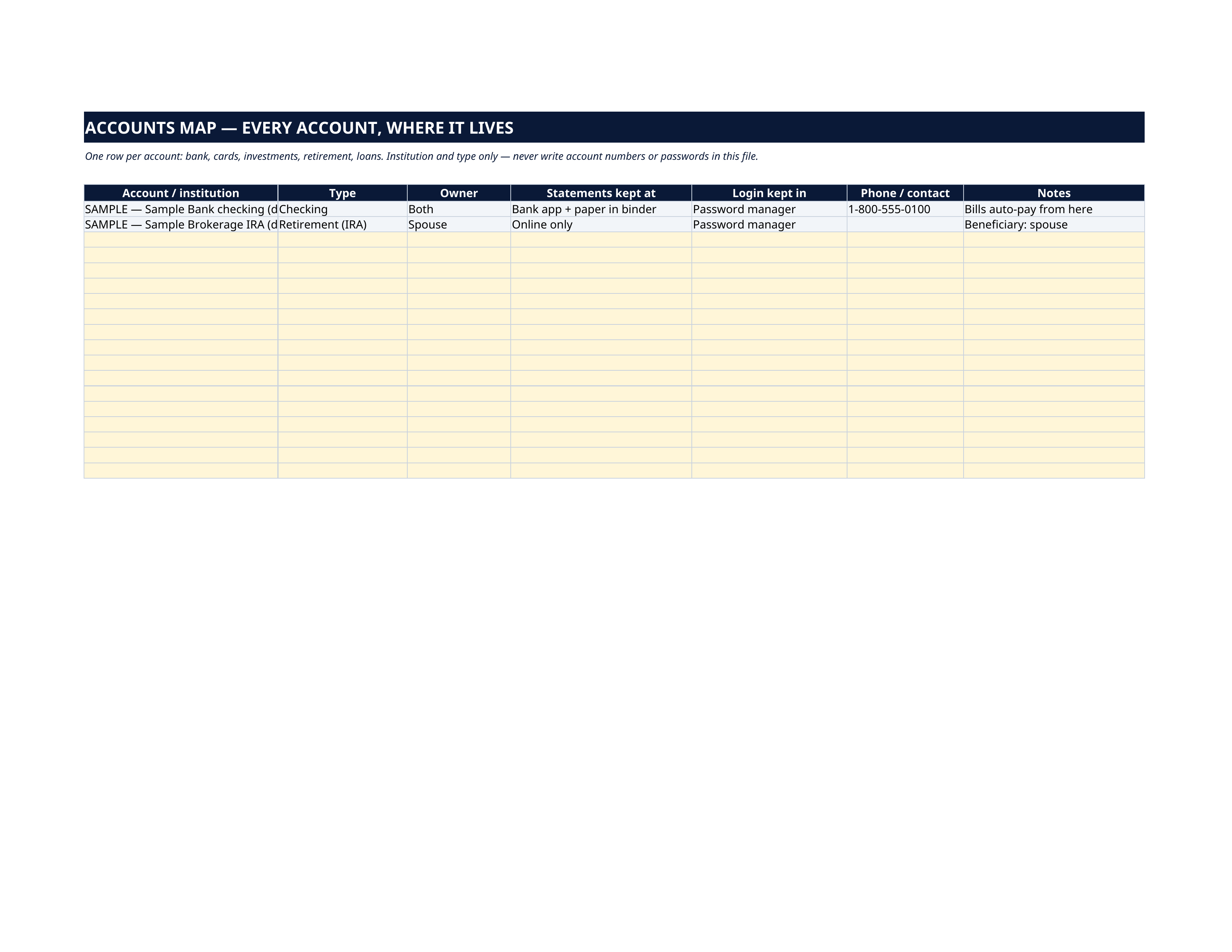
- Accounts Map — one row per account: institution, type (checking, savings, credit card, investment, retirement, loan), owner, where statements live, where the login is kept, and the phone number to call. Locations only — never account numbers.
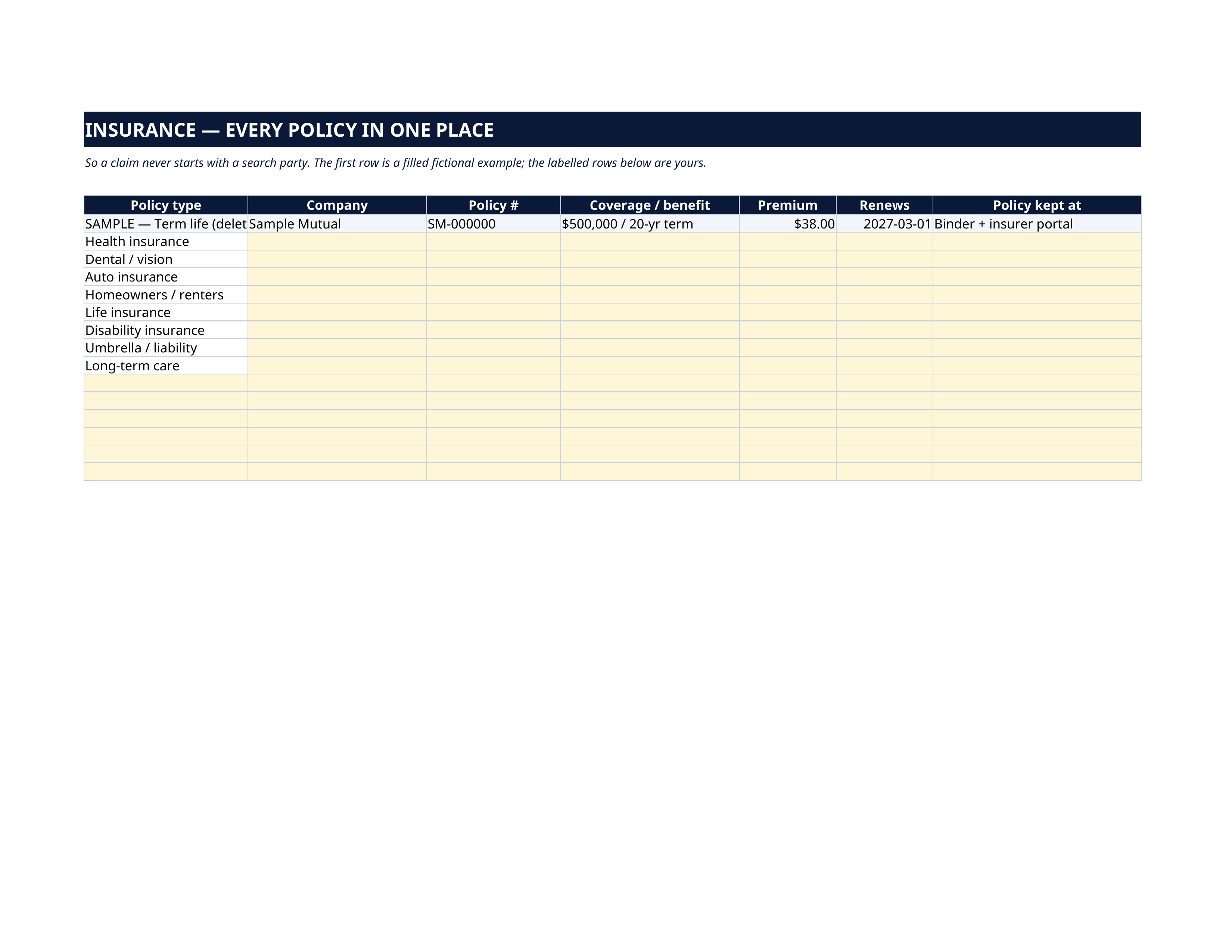
- Insurance — every policy in one place: health, dental/vision, auto, homeowners/renters, life, disability, umbrella and long-term care are pre-labelled — company, policy number, coverage, premium, renewal date, and where the policy itself is kept, so a claim never starts with a search party.
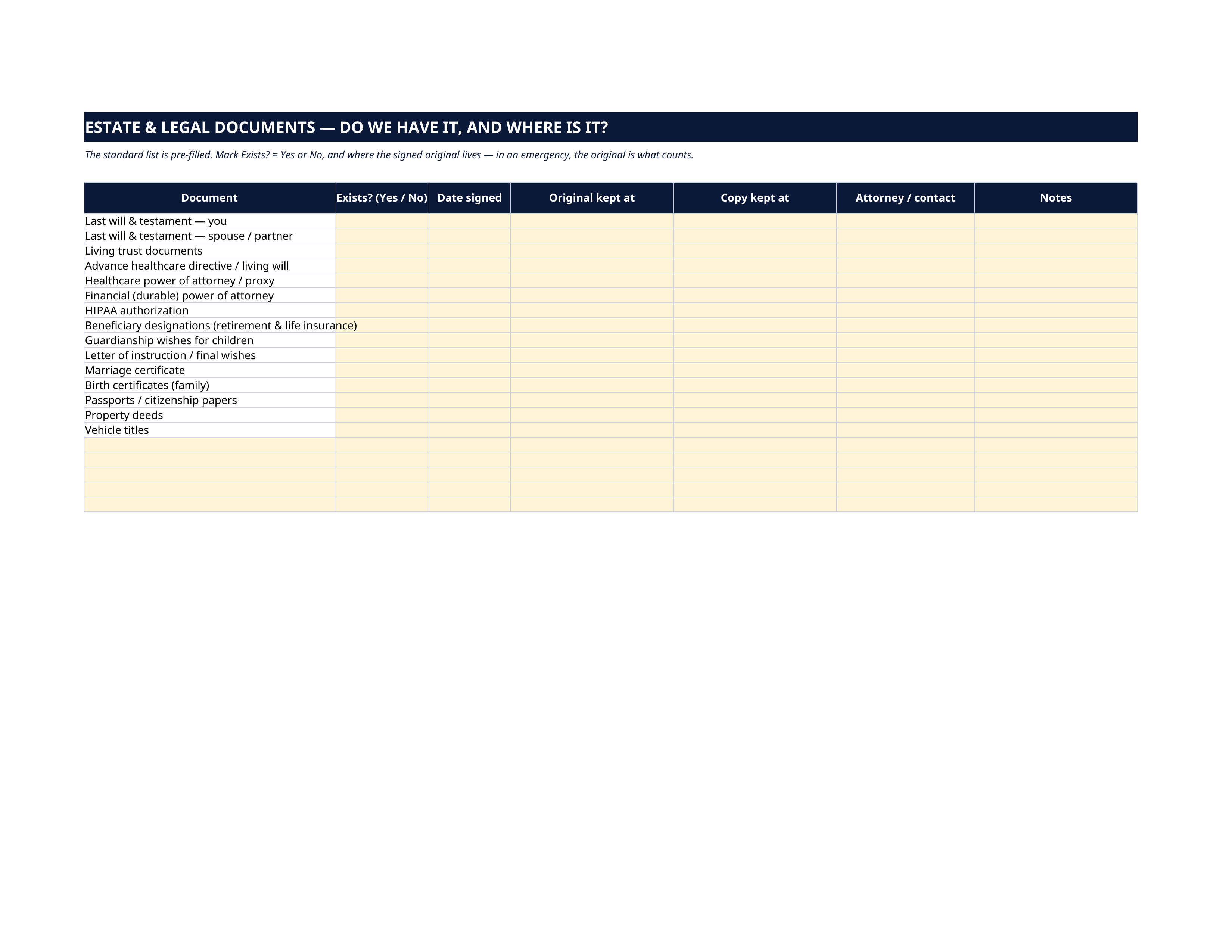
- Estate & Legal Docs — the standard 15-document checklist pre-listed: both wills, living trust, advance healthcare directive, healthcare and financial powers of attorney, HIPAA authorization, beneficiary designations, guardianship wishes, letter of instruction, marriage and birth certificates, passports, deeds and vehicle titles. For each: do we have it, when was it signed, where is the ORIGINAL, where is the copy, and which attorney holds it.
- Key Contacts — the people needed in the first 48 hours, pre-labelled: two family emergency contacts, doctor, dentist, attorney, accountant, insurance agent, bank contact, school/childcare, vet, trusted neighbor and community contact — name, phone, email, notes.
- Passwords & Access — where secrets are kept, never the secrets: which password manager you use, where the master password's sealed copy lives, who knows the phone unlock, where 2FA backup codes are, and who can access what. The sheet explains why locations-only is the safe design.
How it works — 3 steps
- Map your money on Accounts Map and Insurance: institution, type, and where the paperwork lives.
- Work down the Estate & Legal Docs checklist, then fill in Key Contacts and the Passwords & Access location map.
- Open the Dashboard and watch your readiness fill in. Print a copy for the binder, tell one trusted person where it lives, and update the date whenever life changes.
You never build or fix a formula. Type only in the pale-yellow cells — the formula cells are protected (no password) so the math can't be broken by accident. Fictional SAMPLE rows, clearly marked, show you the format; delete them and the file is yours.
What you need
Microsoft Excel, or Google Sheets (free with a Google account). One file works in both. A desktop or laptop is best for setup — a phone screen is too small. This is a spreadsheet. It will not work in GoodNotes, Notability or a PDF reader.
Instant download
This is a digital download — no physical item will be shipped. After purchase, go to Etsy → Purchases and reviews → Download files, save the file to your computer first, then open it in Excel (click “Enable Editing”) or upload it to Google Drive for Sheets (then File → Make a copy, and always work in your copy).
License
Personal use only — for your own household. Please do not share, resell or redistribute the file.
Questions
Does it work in Google Sheets as well as Excel?
Yes — the same .xlsx file works in both. Upload it to Google Drive, open it, then choose File → Make a copy and work in your copy.
Should I put my passwords and account numbers in it?
No — and the file is designed so you don't. It records where each account, policy and secret is kept and who can access it, never the numbers or passwords themselves. That is what makes it safe to print and share with the family members who would need it.
What if I don't have a will or some of the documents yet?
That's exactly what the Estate & Legal Docs sheet is for: mark "No", and the checklist becomes your to-do list. The Dashboard's "Key Documents Found" percentage shows your progress as you get each document done.
Who is the filled example?
A fictional household — the "Sample Family" — with a Sample Bank account, a Sample Mutual life policy and a sister as first contact, all clearly marked SAMPLE. Delete the grey rows when you're ready and every sheet is yours.
Is this only for married couples with kids?
No. Single, partnered, with or without children — anyone whose family would have to find things quickly benefits. The household block and contact roles adapt to whoever your people are.