About this template
Where is the immunization record? Which folder has last spring's report card? The art piece that got selected — where did it go? This dashboard keeps every child's school documents, report cards, activities, awards, art portfolio and health forms in one file, with a Dashboard that counts and scores it all for you. A fictional SAMPLE child — Emma R. — and her grey SAMPLE rows (a report card, two activities, one art piece) show you the format on every sheet. Delete them when you're ready and the whole file is yours. LICENSE Personal use only — for your own household. Please do not share, resell or redistribute the file.
What's inside
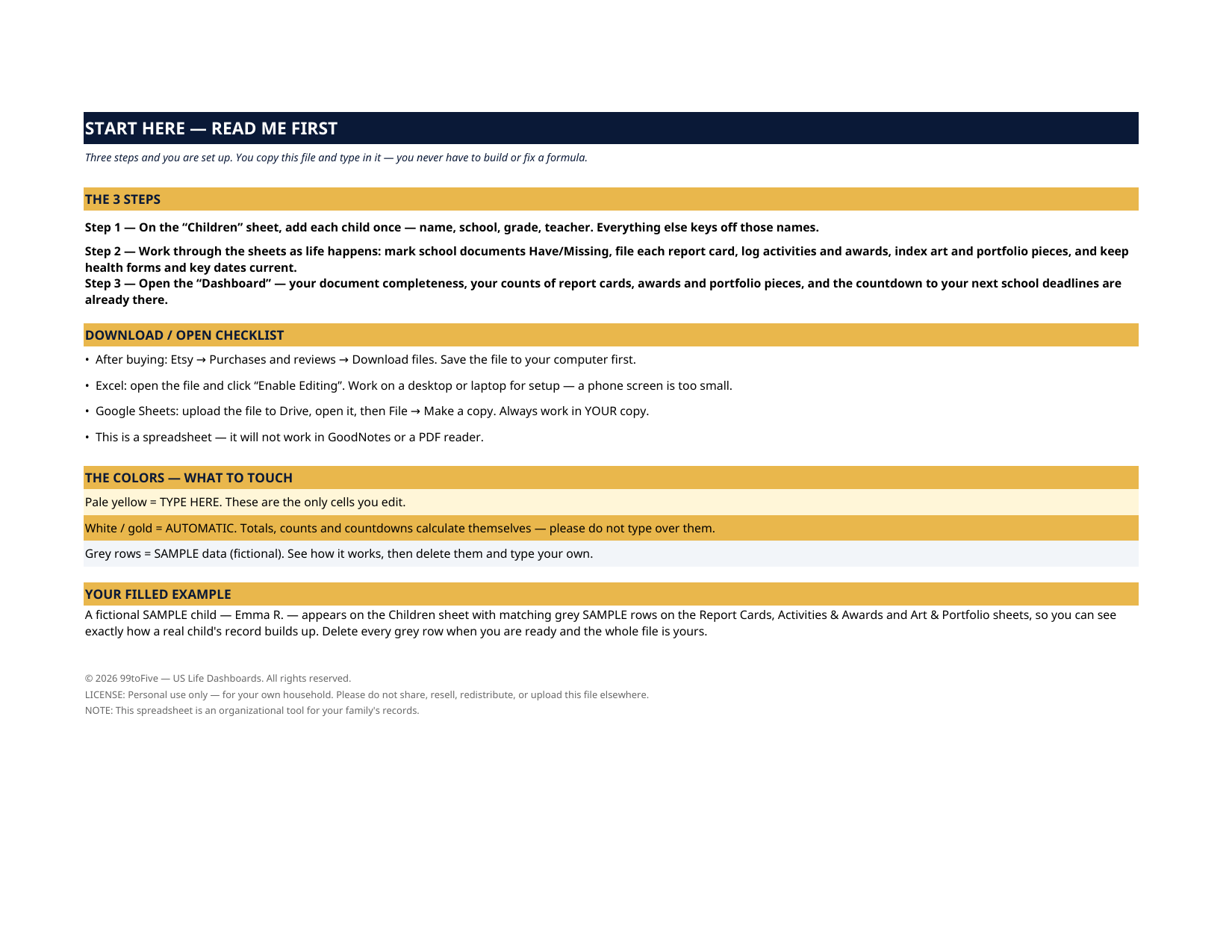
- Start Here — the 3 steps, a download/open checklist for Etsy, Excel and Google Sheets, the color guide (pale yellow = type here; white/gold = automatic; grey = sample data), and a walk-through of the filled example.
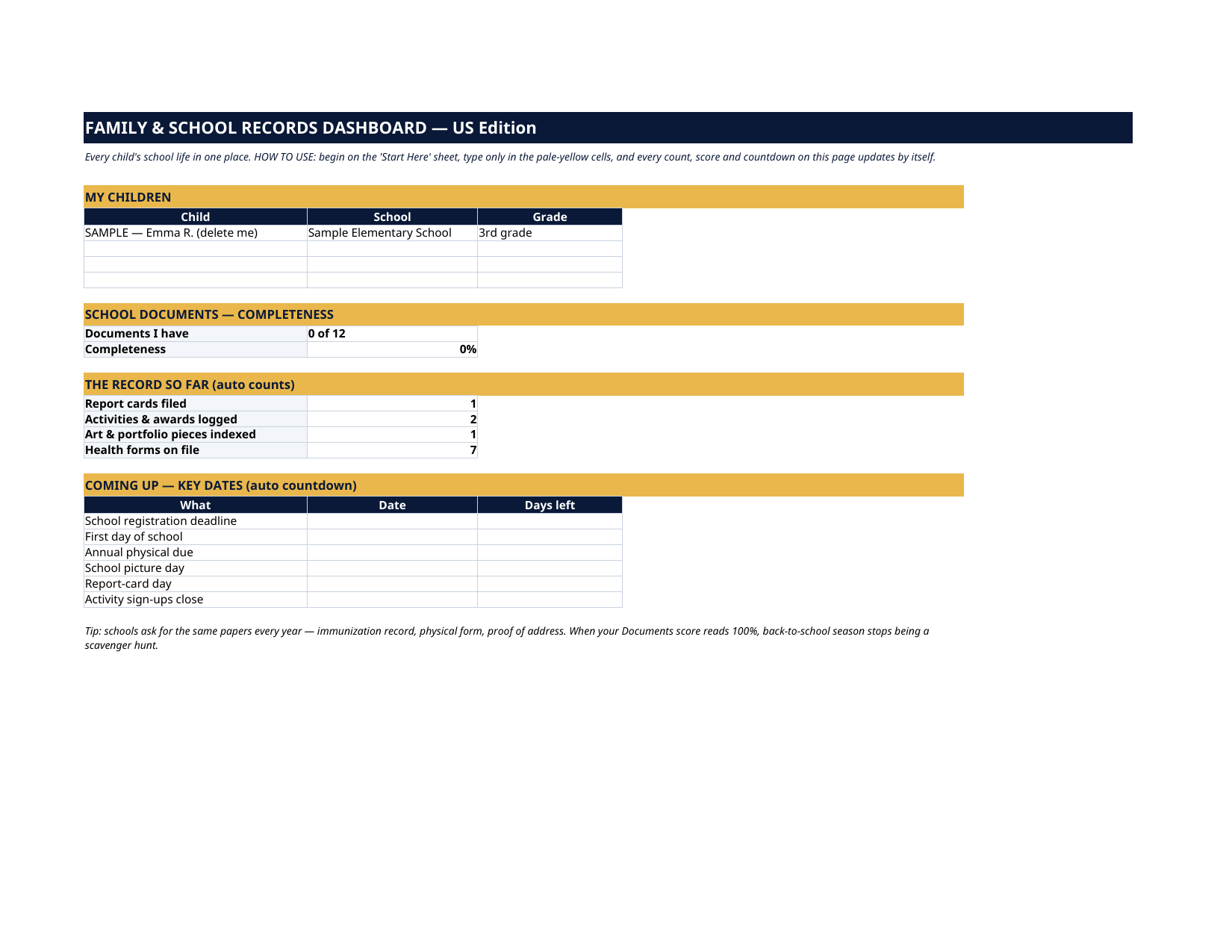
- Dashboard — the one-page summary: your children at a glance (school and grade, pulled automatically), your school-document completeness score, live counts of report cards filed, activities & awards logged, portfolio pieces indexed and health forms on file, plus a countdown to your next six school deadlines.
- Children — one profile row per child (room for 4): name, date of birth, school, grade, teacher, school phone, notes.
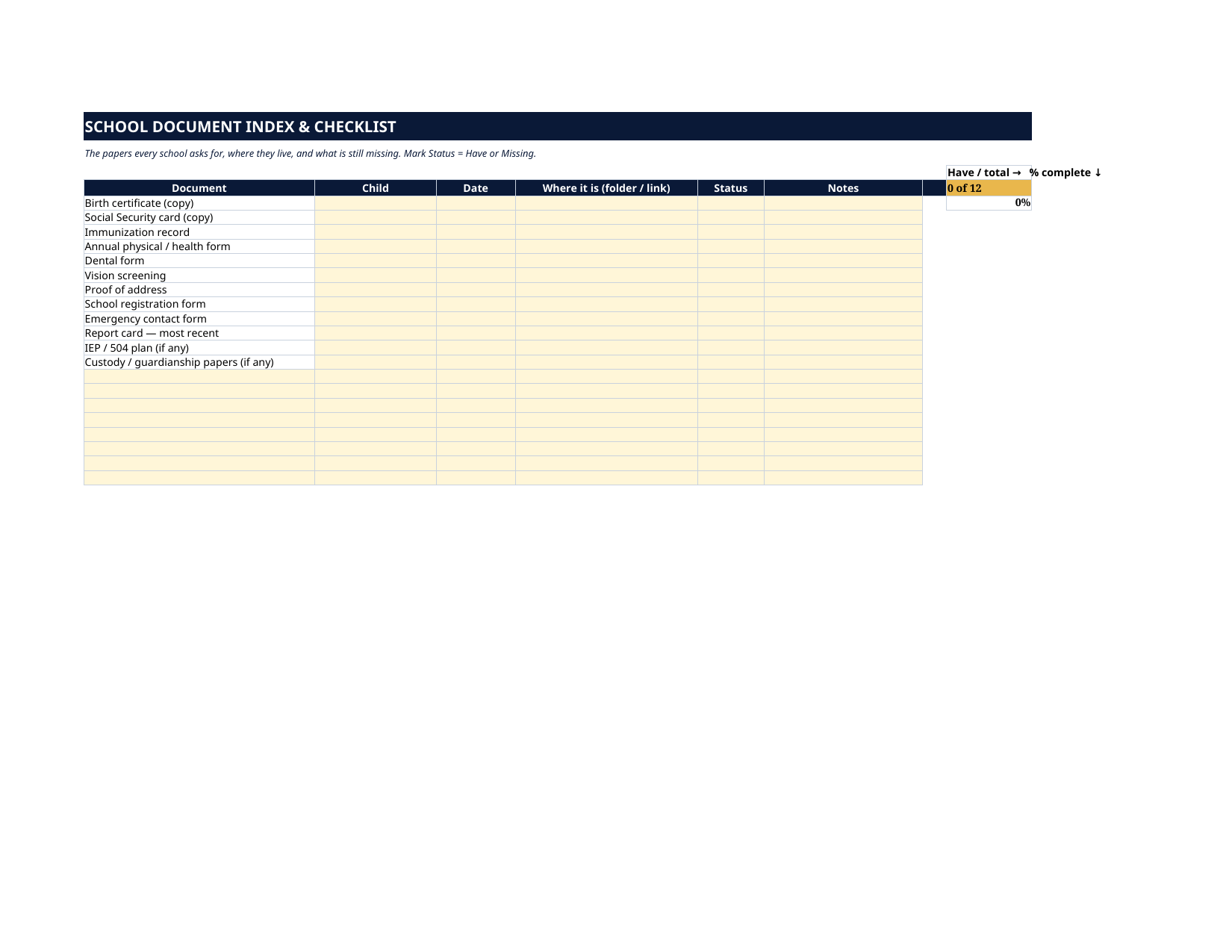
- School Documents — an index & checklist of the 12 papers schools ask for: birth certificate, immunization record, physical and dental forms, proof of address, registration and emergency forms, IEP/504 and more — each with its date, where it lives, and a Have/Missing status. A scoreboard counts you toward 100%.
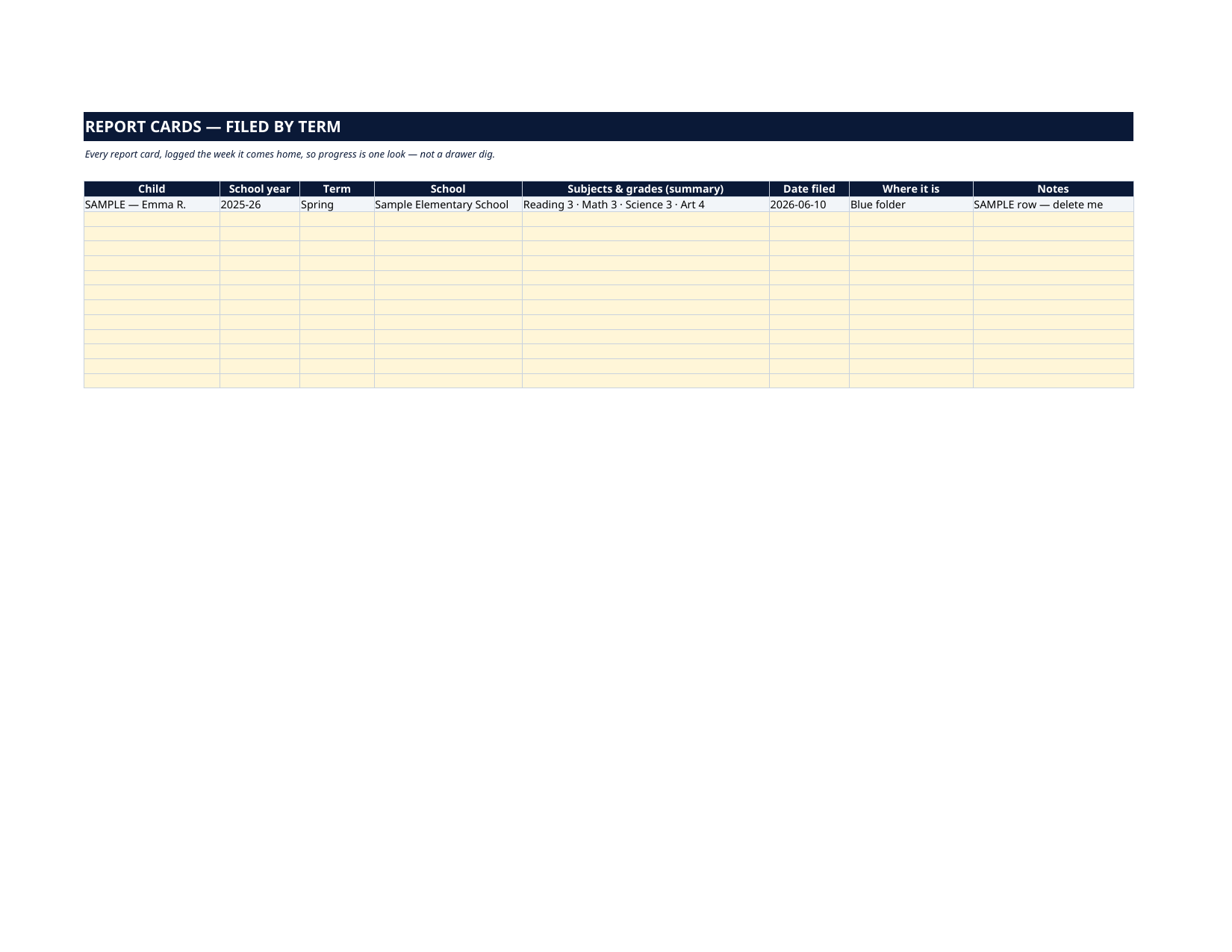
- Report Cards — one row per term: child, school year, term, school, a subjects-and-grades summary, the date filed and where it is. Progress over the years becomes one look, not a drawer dig.
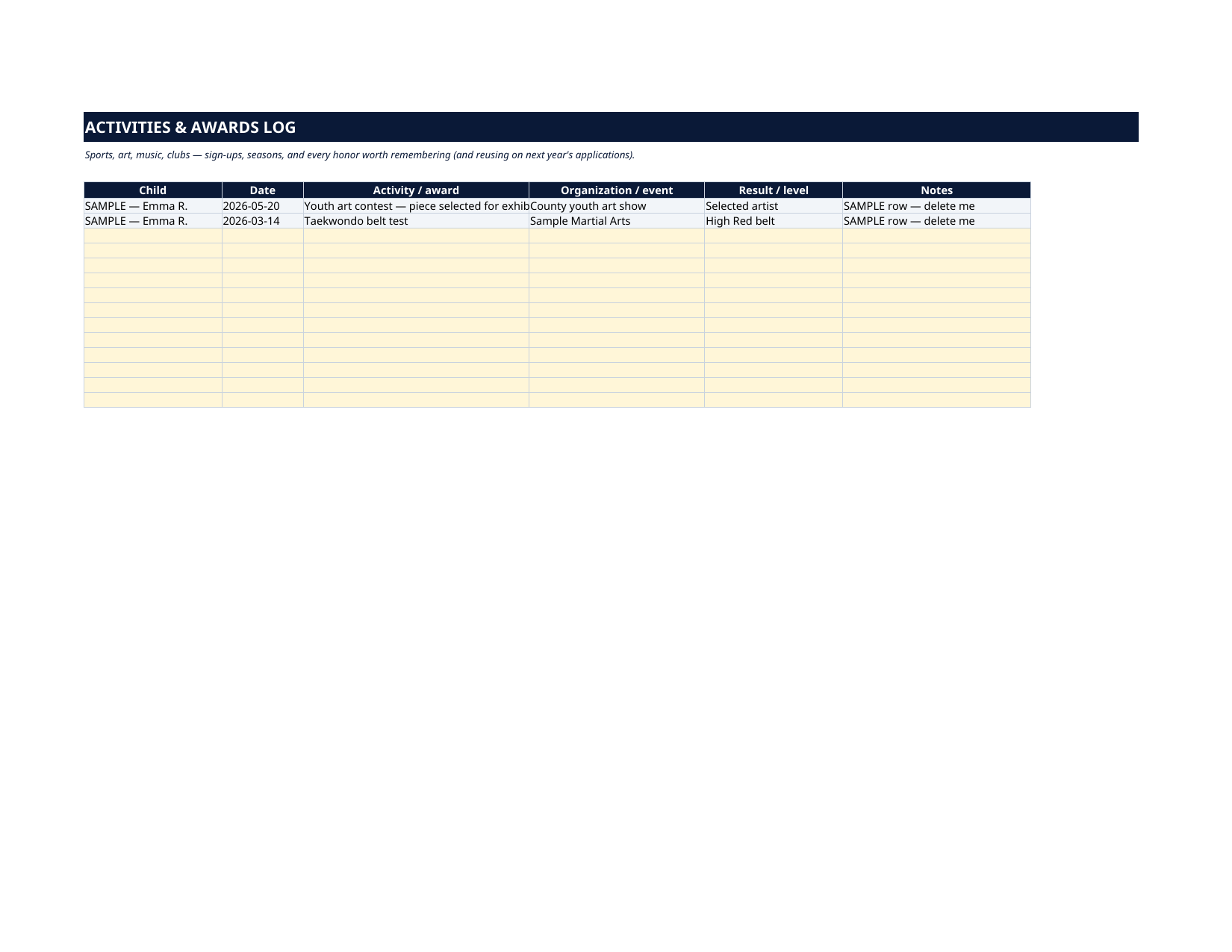
- Activities & Awards — sports, art, music, clubs and every honor: child, date, activity or award, organization, result or level. The record you will want at application and graduation time.
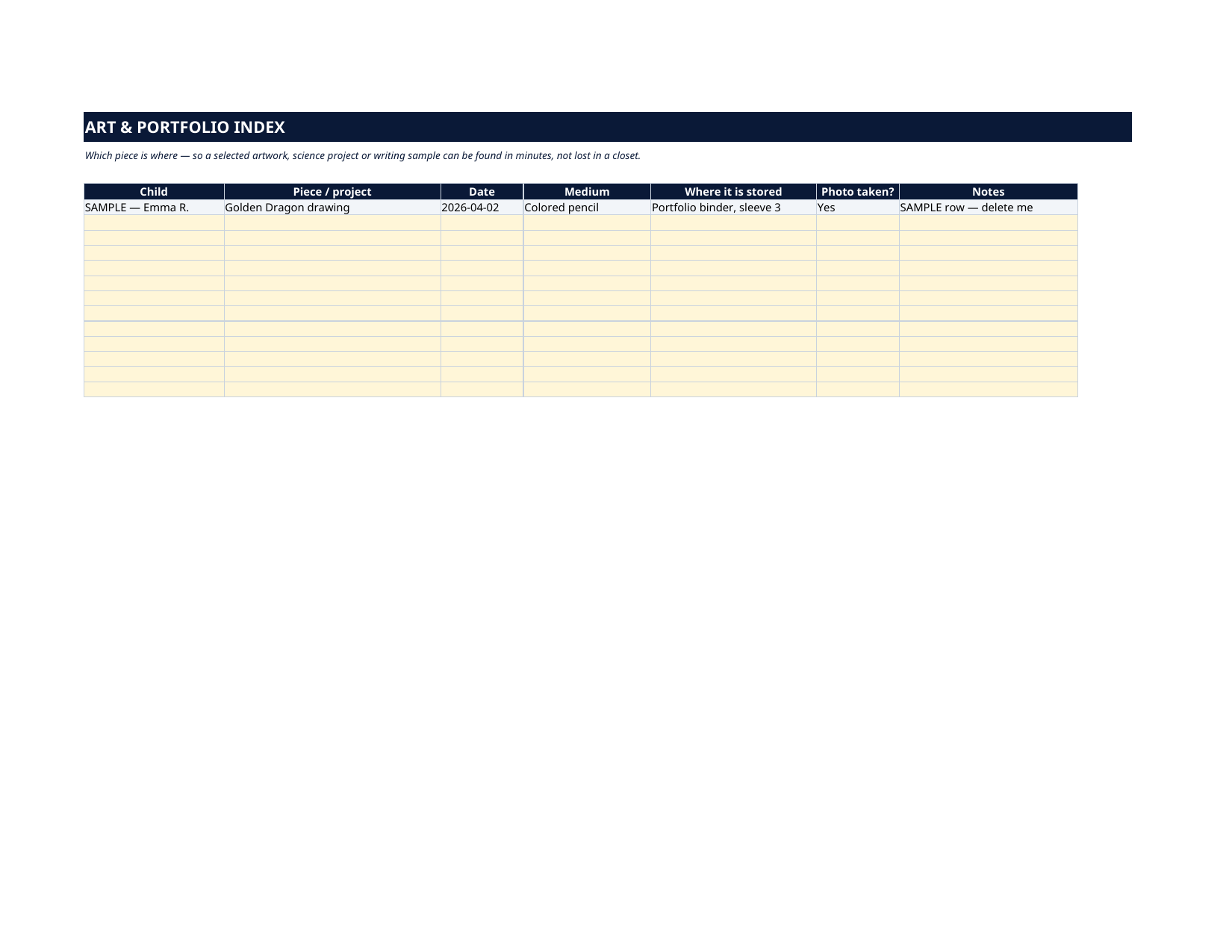
- Art & Portfolio Index — every piece and project: what it is, when, the medium, exactly where it is stored, and whether a photo was taken.
- Health Forms — the standard school and sports forms per child (annual physical, immunizations, dental, vision, sports physical, medication authorization, allergy plan): doctor, date given, expiry, where the copy lives.
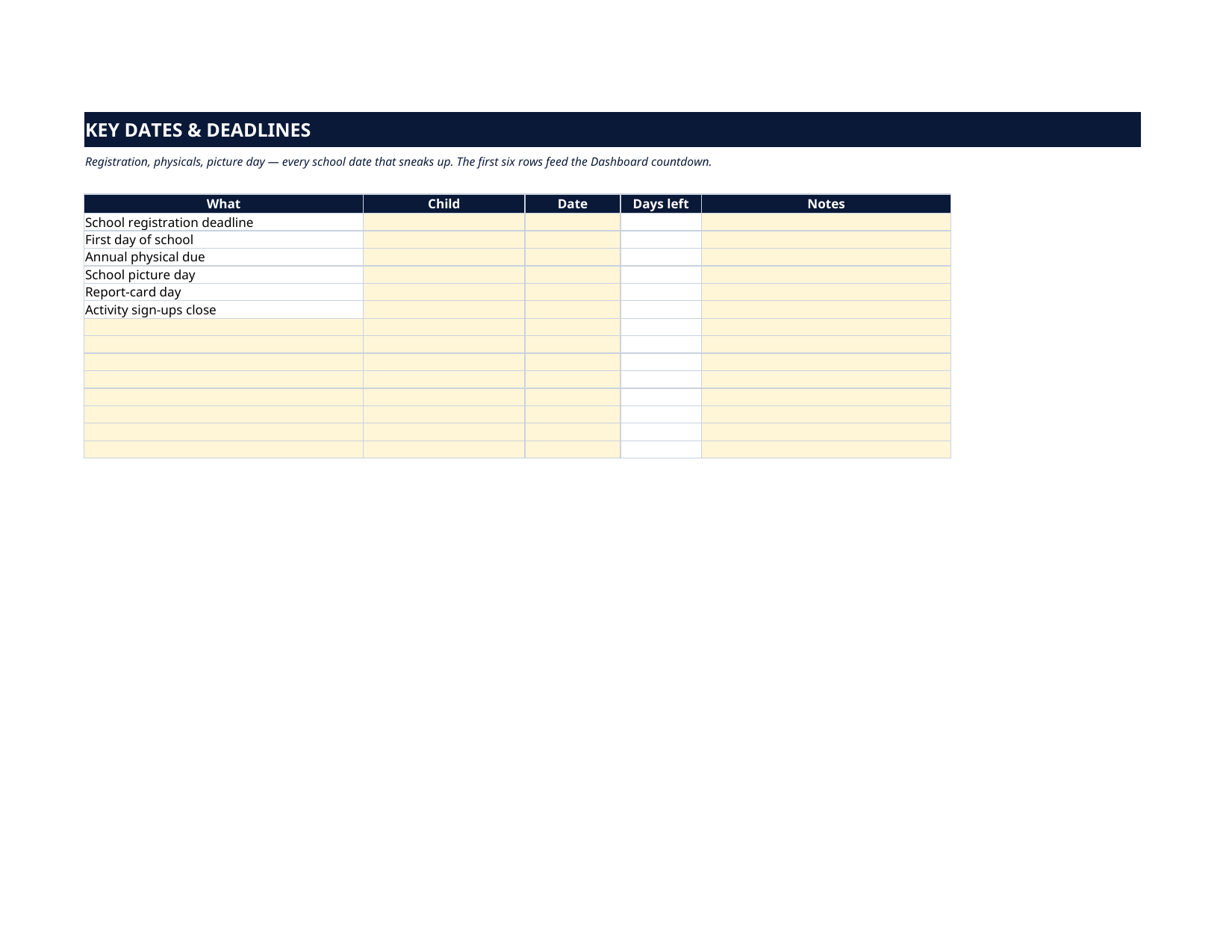
- Key Dates — registration deadlines, physical due dates, picture day, report-card day: type the date once and the days-left countdown feeds the Dashboard.
How it works — 3 steps
- On the Children sheet, add each child once. Every other sheet keys off those names.
- As life happens: mark documents Have or Missing, file each report card, log activities and awards, index portfolio pieces, keep health forms and key dates current.
- Open the Dashboard. Your completeness score, your counts and your next deadlines are already there.
You never build or fix a formula. Type only in the pale-yellow cells — the formula cells are protected (no password) so the math can't be broken by accident. Fictional SAMPLE rows, clearly marked, show you the format; delete them and the file is yours.
What you need
Microsoft Excel, or Google Sheets (free with a Google account). One file works in both. A desktop or laptop is best for setup — a phone screen is too small. This is a spreadsheet. It will not work in GoodNotes, Notability or a PDF reader.
Instant download
This is a digital download — no physical item will be shipped. After purchase, go to Etsy → Purchases and reviews → Download files, save the file to your computer first, then open it in Excel (click “Enable Editing”) or upload it to Google Drive for Sheets (then File → Make a copy, and always work in your copy).
License
Personal use only — for your own household. Please do not share, resell or redistribute the file.
Questions
Does it work in Google Sheets as well as Excel?
Yes — the same .xlsx file works in both. Upload it to Google Drive, open it, then choose File → Make a copy and work in your copy.
How many children does it hold?
The Children sheet has room for 4 profiles, and every log sheet (documents, report cards, activities, health forms, key dates) takes one row per child per item — so siblings are covered, and you can insert more rows.
I'm not good with spreadsheets. Is this for me?
Yes. You only ever type in the pale-yellow cells; everything else calculates itself. Instructions are printed at the top of every sheet, and the formula cells are protected so you can't break them by accident.
What exactly do I type, and where?
Each child's profile once; then a Have/Missing mark per document, one row per report card and per activity or award, and your school dates once a year. Filled SAMPLE rows for a fictional child show the format on every sheet.
Can it track awards and art portfolios? That's the part I keep losing.
That's exactly why those two sheets exist. Activities & Awards logs every honor with its date and organization, and the Art & Portfolio Index records where each piece physically is and whether you photographed it.