About this template
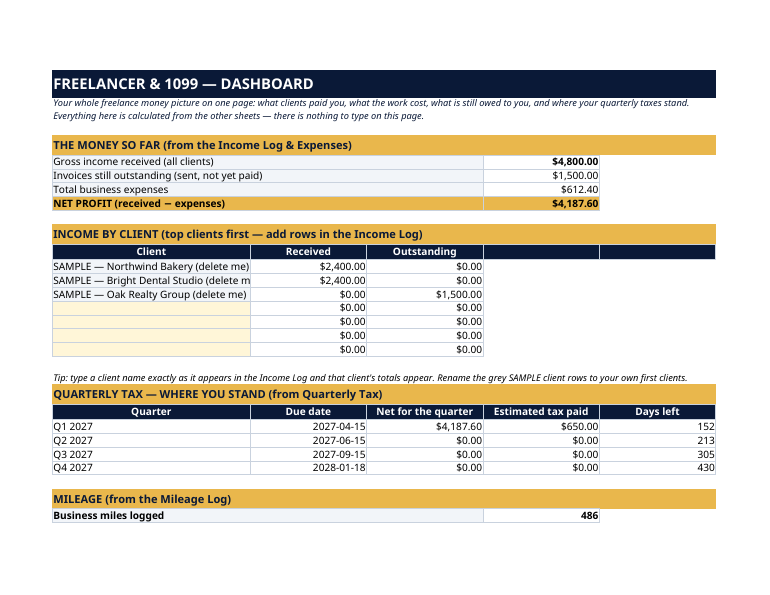
The grey SAMPLE rows are a fictional freelance designer, "Alex Rivers": $4,800 received from two clients, one $1,500 invoice still outstanding, $612.40 of expenses, a $650 Q1 estimated payment already made, and 486 business miles. The Dashboard nets it all to a $4,187.60 profit — delete the grey rows and start your own books. The work you love is job one. Job two is the bookkeeping: who paid you, who still owes you, what the work cost, how many miles you drove — and four times a year, the IRS estimated-tax deadline that punishes you for guessing. This dashboard runs job two. You type the raw facts once, in pale-yellow cells; every total, every client balance and every countdown updates by itself. This dashboard is an organizer, not tax software and not tax advice. It does not calculate the tax you owe — the quarterly figures are planning estimates built from your own logs. Confirm current rates, dates and rules at irs.gov or with your tax professional. Your state may have its own estimated-tax dates.
What's inside
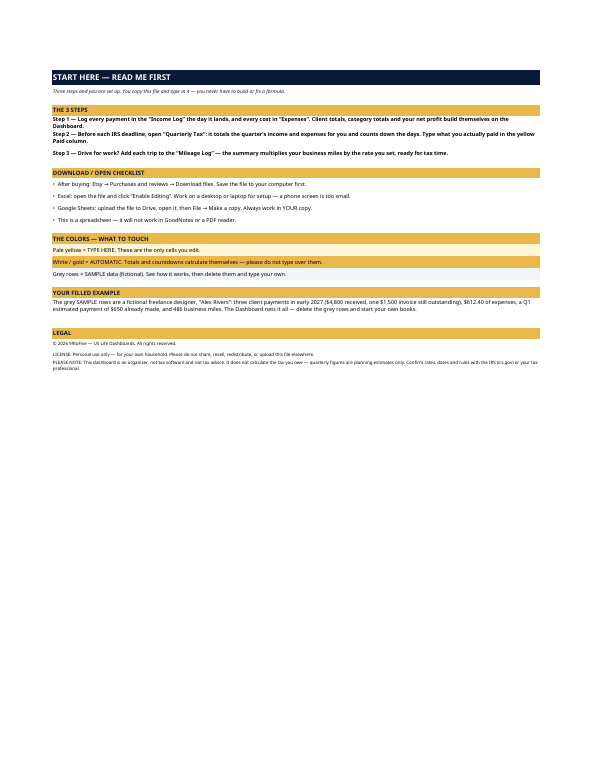
- Start Here — the 3 steps, a download/open checklist for Etsy, Excel and Google Sheets, the color guide (pale yellow = type here; white/gold = automatic; grey = sample data), and a walk-through of the filled example.
- Dashboard — the whole picture on one page: gross income received, invoices still outstanding, total expenses, net profit — plus income by client, your quarterly-tax status for all four quarters, and your mileage summary.
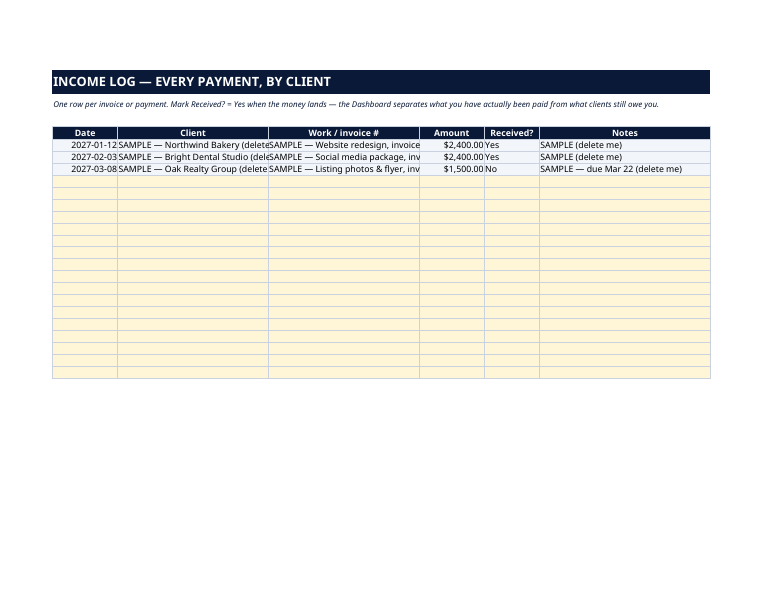
- Income Log — one row per invoice or payment: date, client, work/invoice number, amount, Received? Yes or No. The Dashboard splits what you have actually been paid from what clients still owe you.
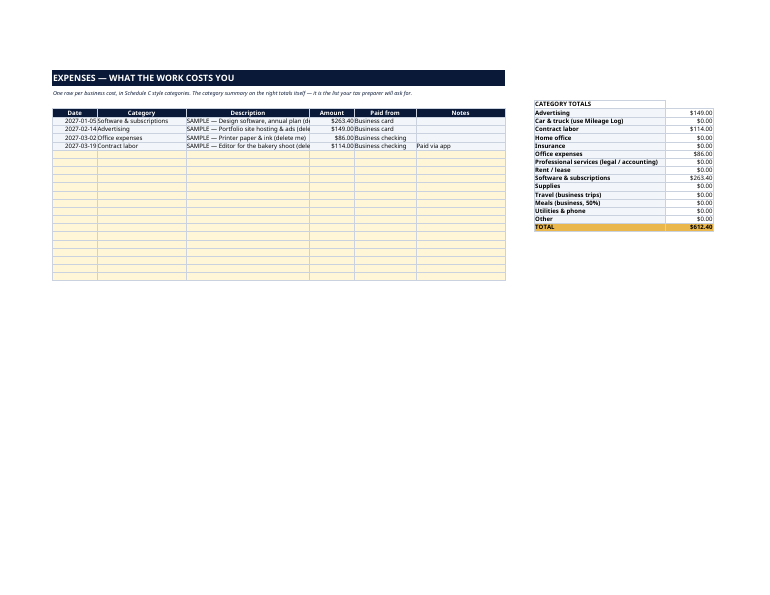
- Expenses — one row per business cost in Schedule C style categories (advertising, software, contract labor, office, travel…), with an automatic category-totals panel — the exact list your tax preparer will ask for in January.
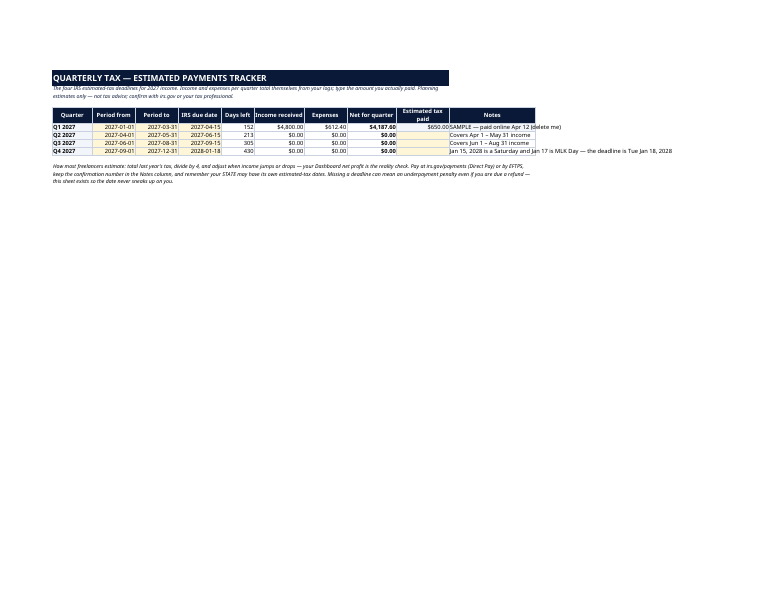
- Quarterly Tax — the four IRS estimated-tax deadlines preset for 2027 income: Apr 15, Jun 15 and Sep 15, 2027, and Jan 18, 2028 (the Q4 date moves because Jan 15 is a Saturday and Jan 17 is MLK Day). Income and expenses for each quarter total themselves from your logs; you type only what you actually paid.
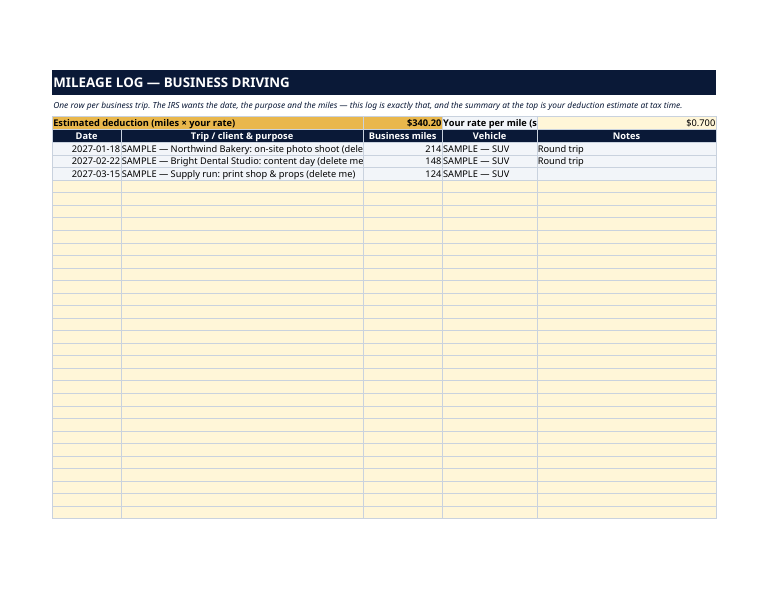
- Mileage Log — one row per business trip: date, purpose, miles. The summary multiplies your total business miles by the rate you set, ready for tax time.
How it works — 3 steps
- Log every payment in the Income Log the day it lands, and every cost in Expenses.
- Before each IRS deadline, open Quarterly Tax: the quarter's income, expenses and net are already totaled, with a live days-left countdown.
- Drive for work? Add the trip to the Mileage Log and your deduction estimate builds itself.
You never build or fix a formula. Type only in the pale-yellow cells — the formula cells are protected (no password) so the math can't be broken by accident. Fictional SAMPLE rows, clearly marked, show you the format; delete them and the file is yours.
What you need
Microsoft Excel, or Google Sheets (free with a Google account). One file works in both. A desktop or laptop is best for setup — a phone screen is too small. This is a spreadsheet. It will not work in GoodNotes, Notability or a PDF reader.
Instant download
This is a digital download — no physical item will be shipped. After purchase, go to Etsy → Purchases and reviews → Download files, save the file to your computer first, then open it in Excel (click “Enable Editing”) or upload it to Google Drive for Sheets (then File → Make a copy, and always work in your copy).
License
Personal use only — for your own household. Please do not share, resell or redistribute the file.
Questions
Does it work in Google Sheets as well as Excel?
Yes — the same .xlsx file works in both. Upload it to Google Drive, open it, then choose File → Make a copy and work in your copy.
Does it calculate my quarterly tax for me?
No — and beware of any spreadsheet that claims to. It totals each quarter's income, expenses and net profit from your own logs and counts down the IRS deadlines, so the number you base your payment on is real. The payment amount itself is your call (most freelancers use last year's tax as the pace); confirm with irs.gov or a tax professional.
Which deadlines are preset?
The four federal estimated-tax dates for 2027 income: April 15, June 15 and September 15, 2027, and January 18, 2028 for Q4 (January 15 falls on a Saturday and January 17 is MLK Day, so the deadline moves). Every date is an editable yellow cell.
Can it handle many clients?
Yes. The Income Log holds 200 rows, and the Dashboard's client table totals any client name you type, exactly as it appears in the log — received and outstanding separately.
What are the grey SAMPLE rows?
A fictional freelancer's first quarter of 2027, included so you can watch the Dashboard, the quarterly totals and the mileage summary work before you touch anything. Delete them when you're ready.