About this template
When someone dies, the first days ask everything of the people who loved them most: the funeral home, the service, the obituary, the calls, the costs, the paperwork — all at once, all through grief. Nobody should have to hold that in their head. The Funeral & Memorial Planning Organizer holds it instead. It is the execution organizer: the arrangements themselves, step by step, in a workable order. (It is not a wishes or pre-planning file — final wishes live in our Family Emergency Binder; this organizer is for carrying them out.) You type the facts once, in pale-yellow cells. Progress and budget totals update themselves. The grey SAMPLE rows are a fictional family and a fictional loved one, Margaret. They are not real people. Delete the SAMPLE rows when you're ready and the whole file is yours. This organizer is a planning tool only, not legal or financial advice. A funeral home can guide you through the arrangements, and an attorney should handle the legal steps of the estate. LICENSE Personal use only — for your own household. Please do not share, resell or redistribute the file. © 2026 99toFive — US Life Dashboards. All rights reserved.
What's inside
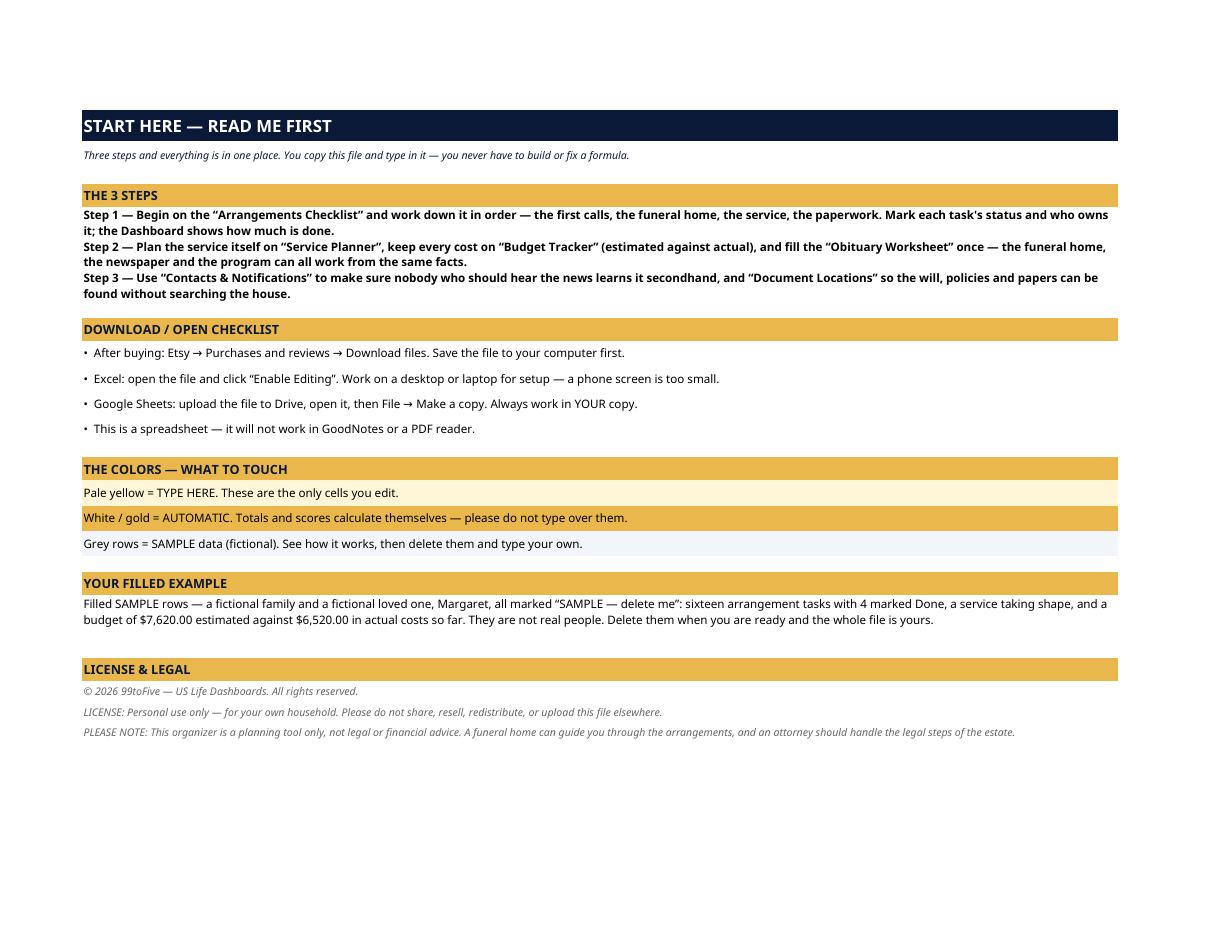
- Start Here — the 3 steps, a download/open checklist for Etsy, Excel and Google Sheets, the color guide (pale yellow = type here; white/gold = automatic; grey = sample data), a walk-through of the filled example, and the license.
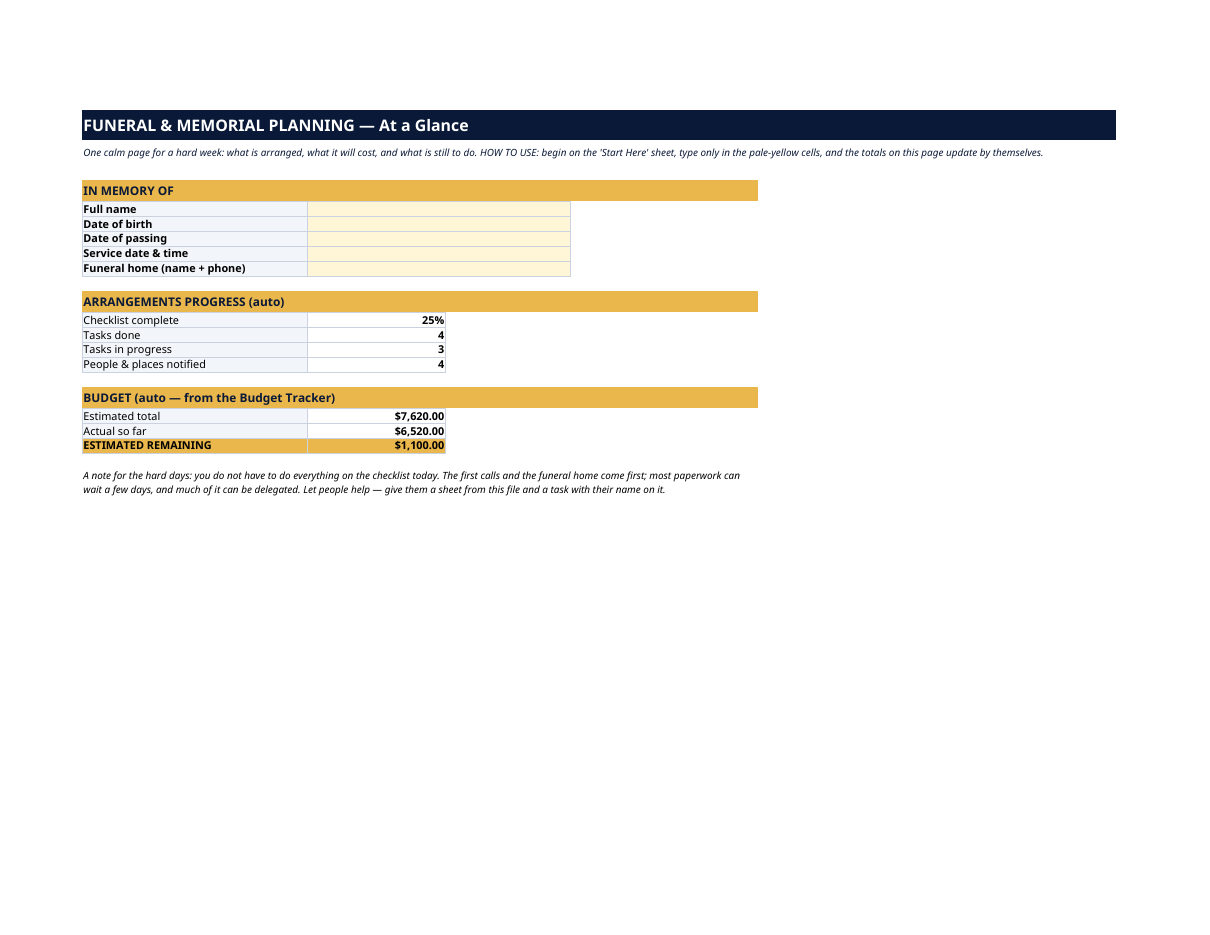
- Dashboard — "At a Glance": who the arrangements are for, the service date and the funeral home; arrangements progress (checklist complete %, tasks done, tasks in progress, people and places notified); and the budget — estimated total, actual so far, estimated remaining. Plus a gentle note: you do not have to do everything today.
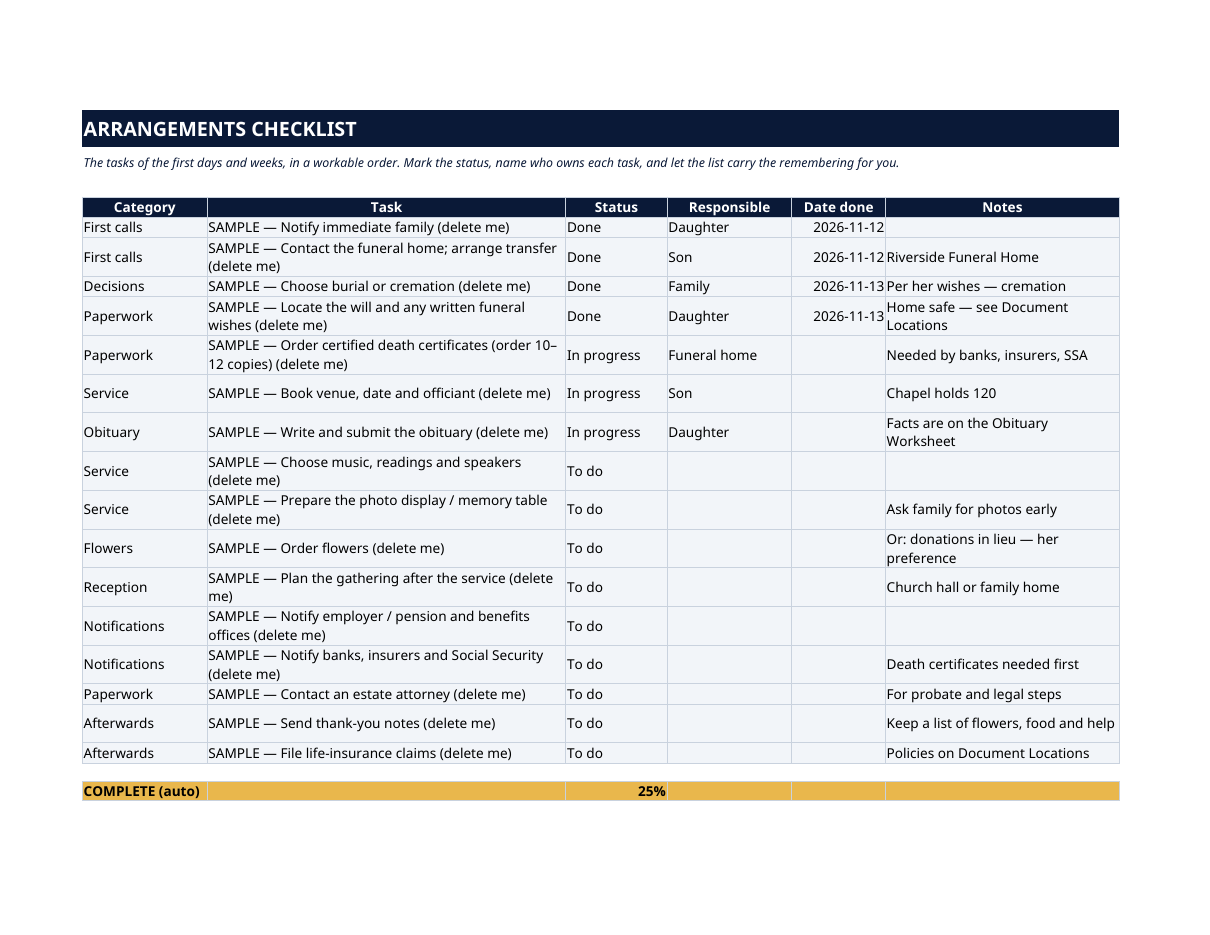
- Arrangements Checklist — the tasks of the first days and weeks, in order: first calls, the funeral home, burial or cremation decisions, locating the will and written wishes, ordering certified death certificates (order 10–12 copies — banks, insurers and Social Security will each want one), booking the service, the obituary, music and readings, notifications, the estate attorney, thank-you notes, life-insurance claims. Each task has a category, a status, who owns it and a date done — and a scoreboard counts completion for you.
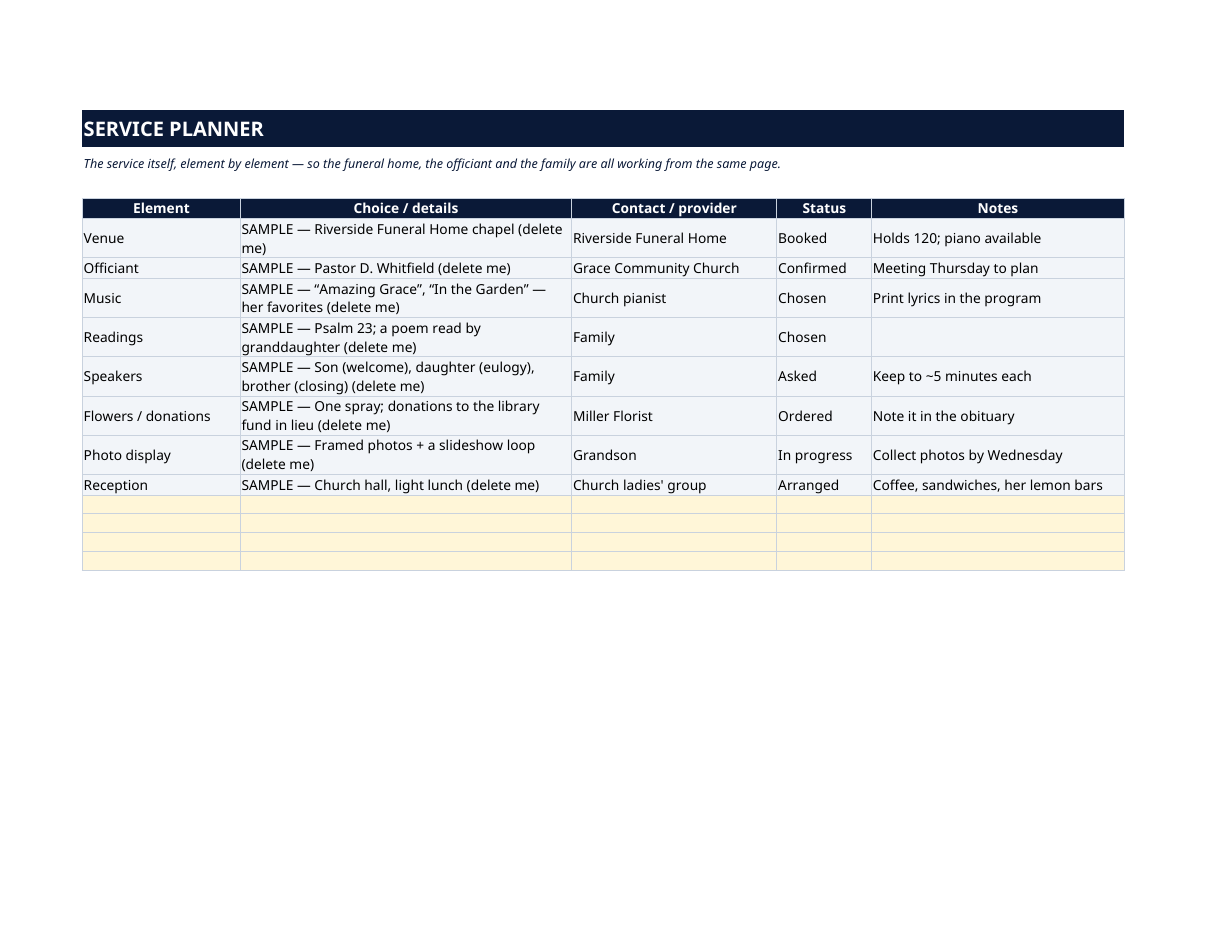
- Service Planner — the service itself, element by element: venue, officiant, music, readings, speakers, flowers or donations in lieu, photo display, reception — with the choice, the contact or provider, the status and notes, so the funeral home, the officiant and the family are all working from the same page.
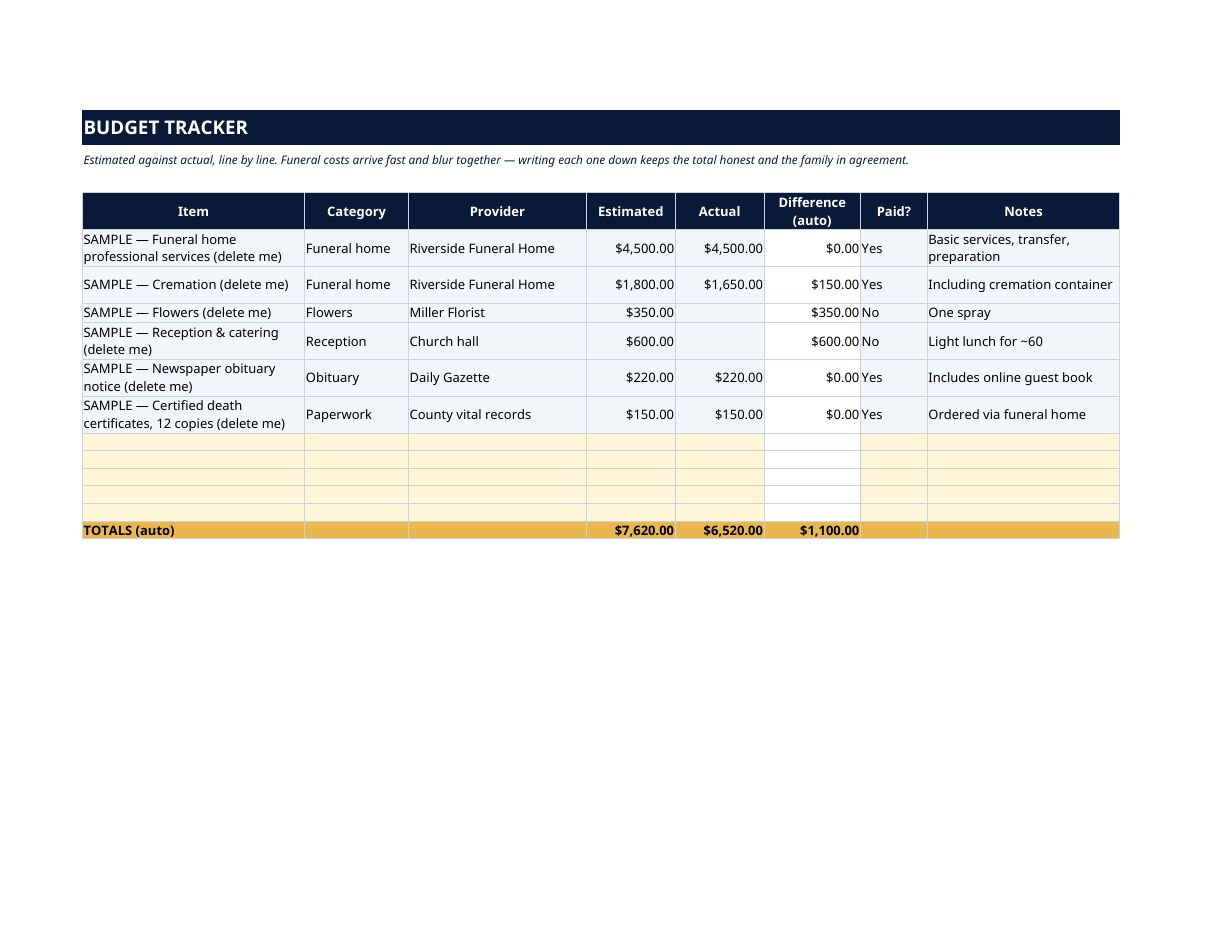
- Budget Tracker — estimated against actual, line by line: funeral home services, cremation or burial, flowers, reception, the obituary notice, death certificates. Funeral costs arrive fast and blur together — writing each one down keeps the total honest and the family in agreement.
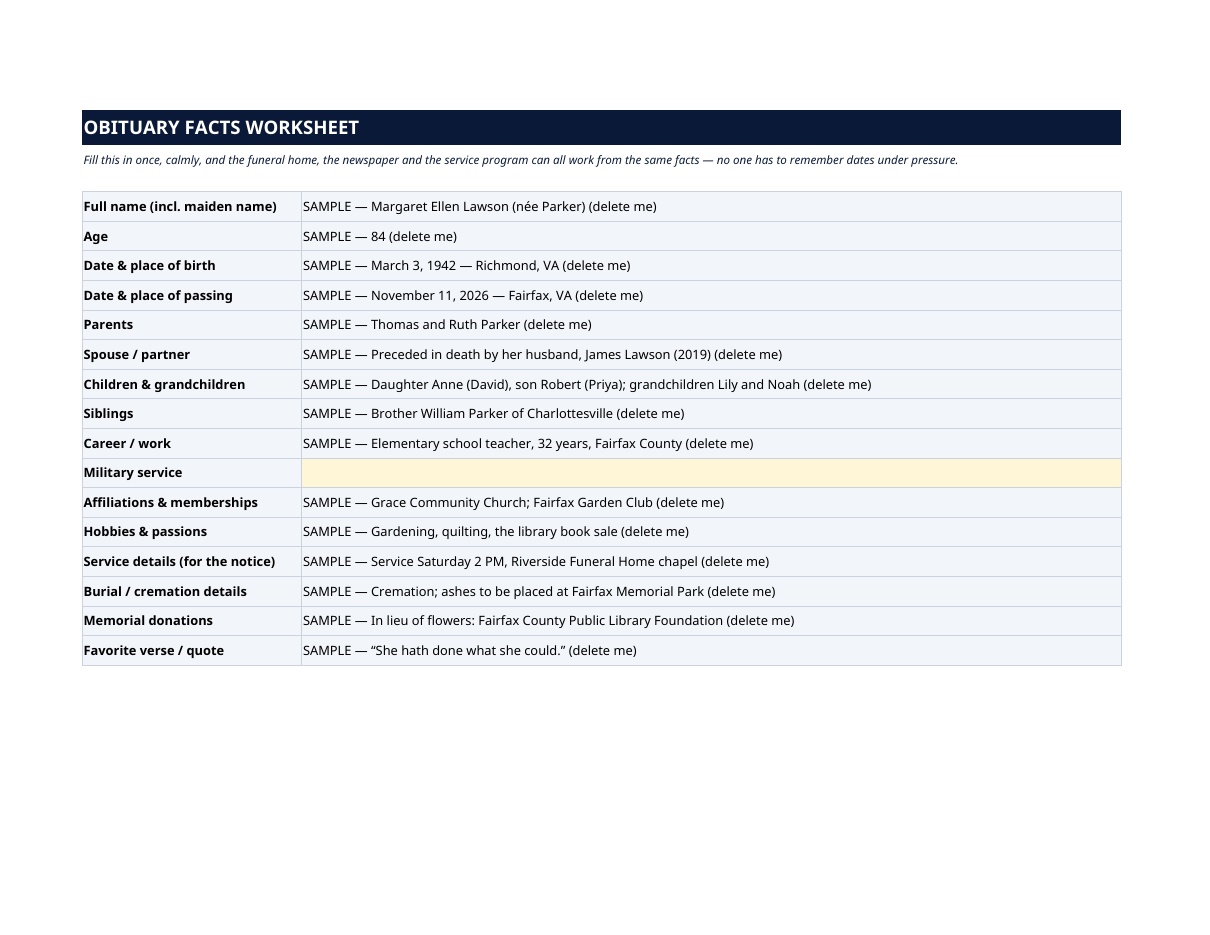
- Obituary Facts Worksheet — fill this in once, calmly: full name, dates and places, parents, spouse, children and grandchildren, siblings, career, affiliations, hobbies, service details, burial or cremation details, memorial donations, a favorite verse or quote. The funeral home, the newspaper and the service program can all work from the same facts — no one has to remember dates under pressure.
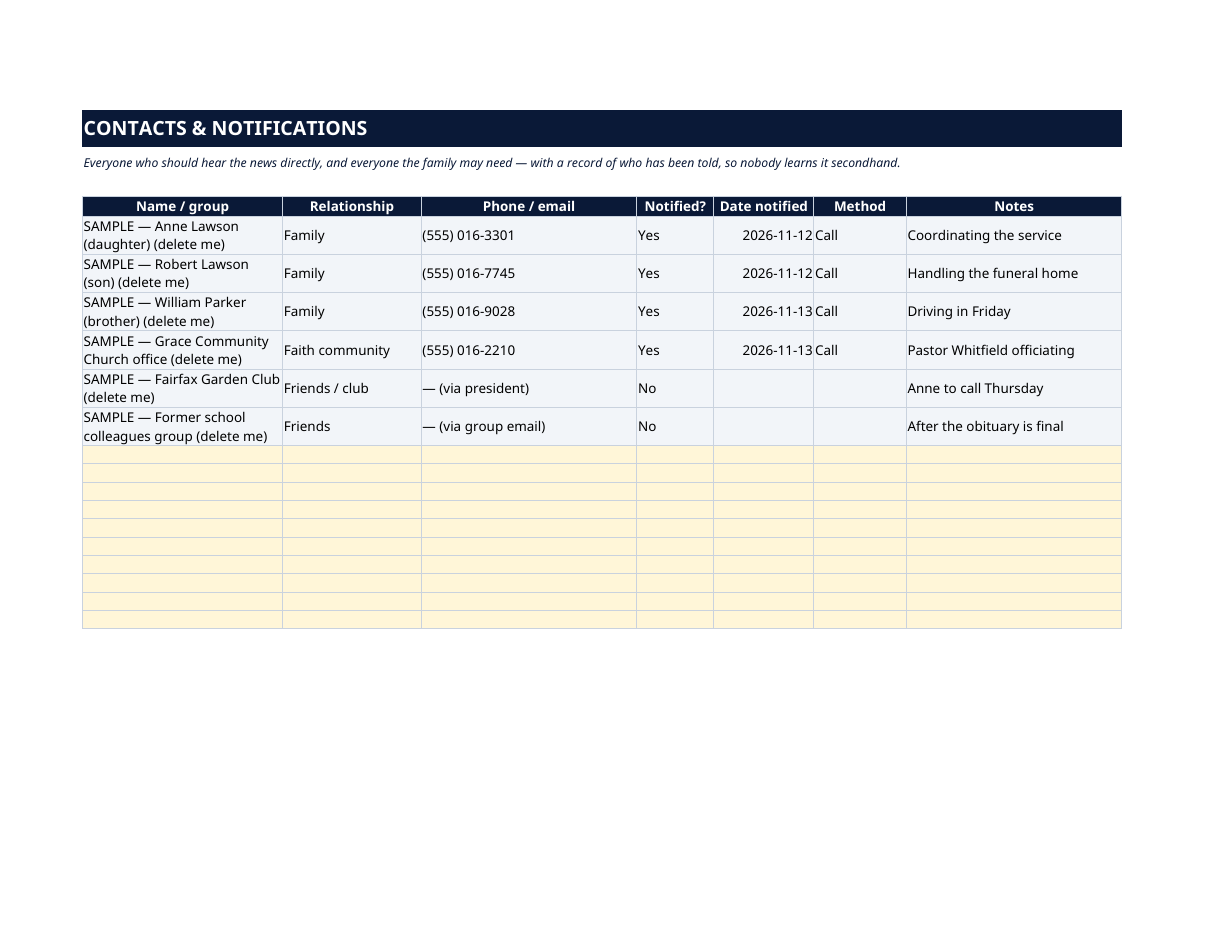
- Contacts & Notifications — everyone who should hear the news directly, and everyone the family may need: name, relationship, phone or email, notified or not, date and method — so nobody who should hear it learns it secondhand.
- Document Locations — where the important papers are, found once and written down: the will, written funeral wishes, life insurance policies, the account list, deeds, titles, certificates. Locations only — this sheet never records account numbers or passwords.
How it works — 3 steps
- Begin on the Arrangements Checklist and work down it in order. Mark each task's status and who owns it; the Dashboard shows how much is done.
- Plan the service itself on Service Planner, keep every cost on Budget Tracker, and fill the Obituary Worksheet once.
- Use Contacts & Notifications so nobody who should hear the news learns it secondhand, and Document Locations so the will, policies and papers can be found without searching the house.
You never build or fix a formula. Type only in the pale-yellow cells — the formula cells are protected (no password) so the math can't be broken by accident. Fictional SAMPLE rows, clearly marked, show you the format; delete them and the file is yours.
What you need
Microsoft Excel, or Google Sheets (free with a Google account). One file works in both. A desktop or laptop is best for setup — a phone screen is too small. This is a spreadsheet. It will not work in GoodNotes, Notability or a PDF reader.
Instant download
This is a digital download — no physical item will be shipped. After purchase, go to Etsy → Purchases and reviews → Download files, save the file to your computer first, then open it in Excel (click “Enable Editing”) or upload it to Google Drive for Sheets (then File → Make a copy, and always work in your copy).
License
Personal use only — for your own household. Please do not share, resell or redistribute the file.
Questions
Does it work in Google Sheets as well as Excel?
Yes — the same .xlsx file works in both. Upload it to Google Drive, open it, then choose File → Make a copy and work in your copy.
I'm not good with spreadsheets — and this is a hard week. Is this for me?
Yes. You only ever type in the pale-yellow cells; progress and totals calculate themselves. The checklist is already in a workable order, instructions are printed at the top of every sheet, and a filled fictional example shows what goes where. Family members can each take a sheet and a task.
Is this the same as recording funeral wishes in advance?
No — this is the execution organizer, for carrying arrangements out after a death (or while helping someone who is arranging). Recording wishes, documents and emergency information in advance is our Family Emergency Binder; the two are designed to work together.
How many death certificates should we order?
The checklist suggests 10–12 certified copies — banks, insurers, Social Security and other offices each typically want one. Your funeral home can order them for you and will know your state's process.
Does it replace the funeral home or an attorney?
No. It organizes the work around them: the funeral home guides the arrangements, and an attorney should handle the legal steps of the estate. This file keeps the tasks, facts, contacts and costs in one place so nothing is forgotten.