About this template
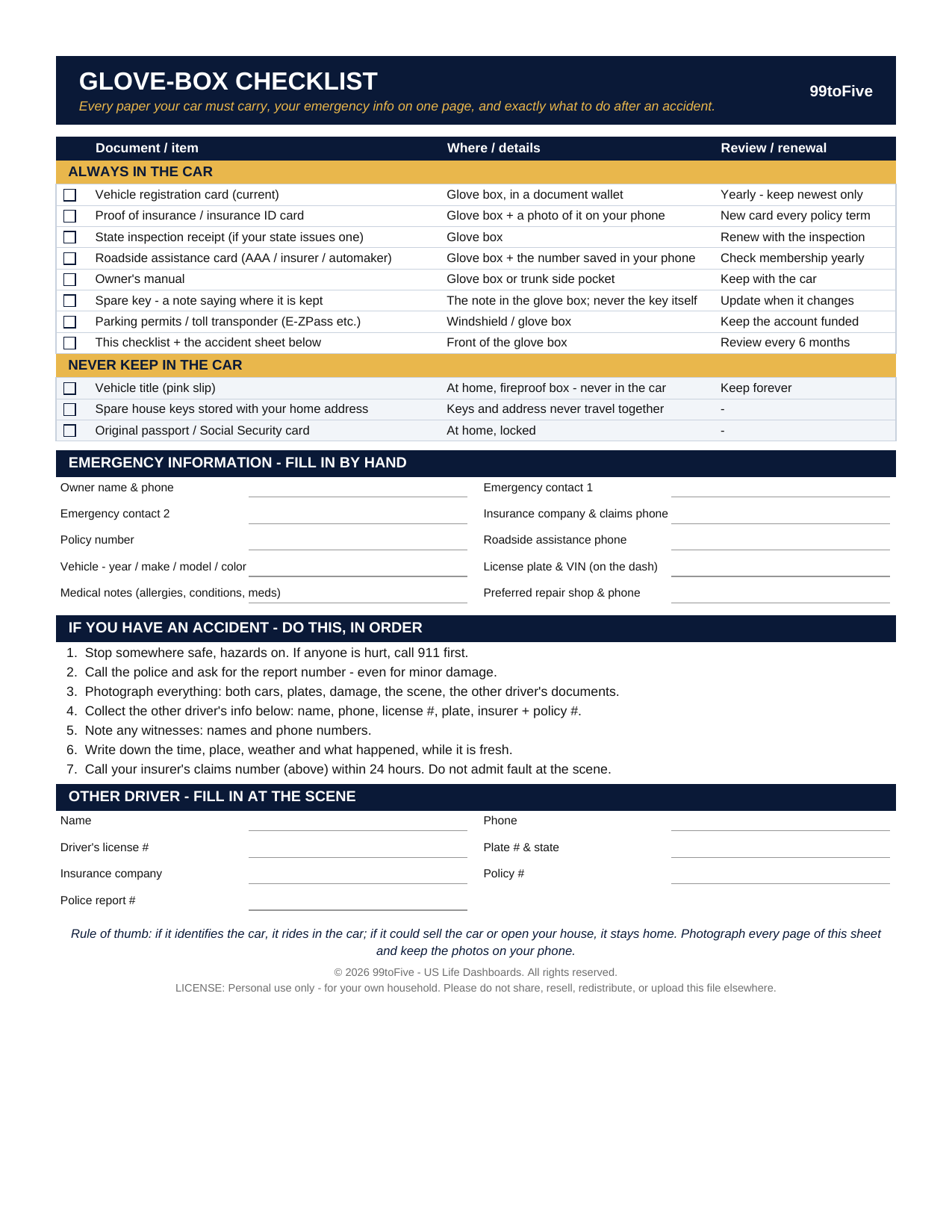
Registration. Insurance card. Is the registration the current one, or last year's? If you're standing on a shoulder after a crash, shaken, what exactly are you supposed to collect from the other driver? This one-page checklist answers both moments before they happen: what rides in the car, what must never ride in the car, your emergency information filled in once, and the seven things to do after an accident, in order.
What's inside
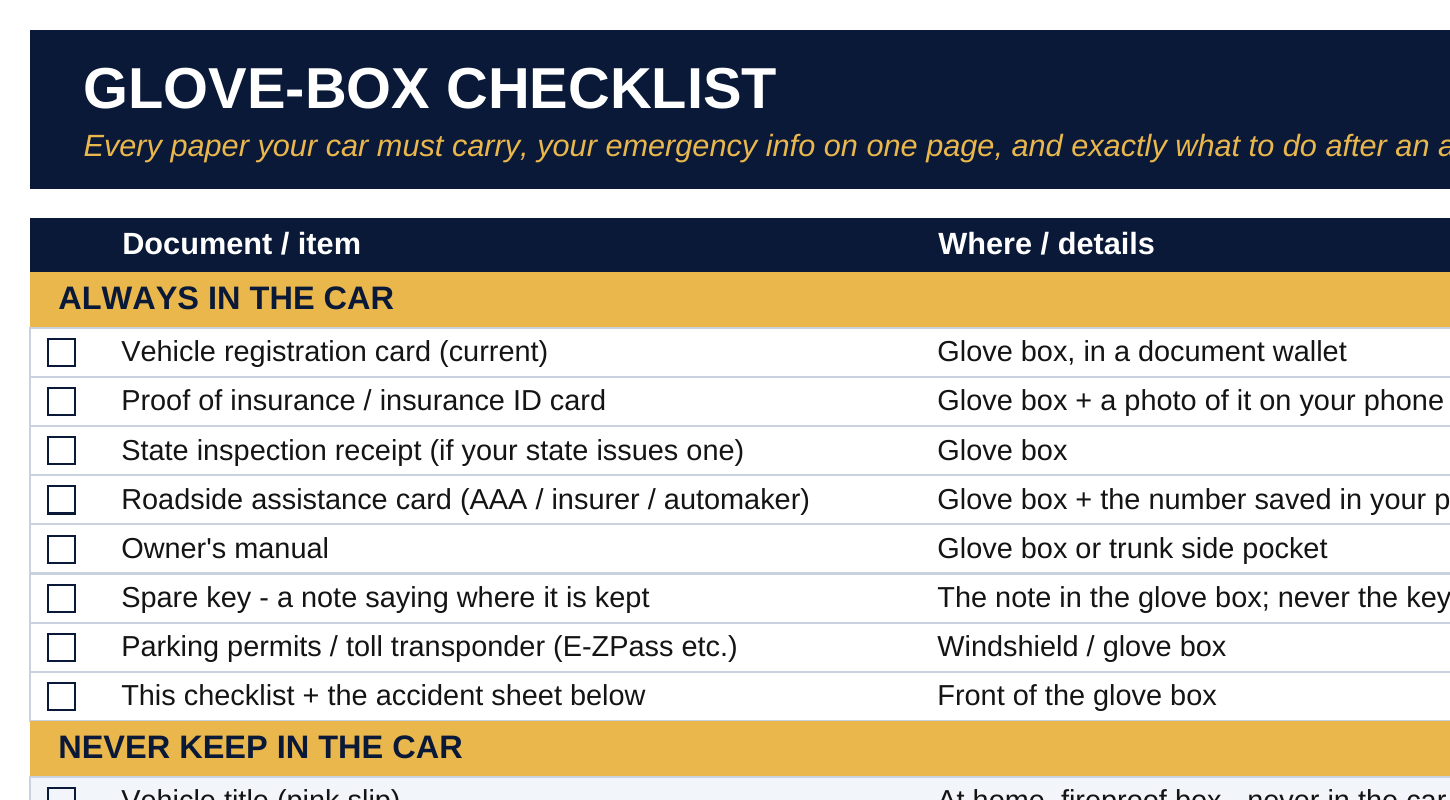
- Always In the Car (8) — current registration card, proof of insurance, inspection receipt, roadside assistance card, owner's manual, a note saying where the spare key lives (never the key itself), permits and toll transponder, and this sheet.
- Never Keep In the Car (3) — the vehicle title (it lives at home in the fireproof box: a thief holding your title can sell your car), spare house keys stored with your home address, and original passport or Social Security card.
- Emergency Information — ten fill-in lines: owner, two emergency contacts, insurer and claims phone, policy number, roadside assistance number, the car itself (year/make/model/color, plate, VIN), medical notes, and your preferred repair shop.
- After an Accident — seven steps in order, from "stop somewhere safe, call 911 if anyone is hurt" to "call your insurer within 24 hours — and do not admit fault at the scene", plus a fill-in form for the other driver: name, phone, license number, plate, insurer, policy number, police report number.
How it works — 3 steps
- Print the PDF (US Letter) or open the spreadsheet version.
- Go through the car: check off what is already there, note what is missing, and fill in the emergency information while you are calm and at home.
- File the page in the front of the glove box. Photograph every page and keep the photos on your phone — then the information is with you even in a rental. Re-check it every 6 months and at every insurance renewal.
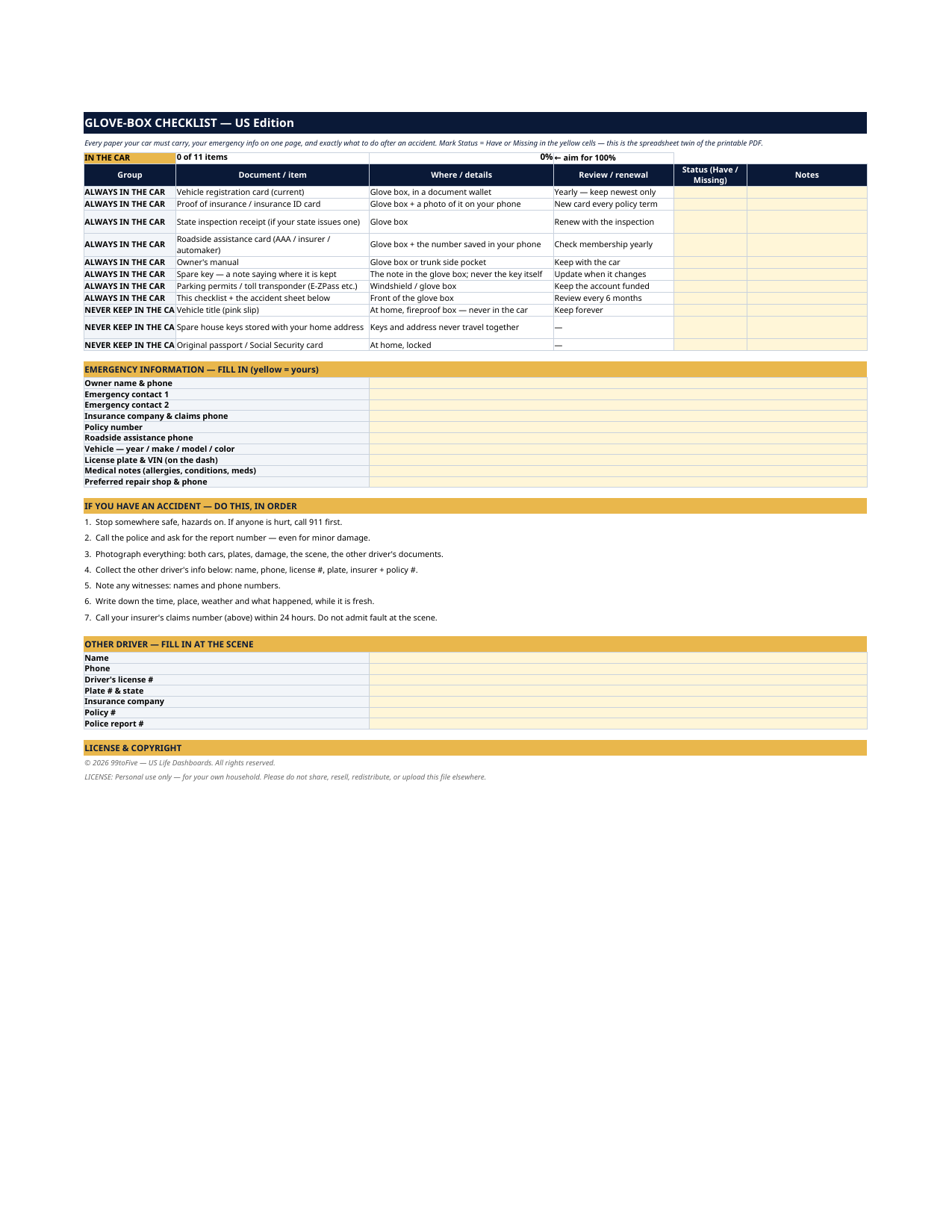
You never build or fix a formula. Type only in the pale-yellow cells — the formula cells are protected (no password) so the math can't be broken by accident. Fictional SAMPLE rows, clearly marked, show you the format; delete them and the file is yours.
What you need
For the PDF: any PDF reader, and a printer if you want the paper copy. For the spreadsheet: Microsoft Excel, or Google Sheets (free with a Google account). The same .xlsx file works in both — upload it to Google Drive, open it, File → Make a copy, and work in your copy. The spreadsheet version is the only part that needs Excel or Sheets; the printable PDF works anywhere.
Instant download
This is a digital download — no physical item will be shipped. After purchase, go to Etsy → Purchases and reviews → Download files, save the file to your computer first, then open it in Excel (click “Enable Editing”) or upload it to Google Drive for Sheets (then File → Make a copy, and always work in your copy).
License
Personal use only — for your own household. Please do not share, resell or redistribute the file.
Questions
What exactly do I receive?
Two files: a one-page printable PDF (US Letter) with checkboxes and fill-in lines, and the same checklist as an Excel spreadsheet with Status and Notes columns, fill-in sections for emergency info and the other driver, and an automatic completeness score at the top.
Do I need Excel or Google Sheets?
Only for the spreadsheet version. The PDF prints and works with any PDF reader — if you only want the paper checklist for the glove box, you're all set.
Why does it say never to keep the title in the car?
The title is the document that proves ownership — with a signed title, a thief can transfer and sell your car. It belongs at home in a fireproof box. What an officer or insurer asks for at the roadside is the registration and insurance card, and both are on the list.
My state keeps registration and insurance in an app. Do I still need paper?
Most states accept digital proof of insurance, and many accept digital registration — but a dead phone, no signal, or a state line can end that quickly. The printed card in the glove box is the backup that always works; the checklist also tells you to keep a photo of each card on your phone.
How does the spreadsheet score work?
Type "Have" or "Missing" in the yellow Status cells. The scoreboard at the top counts you — it starts at "0 of 11 items, 0%" and the aim, printed right there, is 100%.