About this template
Which doctor do you call? What does your plan actually cover — and how much of the deductible have you already met? When is the next refill due, and how much is left in the HSA? The Health & Insurance Dashboard answers all of it on one page. You type the raw facts once, in pale-yellow cells — providers, insurance cards, prescriptions, appointments, HSA/FSA money. Every total, balance, progress bar and countdown updates by itself. The grey SAMPLE rows are a fictional family of two — Alex and Sam — with a made-up PPO plan, two common prescriptions and a few HSA/FSA entries. They are not real people and not real coverage. Delete the SAMPLE rows when you're ready and the whole file is yours. This dashboard is an organizational tool, not medical advice. It does not diagnose, treat, or replace your providers or your insurer — always confirm coverage, doses and dates with them. LICENSE Personal use only — for your own household. Please do not share, resell or redistribute the file. © 2026 99toFive — US Life Dashboards. All rights reserved.
What's inside
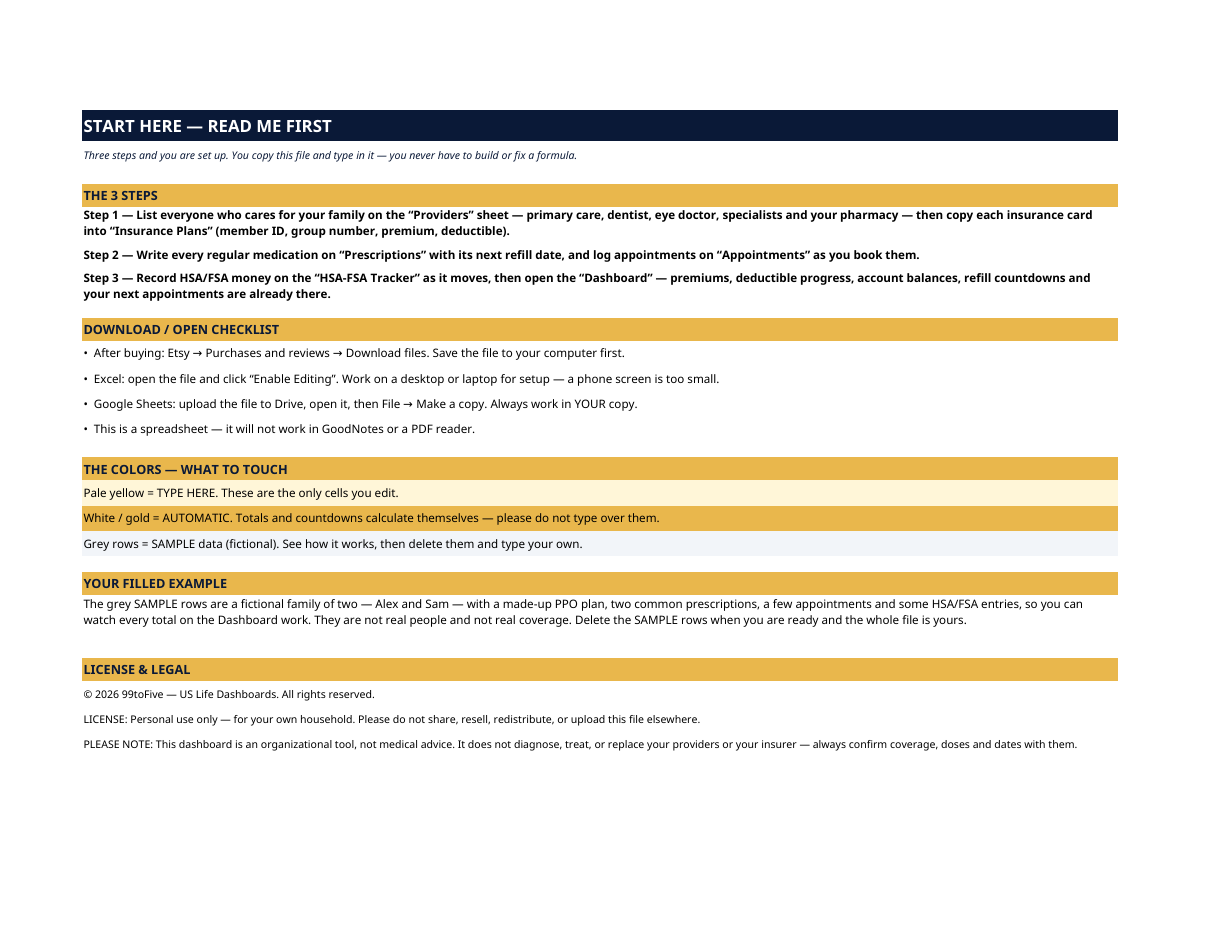
- Start Here — the 3 steps, a download/open checklist for Etsy, Excel and Google Sheets, the color guide (pale yellow = type here; white/gold = automatic; grey = sample data), a walk-through of the filled example, and the license.
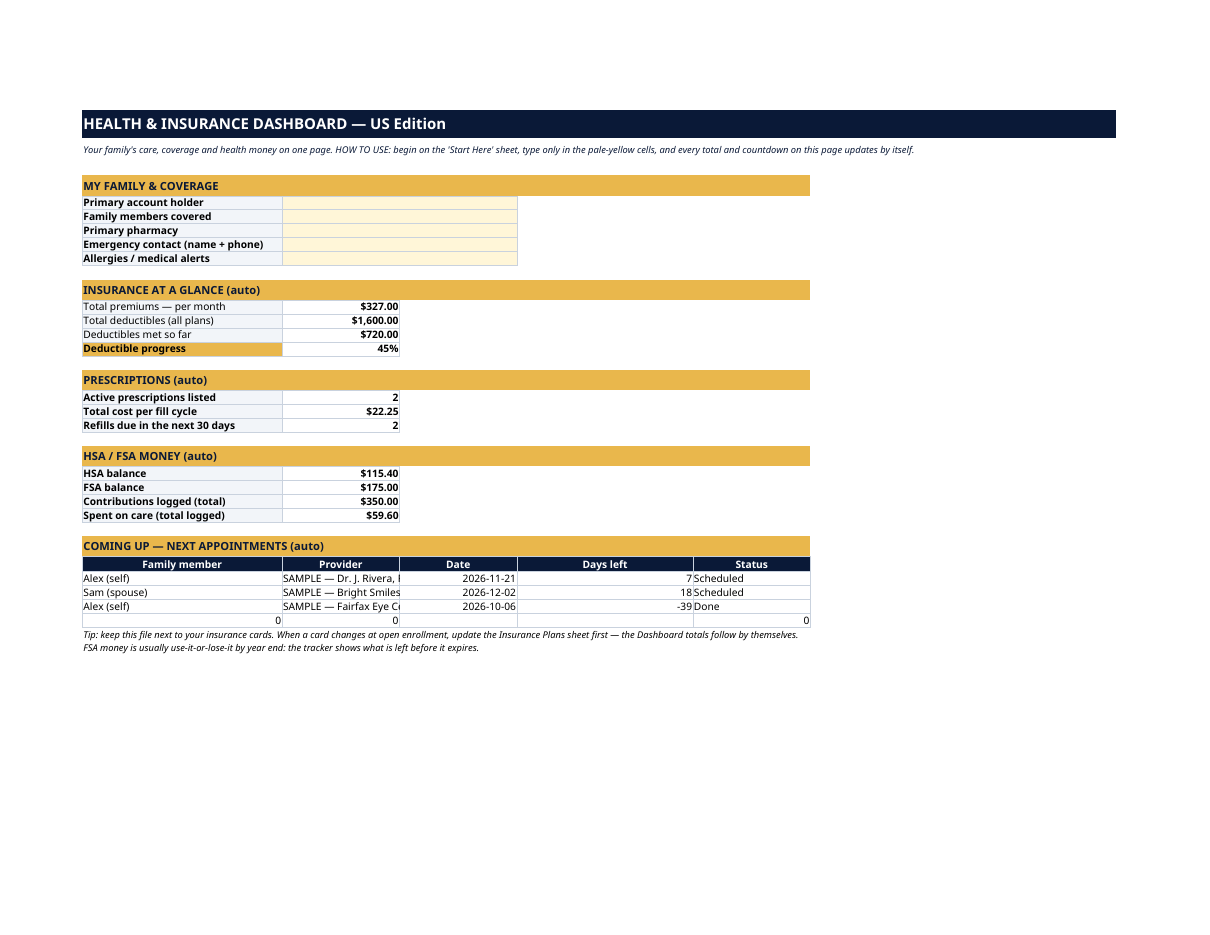
- Dashboard — the one-page summary. Your family & coverage block, insurance at a glance (total monthly premiums, total deductibles, deductibles met so far, and a deductible-progress percentage), prescriptions (how many are active, the total cost per fill cycle, and how many refills fall due in the next 30 days), HSA/FSA balances, and your next four appointments with day counts.
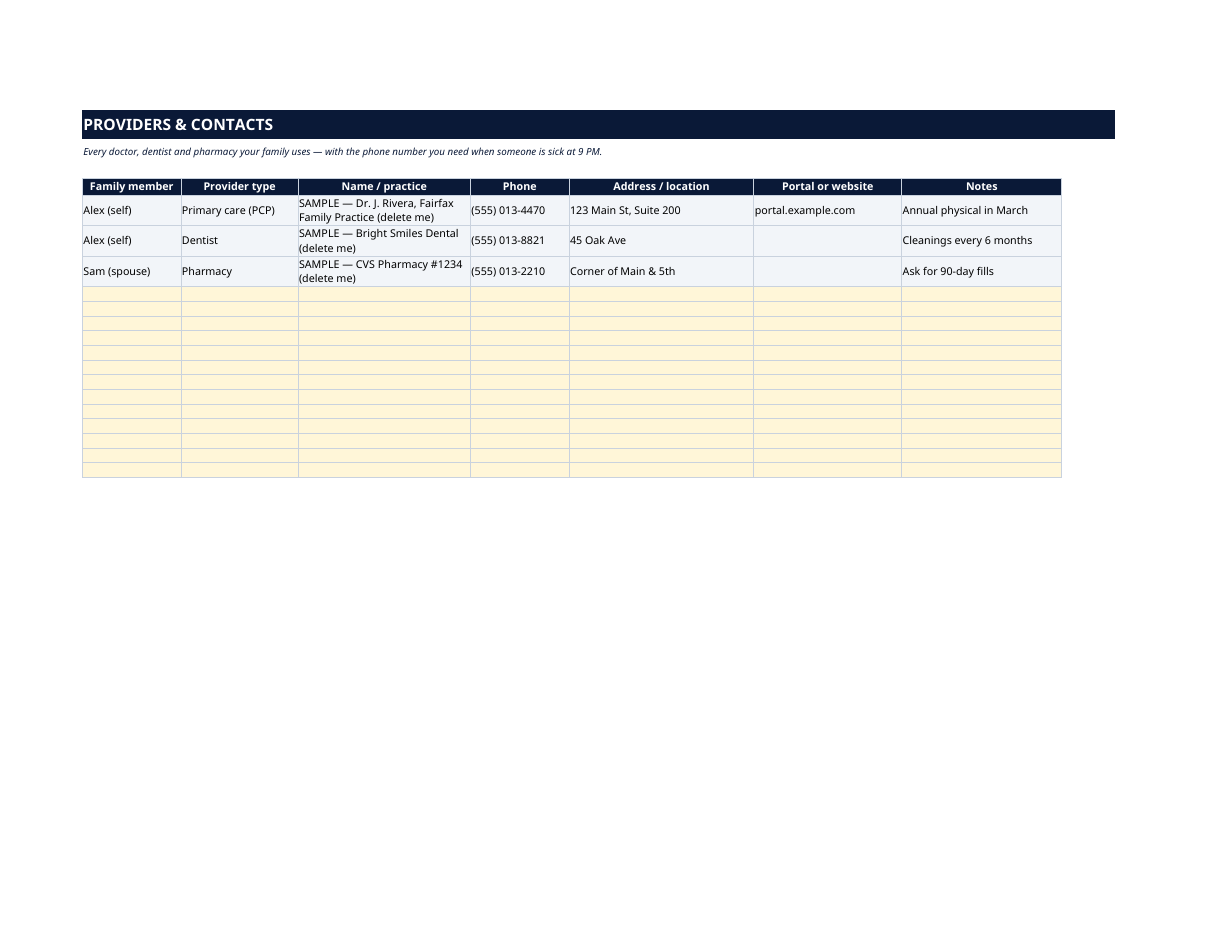
- Providers — every doctor, dentist, eye doctor, specialist and pharmacy your family uses: who it's for, phone, address, patient portal and notes. The list you want at 9 PM when someone is sick.
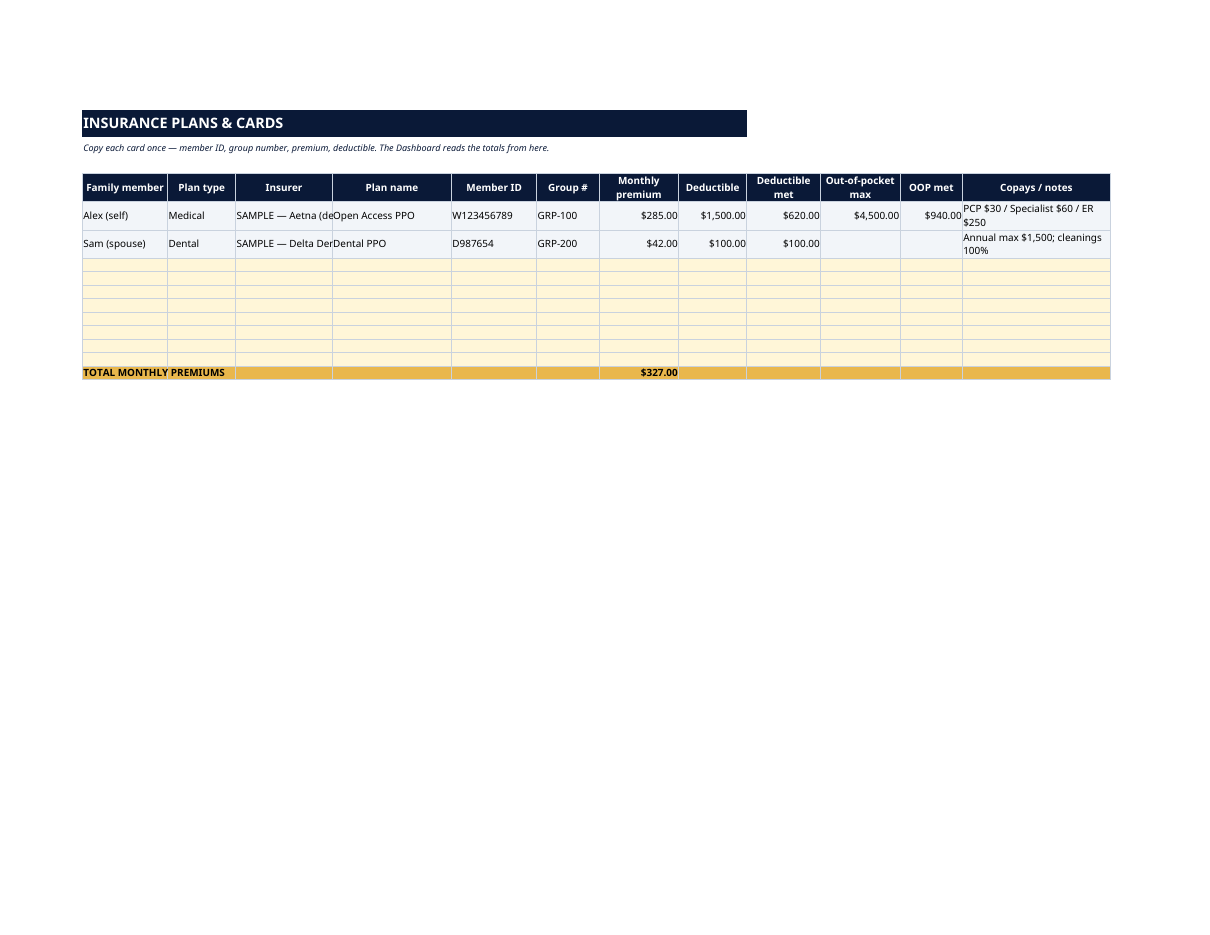
- Insurance Plans & Cards — one row per card: family member, plan type (medical, dental, vision, Rx), insurer, plan name, member ID, group number, monthly premium, deductible, deductible met, out-of-pocket max and copays. Premiums total themselves and feed the Dashboard.
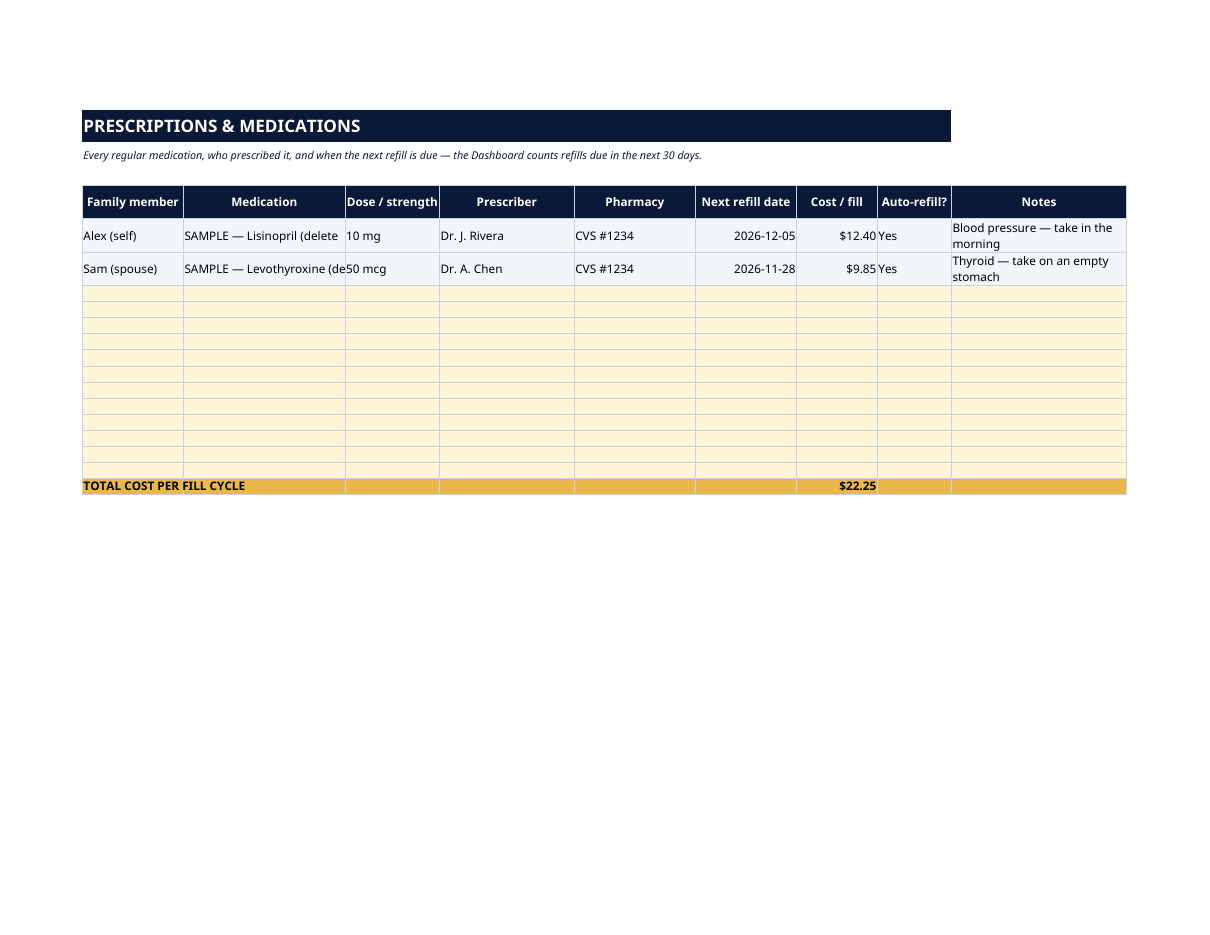
- Prescriptions — every regular medication: dose, prescriber, pharmacy, next refill date, cost per fill and auto-refill status. The Dashboard counts anything due in the next 30 days, so a refill never sneaks up on you.
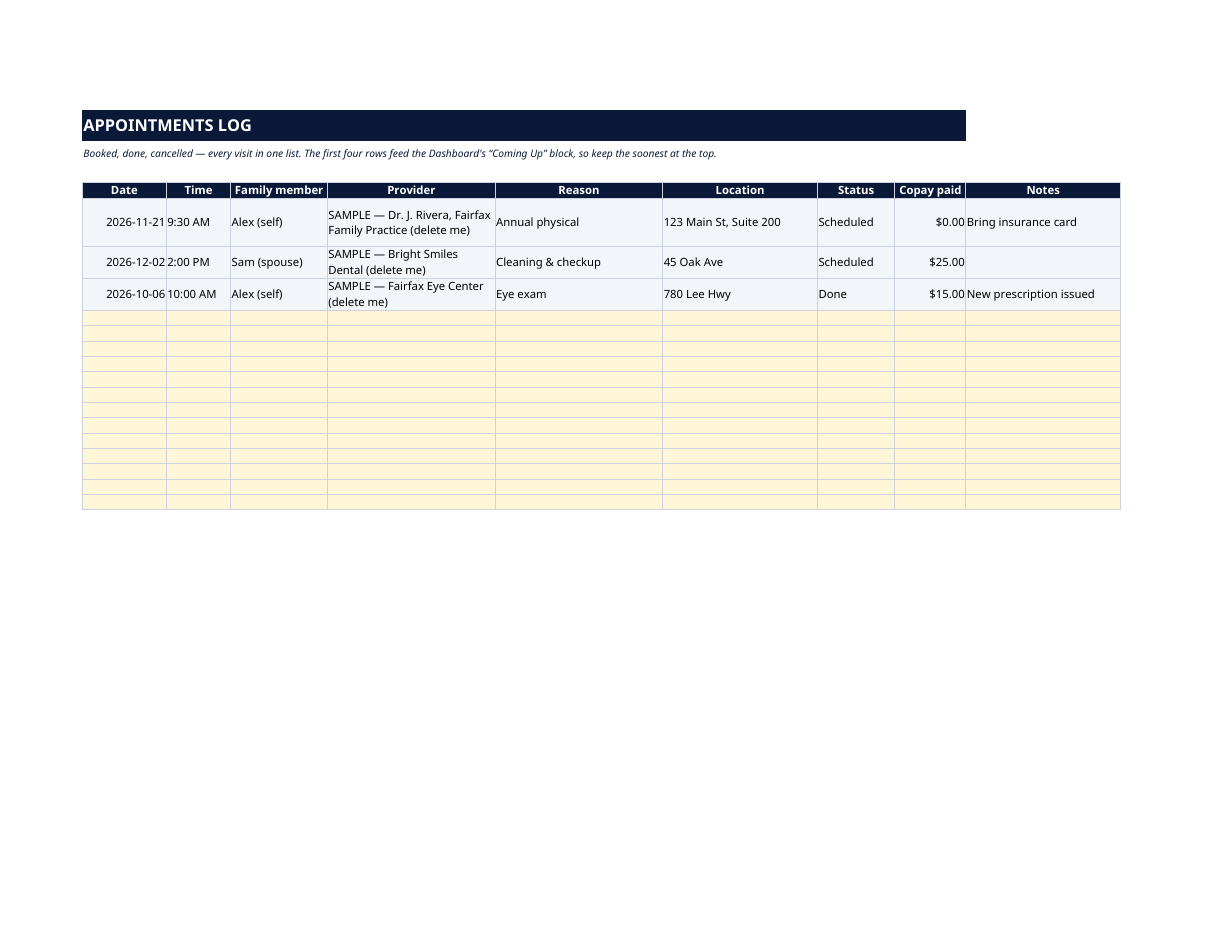
- Appointments — booked, done or cancelled: date, time, family member, provider, reason, location, status and copay paid. The first four rows feed the Dashboard's "Coming Up" block.
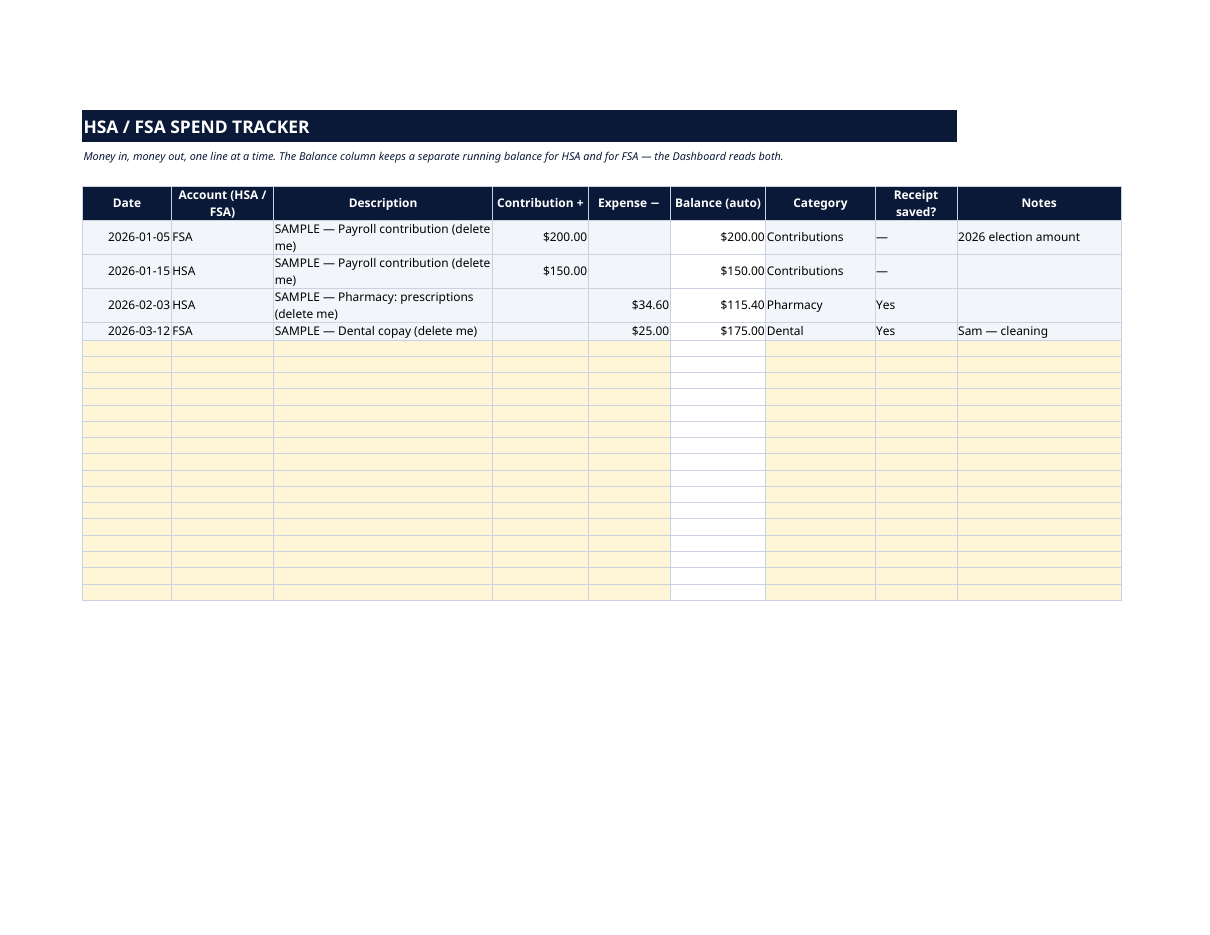
- HSA/FSA Tracker — money in, money out, one line at a time, with a separate running balance for HSA and for FSA kept automatically. Contributions, expenses, category and whether you saved the receipt — the record you need at tax time and at year end, before FSA money expires.
How it works — 3 steps
- List your providers, then copy each insurance card into Insurance Plans.
- Add every regular medication with its next refill date, and log appointments as you book them.
- Record HSA/FSA money as it moves, then open the Dashboard — premiums, deductible progress, balances, refill countdowns and next appointments are already there.
You never build or fix a formula. Type only in the pale-yellow cells — the formula cells are protected (no password) so the math can't be broken by accident. Fictional SAMPLE rows, clearly marked, show you the format; delete them and the file is yours.
What you need
Microsoft Excel, or Google Sheets (free with a Google account). One file works in both. A desktop or laptop is best for setup — a phone screen is too small. This is a spreadsheet. It will not work in GoodNotes, Notability or a PDF reader.
Instant download
This is a digital download — no physical item will be shipped. After purchase, go to Etsy → Purchases and reviews → Download files, save the file to your computer first, then open it in Excel (click “Enable Editing”) or upload it to Google Drive for Sheets (then File → Make a copy, and always work in your copy).
License
Personal use only — for your own household. Please do not share, resell or redistribute the file.
Questions
Does it work in Google Sheets as well as Excel?
Yes — the same .xlsx file works in both. Upload it to Google Drive, open it, then choose File → Make a copy and work in your copy.
I'm not good with spreadsheets. Is this for me?
Yes. You only ever type in the pale-yellow cells; everything else calculates itself. Instructions are printed at the top of every sheet, and a filled fictional example shows you exactly what goes where.
How does the refill countdown work?
Type each medication's next refill date on the Prescriptions sheet. The Dashboard counts how many fall due in the next 30 days automatically — update the date each time you refill.
We have two different insurance plans and an HSA and an FSA. Can it handle that?
Yes. Insurance Plans takes one row per card — medical, dental, vision, prescription — for every family member, and the HSA/FSA Tracker keeps a separate running balance for each account.
Is my family's health information uploaded anywhere?
No. The file lives on your computer or in your own Google Drive — nothing is sent to us or anyone else. You type your own data into your own copy.