About this template
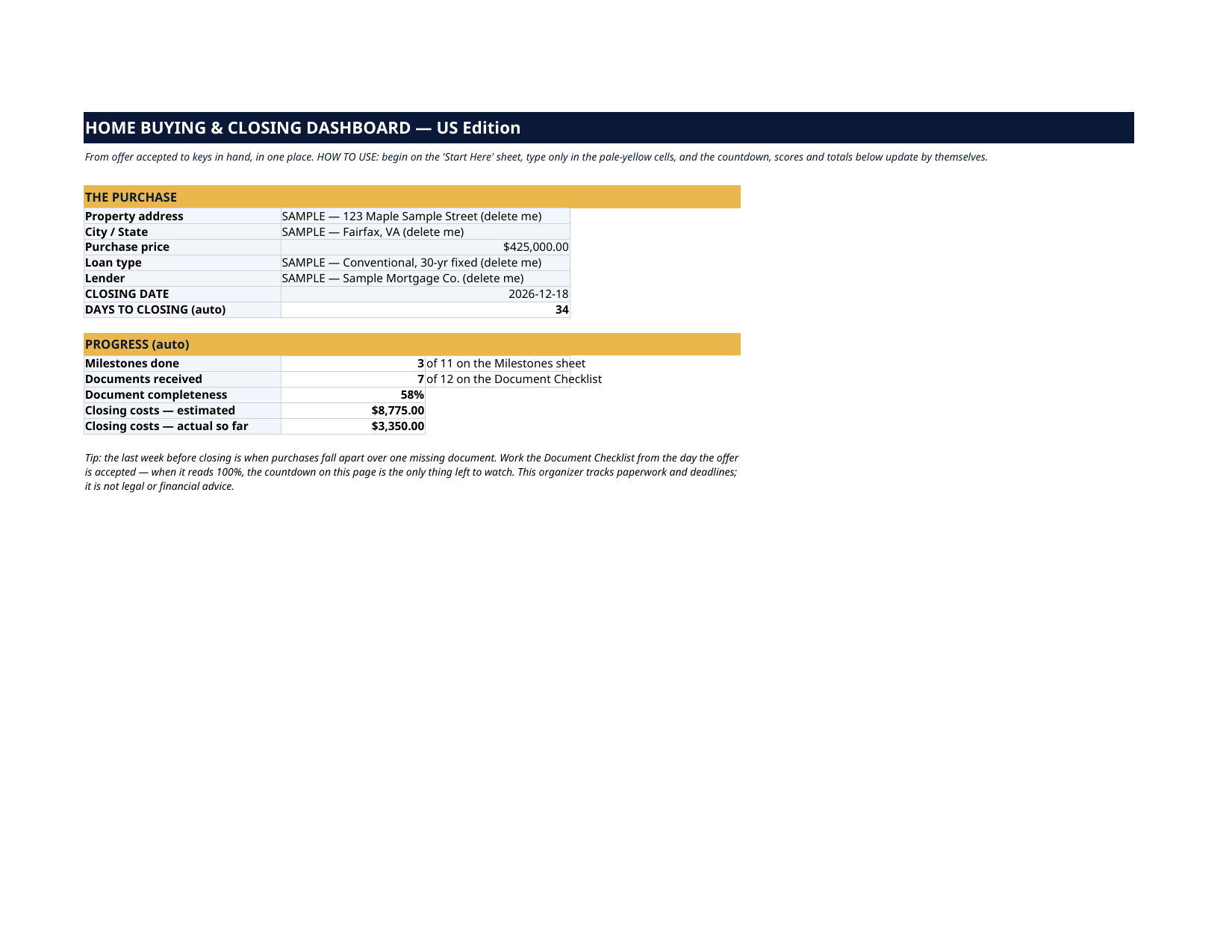
The grey SAMPLE rows are a fully fictional purchase: the Miller family buying 123 Maple Sample Street for $425,000, closing December 18, 2026. Three milestones are Done, seven of the twelve documents are in (the Dashboard reads 58%), and the closing costs show $8,775 estimated against $3,350 actual so far. Every sample is marked "SAMPLE — delete me". Delete them, type your own purchase, and the whole file is yours. The inspection window is closing, the lender wants one more pay stub, the title company is waiting on the insurance binder, and somewhere in your email is a closing-cost figure you can no longer find. This organizer puts the whole purchase in one file: the milestone timeline from offer to keys, the document checklist, the closing costs estimated against actual, and every person you might need to call — with a live countdown to closing day on the front page. This organizer tracks paperwork, deadlines and costs. It is not legal, tax or financial advice, and it does not replace your agent, lender or attorney. Bring them your questions; bring this file your paperwork.
What's inside
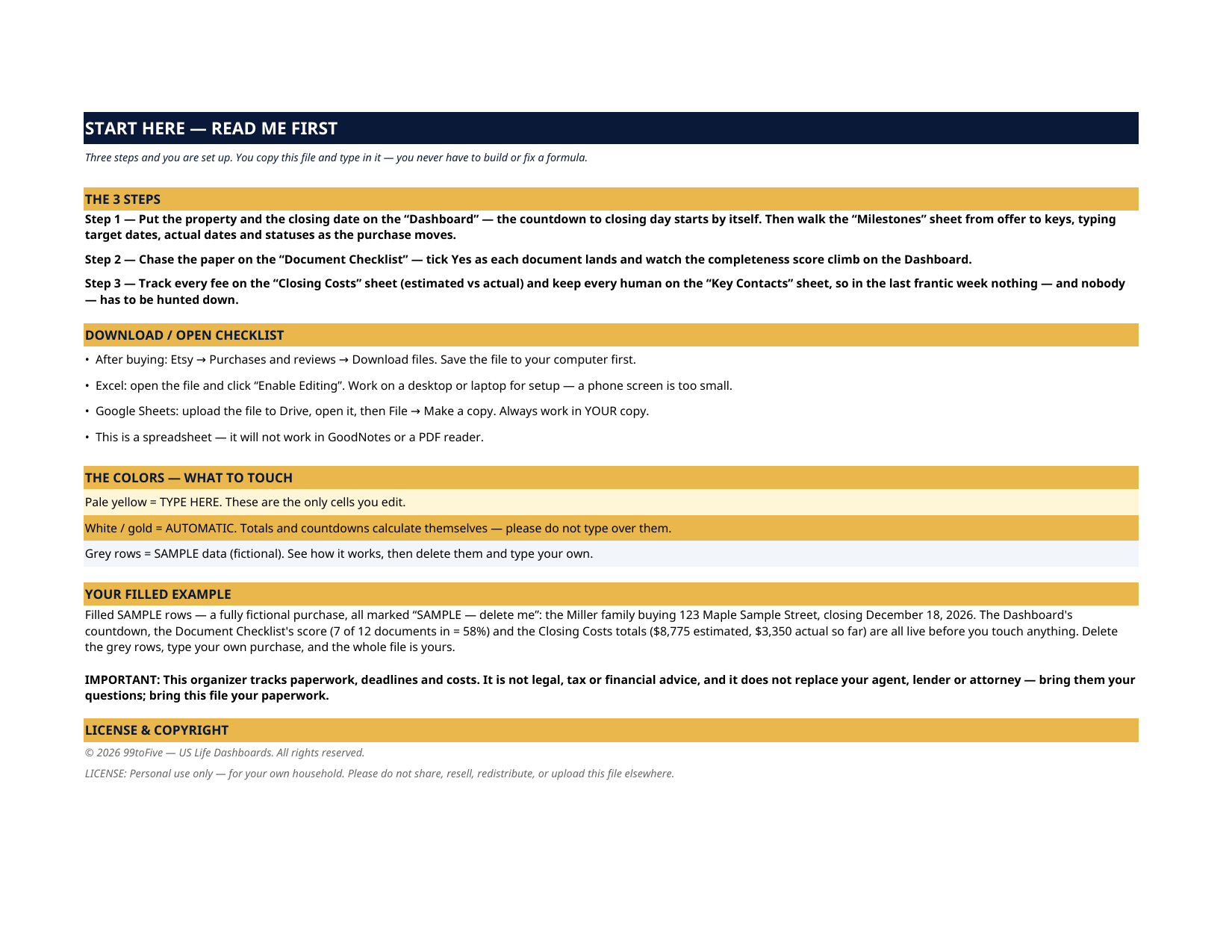
- Start Here — the 3 steps, a download/open checklist for Etsy, Excel and Google Sheets, the color guide (pale yellow = type here; white/gold = automatic; grey = sample data), a walk-through of the filled example, and an honest note about what this file is not (see below).
- Dashboard — the one-page summary. The property, the price, the lender, the closing date and the countdown to it — plus milestones done, documents received, the completeness percentage, and closing costs estimated vs actual so far.
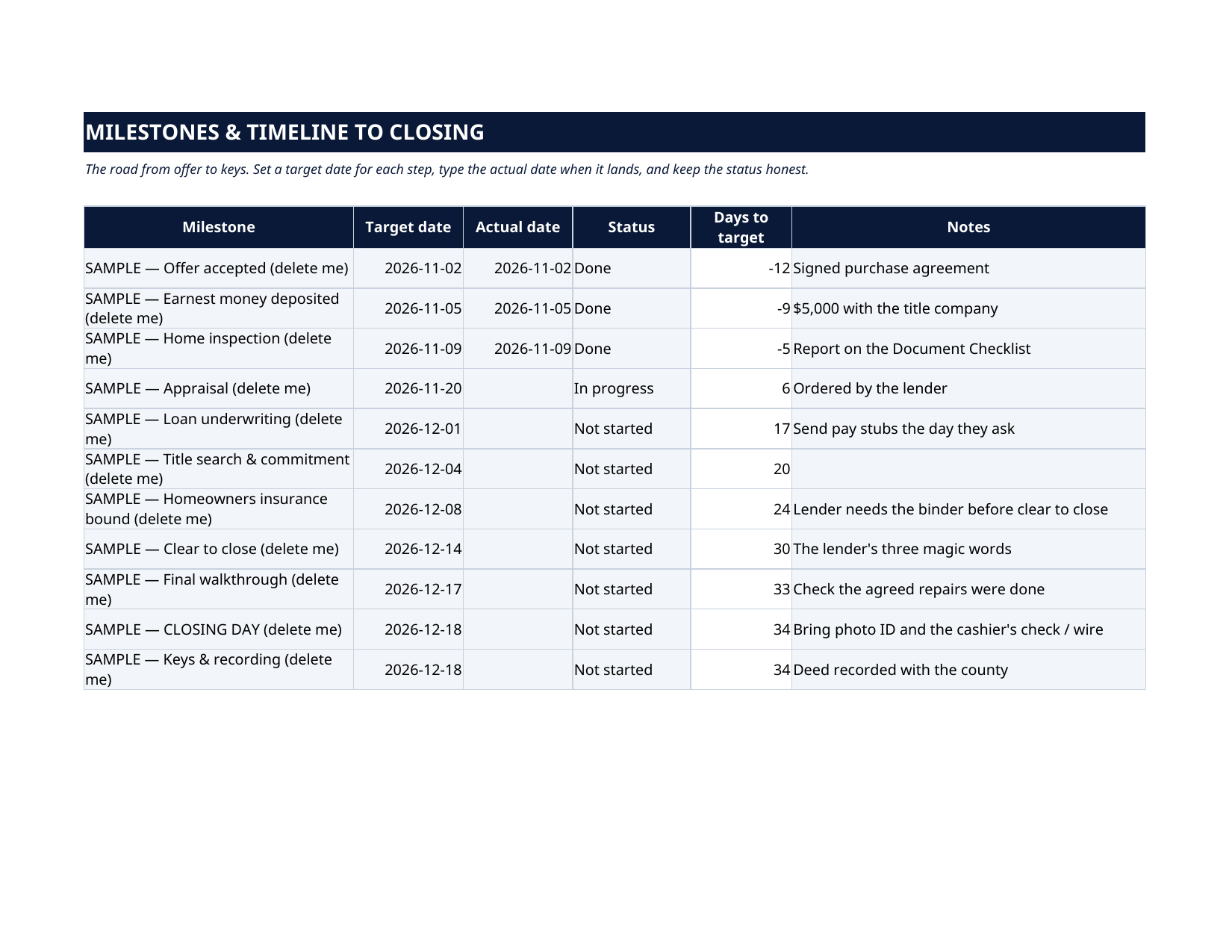
- Milestones & Timeline — the eleven steps from offer accepted to keys and recording: earnest money, inspection, appraisal, underwriting, title search, insurance bound, clear to close, final walkthrough, closing day. Target date, actual date, status and an automatic countdown for each.
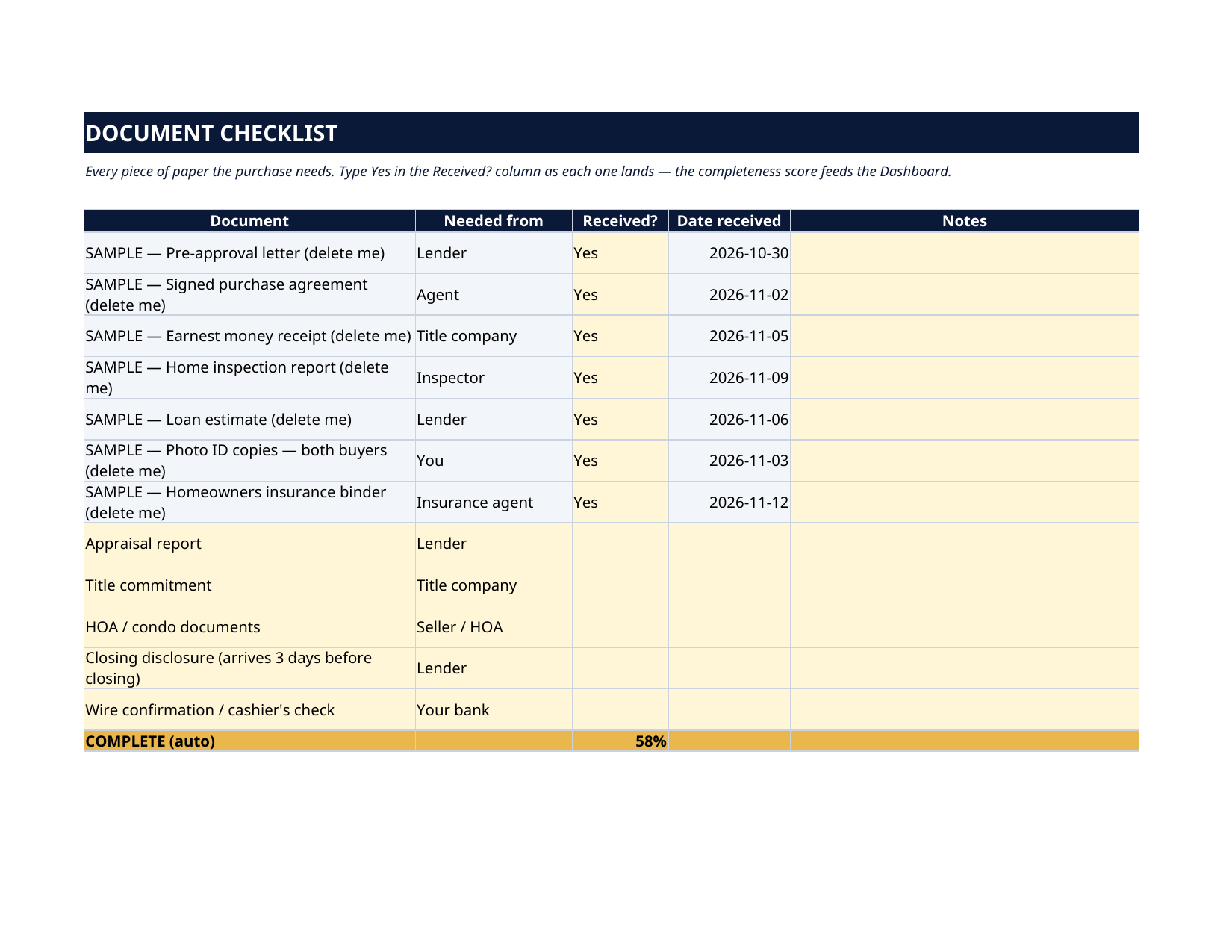
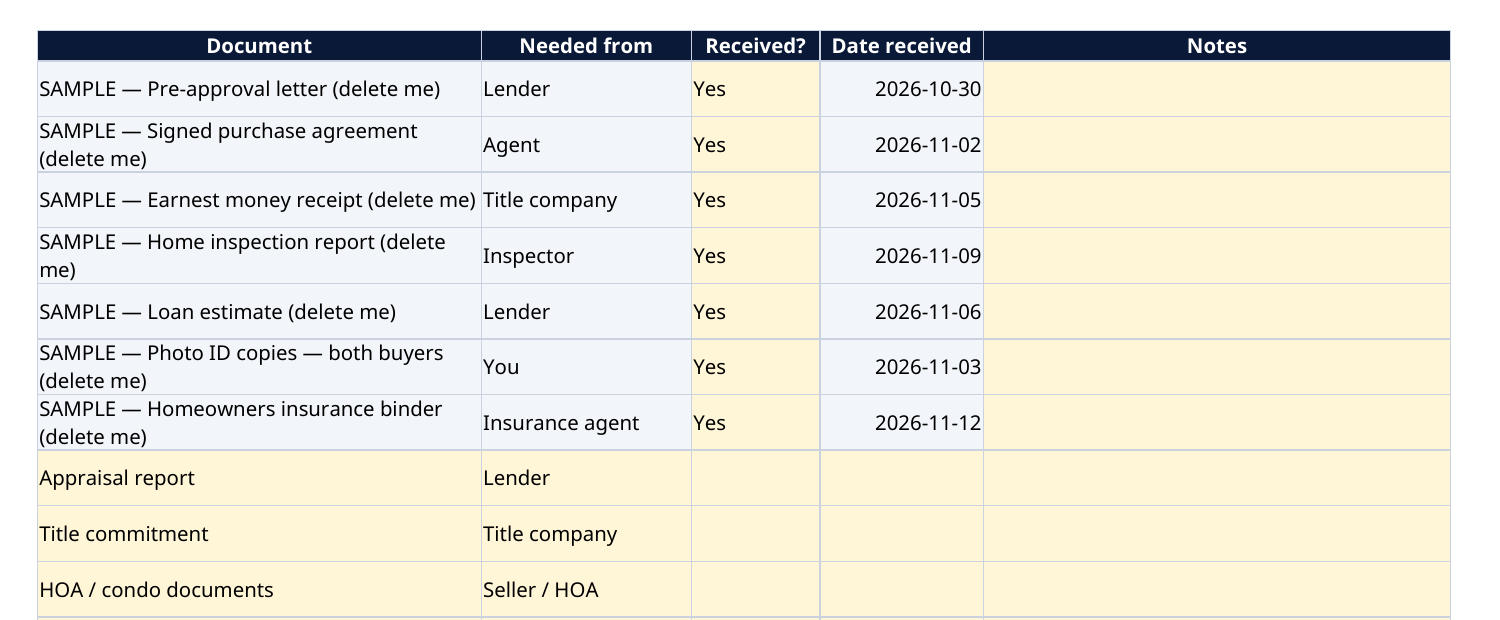
- Document Checklist — the twelve documents a purchase runs on: pre-approval letter, purchase agreement, inspection and appraisal reports, loan estimate, insurance binder, title commitment, HOA documents, closing disclosure, wire confirmation. Tick Yes as each lands; the completeness score feeds the Dashboard.
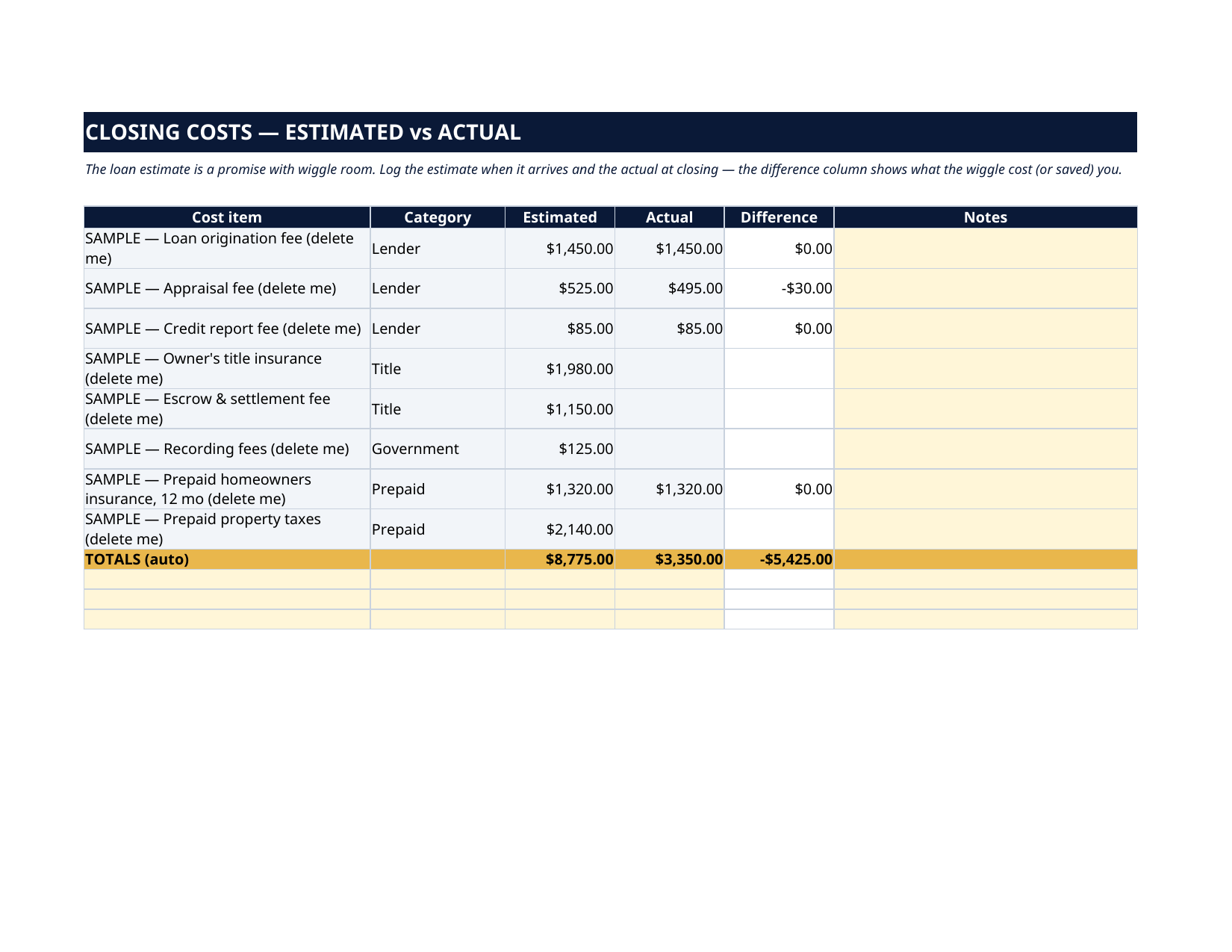
- Closing Costs — estimated vs actual for every fee: lender charges, appraisal, title insurance, escrow, recording, prepaid insurance and taxes. The difference column shows exactly what the estimate's wiggle room cost — or saved — you.
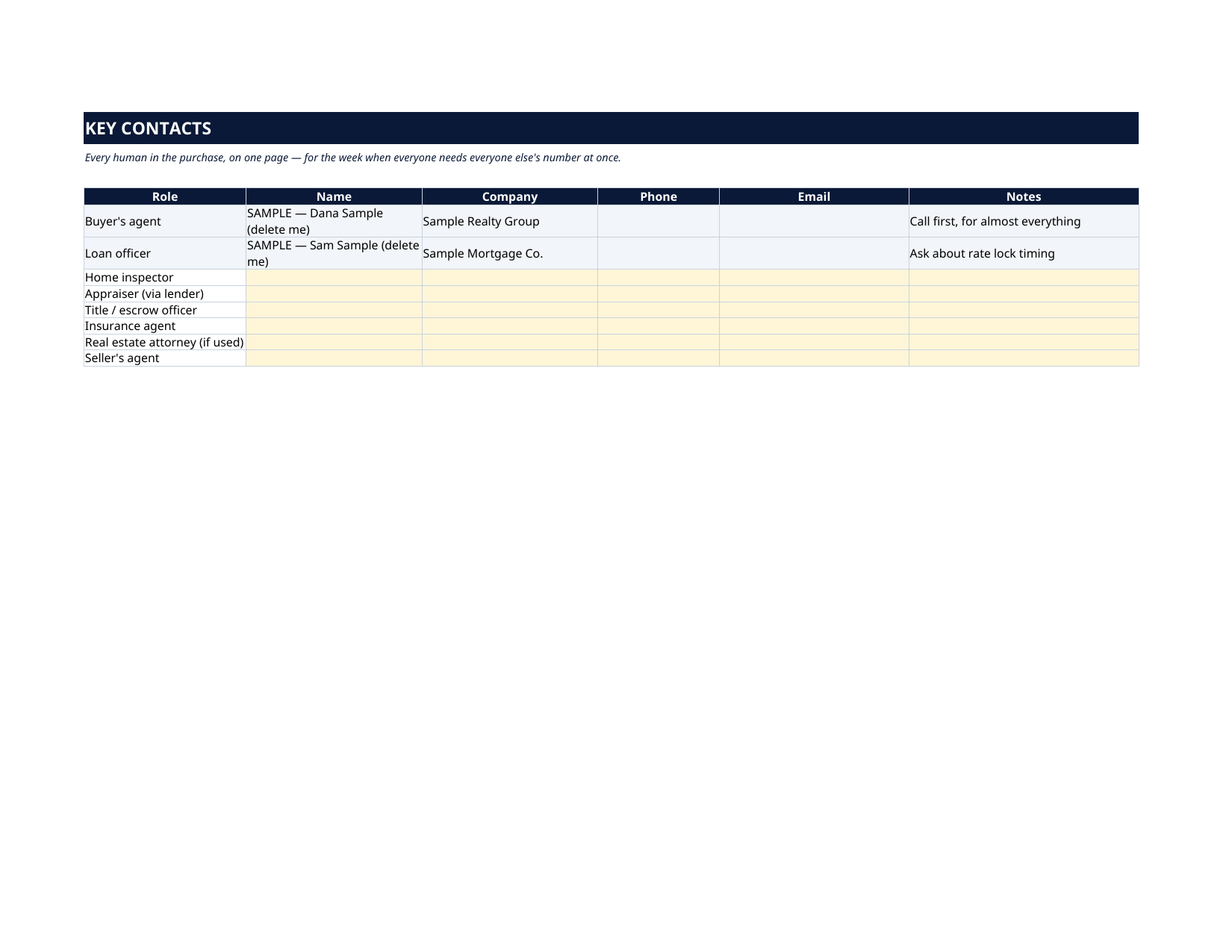
- Key Contacts — agent, loan officer, inspector, appraiser, title officer, insurance agent, attorney: name, company, phone, email, notes. One page, for the week everyone needs everyone else's number at once.
How it works — 3 steps
- Put the property and the closing date on the Dashboard; the countdown starts by itself.
- Walk the Milestones sheet from offer to keys, and chase the Document Checklist from day one — not the last week.
- Log every fee on Closing Costs as estimates arrive and actuals land, and keep the whole team on Key Contacts.
You never build or fix a formula. Type only in the pale-yellow cells — the formula cells are protected (no password) so the math can't be broken by accident. Fictional SAMPLE rows, clearly marked, show you the format; delete them and the file is yours.
What you need
Microsoft Excel, or Google Sheets (free with a Google account). One file works in both. A desktop or laptop is best for setup — a phone screen is too small. This is a spreadsheet. It will not work in GoodNotes, Notability or a PDF reader.
Instant download
This is a digital download — no physical item will be shipped. After purchase, go to Etsy → Purchases and reviews → Download files, save the file to your computer first, then open it in Excel (click “Enable Editing”) or upload it to Google Drive for Sheets (then File → Make a copy, and always work in your copy).
License
Personal use only — for your own household. Please do not share, resell or redistribute the file.
Questions
Does it work in Google Sheets as well as Excel?
Yes — the same .xlsx file works in both. Upload it to Google Drive, open it, then choose File → Make a copy and work in your copy. A printable PDF render is included too.
The Dashboard already has numbers in it — is that a real purchase?
No — it's a fully fictional SAMPLE (the Miller family, 123 Maple Sample Street, $425,000, closing December 18, 2026), every row marked "SAMPLE — delete me", shipped so you can watch the countdown, the 58% document score and the cost totals work before you touch anything. Delete the grey rows and type your own.
Is this legal or financial advice for my purchase?
No. It is an organizer: milestones, documents, costs and contacts. Your agent, lender and attorney advise you; this file makes sure no deadline, document or dollar slips while they do.
Can I change the milestones and documents?
Yes — every label, date and fee is editable, and there are spare rows on the cost sheet. Condo purchase? Add the HOA approval step. Cash purchase? Delete the loan milestones. The countdowns and totals keep working.
How does the document score work?
Type Yes in the Received? column as each document lands. The sheet divides received by total and the Dashboard shows it as a percentage — when it reads 100%, the paperwork is done and only the countdown remains.