About this template
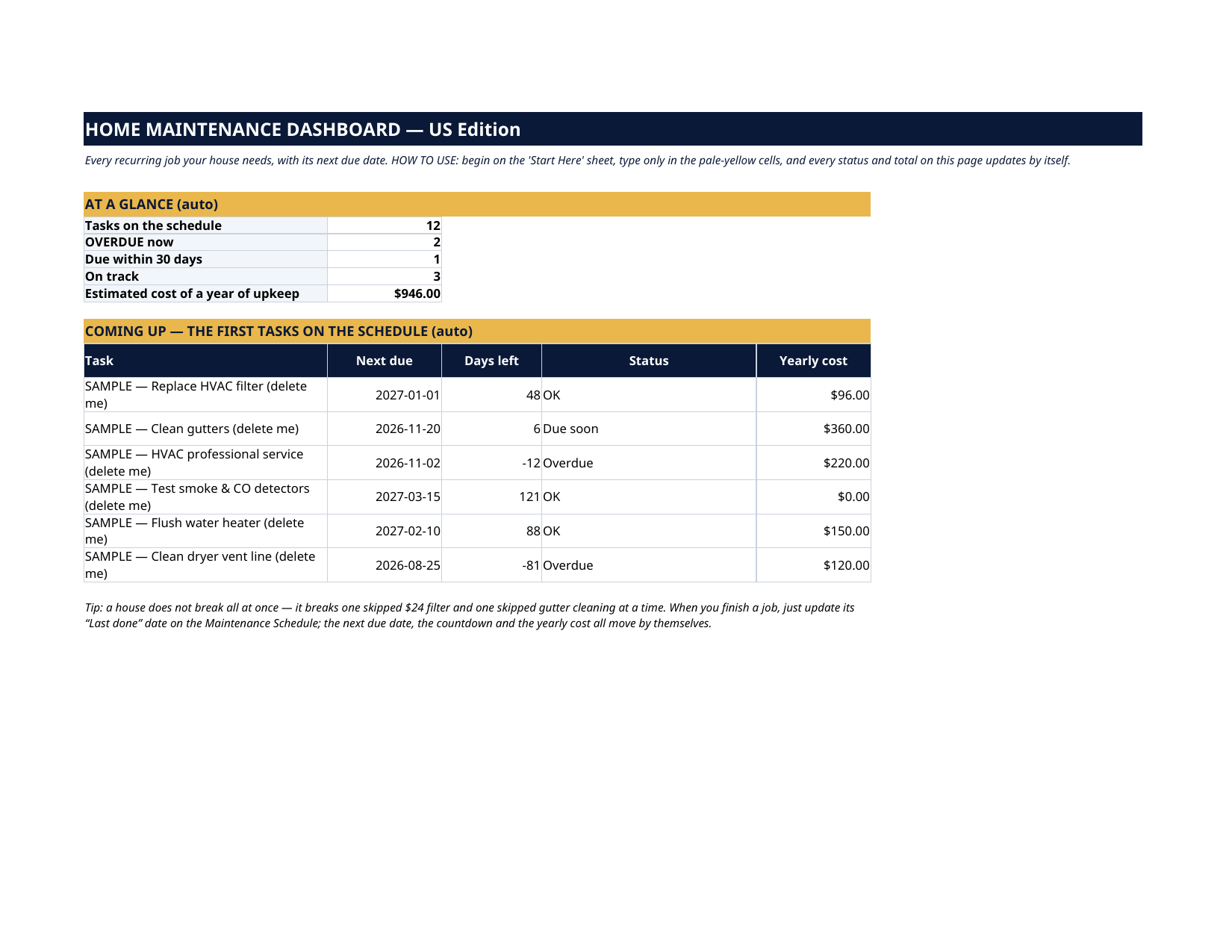
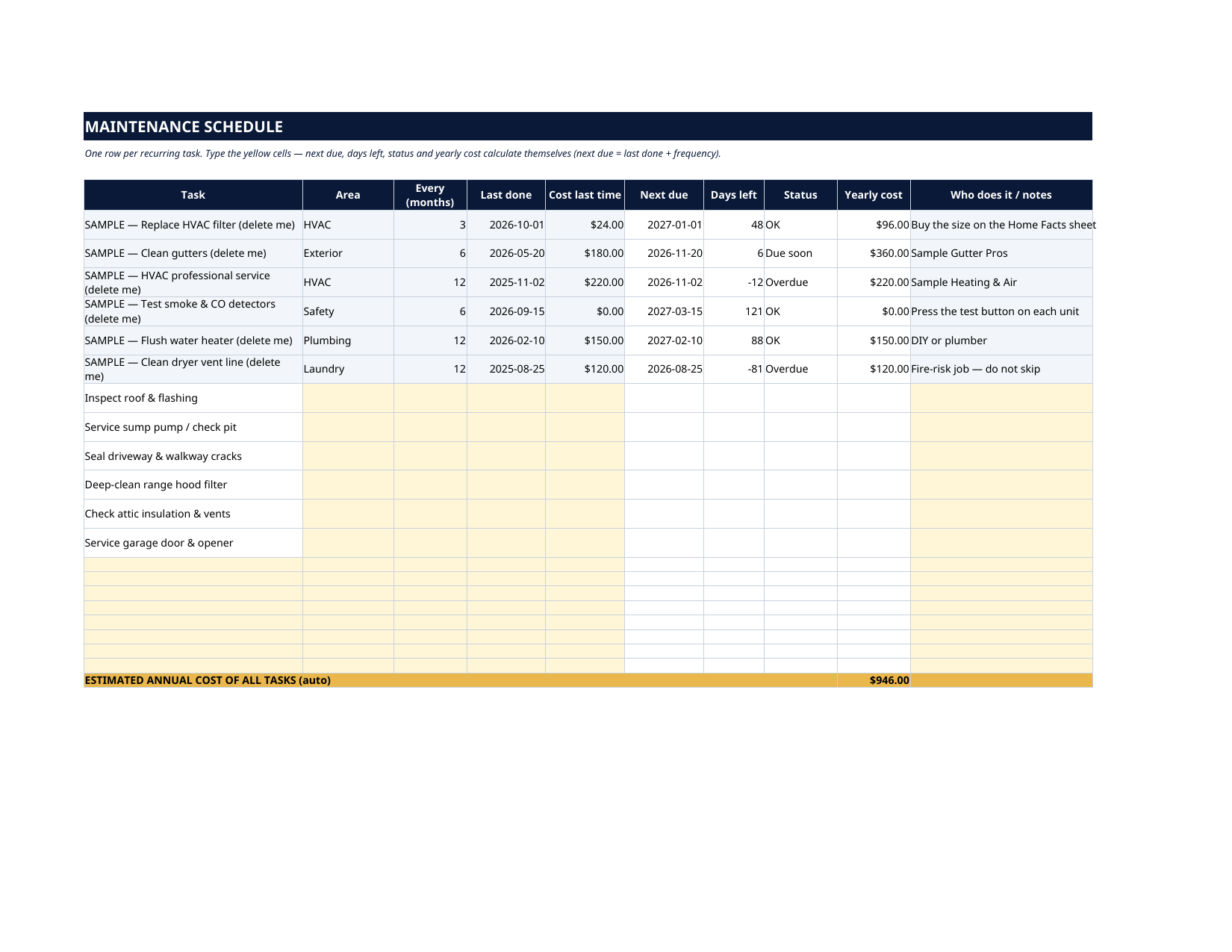
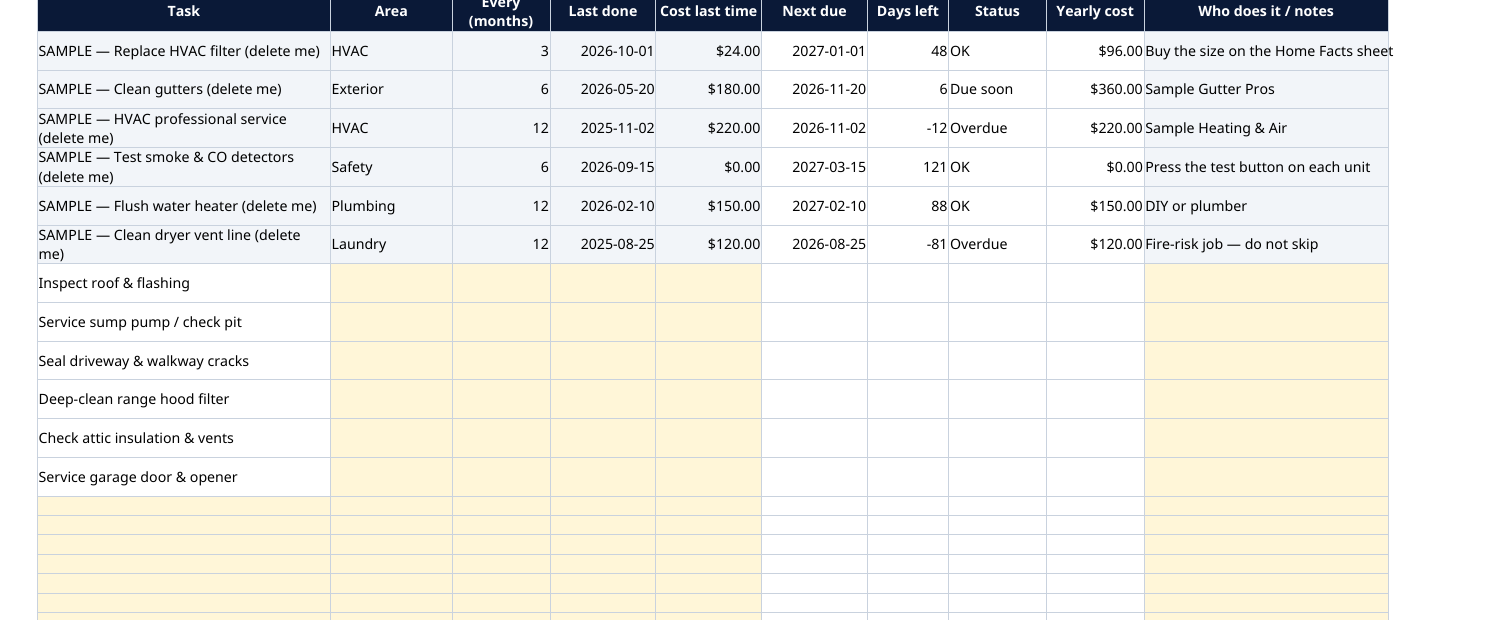
The grey SAMPLE rows are six fictional tasks: an HVAC filter at $24 every 3 months ($96 a year), gutter cleaning at $180 twice a year ($360), a $220 annual HVAC service, a free detector test, a $150 water-heater flush and a $120 dryer-vent cleaning. Their yearly costs add themselves up to $946, and their statuses have already sorted themselves from their dates — anything past due reads Overdue the moment you open the file. Every sample is marked "SAMPLE — delete me". Delete them, type your own, and the whole file is yours. The gutter cleaning you meant to book in spring becomes the basement leak in November. The furnace that never got its yearly service quits on the coldest weekend of the year. This dashboard keeps every recurring job your house needs on one schedule: type when a task was last done and how often it repeats, and the next due date, the countdown, the status (OK, Due soon, Overdue) and the yearly cost calculate themselves.
What's inside
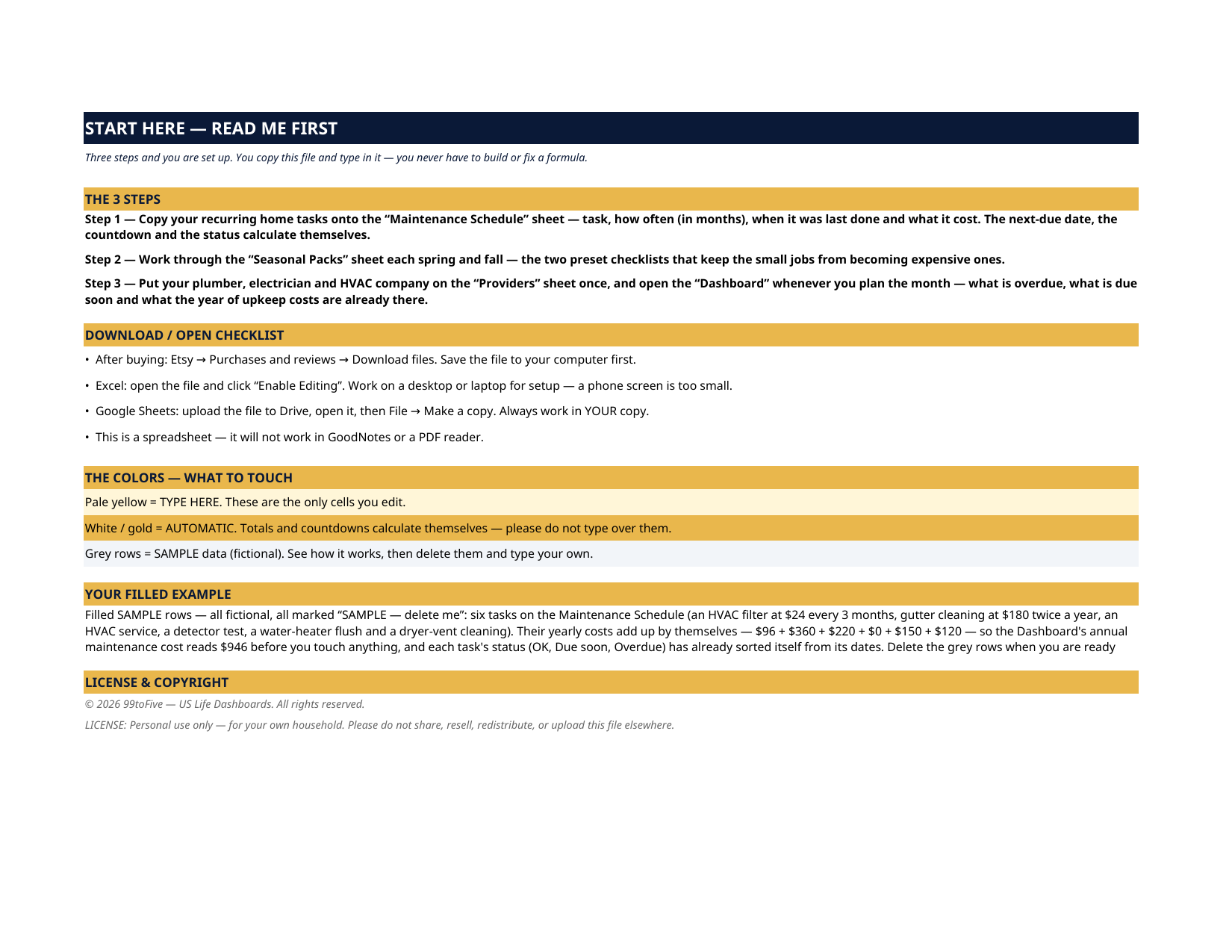
- Start Here — the 3 steps, a download/open checklist for Etsy, Excel and Google Sheets, the color guide (pale yellow = type here; white/gold = automatic; grey = sample data), and a walk-through of the filled example.
- Dashboard — the one-page summary. How many tasks are on the schedule, how many are overdue right now, how many fall due within 30 days, and the estimated cost of a full year of upkeep — plus the first tasks on the schedule with their next due dates.
- Maintenance Schedule — the register. One row per recurring task: what it is, which area of the house, every how many months, last done, what it cost last time, and who does it. Next due, days left, status and yearly cost are automatic. Twenty rows — six filled SAMPLE tasks, six more preset task names waiting for your dates, and room to add your own.
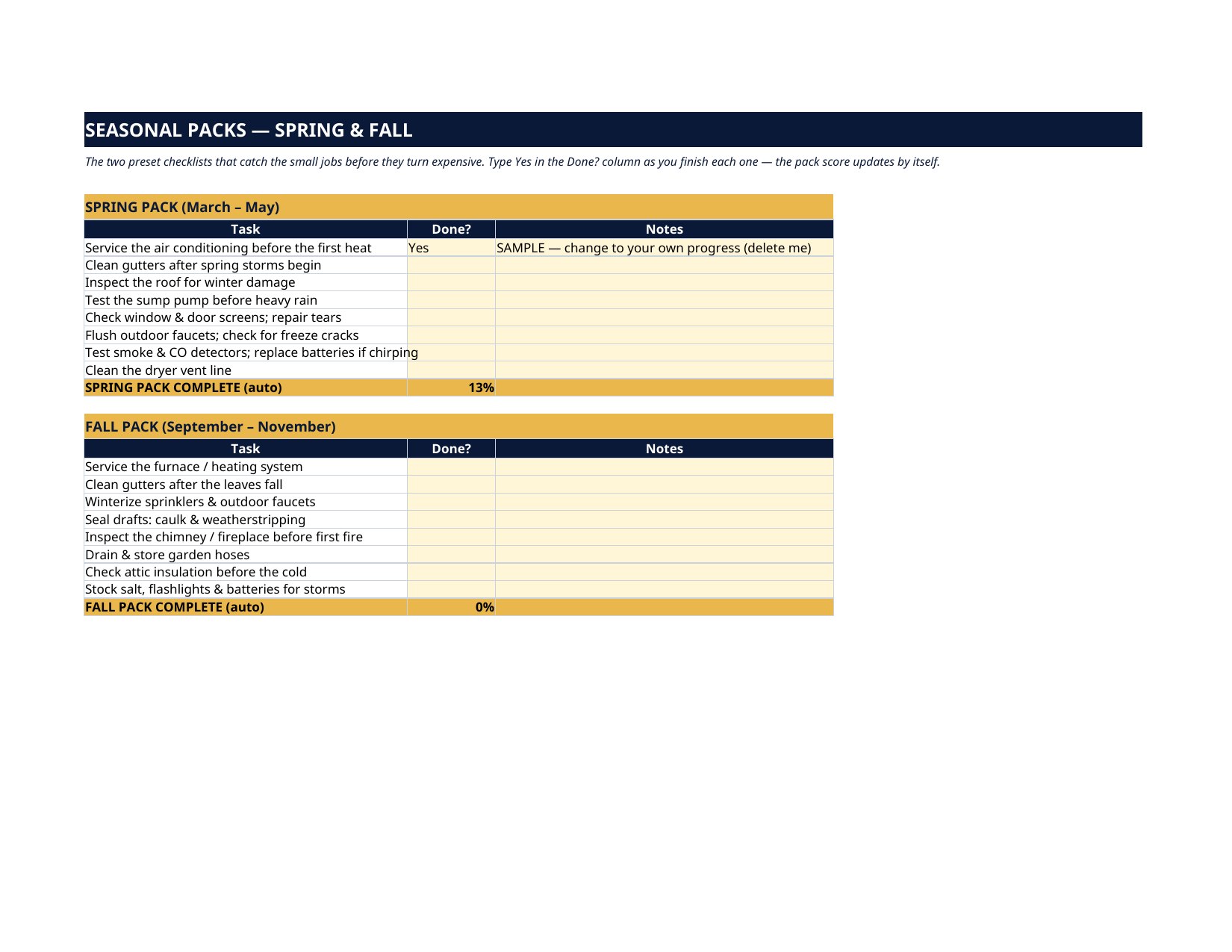
- Seasonal Packs — two preset checklists, Spring (March–May) and Fall (September–November), eight tasks each: service the AC before the heat, clean the gutters after the leaves, winterize the sprinklers, seal the drafts. Tick Yes as you finish; each pack scores itself.
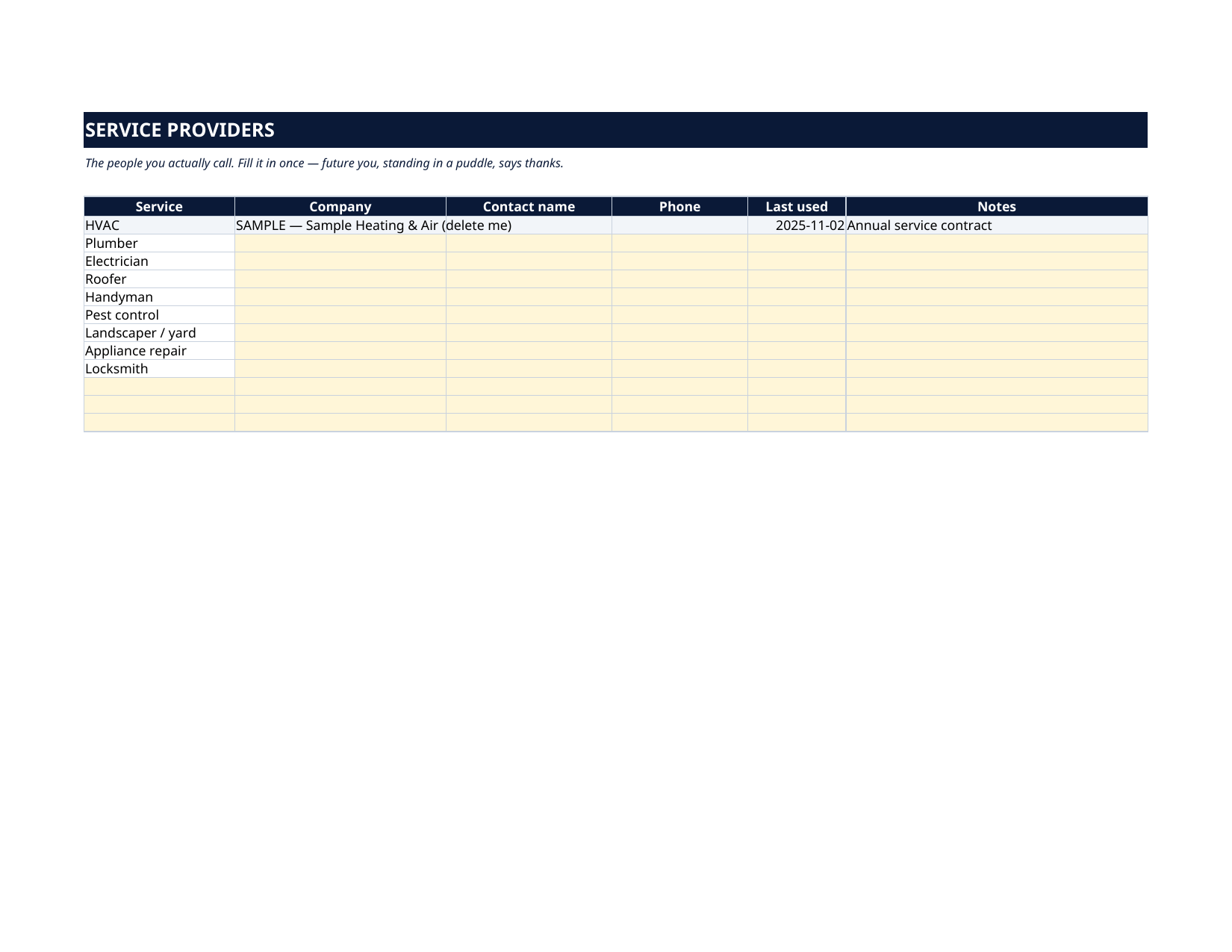
- Providers — the people you actually call: plumber, electrician, roofer, HVAC, handyman, pest control. Company, contact, phone, last used — filled in once, before the emergency.
How it works — 3 steps
- Copy your recurring tasks onto the Maintenance Schedule: task, frequency in months, last done, last cost.
- Each spring and fall, work the matching Seasonal Pack and tick off the jobs.
- When you finish a job, update its "Last done" date. Next due, countdown, status and yearly cost all move by themselves — and the Dashboard tells you what needs attention this month.
You never build or fix a formula. Type only in the pale-yellow cells — the formula cells are protected (no password) so the math can't be broken by accident. Fictional SAMPLE rows, clearly marked, show you the format; delete them and the file is yours.
What you need
Microsoft Excel, or Google Sheets (free with a Google account). One file works in both. A desktop or laptop is best for setup — a phone screen is too small. This is a spreadsheet. It will not work in GoodNotes, Notability or a PDF reader.
Instant download
This is a digital download — no physical item will be shipped. After purchase, go to Etsy → Purchases and reviews → Download files, save the file to your computer first, then open it in Excel (click “Enable Editing”) or upload it to Google Drive for Sheets (then File → Make a copy, and always work in your copy).
License
Personal use only — for your own household. Please do not share, resell or redistribute the file.
Questions
Does it work in Google Sheets as well as Excel?
Yes — the same .xlsx file works in both. Upload it to Google Drive, open it, then choose File → Make a copy and work in your copy. A printable PDF render is included too.
How does the next-due date work?
You type the date a task was last done and how often it repeats (in months). The sheet adds them together for the next due date, counts the days left from today, and labels the task OK, Due soon (within 30 days) or Overdue. Finish the job, update "Last done", and everything moves forward on its own.
The Dashboard already has numbers in it — is that real data?
No — it's six fictional SAMPLE tasks (a $24 filter, a $180 gutter cleaning and four more), every row marked "SAMPLE — delete me", shipped so you can watch every total work before you touch anything. Their yearly costs total $946. Delete the grey rows and type your own.
Can I add my own tasks?
Yes — the register holds 20 tasks, with six preset names (roof inspection, sump pump, driveway sealing…) waiting for your dates and blank rows for anything else your house needs: septic service, chimney sweeping, pool care.
What are the Seasonal Packs?
Two ready-made checklists — eight spring tasks and eight fall tasks — covering the jobs that only come round twice a year. Tick Yes as you complete each one and the pack shows its own completion percentage.