About this template
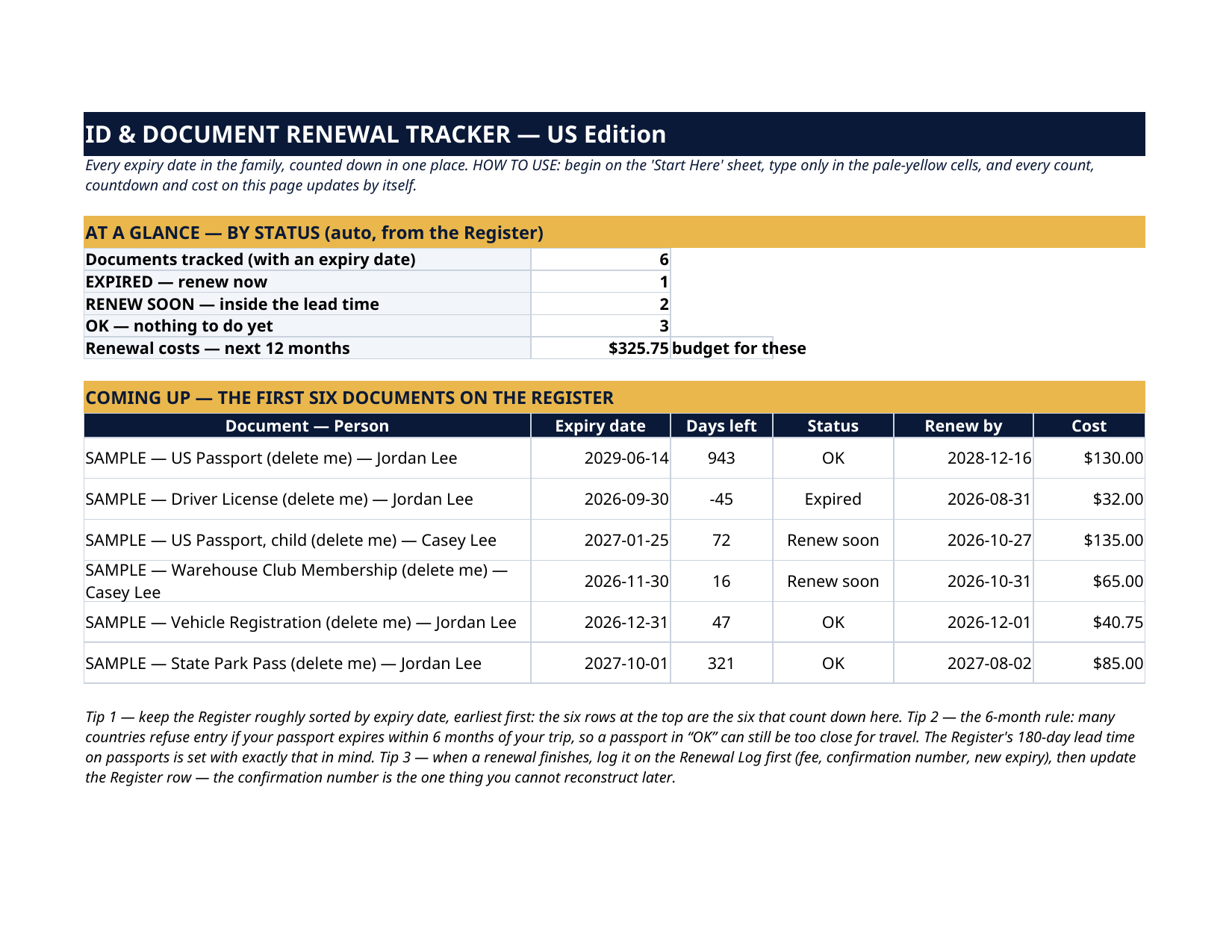
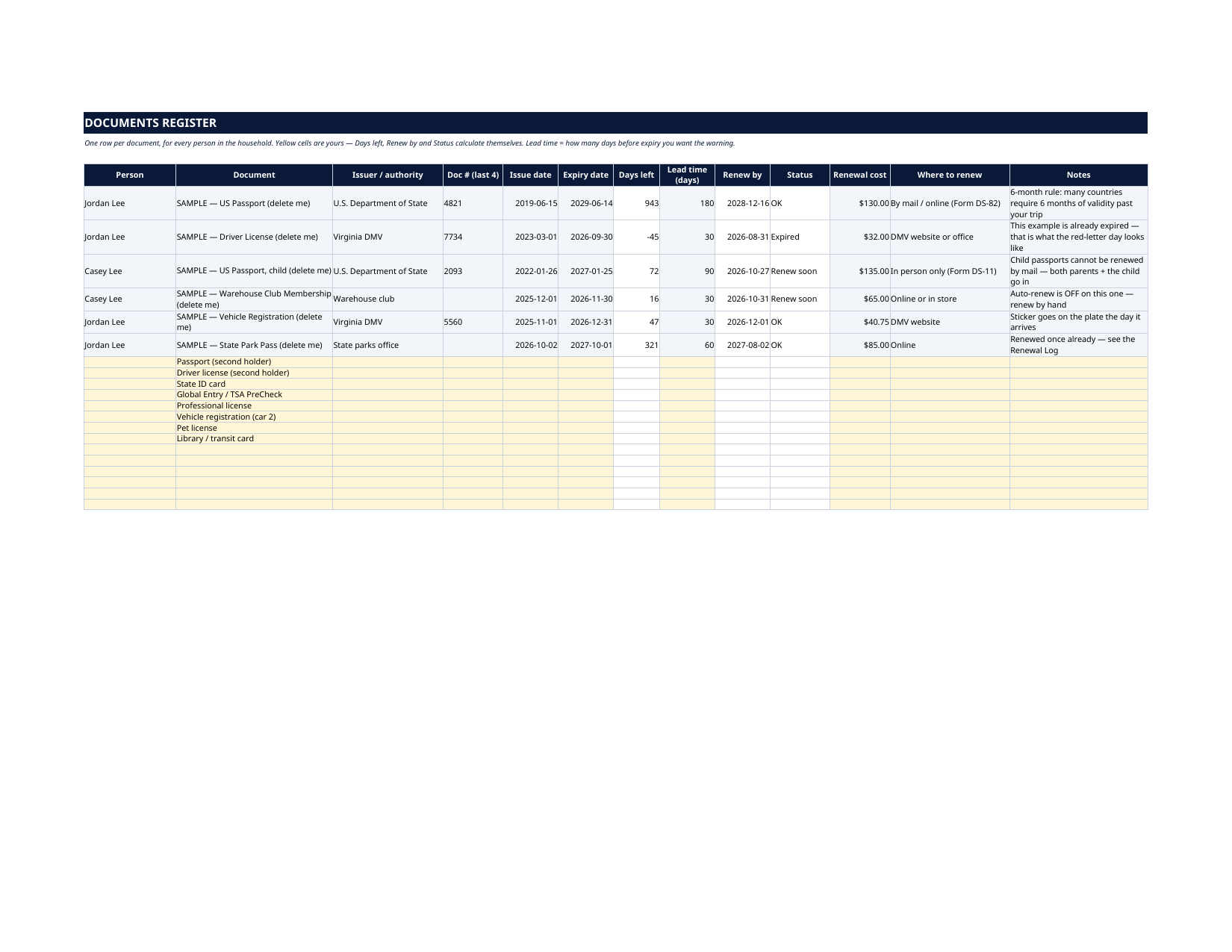
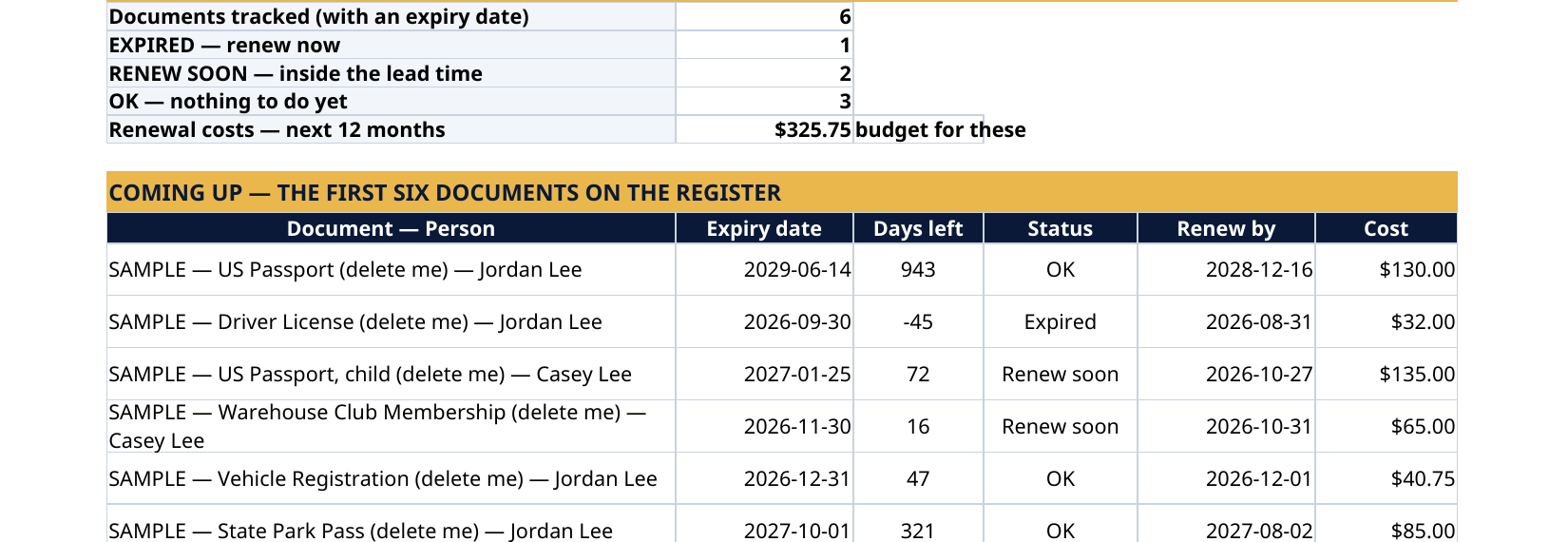
The grey SAMPLE rows are a fictional family — Jordan and Casey Lee: a US passport good until 2029, a driver license that has already expired (that is what the warning looks like), a child's passport and a warehouse-club membership in "Renew soon", a vehicle registration and a state park pass in "OK", and one completed renewal on the Log. Out of the box the Dashboard reads 1 Expired, 2 Renew soon, 3 OK. Every sample is marked "SAMPLE — delete me". Delete them, type your own, and the whole file is yours. A passport discovered expired the week of a trip. A driver license that lapsed last month. A membership, a permit, a registration — every document in the family expires on a different date, and nothing reminds you until it costs money. This tracker puts every one of them in a single register: type the dates once, in pale-yellow cells, and Days left, Renew by dates and the status — Expired, Renew soon, OK — calculate themselves, for every person in the household.
What's inside
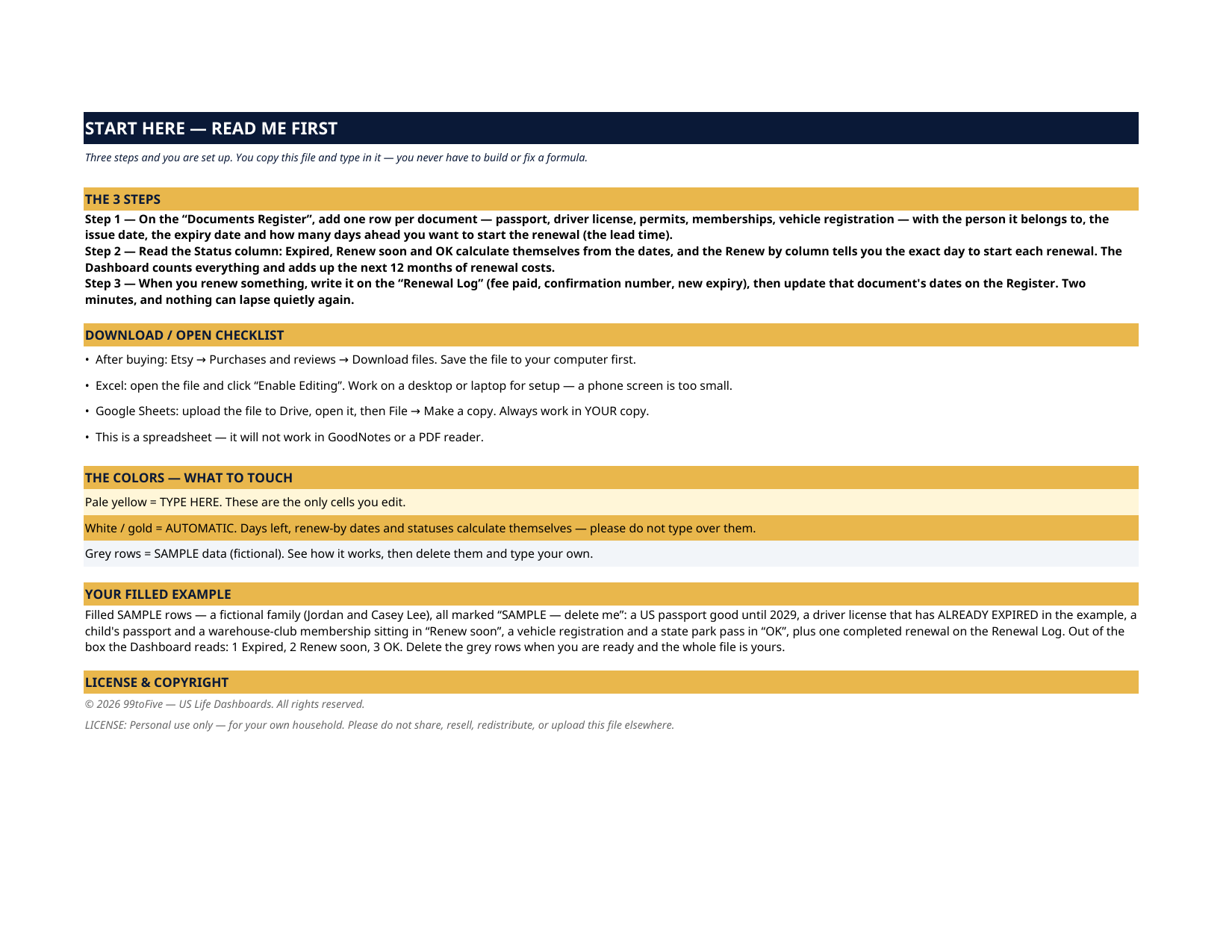
- Start Here — the 3 steps, a download/open checklist for Etsy, Excel and Google Sheets, the color guide (pale yellow = type here; white/gold = automatic; grey = sample data), and a walk-through of the filled example.
- Dashboard — the one-page summary. How many documents you track, how many are Expired, how many sit inside their renewal window, the renewal costs coming in the next 12 months (so you can budget for them), and a countdown table for the first six documents on the Register — plus the 6-month passport validity rule that catches travelers out.
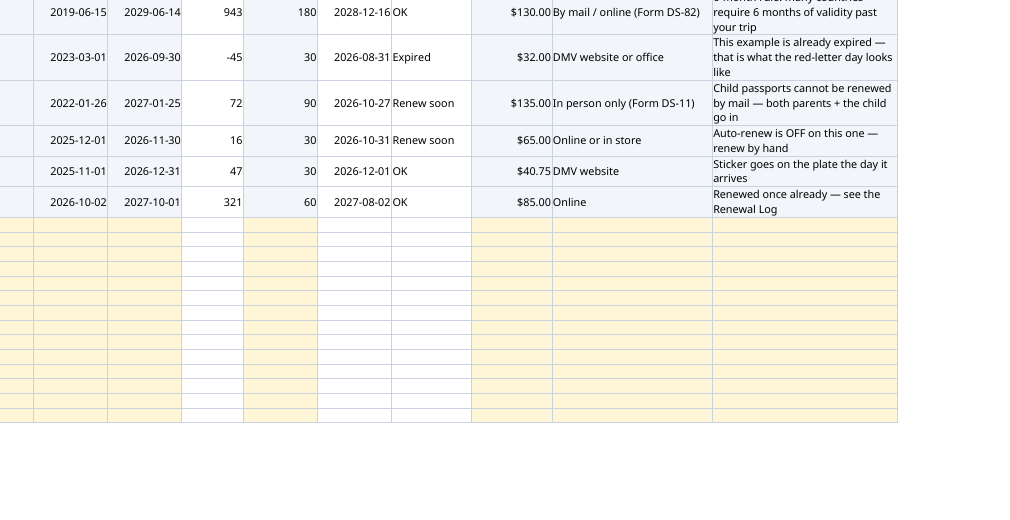
- Documents Register — one row per document: person, document, issuer, document number (last 4), issue date, expiry date, lead time (how many days ahead you want the warning), renewal cost, where to renew, notes. Days left, the exact Renew by date and the Status are automatic. Twenty rows, with the common documents pre-labelled — passports, licenses, state ID, Global Entry / TSA PreCheck, professional licenses, vehicle registrations, pet licenses.
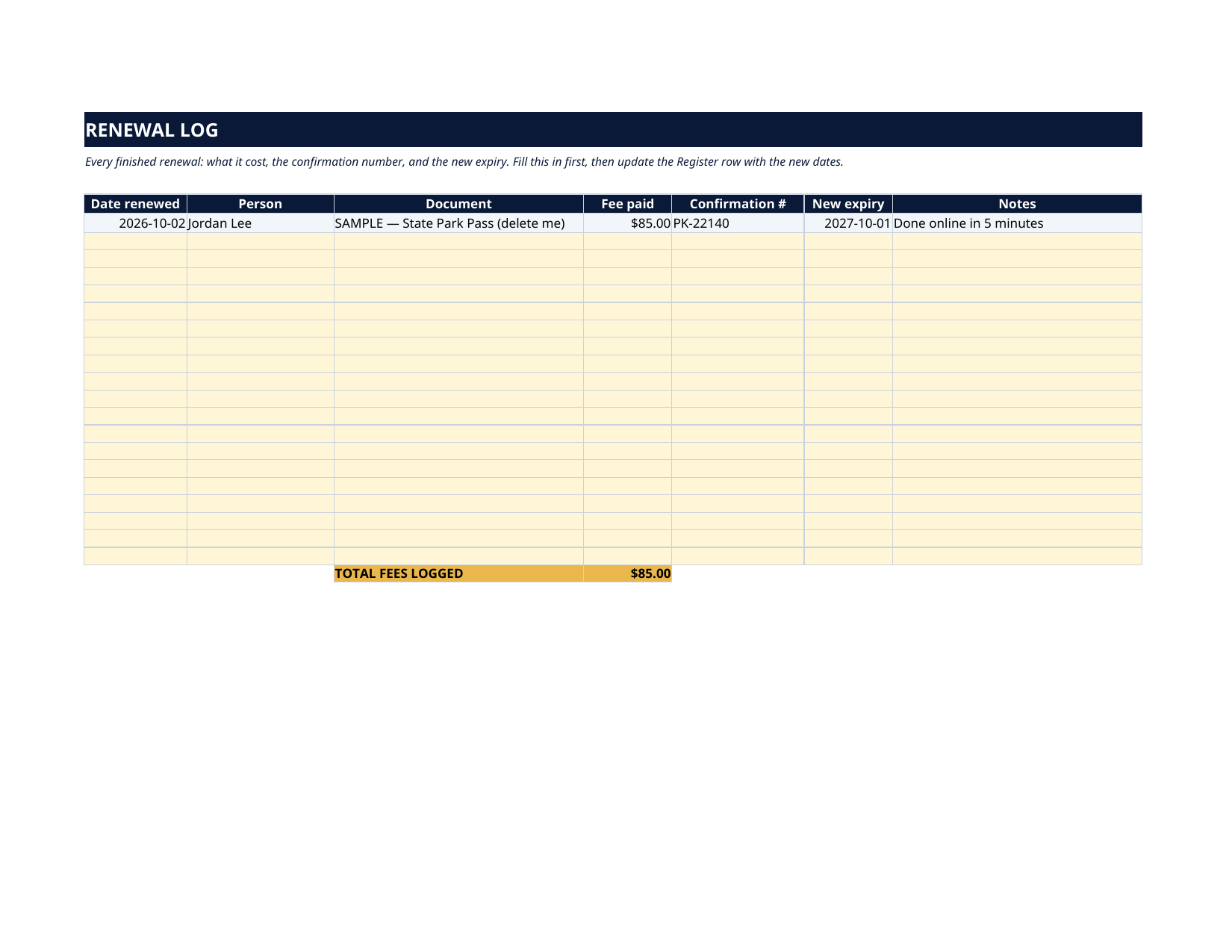
- Renewal Log — every finished renewal: date, fee paid, confirmation number, new expiry. The confirmation number is the one thing you cannot reconstruct later; this sheet is where it lives. Total fees logged is automatic.
How it works — 3 steps
- On the Documents Register, add one row per document: person, document, issuer, issue and expiry dates, and the lead time you want.
- Read the Status column and the Dashboard. Expired and Renew soon surface themselves; the Renew by column gives you the exact day to start each one.
- When you renew, log it on the Renewal Log (fee, confirmation number, new expiry), then update the Register row's dates.
You never build or fix a formula. Type only in the pale-yellow cells — the formula cells are protected (no password) so the math can't be broken by accident. Fictional SAMPLE rows, clearly marked, show you the format; delete them and the file is yours.
What you need
Microsoft Excel, or Google Sheets (free with a Google account). One file works in both. A desktop or laptop is best for setup — a phone screen is too small. This is a spreadsheet. It will not work in GoodNotes, Notability or a PDF reader.
Instant download
This is a digital download — no physical item will be shipped. After purchase, go to Etsy → Purchases and reviews → Download files, save the file to your computer first, then open it in Excel (click “Enable Editing”) or upload it to Google Drive for Sheets (then File → Make a copy, and always work in your copy).
License
Personal use only — for your own household. Please do not share, resell or redistribute the file.
Questions
Does it work in Google Sheets as well as Excel?
Yes — the same .xlsx file works in both. Upload it to Google Drive, open it, then choose File → Make a copy and work in your copy. A printable PDF render is included too.
What exactly counts as a "document" here?
Anything with an expiry date and a renewal: passports, driver licenses, state IDs, work permits, professional licenses, vehicle registrations, Global Entry / TSA PreCheck, memberships, pet licenses, library and transit cards. If it expires, it belongs on the Register.
How does the status work?
You set a lead time per document — 180 days for a passport, 30 for a license, whatever fits. The sheet counts the days left from today: past the expiry it reads Expired, inside the lead time it reads Renew soon, otherwise OK. The Renew by column shows the exact calendar date the window opens.
Will it send me reminders or notifications?
No — a spreadsheet can't push phone notifications. The Dashboard is built to be opened when you pay bills or plan trips; the countdowns do the remembering between visits. Many buyers pin the file's Dashboard as a PDF on their fridge or phone home screen.
The Dashboard already has numbers in it — is that real data?
No — it's a fictional SAMPLE family (an expired license, a child passport, a club membership), every row marked "SAMPLE — delete me", shipped so you can watch every status work before you touch anything. Delete the grey rows and type your own.