About this template
A pipe bursts, a bumper gets crumpled, an ER bill lands — and suddenly you're tracking claim numbers, adjuster names, promised callbacks and three different amounts that never seem to match. What did you claim? What did they approve? What have they actually paid — and what is still owed to you? The Insurance Claim Tracker Dashboard keeps every home, auto and health claim in one file. You type the facts once, in pale-yellow cells. Claimed vs approved vs paid vs outstanding calculates itself, per claim and in total. The grey SAMPLE rows are three fictional claims — a home water-damage claim still with the adjuster, a fully paid auto claim, and a partly paid health ER claim. They are not real claims. Delete the SAMPLE rows when you're ready and the whole file is yours. This tracker is an organizational tool, not legal or insurance advice. It does not file, negotiate or settle claims — always confirm amounts, deadlines and appeal rights with your insurer or an attorney. LICENSE Personal use only — for your own household. Please do not share, resell or redistribute the file. © 2026 99toFive — US Life Dashboards. All rights reserved.
What's inside
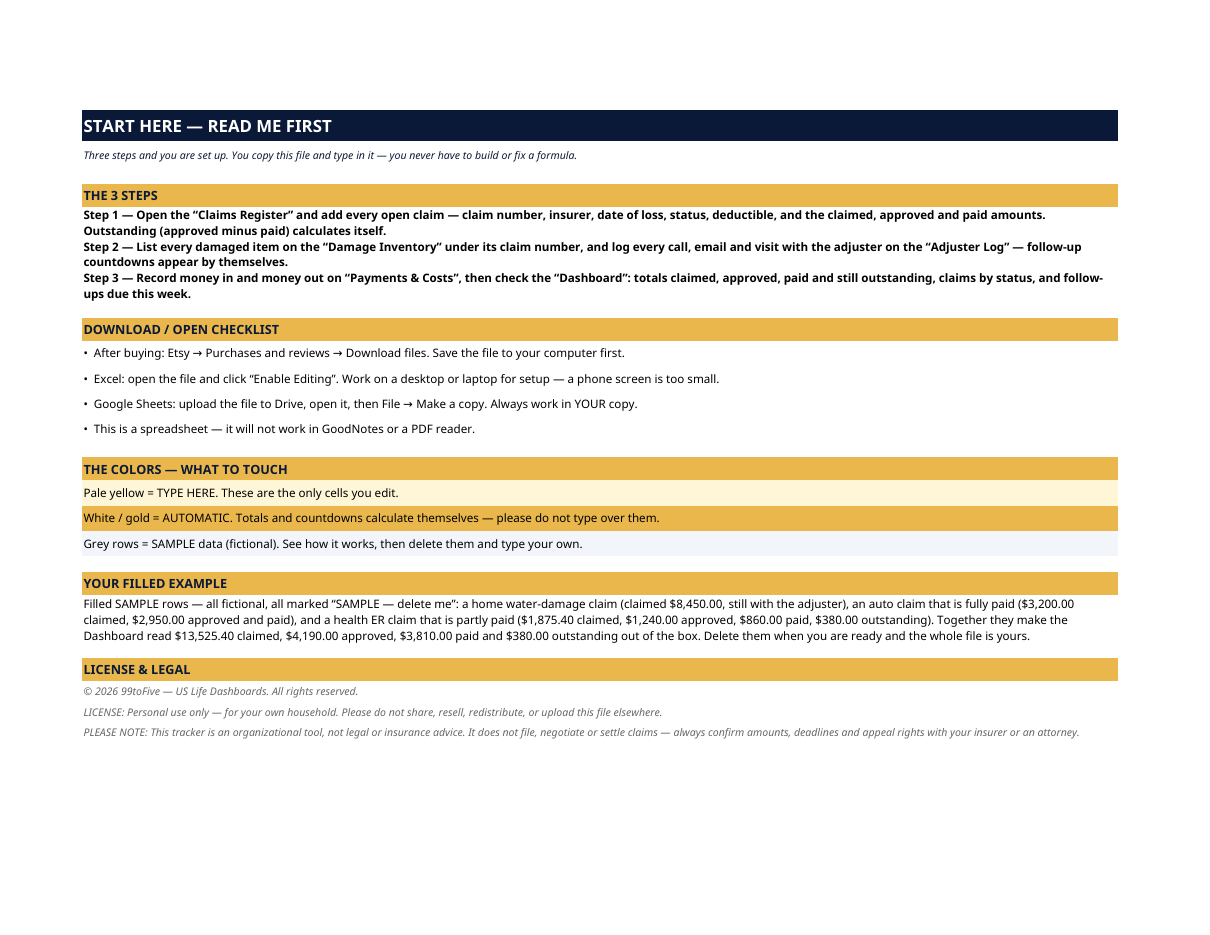
- Start Here — the 3 steps, a download/open checklist for Etsy, Excel and Google Sheets, the color guide (pale yellow = type here; white/gold = automatic; grey = sample data), a walk-through of the filled example, and the license.
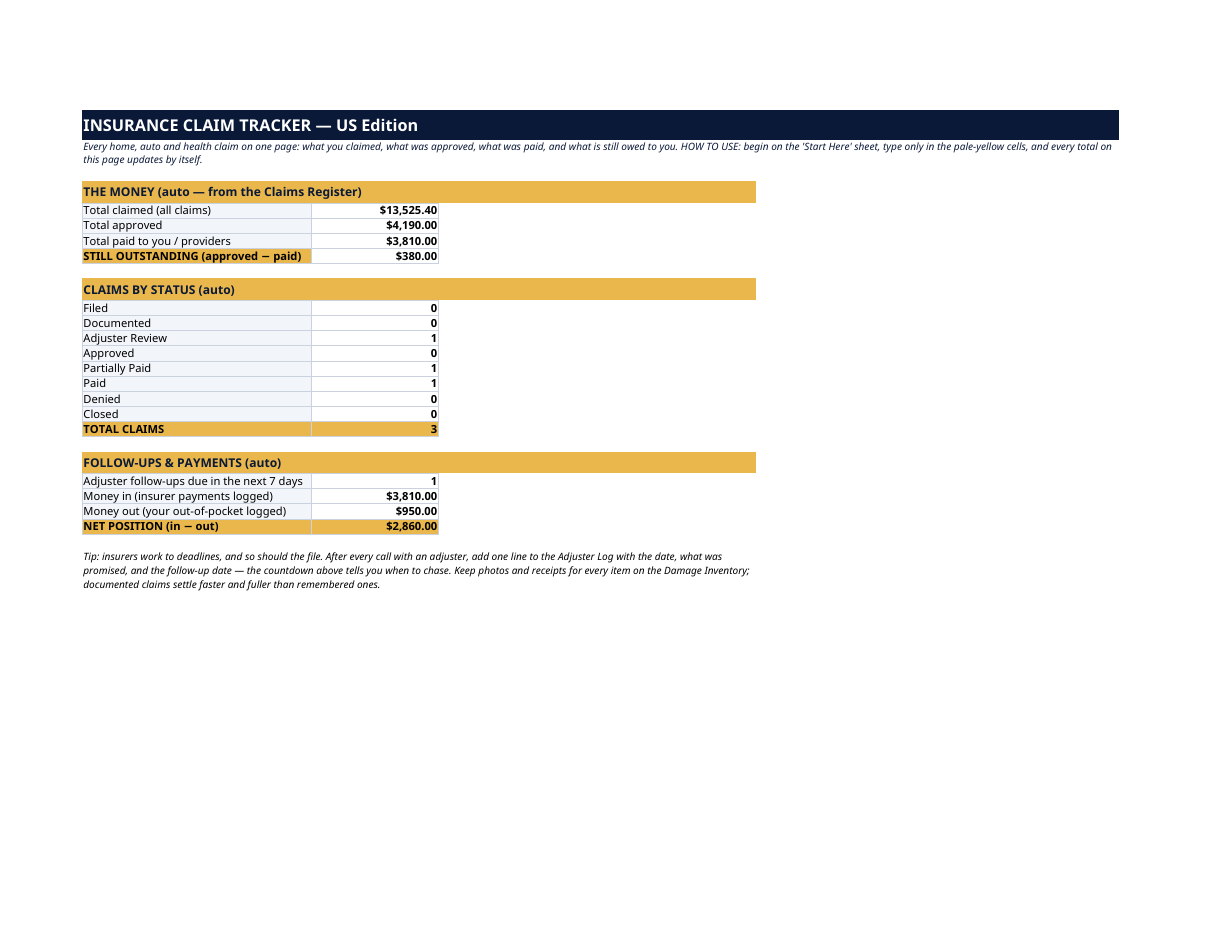
- Dashboard — the one-page answer: total claimed, total approved, total paid, and STILL OUTSTANDING in bold. Claims counted by status (Filed, Documented, Adjuster Review, Approved, Partially Paid, Paid, Denied, Closed), adjuster follow-ups due in the next 7 days, and your net position — insurer money in minus your out-of-pocket.
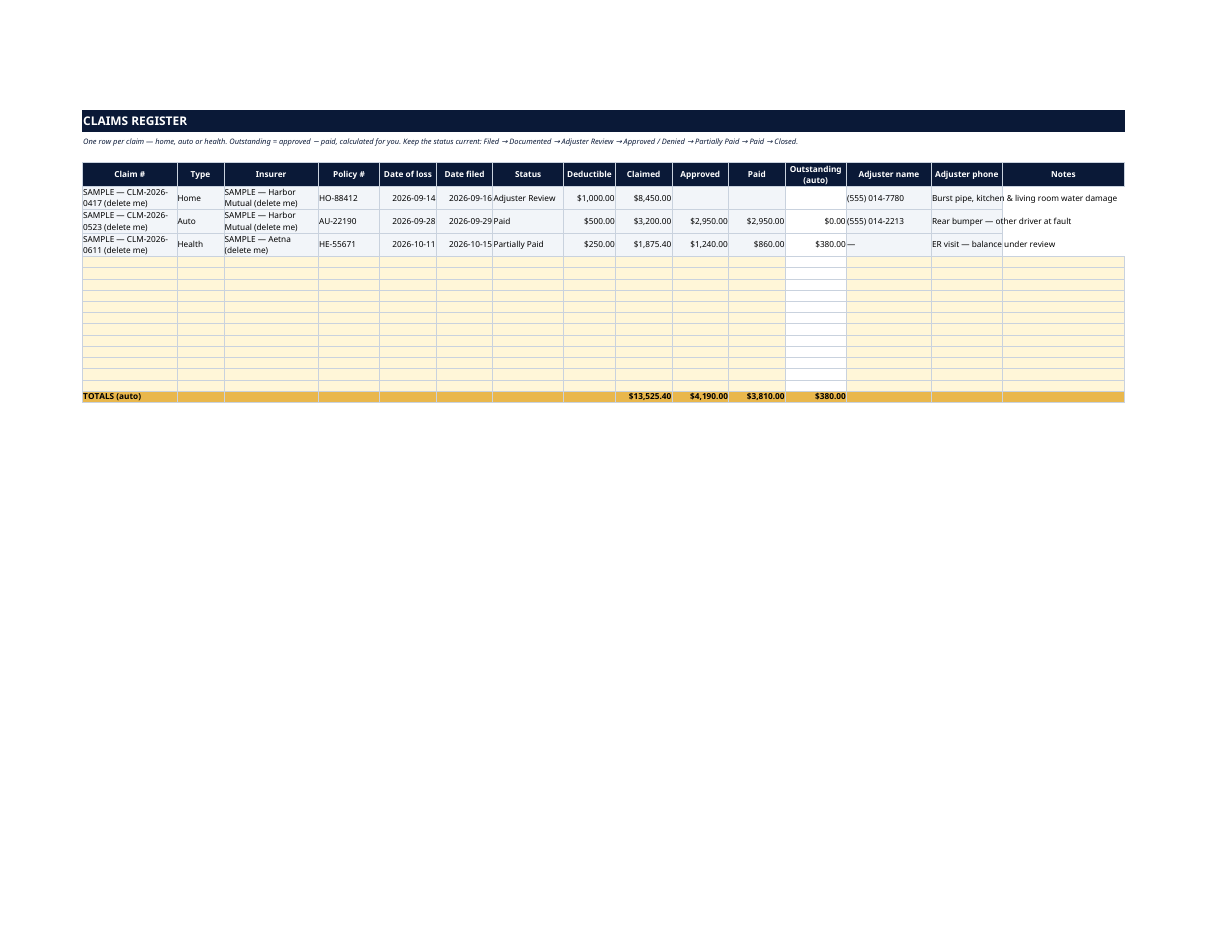
- Claims Register — one row per claim: claim number, type (home / auto / health), insurer, policy number, date of loss, date filed, status, deductible, and the four amounts. Outstanding (approved minus paid) is automatic on every row.
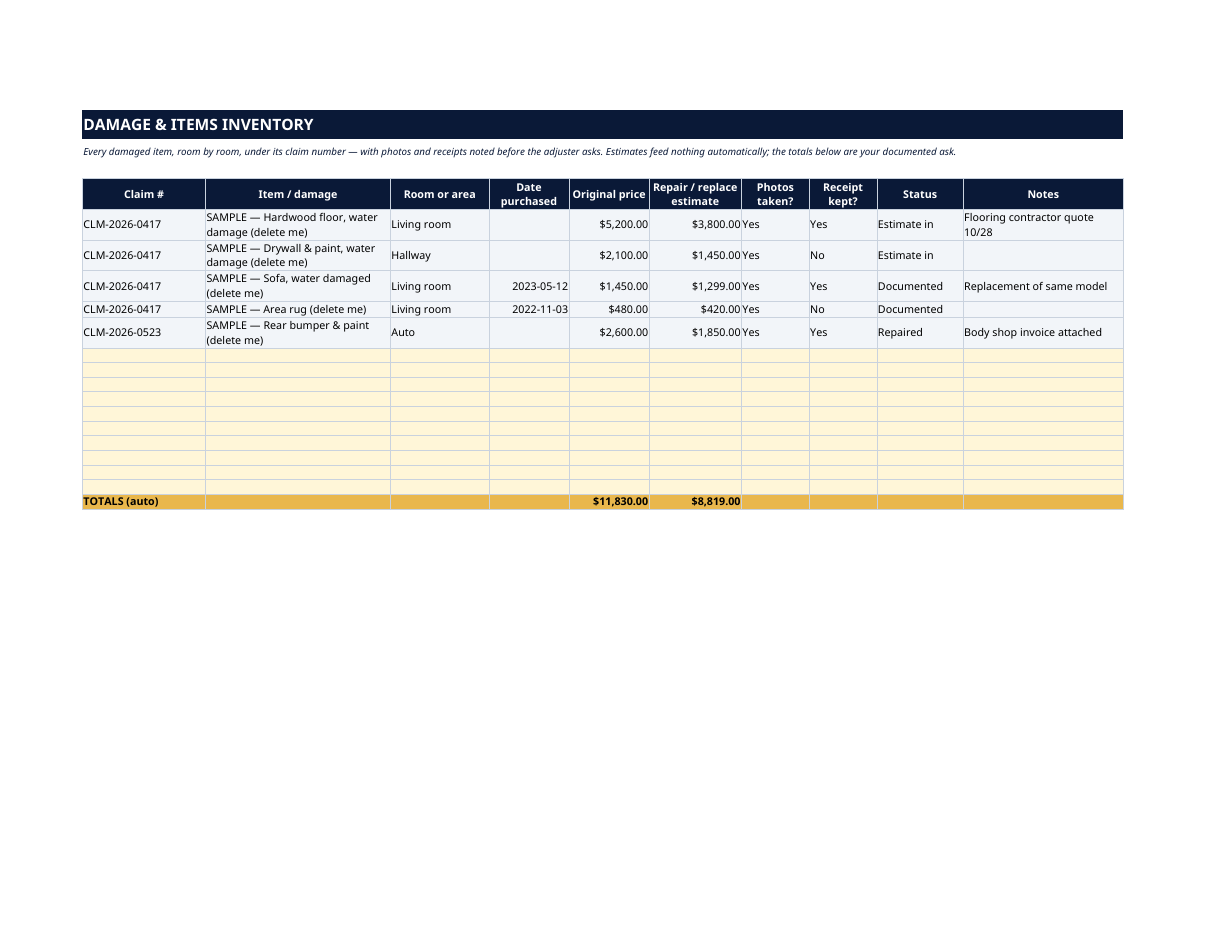
- Damage & Items Inventory — every damaged item, room by room, under its claim number: what it is, when you bought it, original price, repair/replace estimate, whether photos were taken and receipts kept. Totals build your documented ask before the adjuster asks.
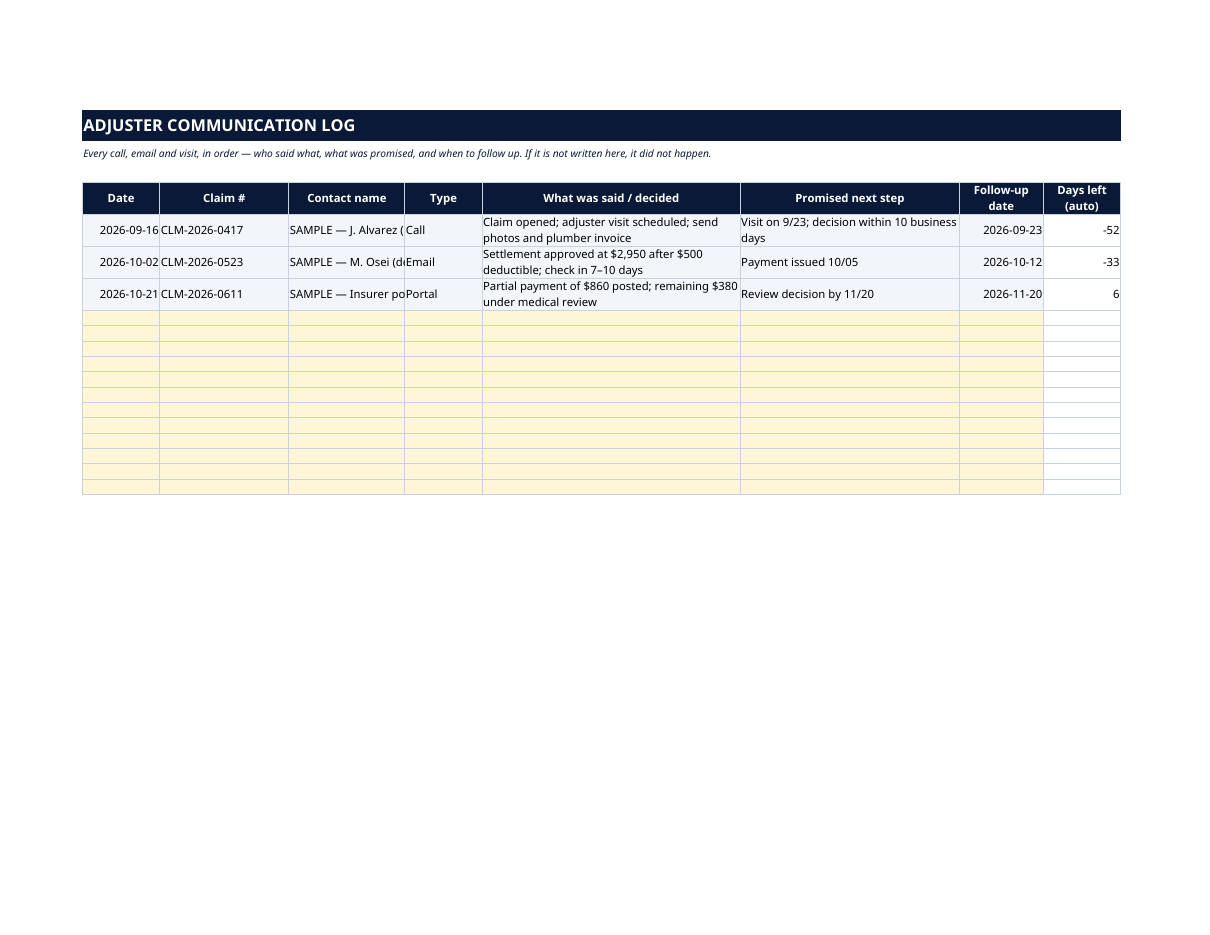
- Adjuster Communication Log — every call, email, portal message and visit in order: who you spoke to, what was said and decided, the promised next step, and a follow-up date with an automatic days-left countdown. If it is not written here, it did not happen.
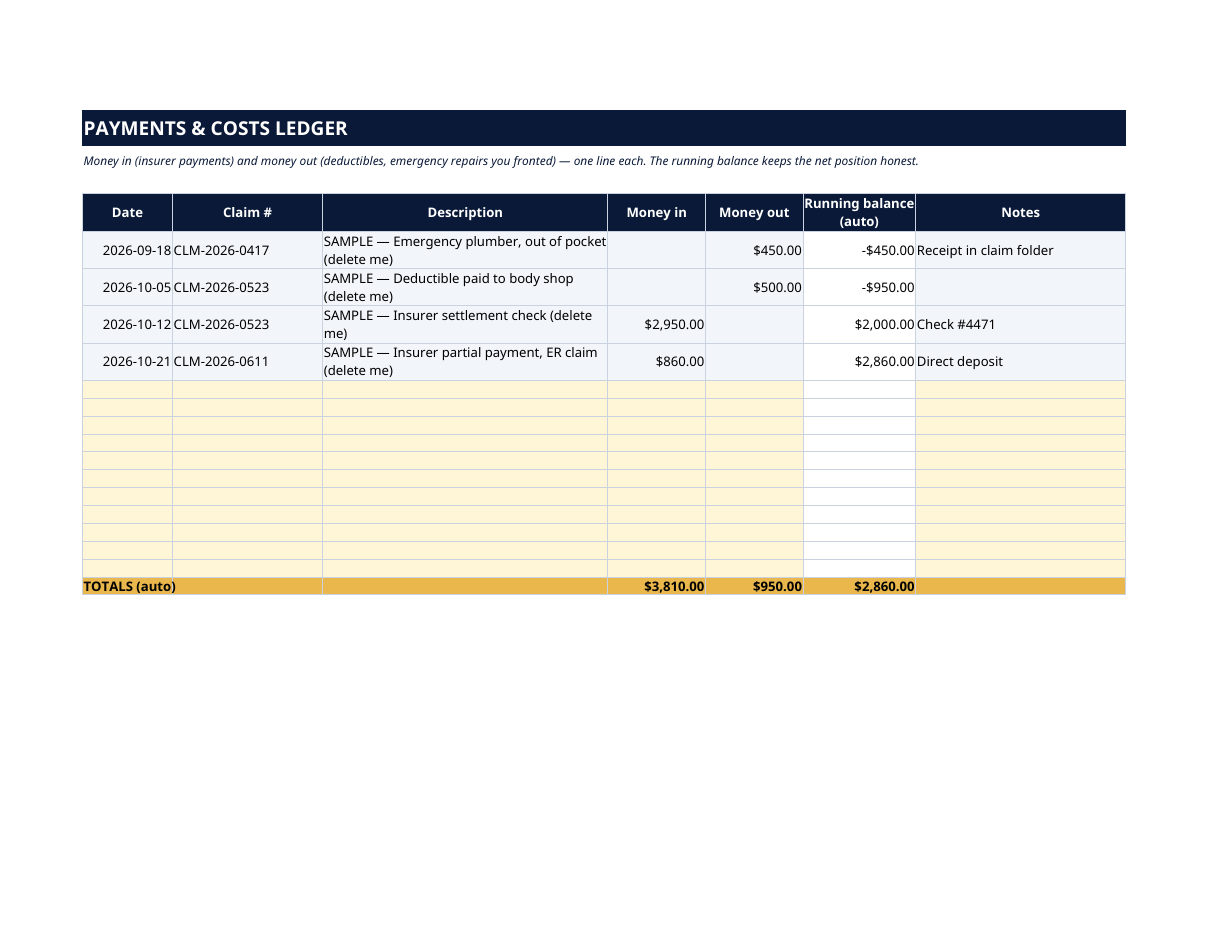
- Payments & Costs Ledger — money in (insurer payments) and money out (deductibles, emergency repairs you fronted), one line each, with a running balance so your net position is never a guess.
How it works — 3 steps
- Add every open claim to the Claims Register: number, insurer, dates, status, deductible, amounts.
- List every damaged item on the Damage Inventory under its claim number, and log every adjuster contact on the Adjuster Log.
- Record money in and out on Payments & Costs, then check the Dashboard: claimed, approved, paid, outstanding, follow-ups due — already there.
You never build or fix a formula. Type only in the pale-yellow cells — the formula cells are protected (no password) so the math can't be broken by accident. Fictional SAMPLE rows, clearly marked, show you the format; delete them and the file is yours.
What you need
Microsoft Excel, or Google Sheets (free with a Google account). One file works in both. A desktop or laptop is best for setup — a phone screen is too small. This is a spreadsheet. It will not work in GoodNotes, Notability or a PDF reader.
Instant download
This is a digital download — no physical item will be shipped. After purchase, go to Etsy → Purchases and reviews → Download files, save the file to your computer first, then open it in Excel (click “Enable Editing”) or upload it to Google Drive for Sheets (then File → Make a copy, and always work in your copy).
License
Personal use only — for your own household. Please do not share, resell or redistribute the file.
Questions
Does it work in Google Sheets as well as Excel?
Yes — the same .xlsx file works in both. Upload it to Google Drive, open it, then choose File → Make a copy and work in your copy.
I'm not good with spreadsheets. Is this for me?
Yes. You only ever type in the pale-yellow cells; everything else calculates itself. Instructions are printed at the top of every sheet, and a filled fictional example shows you exactly what goes where.
Can I track home, auto and health claims in the same file?
Yes — that's what it's built for. Each claim gets a Type (Home, Auto or Health) on the Claims Register, and the Dashboard totals everything together while each row keeps its own claimed / approved / paid / outstanding.
How does the "outstanding" amount work?
Automatically. On every claim row, outstanding = approved minus paid, so you always see what the insurer still owes you — and the Dashboard adds it up across all claims.
Will this help me argue with my insurer?
It helps you be organized: the Damage Inventory documents every item with photos and receipts noted, and the Adjuster Log records what was promised and when, with a follow-up countdown. It is an organizer, not legal advice — for disputes, deadlines and appeals, confirm with your insurer or an attorney.