About this template
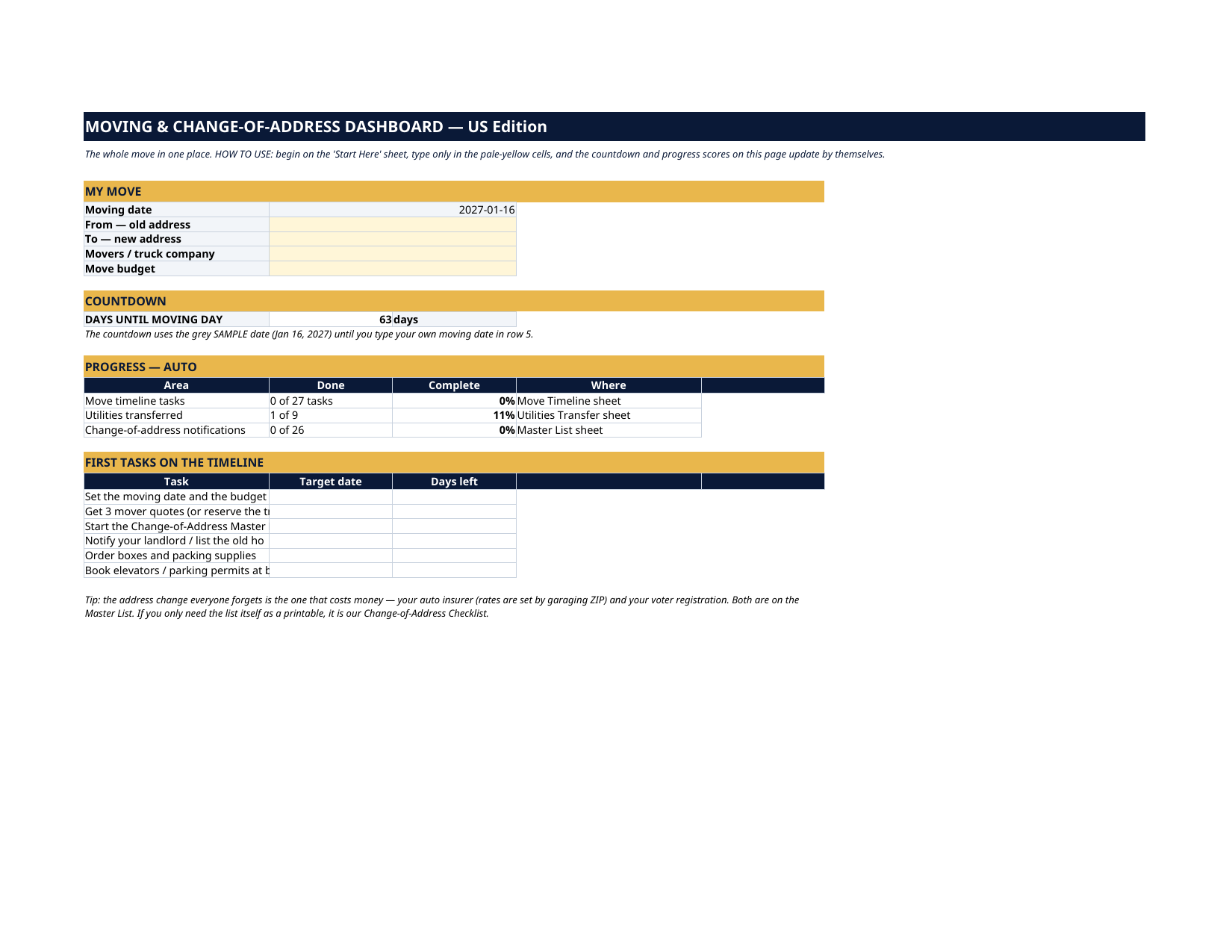
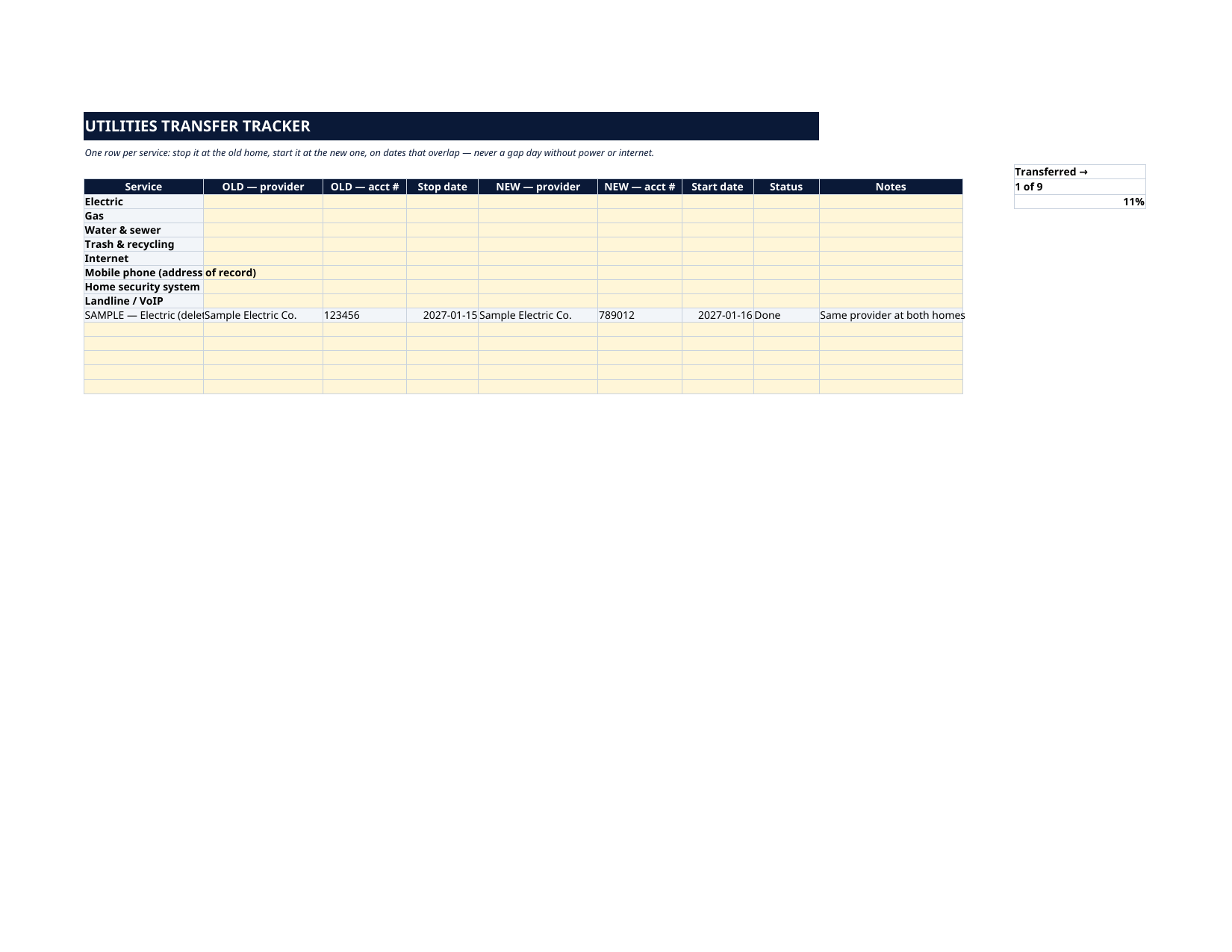
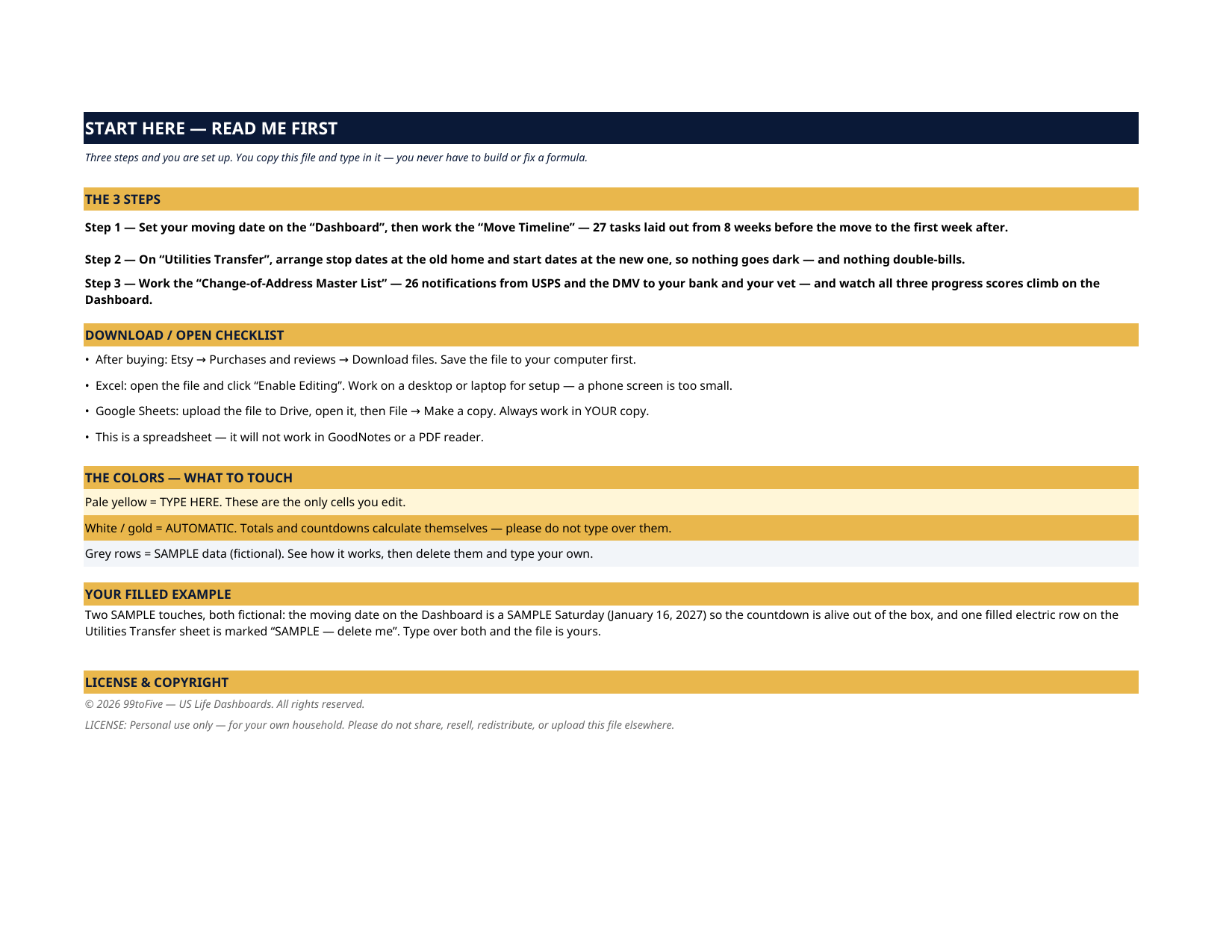
Two SAMPLE touches, both fictional: the moving date on the Dashboard is a SAMPLE Saturday (January 16, 2027) so the countdown is alive out of the box, and one electric row on Utilities Transfer is filled at both homes and marked "SAMPLE — delete me" so you can see a finished row. Type over both and the file is yours. The movers are booked but the utilities aren't. The bank has the new address but the auto insurer doesn't — and car insurance is priced by ZIP code. Somewhere around week three, every move turns into a scavenger hunt. This dashboard is the hunt, organized: an 8-week timeline, a utilities transfer tracker, and the complete change-of-address master list, with a Dashboard that counts down to moving day and scores your progress in all three.
What's inside
- Start Here — the 3 steps, a download/open checklist for Etsy, Excel and Google Sheets, the color guide (pale yellow = type here; white/gold = automatic; grey = sample data), and a walk-through of the filled example.
- Dashboard — your move profile, a live countdown to moving day, and three progress scores that update by themselves: timeline tasks done, utilities transferred, address notifications completed. Your first timeline tasks sit underneath with their own day counts.
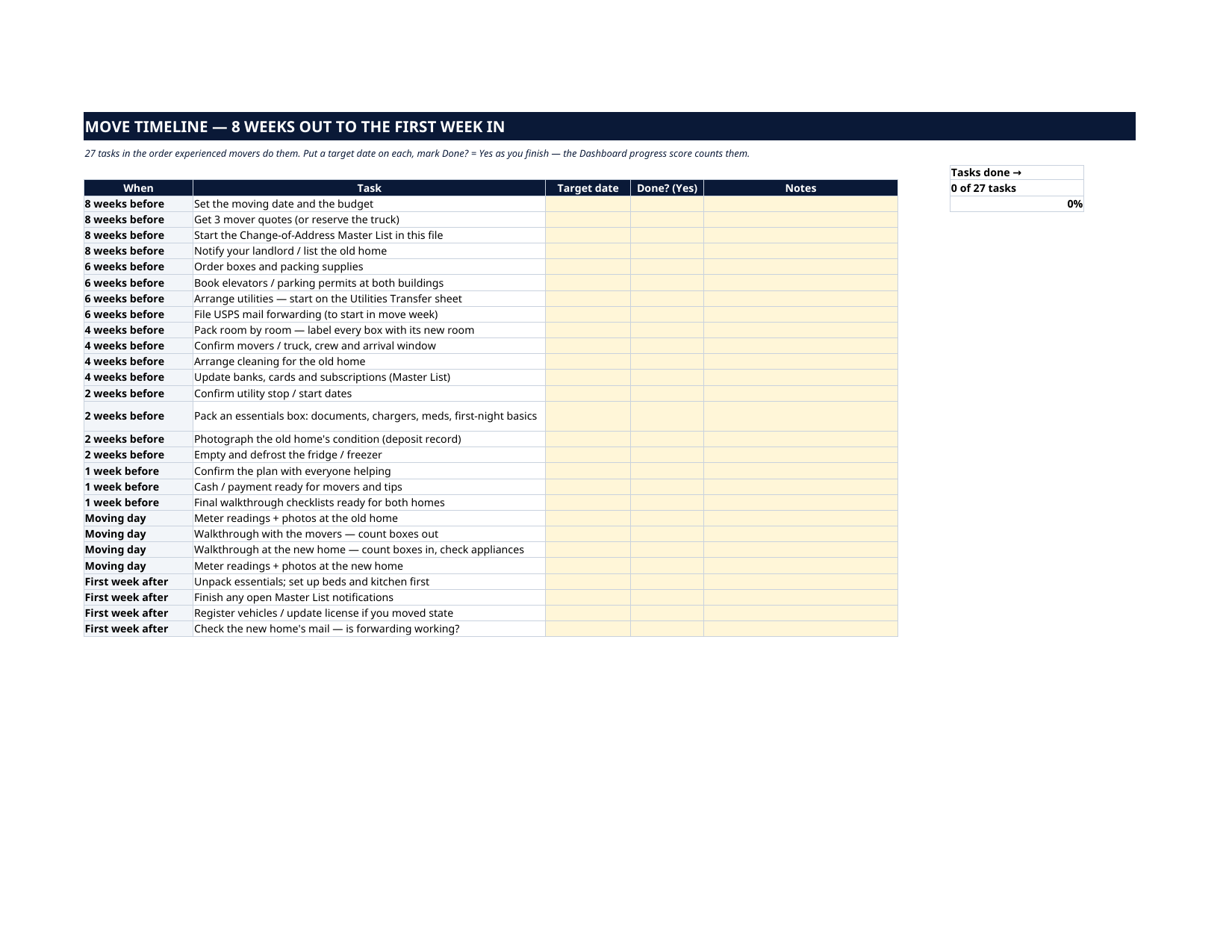
- Move Timeline — 27 tasks in the order experienced movers do them: 8 weeks before (quotes, budget, start the lists) through 6, 4, 2 and 1 week out, moving day itself (meter readings and photos at both homes), and the first week after. Give each a target date; mark Done? = Yes as you finish.
- Utilities Transfer — one row per service: old-home provider, account and stop date beside new-home provider, account and start date, so power, water and internet overlap instead of leaving a gap day — and the old home stops billing you.
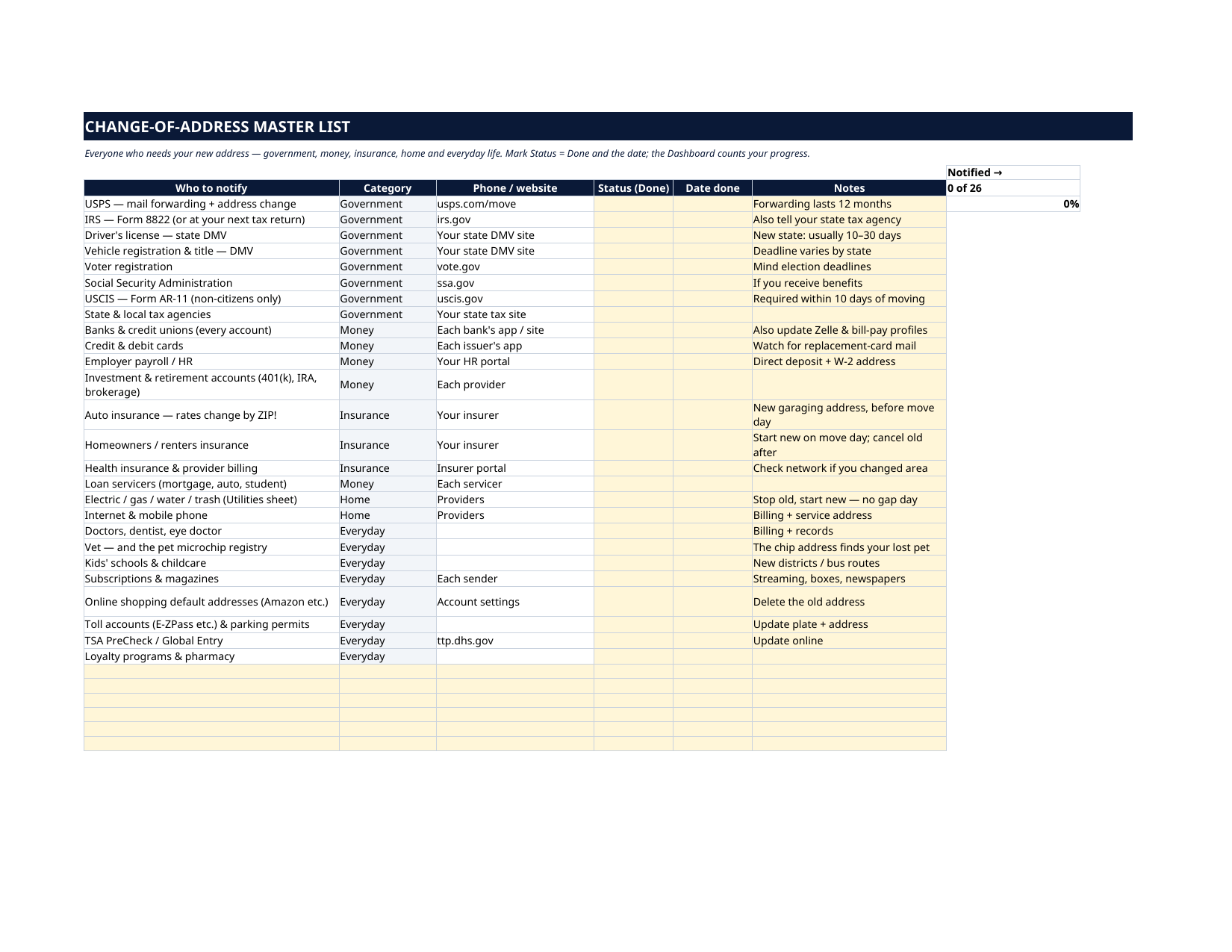
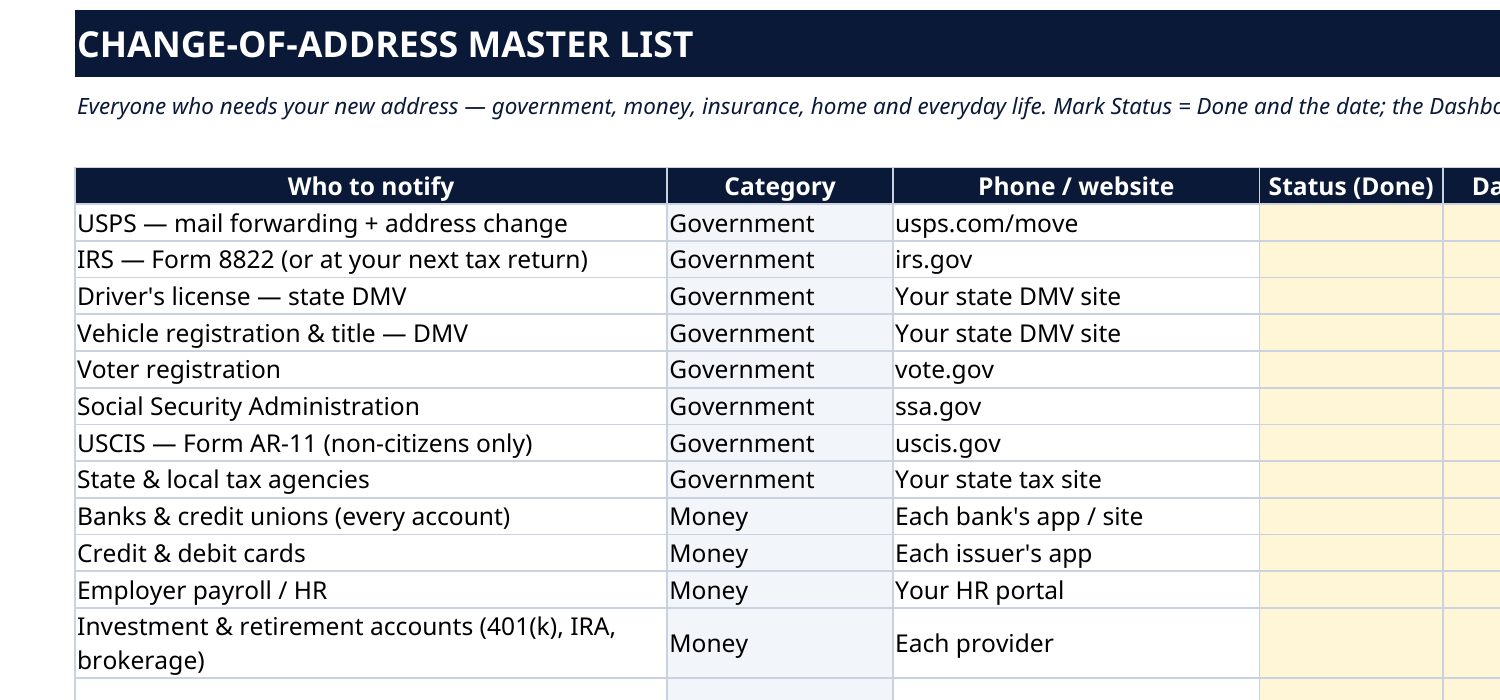
- Change-of-address Master List — all 26 notifications: USPS mail forwarding, IRS Form 8822, DMV license and registration, voter registration, USCIS AR-11 if it applies to you, every bank and card, employer payroll, your insurers, your doctors, your vet and the pet microchip registry, subscriptions, shopping defaults, toll accounts and more — each with where to do it and a notes field for confirmation numbers.
How it works — 3 steps
- Set your moving date on the Dashboard and work the Move Timeline from 8 weeks out (start earlier if your move is sooner — the order still works).
- On Utilities Transfer, arrange the stop and start dates so nothing goes dark and nothing double-bills.
- Work the Master List a few rows at a time — most take two minutes online — and watch the Dashboard scores climb to 100%.
You never build or fix a formula. Type only in the pale-yellow cells — the formula cells are protected (no password) so the math can't be broken by accident. Fictional SAMPLE rows, clearly marked, show you the format; delete them and the file is yours.
What you need
Microsoft Excel, or Google Sheets (free with a Google account). One file works in both. A desktop or laptop is best for setup — a phone screen is too small. This is a spreadsheet. It will not work in GoodNotes, Notability or a PDF reader.
Instant download
This is a digital download — no physical item will be shipped. After purchase, go to Etsy → Purchases and reviews → Download files, save the file to your computer first, then open it in Excel (click “Enable Editing”) or upload it to Google Drive for Sheets (then File → Make a copy, and always work in your copy).
License
Personal use only — for your own household. Please do not share, resell or redistribute the file.
Questions
Does it work in Google Sheets as well as Excel?
Yes — the same .xlsx file works in both. Upload it to Google Drive, open it, then choose File → Make a copy and work in your copy. A printable PDF render is included too.
My move is in three weeks, not eight. Is the timeline useless?
No — the 8 weeks are an order, not a countdown you must match. Work the same tasks in the same sequence, compressed; the "8 weeks before" jobs (mover quotes, starting the lists) are simply the ones to do today.
What's the difference between this and the $0.99 Change-of-Address Checklist?
The checklist is the Master List alone, as a printable one-pager. This dashboard adds the 8-week timeline, the utilities transfer tracker, the live moving-day countdown and the progress scores. If the address change is your only worry, the checklist is enough; if you're running the whole move, this is the tool.
Does it file the USPS change of address for me?
No — no spreadsheet can. The Master List tells you exactly where (usps.com/move) and when, and gives you the row to record it as done. Beware look-alike sites that charge $20+ for the same forwarding the post office sells for about a dollar online.
I'm moving within the same town. Do I still need all 26 notifications?
Almost all of them — your ZIP may not change, but your address of record does, and insurers, banks and the DMV all need it. Skip the state-change items (license deadlines, voter re-registration) if they don't apply; the rows you skip simply stay blank.