About this template
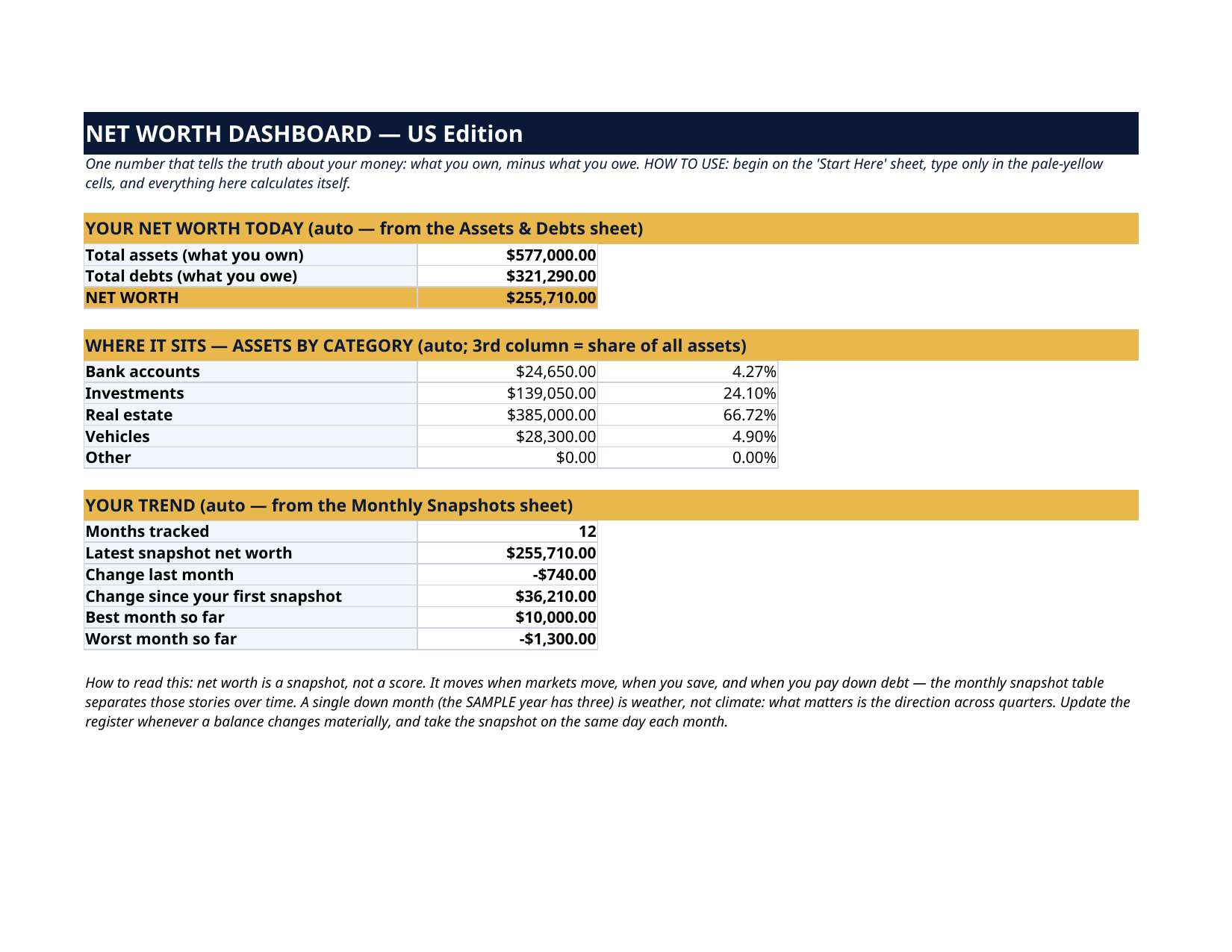
Net worth is the one number that tells the truth about your money: everything you own, minus everything you owe. This dashboard keeps that number current with almost no effort — a simple register of your accounts, home, cars and debts, and a monthly snapshot table that turns the number into a trend you can actually watch. No account connections, no logins, no app asking for your bank password. You type the balances you already know, once a month, and the sheet does the rest: totals, the split by category, the change from last month, and the story of your year.
What's inside
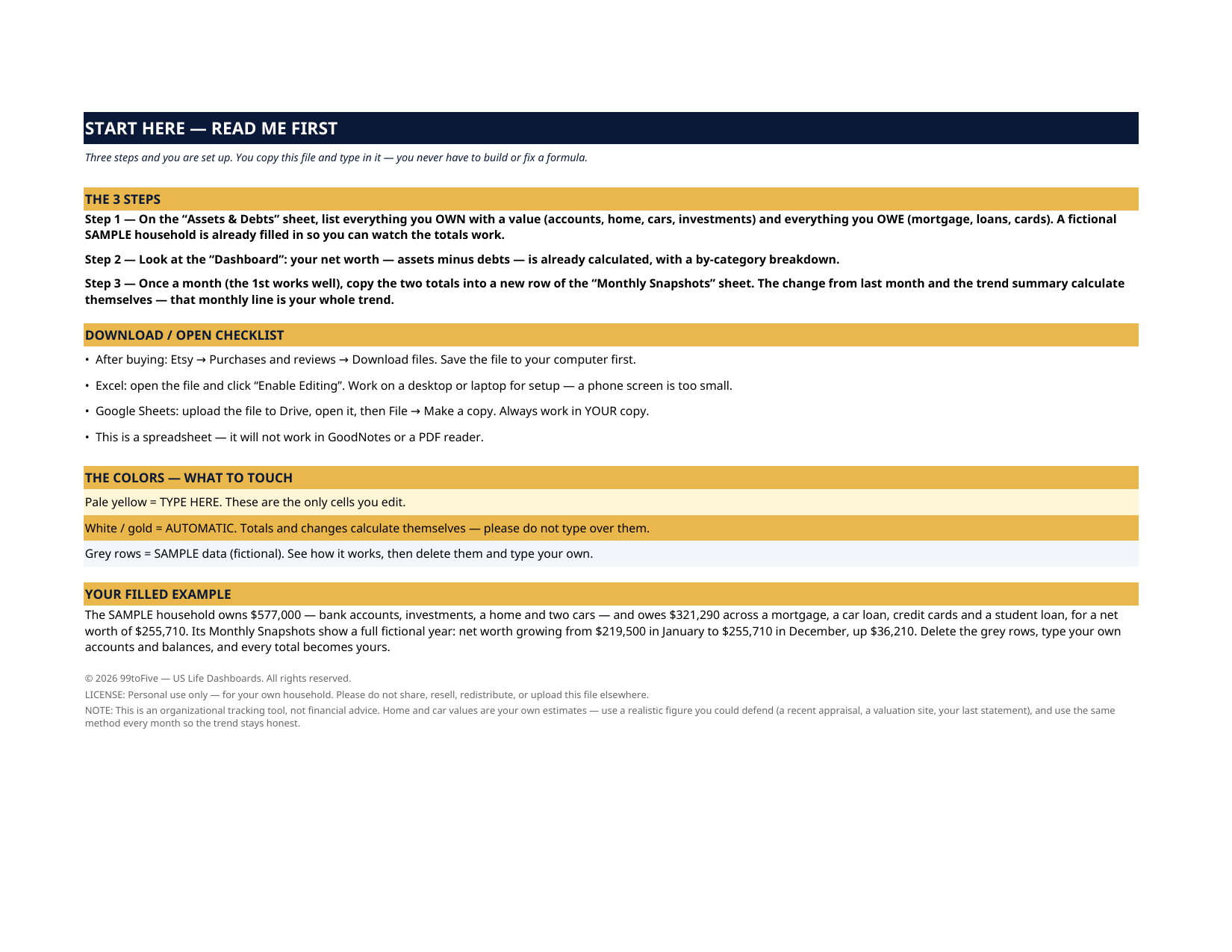
- Start Here — the 3 steps, the color key, your filled example
- Dashboard — your net worth today, assets by category with each category's share of the whole, and your trend summary: months tracked, latest snapshot, change last month, change since your first snapshot, best and worst months
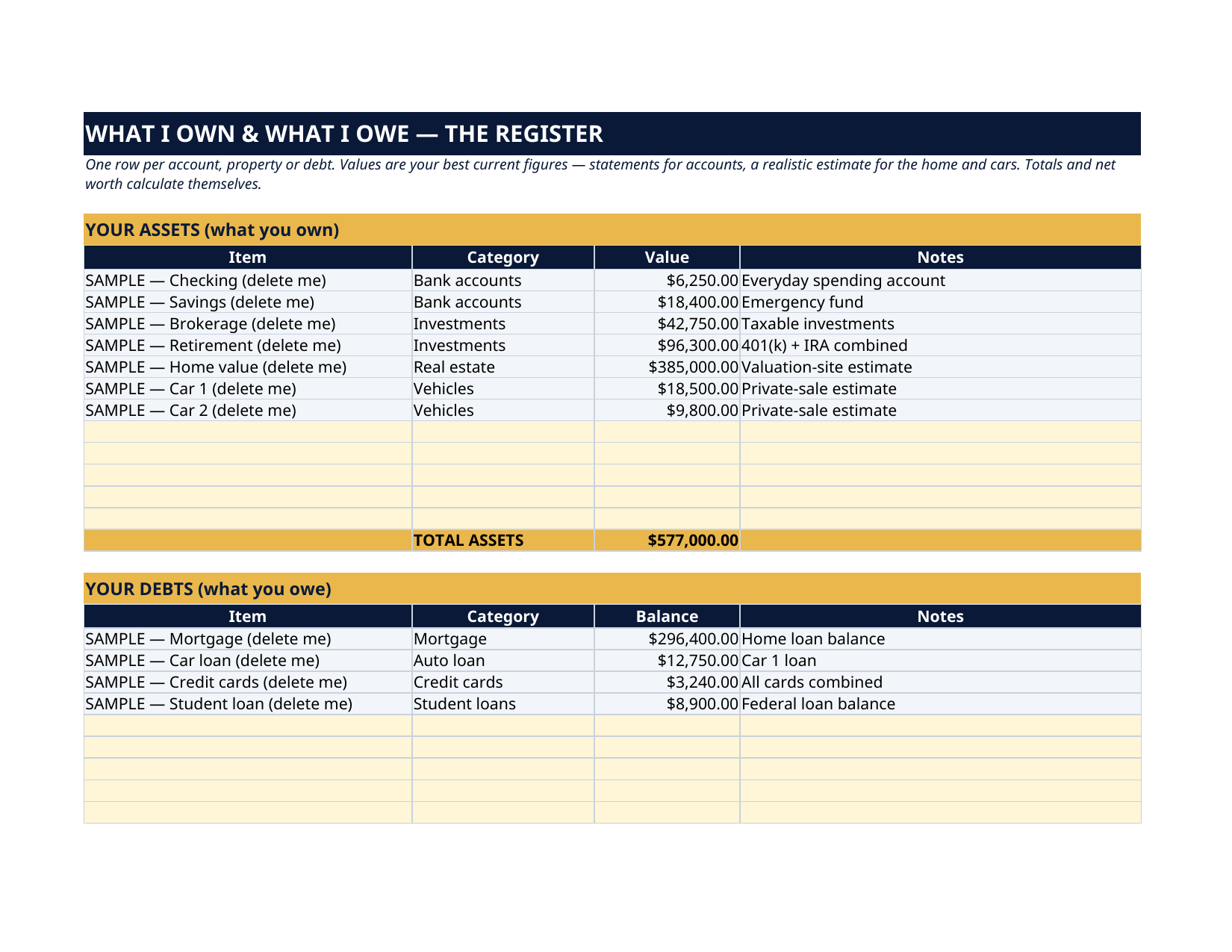
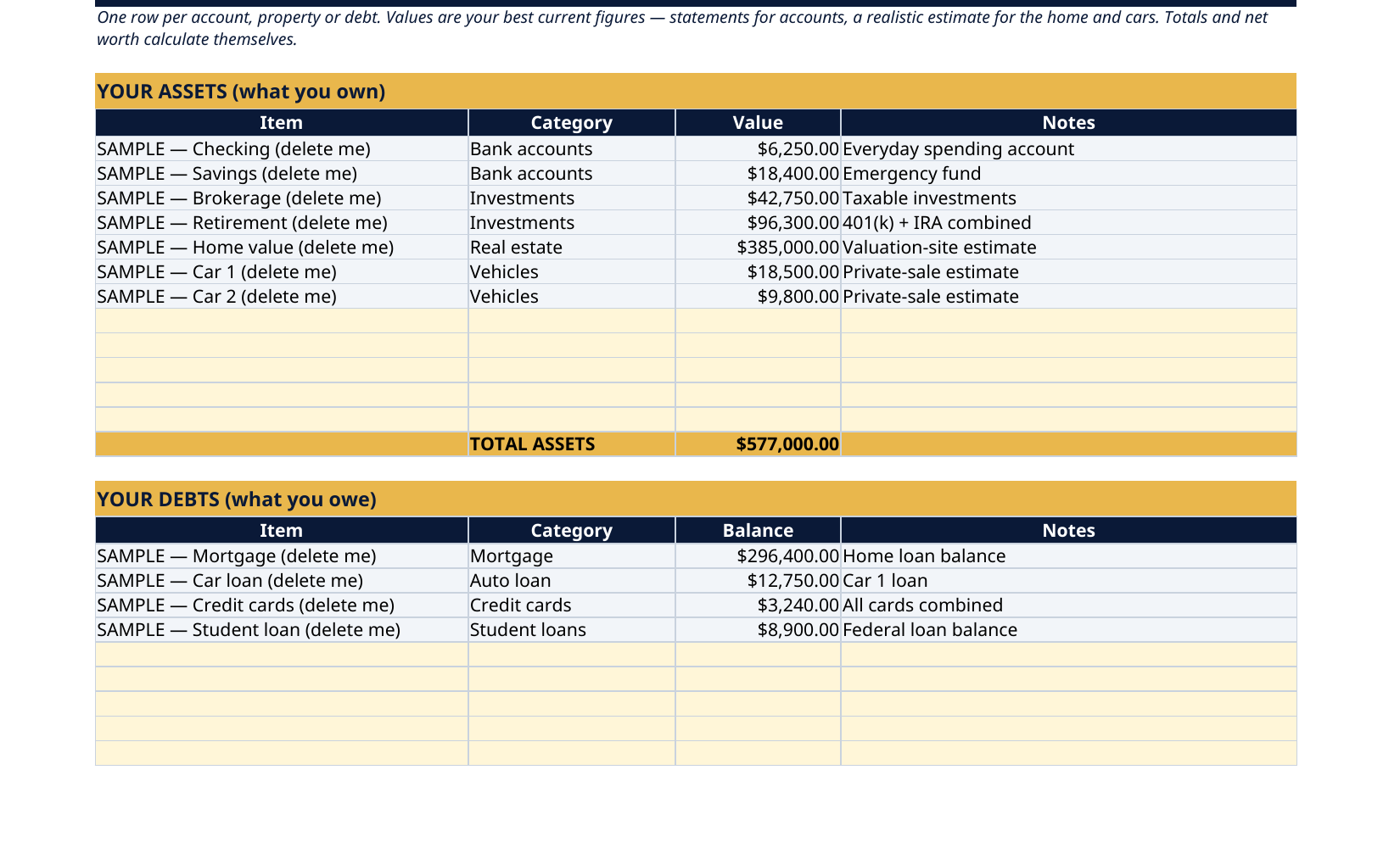
- Assets & Debts — the register: up to 12 assets and 10 debts, each with a category (bank accounts, investments, real estate, vehicles, other / mortgage, auto loan, credit cards, student loans, other) and a notes field; totals and net worth calculate themselves
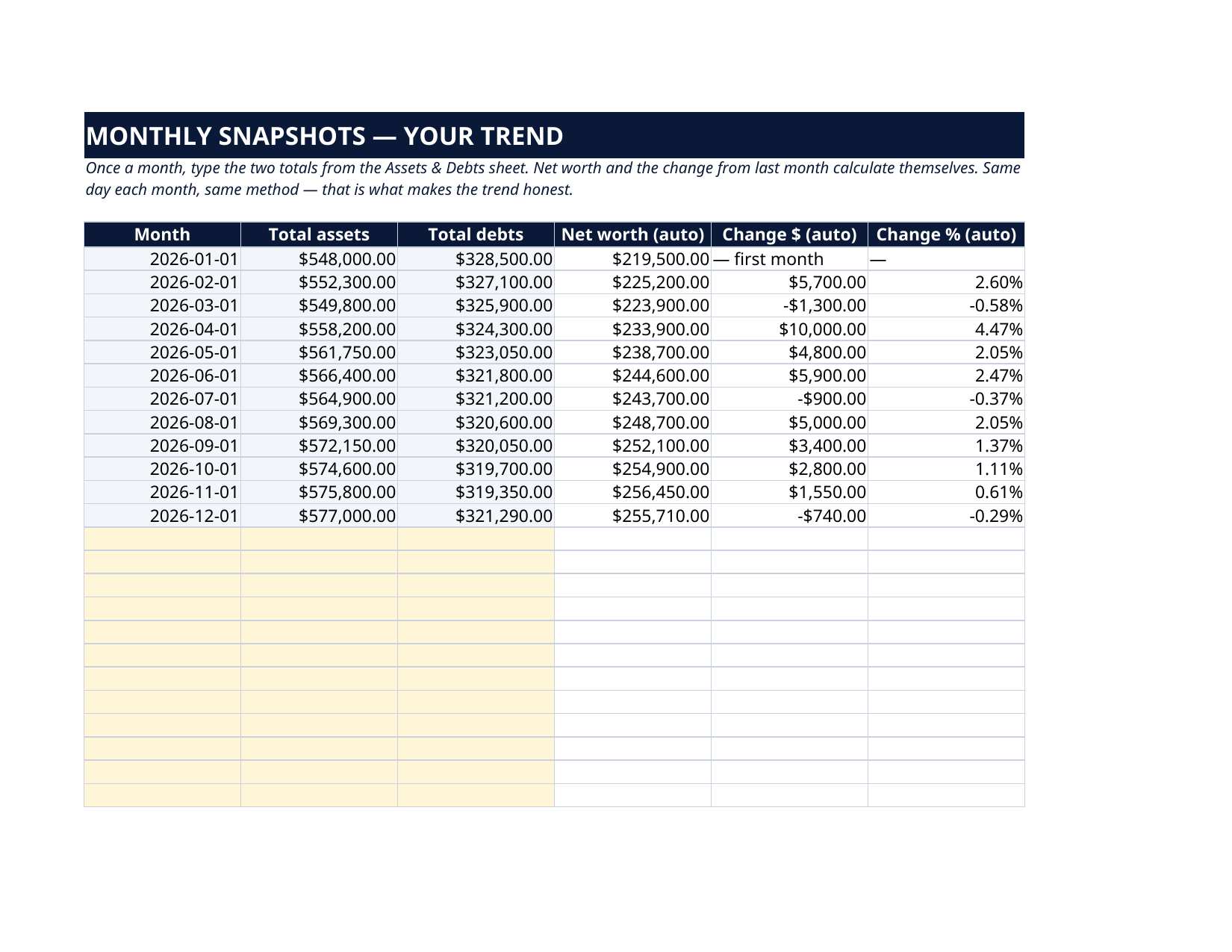
- Monthly Snapshots — up to 24 monthly rows: type the two totals, and net worth, the dollar change and the percent change calculate themselves
How it works — 3 steps
- List what you own and what you owe in the Assets & Debts register — accounts, investments, home, cars, mortgage, loans, cards
- Read your net worth on the Dashboard: the total, the category split and each category's share of the whole
- Once a month, add a snapshot row — five minutes, same day, same method — and watch the trend build
You never build or fix a formula. Type only in the pale-yellow cells — the formula cells are protected (no password) so the math can't be broken by accident. Fictional SAMPLE rows, clearly marked, show you the format; delete them and the file is yours.
What you need
Microsoft Excel or Google Sheets (free). This is a spreadsheet — it does not work in GoodNotes or a PDF reader. A printable PDF copy of the filled file is included for reference.
Instant download
This is a digital download — no physical item will be shipped. After purchase, go to Etsy → Purchases and reviews → Download files, save the file to your computer first, then open it in Excel (click “Enable Editing”) or upload it to Google Drive for Sheets (then File → Make a copy, and always work in your copy).
License
Personal use only — for your own household. Please do not share, resell or redistribute the file.
Questions
How do I receive the file?
Instant download from Etsy right after checkout — Purchases and reviews → Download files. You get the Excel file plus a printable PDF copy of the filled sample.
Does it work in Google Sheets and Excel?
Yes — both. In Google Sheets: upload the file to Drive, open it, then File → Make a copy, and work in your copy. In Excel: open it and click Enable Editing.
Does it connect to my bank accounts?
No — deliberately. Nothing to link, no passwords shared, no third party reading your accounts. You type balances from your own statements, which is also why it works for things no app can value for you, like your home and cars.
How many accounts and months can I track?
Up to 12 assets and 10 debts in the register, and up to 24 monthly snapshots — two full years of trend.
How should I value my home and cars?
With a realistic figure you could defend — a recent appraisal, a valuation site's estimate, or a conservative private-sale figure — and the same method every month. The trend matters more than false precision.