About this template
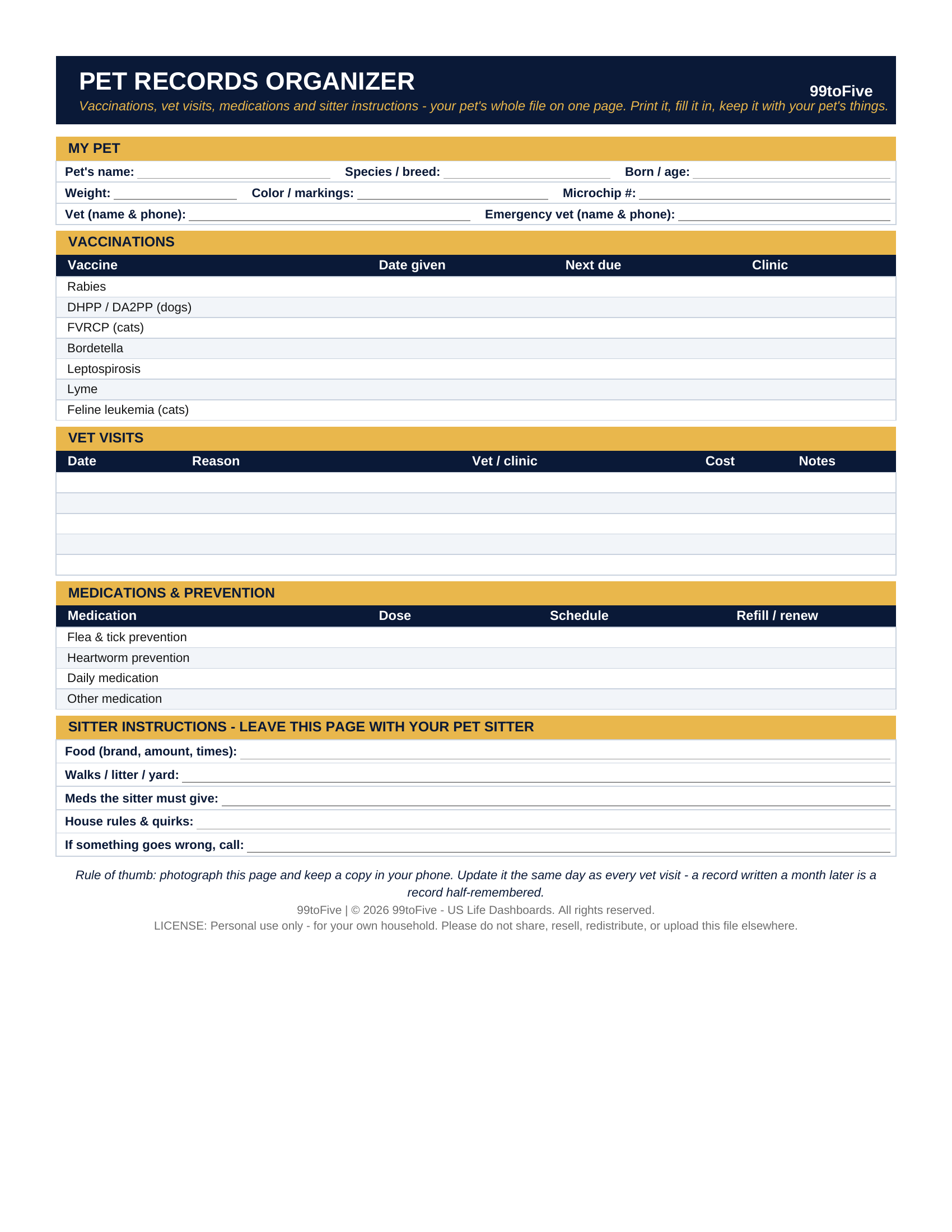
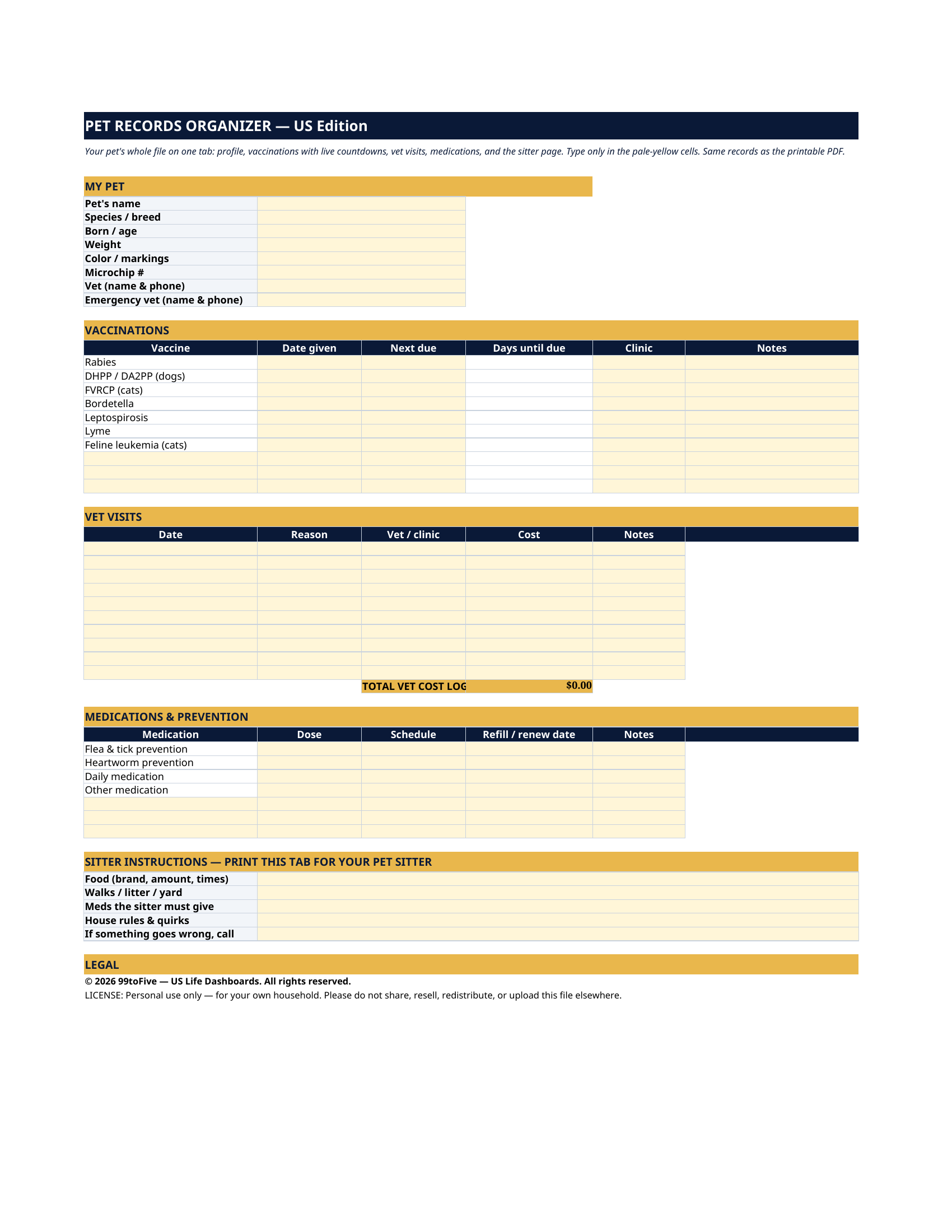
When is the rabies shot due — exactly? What did the vet say at the last visit, and what did it cost? If a sitter had to feed your pet tonight, would they know the food, the amounts, the meds, and who to call? The Pet Records Organizer puts it all on a single page. Print it, fill it in, keep it with your pet's things — and photograph it into your phone for the day you need it at a new vet, a kennel, or an emergency clinic at midnight. You get it two ways: a printable PDF for pen-and-paper keeping, and the same records as a spreadsheet that counts down to every vaccination's next due date.
What's inside
- My Pet — name, species and breed, age, weight, markings, microchip number, your vet and your emergency vet, with phone numbers.
- Vaccinations — rabies, DHPP/DA2PP, FVRCP, Bordetella, leptospirosis, Lyme and feline leukemia, pre-listed with room for more: date given, next due, clinic. In the spreadsheet version, a "days until due" column counts down by itself.
- Vet Visits — date, reason, clinic, cost and notes, with a running total of what you've logged in the spreadsheet version.
- Medications & Prevention — flea & tick, heartworm, daily meds and anything else: dose, schedule, and the refill or renew date.
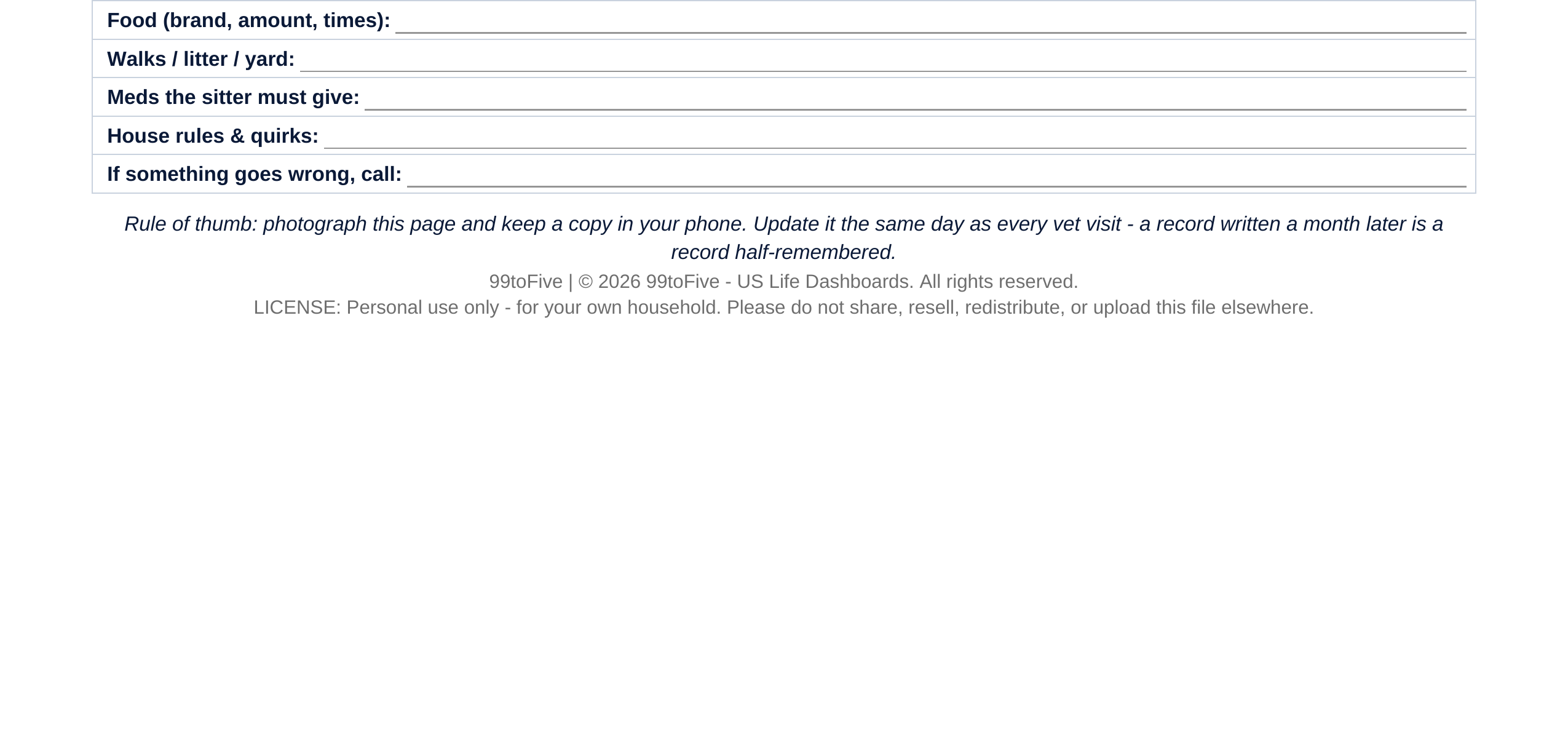
- Sitter Instructions — the block you leave behind: food (brand, amount, times), walks and litter, meds the sitter must give, house rules and quirks, and who to call if something goes wrong.
How it works — 3 steps
- Print the PDF (US Letter) or open the spreadsheet version, and fill in the profile block.
- Copy the vaccination dates from your vet's paperwork, and update the page the same day as every visit after that.
- Going away? Print or send the page to your sitter. Everything they need is on it.
You never build or fix a formula. Type only in the pale-yellow cells — the formula cells are protected (no password) so the math can't be broken by accident. Fictional SAMPLE rows, clearly marked, show you the format; delete them and the file is yours.
What you need
For the PDF: any PDF reader, and a printer if you want the paper copy. For the spreadsheet: Microsoft Excel, or Google Sheets (free with a Google account). The same .xlsx file works in both — upload it to Google Drive, open it, File → Make a copy, and work in your copy. The spreadsheet version is the only part that needs Excel or Sheets; the printable PDF works anywhere.
Instant download
This is a digital download — no physical item will be shipped. After purchase, go to Etsy → Purchases and reviews → Download files, save the file to your computer first, then open it in Excel (click “Enable Editing”) or upload it to Google Drive for Sheets (then File → Make a copy, and always work in your copy).
License
Personal use only — for your own household. Please do not share, resell or redistribute the file.
Questions
What exactly do I receive?
Two files: a one-page printable PDF (US Letter) with the profile, vaccination, vet-visit, medication and sitter blocks, and the same records as an Excel spreadsheet with automatic "days until due" countdowns for vaccinations and a running vet-cost total.
Do I need Excel or Google Sheets?
Only for the spreadsheet version. The PDF prints and works with any PDF reader — if you only want the paper record, you're all set.
Is it for dogs or cats?
Both. The vaccination table pre-lists the standard dog shots (rabies, DHPP/DA2PP, Bordetella, leptospirosis, Lyme) and cat shots (rabies, FVRCP, feline leukemia). Use the rows that apply to your pet and add your own.
I have two pets. Do I need to buy it twice?
No. Buy once, then make a copy of the spreadsheet (or print a second PDF page) for each pet — your license covers your own household.
How do the countdowns work?
In the spreadsheet, type the "next due" date for a vaccination and the Days Until Due column subtracts today automatically. When it hits zero, it's time to book the vet.