About this template
Every year gives you a fixed amount of tax-advantaged room — your 401(k), your IRA, your HSA — and the room you don't use by December 31 is gone. This tracker makes sure you can see it before it's gone: every account, its limit, what you have put in so far, what your employer added, and exactly how much room is left. One honest design choice runs through the whole file: the limits are YOURS to enter. Contribution limits change, and yours depend on your age, income, plan and coverage — so the sheet never pretends to know them. You type this year's figure for each account (check IRS.gov or your plan), and the tracker does everything else: progress percentages, room remaining, and household totals, all fed automatically from a simple contributions log.
What's inside
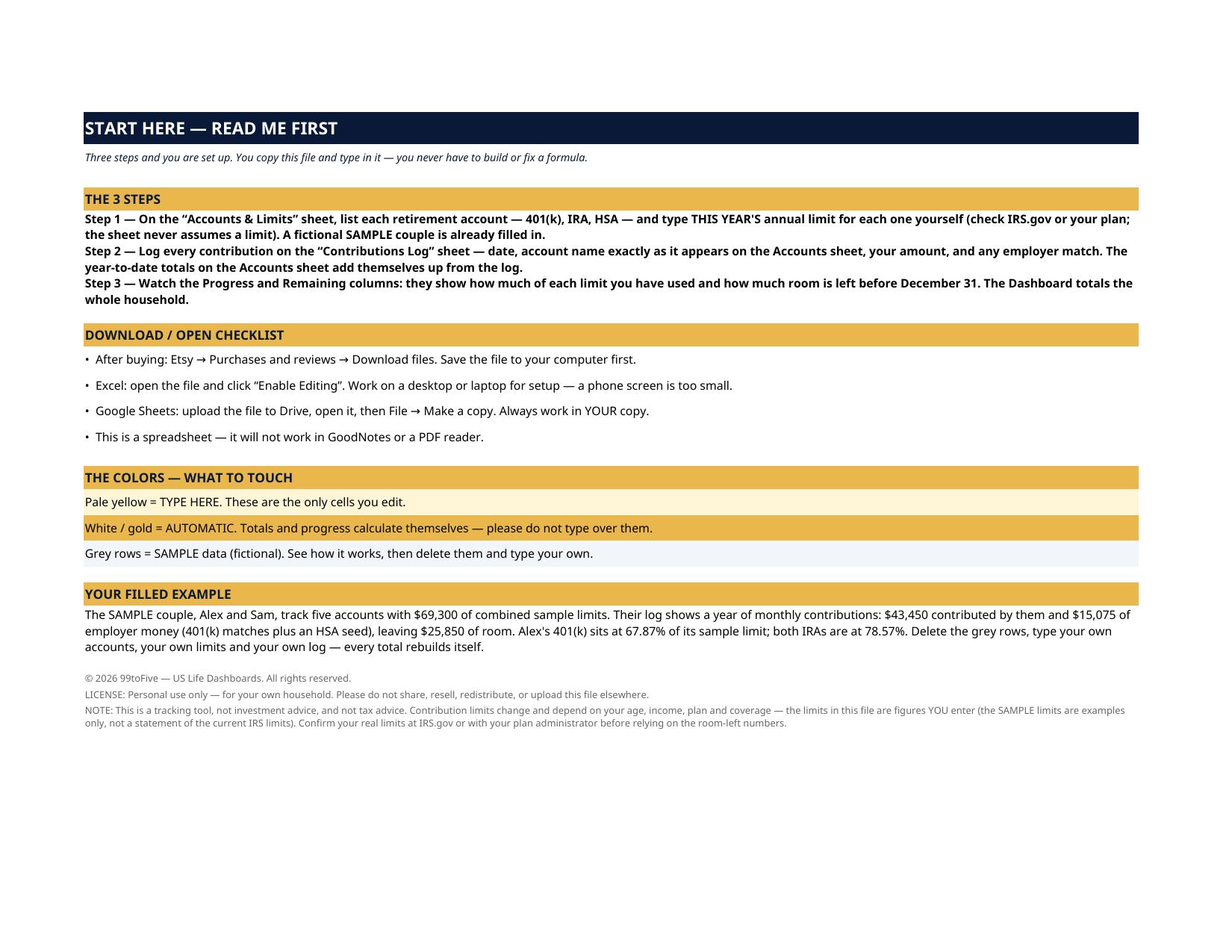
- Start Here — the 3 steps, the color key, your filled example
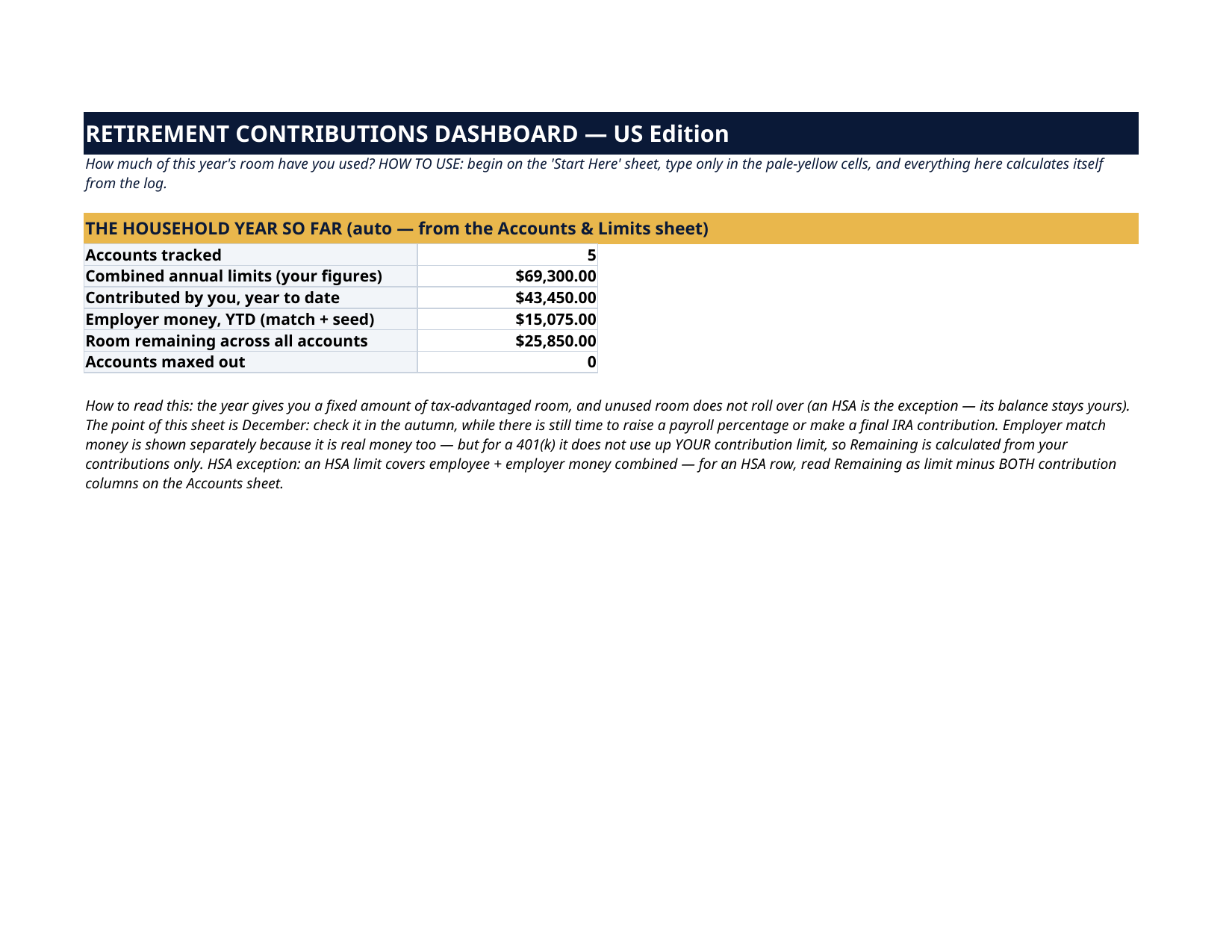
- Dashboard — the household year so far: accounts tracked, combined limits (your figures), contributed by you, employer money, room remaining across all accounts, accounts maxed out
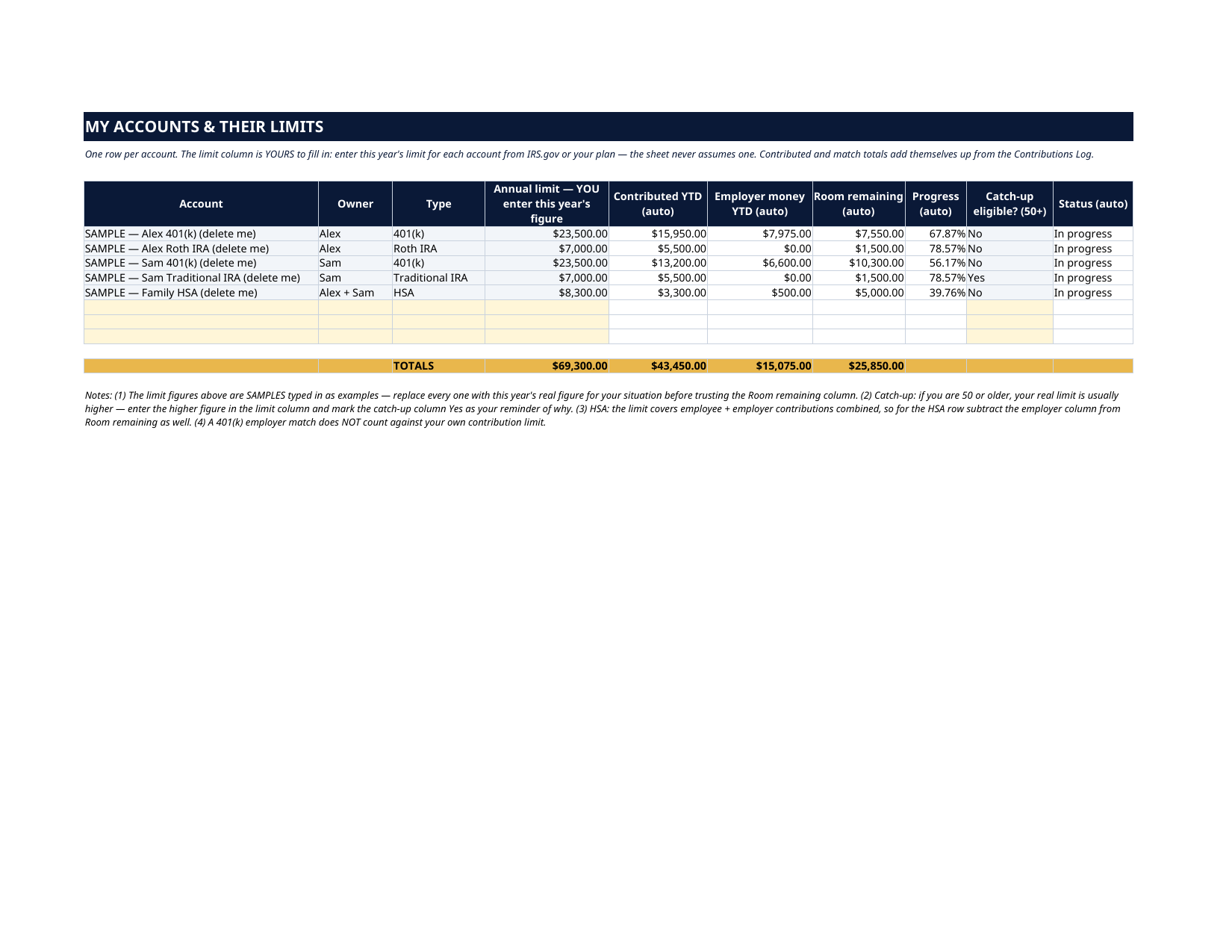
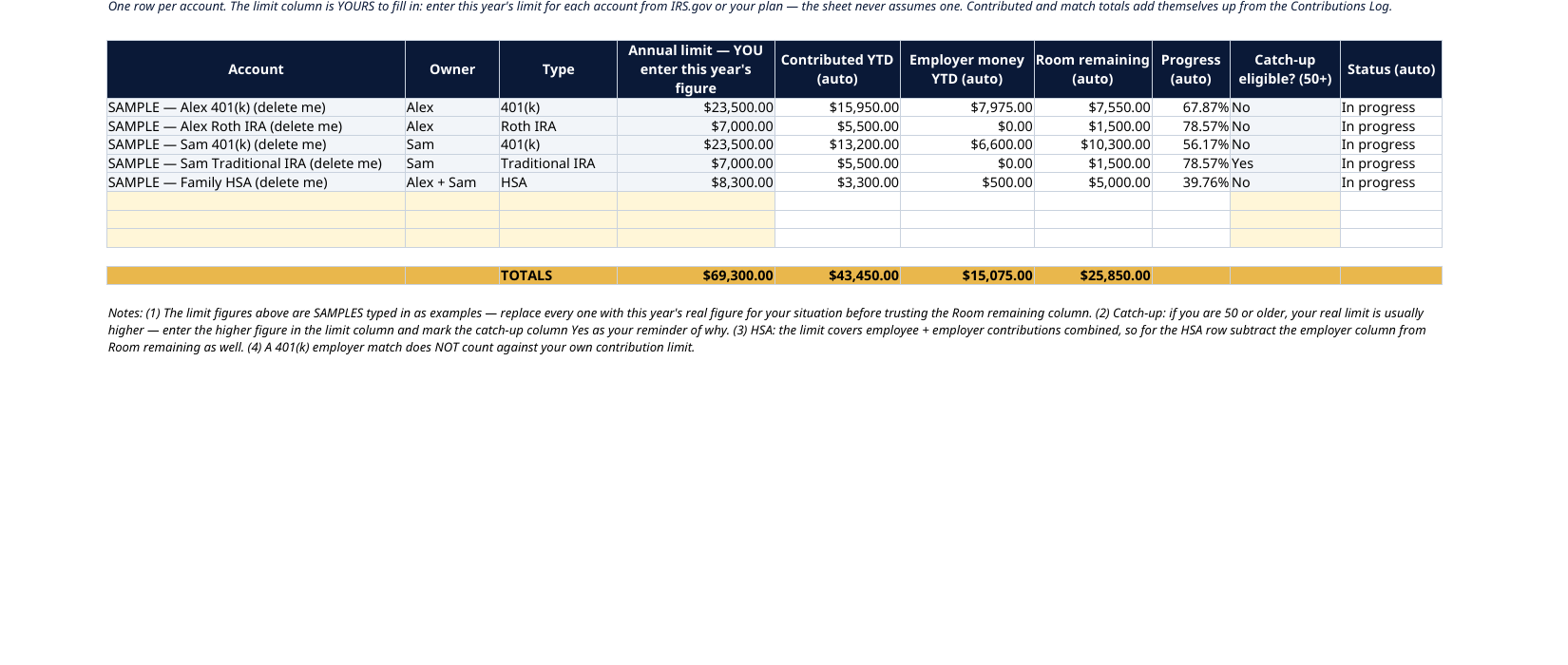
- Accounts & Limits — up to 8 accounts: owner, type (401(k), Roth IRA, Traditional IRA, HSA, 403(b), SEP IRA…), the annual limit YOU enter, contributed year-to-date (automatic from the log), employer money year-to-date (automatic), room remaining, progress %, a catch-up-eligible flag for the 50+ accounts, and a status line (Not started / In progress / Maxed out)
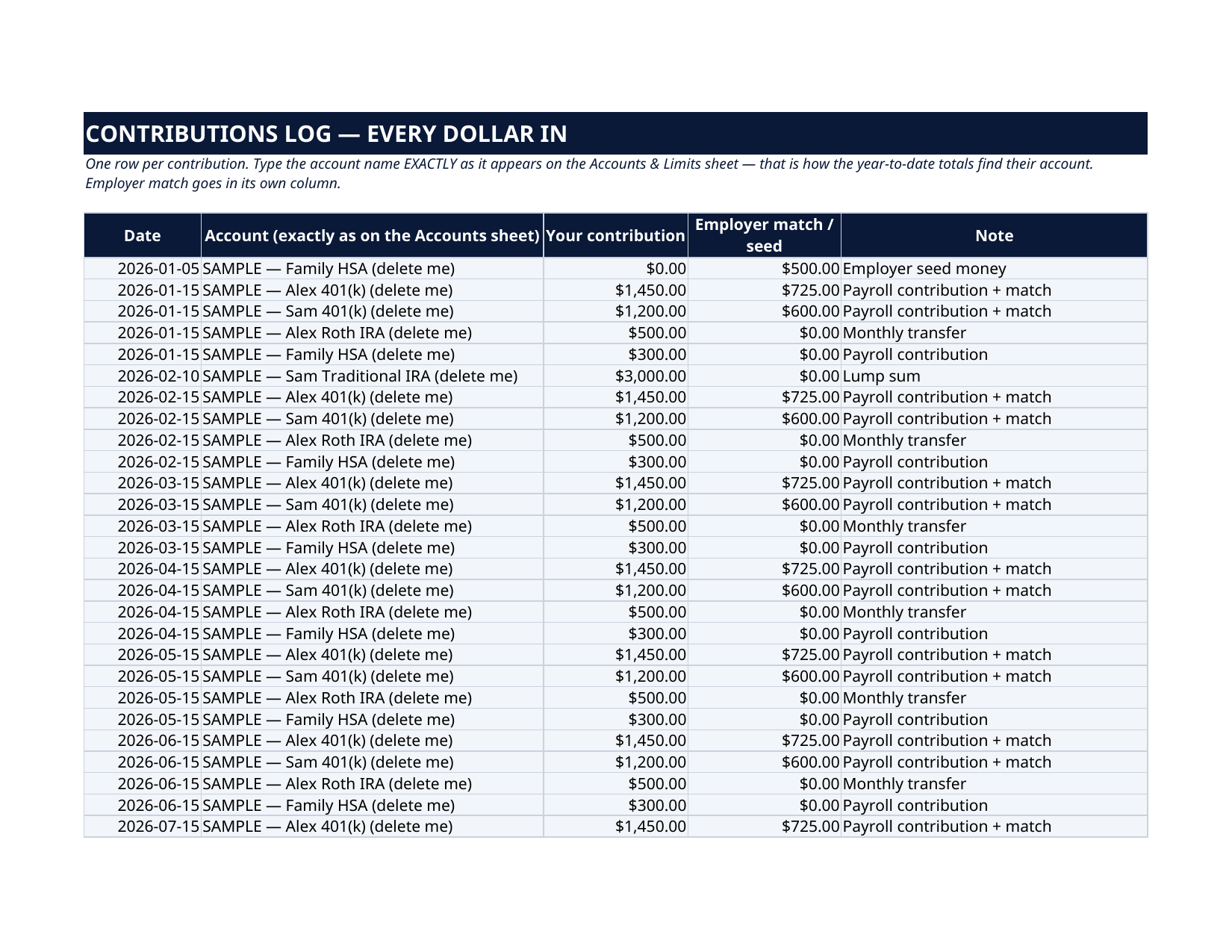
- Contributions Log — up to 60 entries: date, account, your contribution, employer match or seed — the year-to-date totals on the Accounts sheet add themselves up from here
How it works — 3 steps
- Enter each account on Accounts & Limits with this year's limit — your figure, from IRS.gov or your plan
- Log every contribution, yours and your employer's, in the Contributions Log as it happens
- Check the Dashboard through the year: progress %, room remaining per account, and what is still unused before December 31
You never build or fix a formula. Type only in the pale-yellow cells — the formula cells are protected (no password) so the math can't be broken by accident. Fictional SAMPLE rows, clearly marked, show you the format; delete them and the file is yours.
What you need
Microsoft Excel or Google Sheets (free). This is a spreadsheet — it does not work in GoodNotes or a PDF reader. A printable PDF copy of the filled file is included for reference.
Instant download
This is a digital download — no physical item will be shipped. After purchase, go to Etsy → Purchases and reviews → Download files, save the file to your computer first, then open it in Excel (click “Enable Editing”) or upload it to Google Drive for Sheets (then File → Make a copy, and always work in your copy).
License
Personal use only — for your own household. Please do not share, resell or redistribute the file.
Questions
How do I receive the file?
Instant download from Etsy right after checkout — Purchases and reviews → Download files. You get the Excel file plus a printable PDF copy of the filled sample.
Does it work in Google Sheets and Excel?
Yes — both. In Google Sheets: upload the file to Drive, open it, then File → Make a copy, and work in your copy. In Excel: open it and click Enable Editing.
Are the current IRS limits pre-filled?
No — on purpose. Limits change and depend on your age, income, plan and coverage, so each account's limit is a yellow cell you fill in from IRS.gov or your plan documents. The sample couple's limits are fictional examples. This way the file never goes stale and never states a limit that is wrong for you.
How many accounts and contributions can I track?
Up to 8 accounts (401(k), 403(b), Roth and Traditional IRAs, HSA, SEP IRA — yours to name) and up to 60 log entries, which covers a year of monthly contributions across a household's accounts.
How does the employer match tracking work?
Every log entry has two amount columns: yours, and your employer's (match, or an HSA seed). The Accounts sheet totals both separately, so you can see your progress against your limit and the free money beside it.