About this template
Downsizing a family home is not really about boxes. It's a hundred small decisions — keep, donate, sell, gift, store, discard — made under a deadline, in rooms full of memories, while the movers, the storage unit and the fees quietly add up. The Senior Downsizing Organizer turns that into one calm room at a time. You type the decisions once, in pale-yellow cells. The counts, the documents score and the cost picture update themselves. The grey SAMPLE rows are a fictional couple, Robert and Anne, leaving a 3-bedroom house for a smaller condo. They are not real people. Delete the SAMPLE rows when you're ready and the whole file is yours. This organizer is a planning tool, not legal, financial or real-estate advice. For wills, property transfers, benefits and tax questions, please consult an attorney or a qualified advisor. LICENSE Personal use only — for your own household. Please do not share, resell or redistribute the file. © 2026 99toFive — US Life Dashboards. All rights reserved.
What's inside
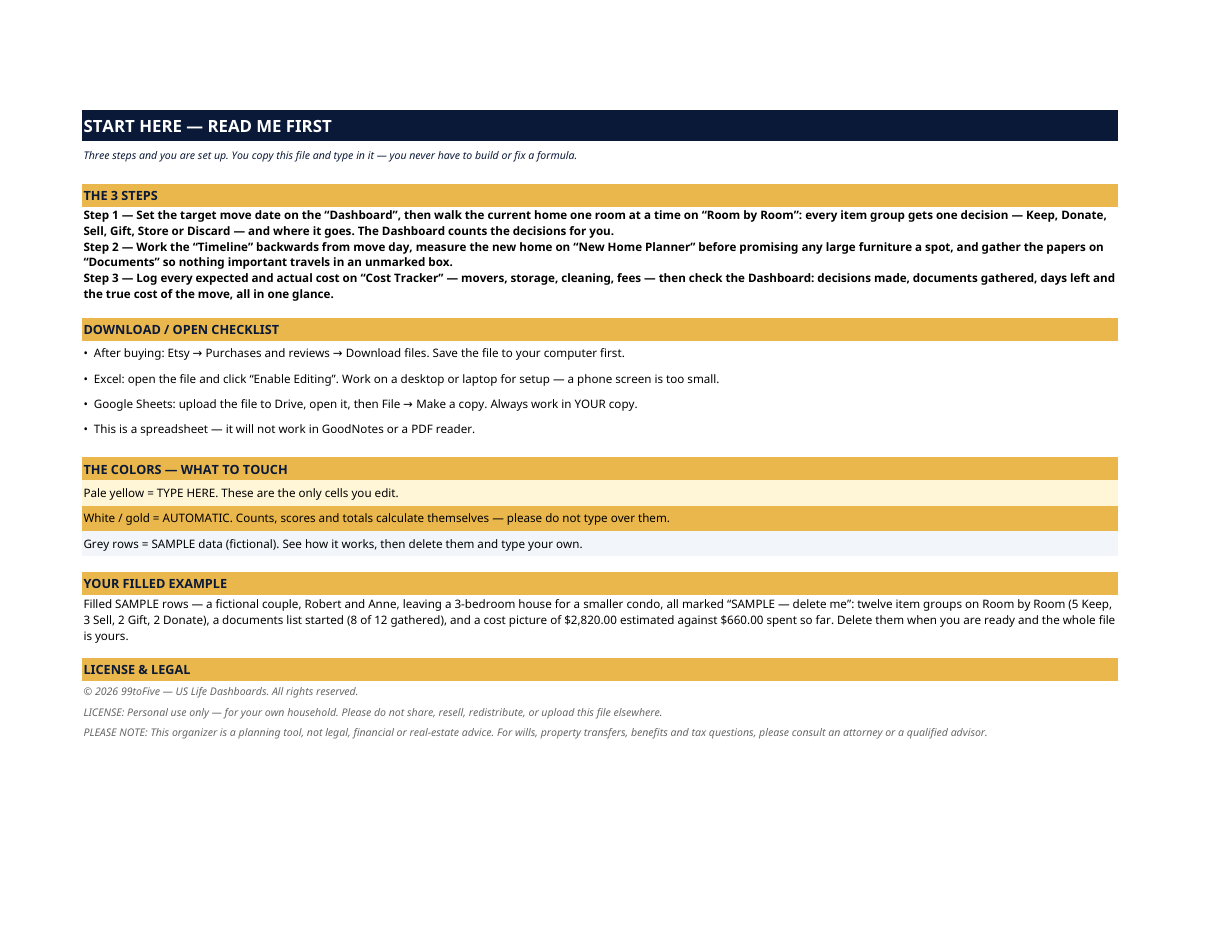
- Start Here — the 3 steps, a download/open checklist for Etsy, Excel and Google Sheets, the color guide (pale yellow = type here; white/gold = automatic; grey = sample data), a walk-through of the filled example, and the license.
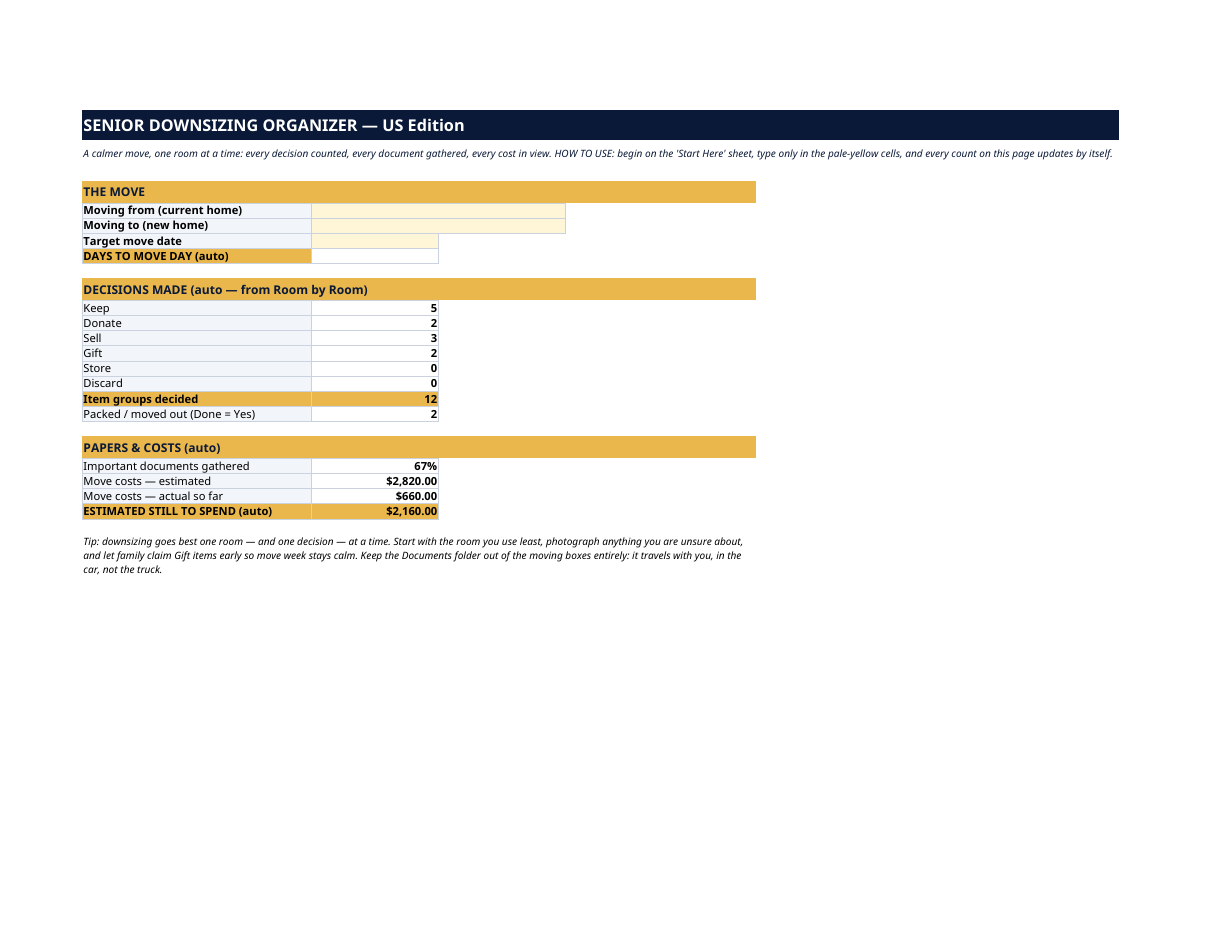
- Dashboard — the move at a glance: where you're moving from and to, the target date with an automatic days-to-move-day countdown, decisions made counted by type (Keep, Donate, Sell, Gift, Store, Discard) and in total, item groups packed or moved out, important documents gathered as a percentage, and move costs — estimated, actual so far, and estimated still to spend.
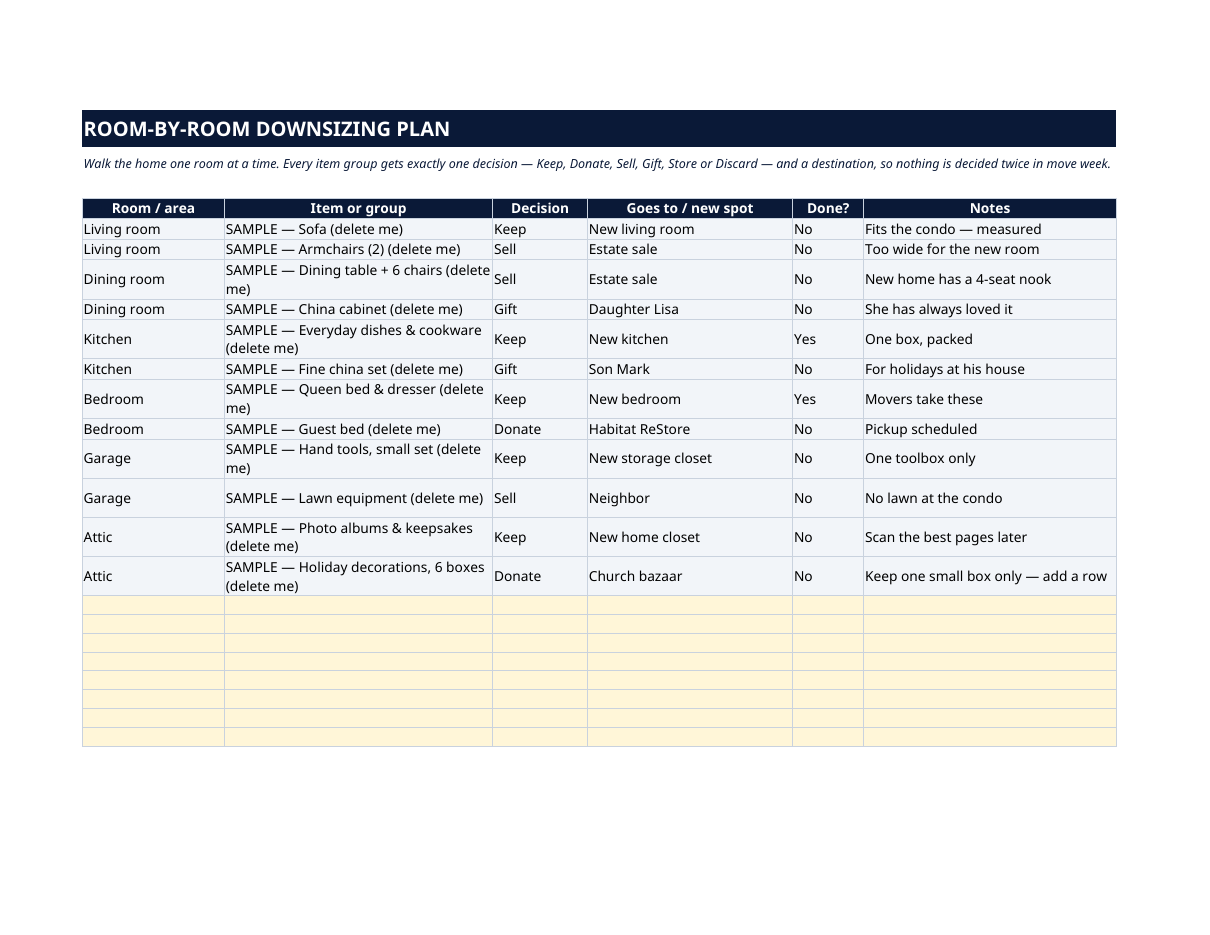
- Room By Room — the heart of the file. Walk the current home one room at a time; every item group gets exactly one decision and a destination ("goes to Lisa", "estate sale", "new kitchen"), plus a Done flag — so nothing is decided twice in move week.
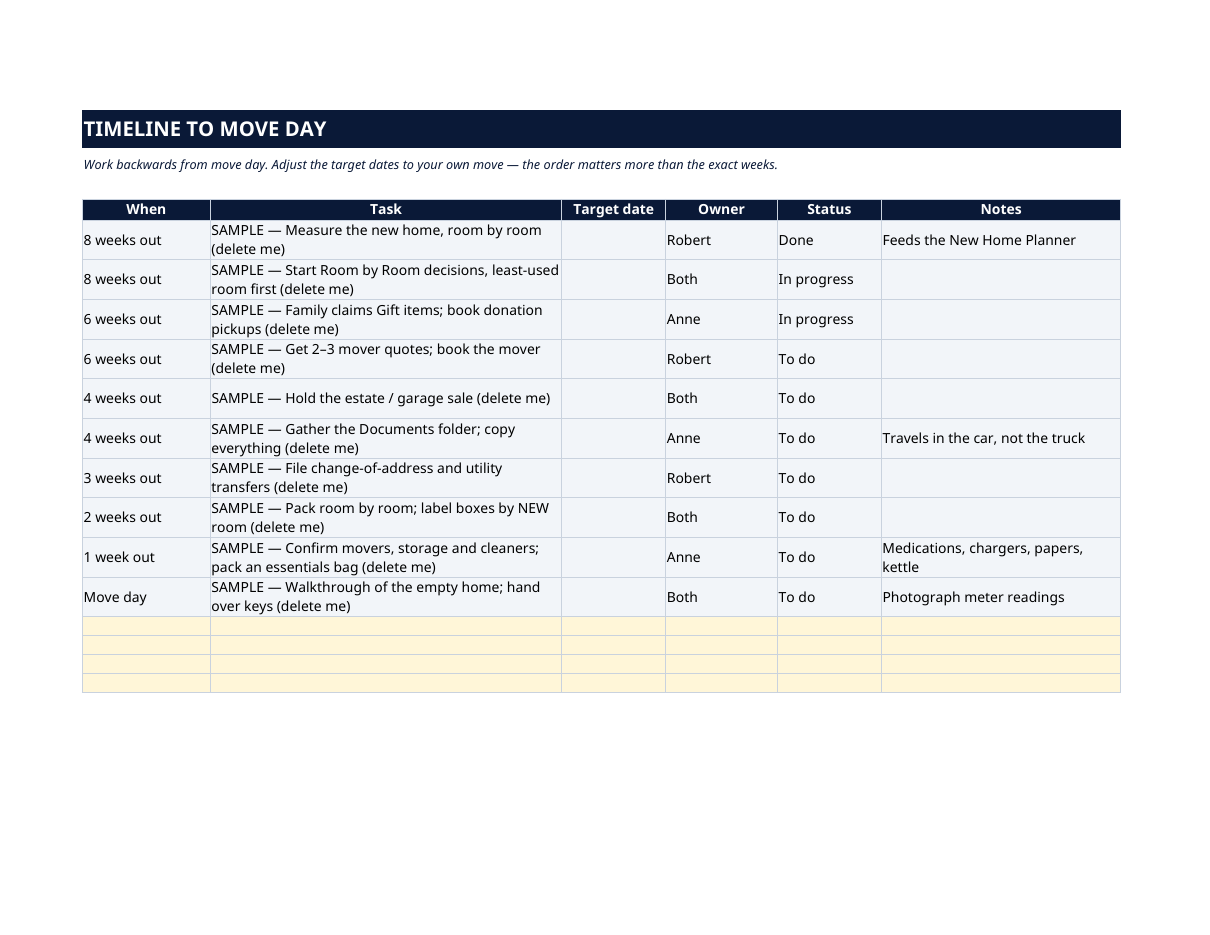
- Timeline to Move Day — the work in a workable order, from 8 weeks out to move day itself: measure the new home, start decisions in the least-used room, let family claim Gift items early, book movers, hold the sale, gather the documents folder, pack an essentials bag. Each task has an owner and a status.
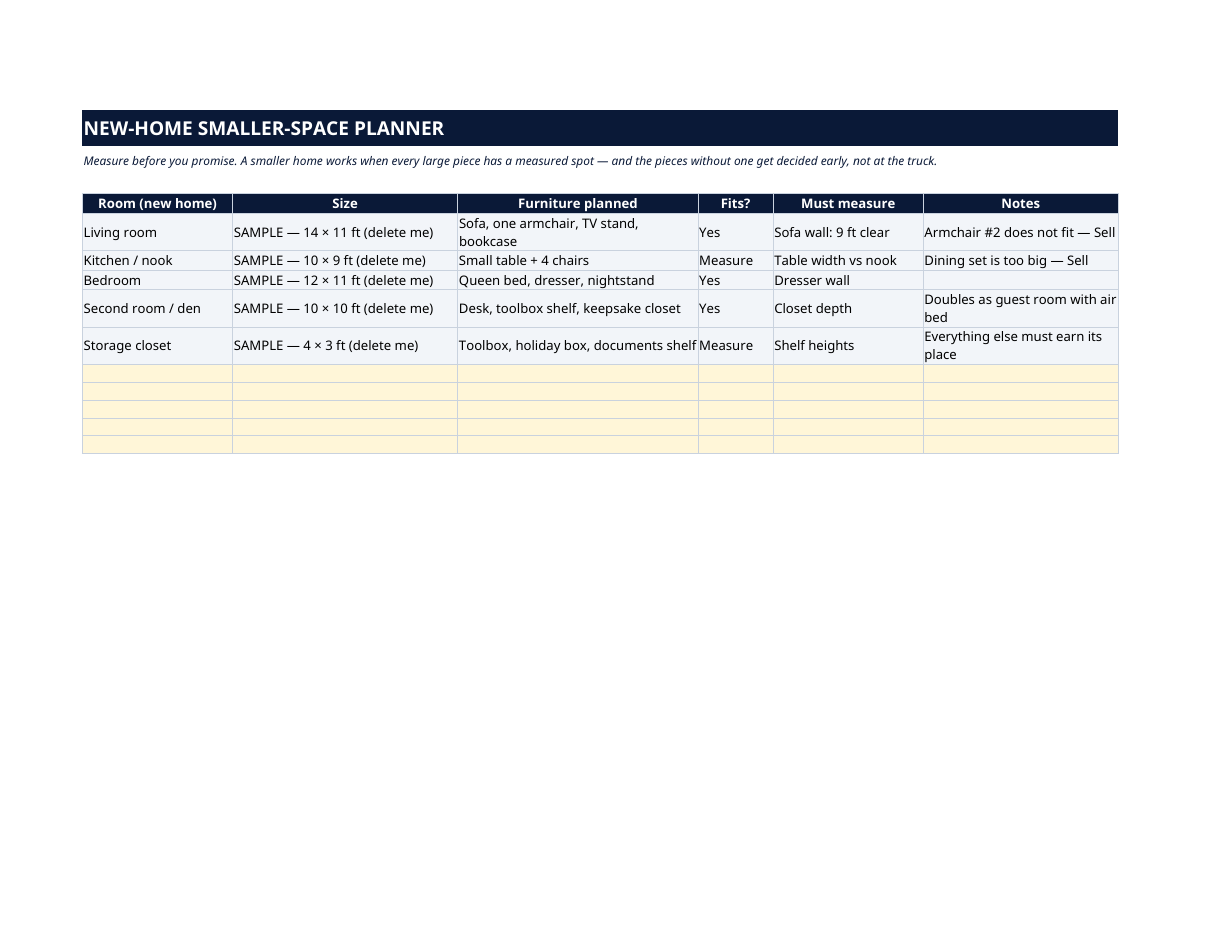
- New-home Smaller-space Planner — measure before you promise. Each room of the new home with its size, the furniture planned for it, whether it fits, and what still must be measured — so the pieces without a spot get decided early, not at the truck.
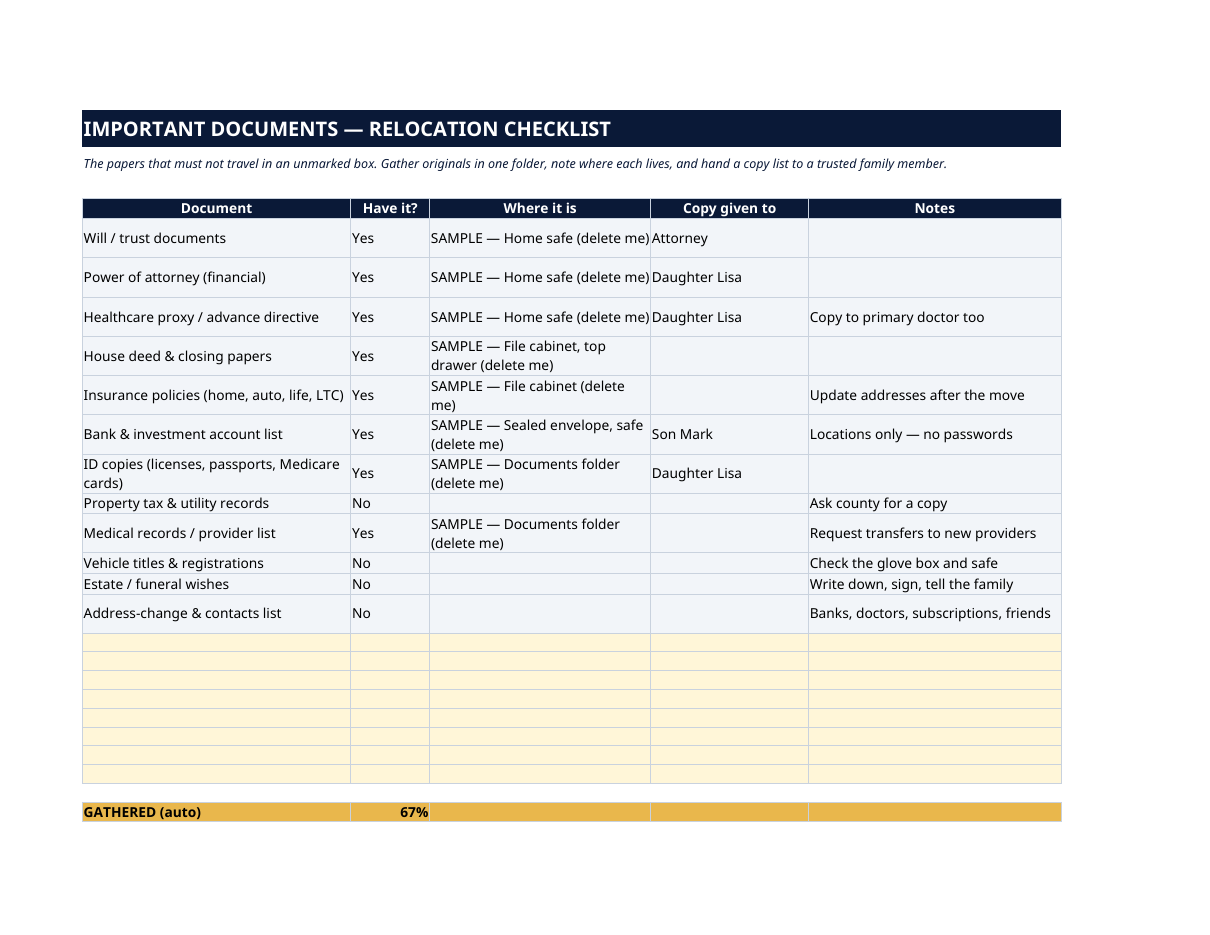
- Important Documents — RELOCATION CHECKLIST — the papers that must not travel in an unmarked box: will and trust, powers of attorney, healthcare proxy, house deed, insurance policies, bank and account list, ID copies, tax and medical records. For each: have it or not, where it is, who holds a copy — and a scoreboard that counts you to 100% gathered.
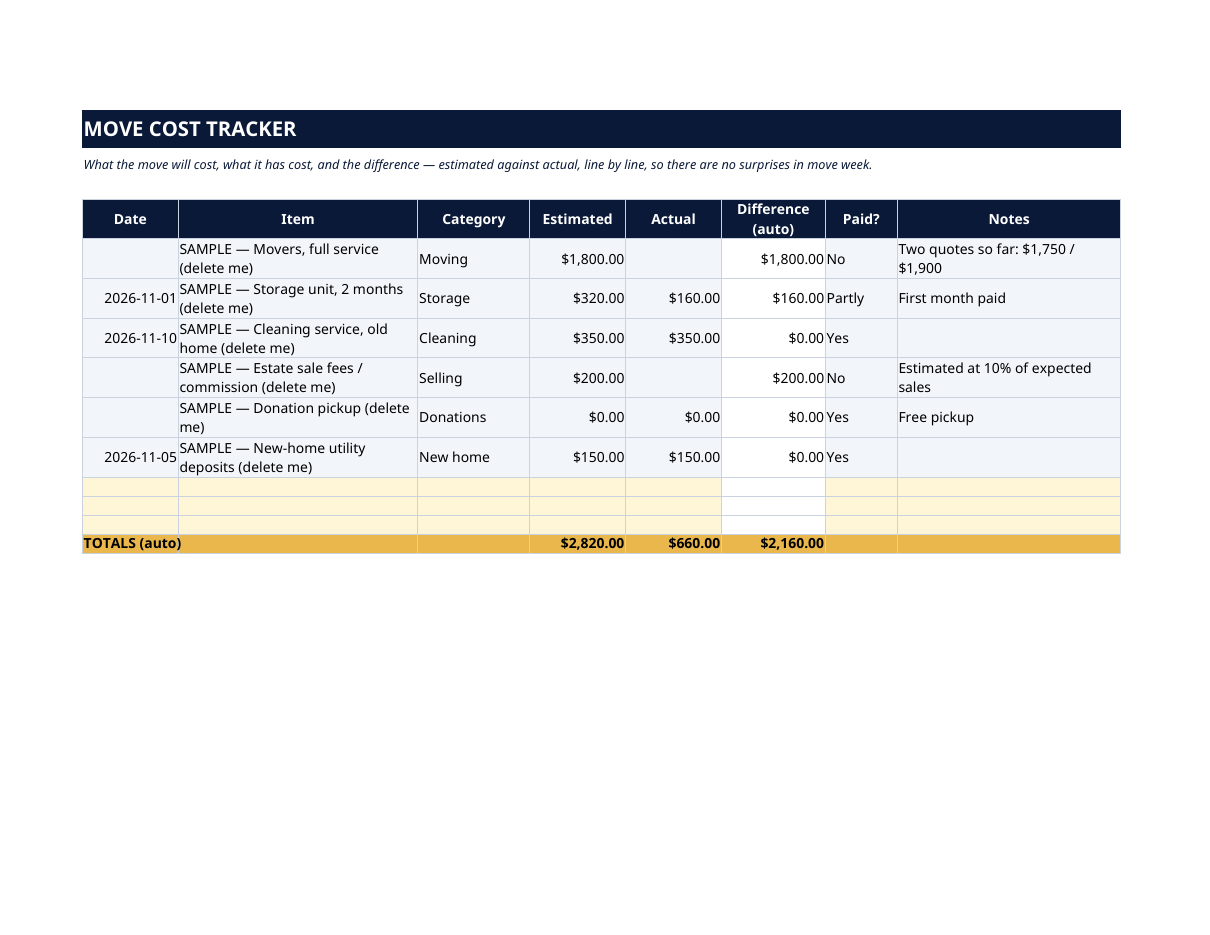
- Move Cost Tracker — what the move will cost, what it has cost, and the difference, line by line: movers, storage, cleaning, estate-sale fees, donation pickups, new-home deposits. Estimated vs actual, totaled automatically — no surprises in move week.
How it works — 3 steps
- Set the target move date on the Dashboard, then walk the current home one room at a time on Room by Room.
- Work the Timeline backwards from move day, measure the new home on the New Home Planner, and gather the papers on Documents.
- Log every expected and actual cost on the Cost Tracker, then check the Dashboard: decisions made, documents gathered, days left and the true cost of the move, all in one glance.
You never build or fix a formula. Type only in the pale-yellow cells — the formula cells are protected (no password) so the math can't be broken by accident. Fictional SAMPLE rows, clearly marked, show you the format; delete them and the file is yours.
What you need
Microsoft Excel, or Google Sheets (free with a Google account). One file works in both. A desktop or laptop is best for setup — a phone screen is too small. This is a spreadsheet. It will not work in GoodNotes, Notability or a PDF reader.
Instant download
This is a digital download — no physical item will be shipped. After purchase, go to Etsy → Purchases and reviews → Download files, save the file to your computer first, then open it in Excel (click “Enable Editing”) or upload it to Google Drive for Sheets (then File → Make a copy, and always work in your copy).
License
Personal use only — for your own household. Please do not share, resell or redistribute the file.
Questions
Does it work in Google Sheets as well as Excel?
Yes — the same .xlsx file works in both. Upload it to Google Drive, open it, then choose File → Make a copy and work in your copy.
I'm not good with spreadsheets. Is this for me?
Yes. You only ever type in the pale-yellow cells; the counts, scores and totals calculate themselves. Instructions are printed at the top of every sheet, and a filled fictional example shows you exactly what goes where.
Is this only for seniors?
It's written for a senior move — a long-time family home to a smaller place — but the same room-by-room decisions, timeline, documents checklist and cost tracker work for any downsize, including helping a parent move.
Can family members work on it together?
Yes — the license covers your household. Many families keep one shared copy: one person walks the rooms, another handles the timeline and costs, and the Dashboard keeps everyone looking at the same numbers.
Does it replace the change-of-address notifications?
No — it plans the move itself: belongings, timeline, the new home's space, documents and costs. Address changes are one task on the Timeline; for the notifications themselves, our Change-of-Address Checklist covers USPS, DMV, banks and the rest.