About this template
Plan the trip budget before you go — then watch what the trip really cost, day by day, without a single receipt spreadsheet meltdown. This one-trip planner compares your budget to actual spending in 6 categories, tracks everything you booked ahead (and what is still to pay), logs spending on the trip, and finishes with an honest Summary: total cost, cost per day, cost per person.
What's inside
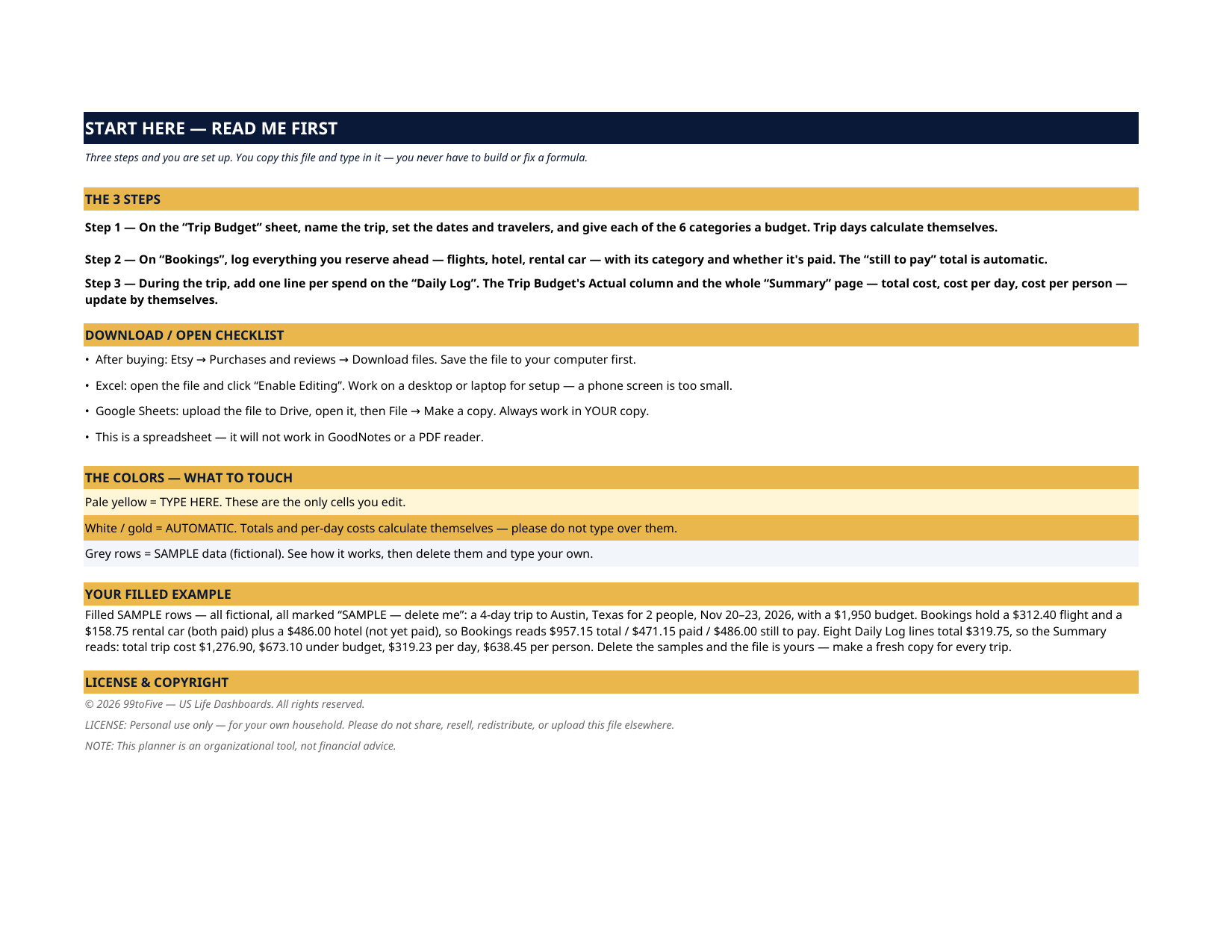
- Start Here — 3 steps, a download checklist, the color guide, and the filled example explained
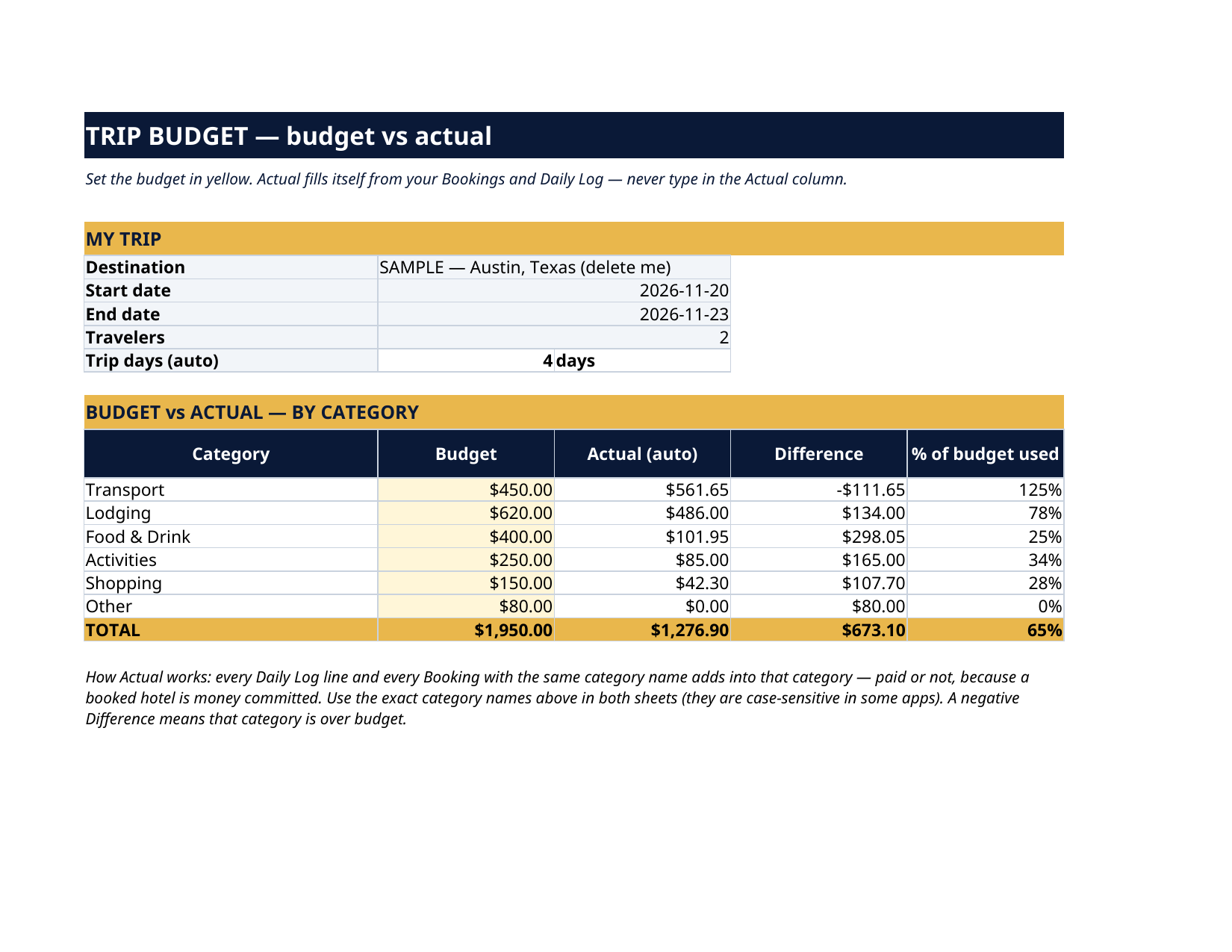
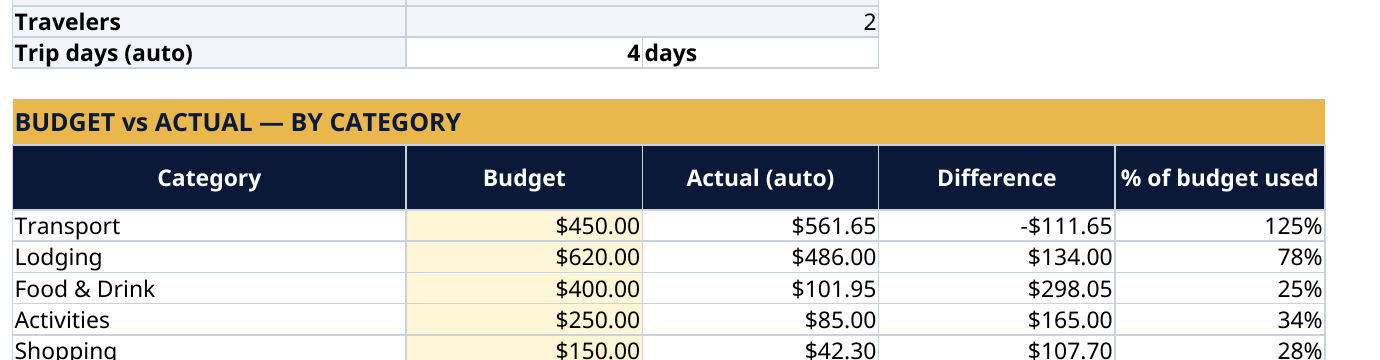
- Trip Budget — name the trip, set dates and travelers (trip days calculate themselves), and give each category a budget: Transport, Lodging, Food & Drink, Activities, Shopping, Other. The Actual column fills itself and shows the difference and % of budget used per category.
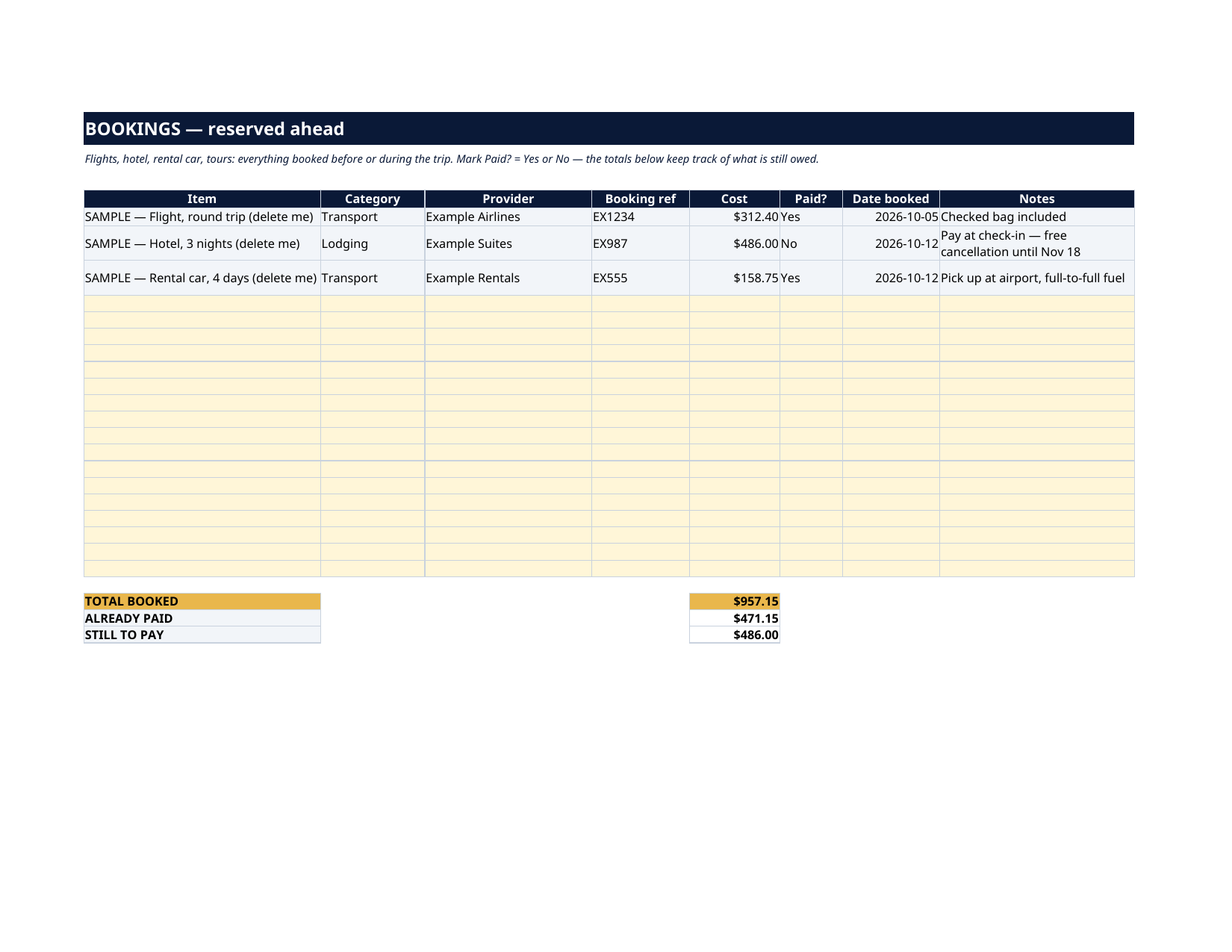
- Bookings — every flight, hotel, rental car and tour reserved ahead, with provider, booking reference, cost, Paid? Yes / No, and date booked. Totals for booked / already paid / still to pay are automatic.
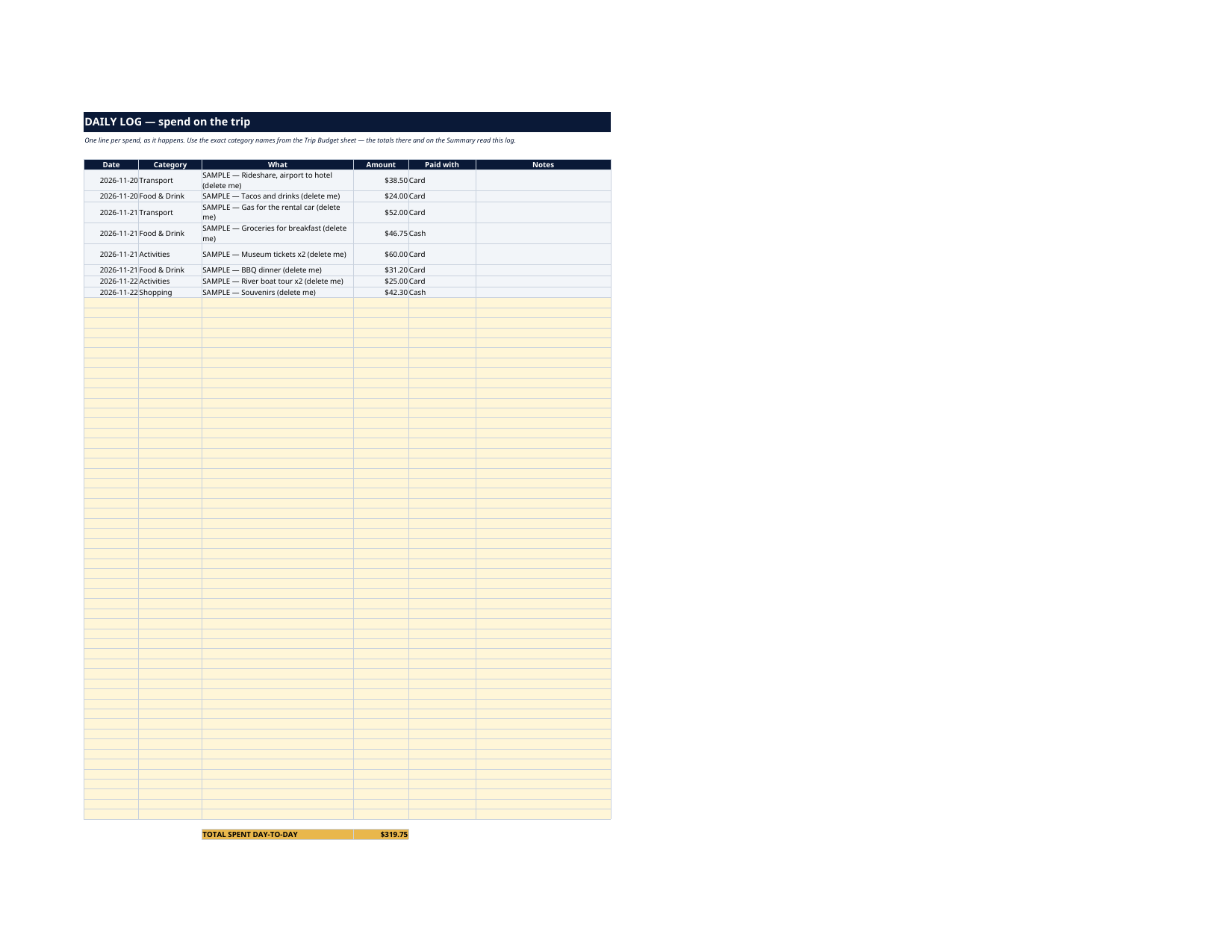
- Daily Log — one line per spend on the trip, with category, amount and how you paid.
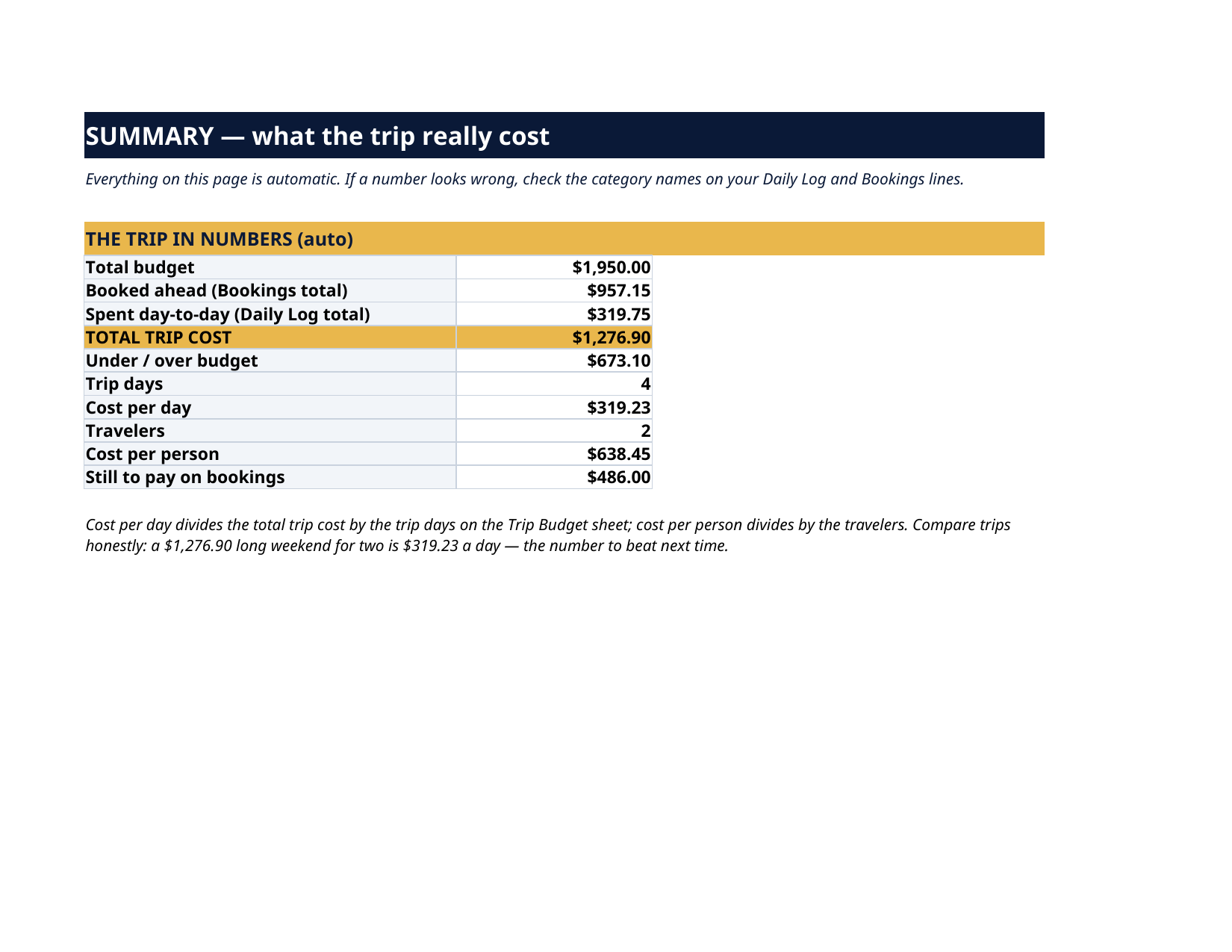
- Summary — total budget, booked ahead, spent day-to-day, TOTAL TRIP COST, under / over budget, trip days, cost per day, travelers, cost per person, and still to pay on bookings. All automatic.
How it works — 3 steps
- Set the trip and the category budgets on Trip Budget.
- Log reservations on Bookings as you make them — paid or not, a booked hotel is money committed, so it counts in Actual.
- During the trip, add one Daily Log line per spend. The Summary keeps score.
You never build or fix a formula. Type only in the pale-yellow cells — the formula cells are protected (no password) so the math can't be broken by accident. Fictional SAMPLE rows, clearly marked, show you the format; delete them and the file is yours.
What you need
Microsoft Excel, or Google Sheets (free with a Google account) — one file works in both. A desktop or laptop is best for setup.
Instant download
This is a digital download — no physical item will be shipped. After purchase, go to Etsy → Purchases and reviews → Download files, save the file to your computer first, then open it in Excel (click “Enable Editing”) or upload it to Google Drive for Sheets (then File → Make a copy, and always work in your copy).
License
Personal use only — for your own household. Please do not share, resell or redistribute the file.
Questions
How many trips can I plan with it?
One trip per copy of the file — by design, so each trip stays simple. After a trip, save the file as that trip's record and start a fresh copy for the next one. Your license lets you make as many copies for your own household as you like.
Do bookings count even if I haven't paid yet?
Yes, in the Actual column — a booked hotel is money committed. The Bookings sheet separately tracks what is already paid and what is still to pay, and the Summary shows the still-to-pay figure on its own line.
How does cost per day work?
The Summary divides your total trip cost (bookings + daily spending) by the number of trip days, which the Trip Budget sheet calculates from your start and end dates. Cost per person divides by the travelers you entered.
Excel or Google Sheets?
Both. The .xlsx works in Microsoft Excel; in Google Sheets, upload it to Drive, open it, then File → Make a copy and work in your copy. All formulas use functions supported by both programs.
Can I change the spending categories?
The 6 categories (Transport, Lodging, Food & Drink, Activities, Shopping, Other) are fixed so the automatic totals stay reliable. "Other" catches everything else — tours that don't fit, visas, pet sitting, airport parking.